
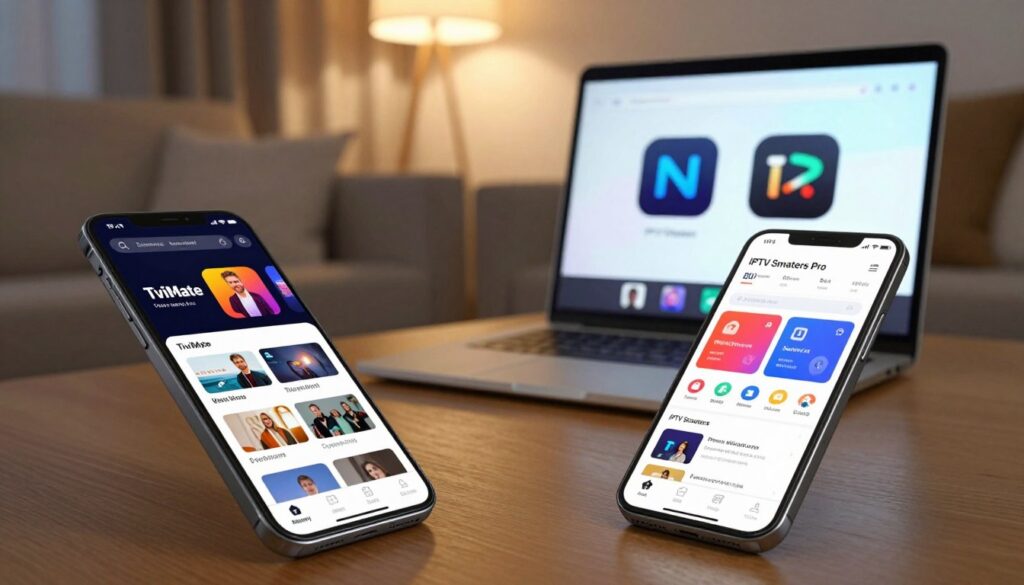
Which app will change how you watch live TV on your set-top box this year?
You’re comparing two popular player apps in 2025: one known for a cable-like Android TV layout and the other for broad device reach and easy setup. This guide shows what “best” means for your devices, budget, and daily viewing habits.
We evaluate the player experience—UI, EPG, playback, and reliability—not channel availability. Neither app supplies content on its own; you’ll pair them with a subscription from a service like GetMaxTV or another legitimate U.S. provider.
Expect a quick verdict first, followed by device compatibility, UI and guide comparisons, a feature showdown, performance notes, setup tips, pricing, and a practical conclusion. You’ll get clear, trustworthy advice to pick what fits your setup and keeps your streaming secure.
Key Takeaways
- One app favors Android TV and Firestick users who want a premium TV-like interface.
- The other shines on many devices and makes onboarding simple for most people.
- This review focuses on player features and reliability, not channel lists.
- Pair either app with a legal subscription service such as GetMaxTV for content.
- Choice depends on your devices, daily habits, and how much setup you want to do.
What These Players Do (and What They Don’t)
Think of the player as the TV set and the subscription as the channel lineup that powers it. The app organizes menus, shows a program guide, and plays streams your service supplies. It does not create channels, host movies, or replace a paid subscription.
IPTV player vs service: why you still need a subscription
An IPTV player is the interface that lists channels, loads EPG data, and decodes streams. An IPTV service is the company that provides live channels, VOD libraries, and login credentials (M3U or Xtream Codes).
Both iptv smarters pro and tivimate iptv smarters accept playlist URLs and credentials from your provider. If a channel is missing or a VOD link is broken, changing the player won’t fix the source.
Legal streaming basics in the United States
Use services that clearly license content in the U.S. and avoid providers that promise unauthorized premium networks. Legal responsibility lies with the content source, not the player app.
“Legal streaming is determined by the source of the content, not the app you use to watch it.”
Where GetMaxTV fits in your setup
GetMaxTV is an example of a subscription service. It supplies the playlists and access credentials you load into the player. The player then presents the guide and plays the streams on your device.
- Always use strong passwords and unique logins for your service account.
- Keep apps updated and review what data you share when connecting.
- If you need help, check support channels from your service for credential or stream issues.
| Component | Role | Example |
|---|---|---|
| Player app | Displays guide, organizes channels, handles playback | tivimate iptv smarters (interface) |
| Service | Provides channels, VOD, and login credentials | GetMaxTV (subscription) |
| Credentials | Grant access to streams (M3U/Xtream) | Provided by your iptv service |
For a practical comparison of player features and how they work with services like GetMaxTV, see this detailed comparison.
tivimate vs iptv smarters pro: Quick Verdict for 2025

Need an instant recommendation for your streaming setup? This section sums it up.
Choose TiviMate if you want a premium, cable-like experience on Android TV/Firestick
Pick tivimate iptv when you use Android TV or Firestick and you care about a polished, grid-style guide. The app gives a TV-like daily viewing experience and deep guide controls that power users enjoy.
Choose IPTV Smarters Pro if you need easy setup and broad cross-platform compatibility
Pick iptv smarters pro when you want fast setup across phones, tablets, and desktops. Newer users and households with iPhones or Windows machines benefit most from its wide platform support and simpler onboarding.
The tradeoff is simple: tivimate iptv wins on interface polish and guide control. ipTV smarters wins on flexibility and device coverage.
| Who benefits | Primary advantage |
|---|---|
| Everyday live-TV enthusiasts | Premium guide and daily viewing controls |
| Mixed-device households and new users | Wider compatibility and easier setup |
“The best IPTV player for you depends on devices, what you watch, and how much you like to tweak settings.”
In a hurry? Choose tivimate iptv for a premium daily experience on supported devices. Choose iptv smarters when you want fewer steps and broad platforms. For a deeper read, see the ultimate guide to setup and features.
Device Compatibility and Best Platforms for Your Setup

Match your main screen to the player that runs best on it—this makes setup and daily use far easier.
TiviMate compatibility
Best for Android-based living rooms: This player shines on Android TV boxes, Fire TV/Firestick, and NVIDIA Shield. It gives the most polished guide experience where remote control navigation matters.
If your primary device is a Firestick or an Android TV receiver, this app will feel native and fast. Mobile Android tablets and phones also work, but the interface is optimized for big screens.
IPTV Smarters Pro compatibility
Wide platform reach: iptv smarters pro supports Android and iOS phones and tablets, Fire TV (often via APK), and desktop access via web player or emulation on Windows and macOS.
It can run on some smart tvs depending on the TV’s operating system, so availability varies by model. That flexibility makes it a go-to when multiple device types need the same account.
Picking for mixed-device households
Smart TVs aren’t all the same—some use Google TV/Android, others use proprietary OS builds. Check your TV’s app store before assuming full support.
“Choose the player that matches the screen you use most—living room TVs first, phones and laptops second.”
- If you watch mostly on the living room TV, choose the app best on that device.
- If family members stream on phones and laptops, iptv smarters pro often reduces setup friction.
- Use one player on the main TV and the other on personal devices if needed for maximum flexibility.
| Device | Recommended player | Why |
|---|---|---|
| Android TV / NVIDIA Shield | tivimate iptv | Remote-first guide and polished UI |
| iPhone / iPad / Windows | iptv smarters pro | Broad platform access and web player support |
| Fire TV / Firestick | tivimate iptv or iptv smarters pro | Both run well; choose based on who uses phones/tablets |
Support tip: If you switch devices often, favor the player with broader platform support to avoid repeated setup and logins.
User Interface and EPG Experience: Which Feels Better Day-to-Day?
When you sit down to pick a show, the interface decides how quickly you find it. A good UI makes navigation fast with a remote, shows a readable guide, and reduces friction when you just want to watch now.
Modern grid-style guide for live browsing
tivimate iptv offers a polished grid that feels like a traditional cable box. The design highlights channel logos and timed blocks so you can scan what’s on now and next at a glance.
Simple menus for Live TV, Movies, and Series
iptv smarters pro separates Live TV, Movies, and Series into clear sections. That layout helps if you spend more time in on-demand libraries and want quick access without deep customization.
Channel organization, favorites, and daily usability
Favorites, categories, and logos speed up daily viewing. A robust guide helps plan what to watch and makes returning to the last channel easy.
“Fast, readable guides and clear categories are what define a good day-to-day user experience.”
If you want an easy setup guide for the latter app, see IPTV Smarters Pro setup. For homes with multiple users, choose the interface that matches how your family watches—live-first or VOD-first.
Feature Showdown: Customization, Playlists, and Advanced Viewing Options
Picking the right player means matching features to real-life viewing needs.
Multiple playlists and logins: Both apps accept M3U URL/file and Xtream Codes. M3U files are simple and self-contained, while Xtream Codes often auto-sync EPG and require fewer manual fixes when your service updates channels.
Multiple playlists in practice: Use separate lineups for sports, international channels, or a family profile. That keeps genres distinct and makes swapping sources fast when one provider has an outage.
Multi-screen, PiP, and parental controls
Multi-screen and Picture-in-Picture are handy during sports or news cycles. Check device power and concurrent stream limits from your service before relying on them.
Parental controls: PIN protection and category locks prevent accidental access to mature channels. Both players offer PIN settings; enable them for shared living rooms.
Recording, catch-up, and playback control
Recording and catch-up depend on whether your service supplies catch-up streams or if the app permits local recording. Recording often needs external storage and proper permissions on the device.
External players and buffer settings: Use an external player to improve format support or reduce CPU load. Adjustable buffer settings help unstable connections by smoothing playback.
| Feature | Practical benefit | Notes |
|---|---|---|
| Multiple playlists/Xtream | Separate lineups for sports and regions | M3U simple; Xtream syncs EPG and updates |
| Multi-screen / PiP | Watch two events at once | Requires device power and service concurrency |
| Parental controls | Blocks adult content with a PIN | Enable in settings for family rooms |
| Recording / Catch-up | Save shows or rewind live TV | Depends on service and device storage |
“If deep customization and guide tools top your list, favor the player with advanced settings; if you want broad support and easy toggles, choose the more flexible app.”
Performance, Stability, and Real-World Streaming Experience
How fast channels open and menus respond will shape your nightly viewing habits.
Speed and responsiveness: On Firestick and Android TV, many users find tivimate iptv fast and smooth. Menus load quickly and channel changes feel instant on well-powered boxes. iptv smarters pro runs reliably across phones, tablets, and desktops, but responsiveness can vary by device and app build.
Common pain points to expect
Buffering, slow EPG loads, categories that fail to populate, and rare app exits are the most reported issues. These annoyances often show up during peak hours or when your device is low on memory.
Why the service matters most
Your iptv service quality—server capacity, stream bitrate, and uptime—affects playback more than which player you choose. A weak source will buffer on any app.
“Switching players can improve the interface, but it won’t fix a weak service.”
Practical fixes and expectations
Keep apps updated, reboot devices occasionally, try Ethernet instead of Wi‑Fi, and lower stream quality when needed. If issues persist, check provider support or see a troubleshooting guide such as the one for iptv smarters pro or comparative tips at tivimate vs smarters.
| Area | What to check | Quick fix |
|---|---|---|
| Buffering | Internet speed and server load | Test Ethernet, lower bitrate |
| EPG delays | Guide sync and EPG URL | Refresh guide, update app |
| Crashes | Device RAM and app version | Reboot device, reinstall app |
Setup and Configuration: Getting Started Without the Headaches
Getting your player running should take minutes, not hours. Start by gathering three things: a lawful subscription, your login method (M3U or Xtream Codes), and an optional EPG URL if your service provides one.
TiviMate setup essentials
Add your playlist from the main menu and choose M3U or Xtream Codes. Then attach the EPG URL and refresh it so the guide populates.
Adjust guide layout, favorites, and channel order to fit your living-room remote. These simple preferences make daily navigation feel familiar and fast.
IPTV Smarters Pro setup essentials
Use an M3U URL for straightforward playlists or Xtream Codes for auto-syncing credentials and EPG. Create profiles for different users so each person keeps favorites and watch history separate.
Key settings to check: default player, buffer size, and playback quality. Tweaking these reduces stutter on slower networks.
Troubleshooting the basics
- Make sure credentials are typed correctly and not expired.
- Confirm URLs use the exact characters your provider gave you.
- Test on another device to see if the issue is app- or service-related.
- Update the app—many EPG and stability bugs are fixed in newer releases.
“Make sure your subscription is legitimate and your credentials come from a trusted provider.”
| Problem | Quick check | Action |
|---|---|---|
| No guide data | EPG URL valid? | Re-enter and refresh EPG |
| Playback fails | Credentials correct? | Verify login, try lower quality |
| App unstable | App updated? | Update or reinstall |
Pricing, Free vs Premium, and Value in 2025
Budget matters, but so does knowing which features actually improve your nightly viewing.
Free tiers in both players let you load a playlist and watch basic streams with your chosen service. You get core playback, simple channel lists, and basic navigation without paying. That covers most casual viewers who mainly watch movies or occasional live events.
TiviMate pricing model: free tier vs one-time premium unlock
The one-time premium unlock is popular because it avoids recurring fees. Paying once typically adds advanced guide controls, favorites management, and deeper customization. If you use an Android TV, this can be a strong long-term value.
IPTV Smarters Pro pricing model: free use, potential ads, and optional upgrades
Many builds of iptv smarters pro remain free and cross-platform. Some releases include ads or optional paid upgrades for features like multi-screen or recording. That makes it a low-friction entry point across phones, tablets, and desktops.
Which premium features are worth paying for?
If you watch a lot of live sports, multi-screen/PiP, fast guide navigation, and recording are worth the cost. If you mostly stream movies and series, a free player with organized menus may be enough.
- Pay for convenience (better guide, multi-view) if you value quick channel switching and shared living-room use.
- Avoid paying solely to fix poor streams—your service affects playback more than the player.
- Try free first and upgrade only if the extra controls change how you watch.
“Premium improves convenience and control, but it won’t replace a reliable service.”
For pairing with a legitimate provider, learn more about a legal option at GetMaxTV. That helps ensure the premium features you buy actually unlock useful functionality when your streams are solid.
Conclusion
Deciding which player fits your living room comes down to devices and how you like to navigate channels. Pick the premium, guide-first option when your main screen is an Android TV or Firestick. Choose iptv smarters pro when you need fast setup and compatibility across phones, tablets, and desktops.
Remember: the app is just the interface. Your content quality and reliability come from the subscription you use, not the player itself. Keep services legal and licensed in the U.S. to avoid risks.
Quick checklist: what is your primary device, which interface style you prefer, do you need multi-platform access, and will premium features change your viewing? If you want a legal subscription to use with your chosen app, check GetMaxTV’s offers and learn more about a trusted IPTV player.
FAQ
What’s the main difference between these two popular players?
One app focuses on a polished, grid-style live TV interface and deep customization for Android TV devices, while the other emphasizes simple setup and broad cross-platform support for phones, tablets, and desktop browsers. Both require a separate subscription from an IPTV service to access channels and VOD.
Do I still need an IPTV service subscription to use either app?
Yes. These applications are players only; they don’t supply channels or licensed content. You’ll need a legitimate subscription from a provider such as GetMaxTV or another legal content service to stream live channels and movies.
Are these players legal to use in the United States?
Using a player is legal. The key is your content source: make sure your provider is licensed to distribute the channels and on-demand content you watch. Avoid unauthorized streams to stay within copyright and local regulations.
Which player is better for Android TV devices and Fire TV?
The app with a premium, cable-like interface tends to deliver a more native Android TV experience on Firestick, NVIDIA Shield, and other set-top boxes. It offers features like a refined EPG and channel grouping that feel optimized for big screens.
Which player should I pick if I want to use phones, tablets, and computers too?
The other player wins on cross-platform flexibility. It supports Android and iOS natively and can work on Windows and macOS through a web portal or emulation, making it easier to share a single setup across many devices.
Can I load multiple playlists and accounts in these apps?
Yes. Both support multiple playlist types (M3U URLs/files and Xtream Codes) and can handle more than one profile or login. This is useful if you manage family profiles or combine different service packages.
Do they support recording, catch-up, and EPG functionality?
Basic EPG and guide features are included, but recording and catch-up depend on the IPTV service and whether the app exposes those features. Some services provide server-side catch-up that any player can use; DVR-like recording is less common unless the player or service explicitly supports it.
Is parental control available?
Yes. Both players offer PIN protection and parental control settings for blocking channels or restricting content. Implementation varies, so check the settings and test locks before relying on them for family use.
How important is the IPTV service for playback quality?
Very important. App performance can only do so much—bitrate, server uptime, and CDN quality from your provider dictate buffering, picture quality, and channel stability more than the player itself.
What external players and formats do they support?
Both apps support external media players and common codecs. You can usually configure an external player for smoother H.264/H.265 playback, hardware acceleration, and custom buffer settings to reduce stuttering on lower-powered devices.
Which app is easier to set up for beginners?
The cross-platform player tends to be more straightforward for first-time users. It guides you through M3U or Xtream Codes input and profile setup. The other app can be slightly more technical but offers deeper customization once configured.
What common setup issues should I watch for?
Check credentials, correct playlist/EPG URLs, and network stability first. Ensure you use the right login type (M3U vs Xtream), keep the app updated, and allow necessary permissions on your device for playback and storage.
Are there recurring costs for these players?
One player offers a free tier and a one-time premium unlock for advanced features, while the other is often free with optional upgrades or ad removal. You’ll still pay your IPTV subscription separately for content access.
Which premium features are worth paying for?
Prioritize advanced EPG options, multiple playlist handling, background updates, and picture-in-picture or multi-screen support. If you use a big-screen device daily, the interface polish and stability are often worth the fee.
How do I choose for a household with mixed devices (smart TVs, phones, tablets, PCs)?
If you need seamless cross-device access, favor the app with wide platform support. If most viewing happens on Android TV or Fire TV and you want a cable-like experience, choose the player tailored for those devices.
Do either app offer customer support or guides?
Both have user guides, FAQs, and community resources. For account or streaming issues, your IPTV provider’s support usually matters more than the player’s help since content access is provider-dependent.
The WatchMaxTV Team is a dedicated group of streaming specialists and entertainment technology reviewers covering IPTV services for viewers in the USA, UK, and Canada since 2023. Our team independently evaluates every service we feature — testing across Smart TVs, streaming sticks, mobile devices, and gaming consoles. We measure stream stability, picture clarity in HD and 4K, program guide accuracy, and customer support quality. Our goal is simple: help cord-cutters find reliable, affordable alternatives to overpriced cable. Every recommendation on WatchMaxTV.com comes from real-world testing — not sponsored content or paid placements.