
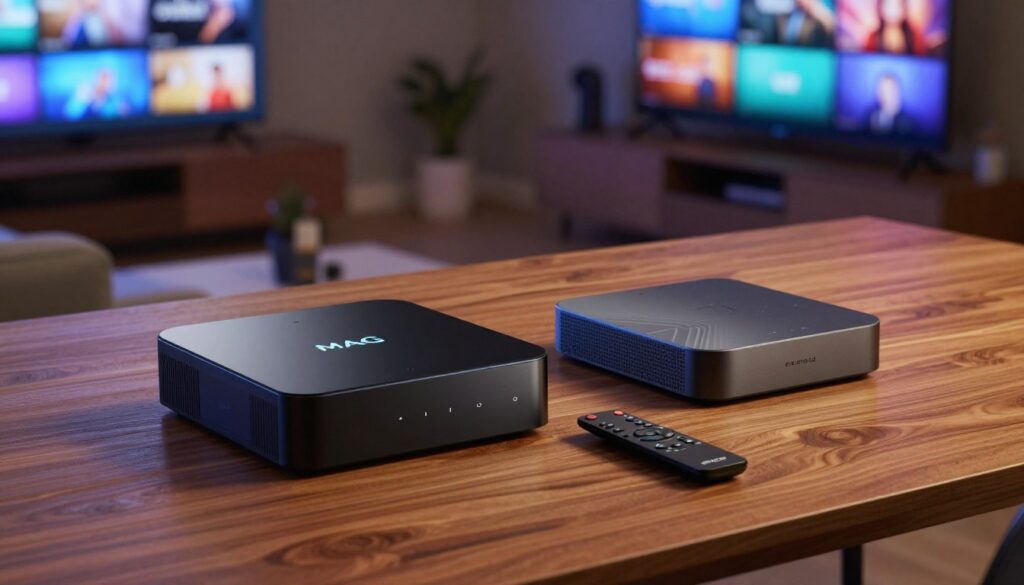
Which device gives you a cable-like, hassle-free live TV experience, and which one lets you tinker until it’s perfect?
If you want clear answers before you buy, this short guide helps you decide.
You’ll learn what separates a purpose-built MAG device from a general-purpose Android unit used for iptv. Think of the player as the middleman between the service server and your screen, much like a cable box.
This section sets expectations: we’ll compare ease of use, app flexibility, reliability for live channels, and service compatibility. You’ll also see why the provider and your home network matter as much as the hardware.
We stay practical and legal for a United States audience and point out simple checks to do before purchase. For a quick look at services that pair well with each device, see GetMaxTV at getmaxtv.com.
Ready to pick the right setup for your viewing habits and budget? Visit watchmaxtv.com to get started.
Key Takeaways
- Compare a dedicated MAG device with a flexible Android unit to avoid wasted money.
- Decide based on your tolerance for setup and whether you want a cable-like feel or customization.
- Focus on live stability, app support, and service compatibility.
- Your provider and network speed impact quality as much as the device.
- Check legality and practical “what to check” steps for U.S. users before buying.
What an IPTV Box Actually Does (and What It Doesn’t)
In simple terms: at its core, an IPTV player turns internet streams into channels you watch on a TV. You need three parts working together: a subscription, a player or middleware, and a device to run it.
IPTV basics
You receive live channels and on‑demand content as data over the internet instead of a satellite or cable signal. The provider sends streams to your subscription account, and those streams travel across your home network.
Why it differs from Netflix or YouTube
With Netflix or YouTube, you open an app and pick a title from a single catalog. Many IPTV setups use playlists, portals, and EPG guides. That means the system organizes channels differently than app-driven services.
Where the player fits
The player (hardware or software) decodes streams, displays the program guide, and outputs video and audio to your TV. It does not create channels—your provider and plan determine what you can watch.
- Subscription: the service that grants access to streams.
- Player/middleware: portal or app that connects to the provider.
- Device: what runs the player on your TV.
To compare options and match a device to a reliable service, see our device comparison guide and the best IPTV solutions.
mag box vs android box iptv: The Core Difference in Plain English
Think of one device as a cable‑style appliance and the other as a small streaming computer for your TV.
Purpose-built IPTV devices
mag boxes are designed for live TV. The menu is portal‑based and predictable. You get a consistent UI, fewer apps to manage, and a cable‑like flow that makes channel surfing simple.
General streaming players
android boxes act like mini PCs. You pick apps, swap players, and try different tools until the experience fits you.
“On a dedicated unit I press one button and I’m watching. On a general player I may install an app first.”
Why this matters day to day: a dedicated unit gives easy use with fewer tweaks. A general player gives more options and power, but you trade simplicity for flexibility.
| Feel | Setup | Flexibility |
|---|---|---|
| Cable-like | Minimal steps | Low |
| App-driven | Configurable | High |
| Stable channel surf | Portal login | Limited apps |
Which should you pick? If you want plug-and-play, lean toward the appliance route. If you like to tinker, choose the general player path. Next, we’ll unpack strengths, tradeoffs, and compatibility in detail.
MAG Boxes at a Glance: Strengths, Tradeoffs, and Who They’re For
If you want a fuss-free set-top feel for live TV, purpose-built units still make a lot of sense.
They target live viewing first. That means fewer apps to manage, a predictable menu, and steady playback for channels. Many households choose this route so non-technical members can simply power on and watch.
Stability and ease for live TV-focused viewing
Key strengths: stability for live channels, a consistent interface, and a familiar set-top-box feel. For everyday watching, these traits reduce troubleshooting and keep the picture steady.
More limited app ecosystem compared with Android
The tradeoff is clear: a more constrained app selection and fewer advanced features like broad VPN or subtitle apps on some models. That limits customization and alternate player choices if your provider changes platforms.
Where older models still show up — MAG 254/256 and MAG 322
Older units such as MAG 254/256 and MAG 322 remain common because they still work for basic live viewing. Expect dated speed and missing modern extras on those models.
“I set the remote down and everyone knows how to find the news or sports channel.”
- Why fans stick with them: less to break, consistent channel surf, and stable performance.
- Typical limitations: fewer player choices, limited troubleshooting paths, and potential compatibility issues.
- Who benefits most: households wanting simple, reliable live TV and minimal setup.
| Characteristic | Typical Result | Who it helps |
|---|---|---|
| Stability for live channels | High playback reliability | Non-technical users |
| App ecosystem | Limited choices | Power users prefer other boxes |
| Older hardware presence | Works but dated | Budget setups |
For a deeper look at whether a dedicated unit fits your home, read this MAG guide to help match devices to services and avoid common compatibility issues.
Android Boxes at a Glance: Flexibility, Apps, and Hardware Choices
Power users pick a versatile streaming unit because it lets them change apps, swap players, and customize the UI.
Why people choose these devices
You get freedom: install multiple apps, test different players, and tailor the interface to how you watch. That makes this a top choice when you want iptv and extra streaming services on one device.
Recommended baseline hardware
Forum-tested guidance says aim for at least 4GB RAM and a modern quad-core processor. Better hardware means smoother menus, faster app switching, and fewer decoding hiccups during busy streams.
Storage and recording expectations
Internal storage helps with apps and cache, but serious recording usually goes to an external drive. Plan for external USB or NAS if you want reliable saving and playback of recordings.
Starter apps and setup advice
Begin with a low-friction app such as IPTV Smarters to get watching quickly. If you hit EPG, buffering, or UI issues, try a different player—this experimentation is part of the advantage.
“Start simple, then swap apps if you need features or better performance.”
| Need | Recommended Spec | Why it matters |
|---|---|---|
| Responsive UI | 4GB RAM+ | Reduces lag when switching apps |
| Smooth decoding | Quad-core CPU or better | Handles high-bitrate streams and 4K content |
| Recording | External USB/NAS | Prevents storage bottlenecks and preserves recordings |
Final tip: pick decent hardware over the cheapest option. You’ll get a more reliable, flexible experience and fewer headaches when you try new apps and features.
Ease of Use and Daily Experience: Remote, UI, and Setup
The moment you sit on the couch and reach for the remote, you’ll notice whether the system acts like an appliance or a small computer.
“Appliance” experience vs “mini-computer” experience
Appliance-style devices behave predictably. You power on, the portal opens, and you pick a channel fast. The remote often has few buttons and simple menus. This makes for easy use for most household members.
Mini-computer style units require more attention. You install apps, manage updates, and set permissions. That extra control rewards tinkerers but adds a learning curve for casual users.
Setting up playlists, portals, and EPG
Typical tasks include entering a portal URL or loading a playlist, adding EPG data, and sorting channel groups so navigation works the way you expect. Expect to adjust guide timing and favorites once or twice.
Look for apps that place help and advanced options behind a clear menu you can click expand. A good app shows setup prompts, and you can click expand sections for EPG and channel mapping. If you need deeper options, you’ll often click expand a settings panel to tweak buffering and display.
“If multiple people use the TV, simplicity usually wins — predictable menus beat extra features.”
- Daily feel: appliance = quick access; mini-computer = flexible control.
- Household use: choose simplicity if non-technical users watch most.
- Support tip: pick devices with clear on-screen setup and good documentation.
| Aspect | Appliance | Mini-computer |
|---|---|---|
| Remote & UI | Simple, few options | Many buttons, app menus |
| Setup | Portal URL, login | Install apps, update |
| User fit | Non-technical user | Power users who want control |
Streaming Quality and Stability: 1080p, 4K, HDR, and Buffering

Real-world viewing proves that a clean 1080p feed can look better than a stuttering 4K signal. Your daily experience depends on both the device and the network. Small differences in hardware and wiring change how stable live streaming feels.
When 1080p is enough
1080p is easier to stream reliably and looks excellent on many TVs. It uses less bandwidth, so it reduces buffering when your internet or Wi‑Fi is strained.
For typical living rooms, a smooth 1080p stream beats frequent rebuffering at higher resolutions.
4K and HDR: what to check
Before you buy, confirm the device reports true 4K output and supports HDR formats your TV uses. Verify the hardware decoder can handle H.265/HEVC or AV1 if your provider uses those codecs.
Quick checklist:
- Confirm 4K/60Hz and HDR compatibility.
- Check supported codecs (HEVC, AV1) and passthrough options.
- Look for Ethernet and USB ports if you record or use wired networking.
Connectivity reality and forum perspective
Live streaming is sensitive to Wi‑Fi interference. Ethernet usually gives fewer drops and less buffering than wireless. Even good hardware can’t fix a shaky internet link.
“I ditched MAG 256 and an H96 Pro Plus and switched to two 4K sticks for ease of use, stability, versatility, and price.”
That forum note shows sticks can be a smart, lower-cost move for many. But choose based on the app you need, your preferred remote, and whether you require ports like Ethernet or USB.
App Ecosystem and Compatibility With IPTV Services
Choosing the right apps can make the difference between smooth channel surfing and constant troubleshooting.
Android boxes stand out because you can install multiple apps and switch players quickly. If one app shows guide errors or stalls, you try another without replacing hardware. That flexibility helps you troubleshoot playback, test EPG handling, and pick a UI you like.
MAG devices generally expect a portal or middleware style from the provider. When the service uses that portal, setup is simple and stable. But if the provider uses a different delivery method, the device may not work well.
Avoid surprises:
- Ask the provider which login methods they support (portal, M3U, Xtream/API).
- Confirm EPG availability, multi-device limits, and allowed players.
- Check whether the service lists your device model or recommended apps.
“If you plan to switch services later, pick a device that lets you change apps freely.”
Recording, Storage, and DVR/PVR Capabilities

Before you expect DVR-style convenience, check how your device saves live shows and whether the app truly supports scheduled recording.
The common reality: most setups write recordings to an external USB drive or NAS. That avoids filling limited internal storage on a small box and keeps recordings safe if you swap devices.
Recording features vary by platform and app. Some devices offer reliable timeshift (pause/rewind live channel) and scheduled PVR. Others limit recordings to single shows or save files in app‑specific folders.
What to verify before you buy
- Does the app or player explicitly list PVR or scheduled recording support?
- Will the device accept and mount your drive format (NTFS, exFAT, ext4)?
- Does your service allow local recordings in the United States?
- Is timeshift supported for live channels you watch most?
Performance and practical tips
Recording can stress weak devices and slow USB drives. Use a quality external drive and leave at least 20% free space for stable writes.
Files and folders: many apps store recordings in fixed folders you must manage. Plan for occasional cleanup or a NAS to archive shows.
“For long-term flexibility, Android-style devices usually offer more DVR options; appliance-style units depend on middleware support.”
| Drive | Timeshift | Performance |
|---|---|---|
| External USB/NAS | Common if app supports it | Avoid slow USB 2.0 disks |
| Internal (limited) | Rare or small | Can fill quickly |
| App folders | Varies by player | Check folder access |
If you want comparison reading on different IPTV box options or need region-specific advice, see the UK device guide for more tips.
Privacy, VPNs, and Network Controls for IPTV
A VPN can protect your browsing on shared Wi‑Fi and sometimes ease ISP throttling, but it isn’t a cure‑all.
When a VPN helps
Use a VPN if you want extra privacy on public or shared networks, to reduce some ISP throttling patterns, or to reach services that are blocked on certain networks.
It can hide your traffic from local observers and give you a cleaner path for streaming in specific cases.
What a VPN won’t do
A VPN does not make an unlicensed service legal. It also won’t fix slow or overloaded streaming servers. If the source is poor, encryption won’t improve picture quality.
- Android units commonly run VPN apps from the store or via sideloading for simple setup.
- Some mag models have limited client support; routing at the router level may be required instead.
- For best stability, use Ethernet, enable QoS to prioritize your streaming device, and keep firmware current.
| Device type | VPN setup | When to route at router |
|---|---|---|
| android boxes | App-based VPNs, simple | No |
| mag devices | Often limited or absent | Yes, recommended |
| Router-level | All devices covered | Best for whole-home control |
“Align privacy choices with your provider and your risk tolerance, especially when you travel or use public Wi‑Fi.”
For practical setup help and pairing a reliable subscription with your device, see the GetMaxTV guide.
Legality in the United States: How to Stream IPTV the Right Way
Technology is neutral; what matters is whether the provider has the rights to the channels it delivers.
Delivery vs. licensing
Using internet delivery is legal in the U.S. Streaming copyrighted content without permission is not. The key is whether the provider holds distribution rights for the content and channels they offer.
What “licensed” looks like
Licensed means a company has contracts or permissions to redistribute shows, sports, and movies. If the service lists rights, transparent terms, and a clear business name, that is a good sign.
Risk signals to avoid
- Suspiciously low prices that seem too good to be true.
- Vague descriptions about channel rights or no company contact.
- Pressure to pay only with untraceable methods.
Do basic due diligence: read terms, test customer support, and confirm what the subscription includes. Your device choice does not change the legal answer—legality follows the service and content rights, not the hardware.
| Provider Type | Common Signs | Practical Result |
|---|---|---|
| Licensed | Clear terms, business info, support | Lower legal risk, stable channels |
| Unlicensed | Secretive, low price, odd payment | High risk, service can be cut off |
| Unknown | Poor documentation, no trial | Possible issues; proceed with caution |
“Stable viewing starts with legitimate services and realistic expectations.”
Pricing and Value: Choosing the Best Device for Your Budget
Deciding on hardware isn’t just about the sticker price; it’s about how long the unit stays useful and how well it runs the apps and services you want.
Upfront cost vs long-term usability
Upfront price matters for a tight budget, but you should weigh updates, app support, and replacement cycles too.
Some purpose-built units cost less initially and give a simple, live-TV-first feel. That can save you time and help less technical household members.
General-purpose devices often cost a little more but let you install new apps, update players, and extend the useful life of your hardware.
Best-fit recommendations by user type
If you want near-zero fuss and a predictable daily experience, pick the appliance-style route. It fits households that value ease over tinkering.
If you enjoy testing apps, swapping players, and optimizing performance, choose a flexible device with at least 4GB RAM and a modern quad-core CPU. That setup gives better long-term value for power users.
“Many forum users switched to compact 4K sticks for price and stability — they were cheaper and often more reliable in practice.”
Practical budget tips and pairing with a subscription
Most budget-safe routes start with what you already own. If your current device runs the app you like reliably, keep it and invest in a reputable iptv subscription instead of buying new hardware.
For pairing a reliable service with your device, consider GetMaxTV as an option to match subscriptions and support to your setup: GetMaxTV plans.
| Buyer type | Good choice | Why it fits |
|---|---|---|
| Simplicity seeker | Appliance-style unit | Minimal setup, steady live channels |
| Tinkerer / power user | Flexible device (4GB+, quad-core) | Install apps, switch players, extend life |
| Budget-conscious | Use existing hardware | Save on price, spend on a reliable subscription |
Conclusion
Conclusion
Pick a MAG device if you want a cable‑like, plug‑and‑play IPTV feel; choose an Android unit when you want full app freedom and customization.
Two things matter more than the hardware: use Ethernet when you can, and confirm your provider is legitimate and reliable. Do a quick compatibility check for 4K/HDR support and supported apps so your streaming goals match the device.
If cost and simplicity matter, a modern 4K streaming stick can hit the sweet spot for many viewers. Above all, prioritize licensed services in the United States to avoid legal risk.
For a legal subscription option and device pairing tips, see GetMaxTV at watchmaxtv.com or read the comparison guide at IPTV vs Android TV guide.
FAQ
What does an IPTV device actually do?
An IPTV device receives TV channels and on-demand content over the internet, decodes the stream, and presents it through a user interface or player. It is the hardware or software layer that connects your subscription service to your TV, but the provider supplies the channel list and licensing. The device handles playback, EPG, and sometimes recording, while the service supplies content and access.
How is this different from streaming services like Netflix or YouTube?
Traditional streaming services host licensed on-demand libraries and use their own apps for discovery and recommendations. IPTV often delivers live TV channels and linear schedules similar to cable. IPTV can include catch-up and VOD, but its business model and delivery methods differ from platform-based services like Netflix.
What’s the main difference between a purpose-built MAG device and a general streaming device running Android?
Purpose-built devices focus on a simple, channel‑centric experience with a single portal or middleware, giving stable live TV playback and a cable-like workflow. Android devices act as mini‑computers: they run many apps, allow sideloading, and give you more customization, but sometimes need more setup and troubleshooting.
Which option is better if you want something that “just works” for live TV?
If you want a plug‑and‑play, remote‑friendly experience for live channels, a purpose-built device often wins. It limits options to what matters for live viewing, reducing clutter and support issues. If you want apps, casting, and more features, an Android device fits better.
Are older purpose-built models still usable today?
Older models can still work with many services, especially for 1080p live channels, but they may lack modern codec support, app options, and security updates. For long-term use, check middleware compatibility and whether your provider supports legacy devices.
What hardware should you aim for with an Android streaming device?
For smooth performance pick at least 4GB of RAM and a quad‑core processor or better. Adequate storage matters if you install several apps, though recording to an external drive reduces internal storage needs. Good Wi‑Fi or Ethernet is crucial for reliable streams.
Which apps do people commonly use to watch IPTV on Android devices?
Popular players and apps include VLC, MX Player, TiviMate, and proprietary portal apps from providers. These let you load playlists, configure EPGs, and choose decoders for better playback. Test a few to find the interface and features you prefer.
How hard is setup for playlists, portals, and EPGs?
Setup ranges from simple to technical. A provider portal usually requires only a username and password, while M3U playlists and external EPGs may need manual URLs and player settings. Android gives flexibility to tweak sources; purpose-built devices minimize choices for faster setup.
Do most devices handle 1080p and 4K equally well?
Many entry-level devices reliably stream 1080p. For 4K or HDR you must confirm support for the correct codecs, HDMI version, and sufficient network bandwidth. Ethernet or robust dual‑band Wi‑Fi helps reduce buffering for higher‑bitrate streams.
Will Wi‑Fi be enough, or should I use Ethernet?
Wi‑Fi can work, especially on 5GHz with strong signal, but Ethernet offers the most consistent performance. If you notice frequent buffering or quality drops, switch to a wired connection or improve your router and placement.
Can I record shows and use DVR features on these devices?
Yes. Many devices support external USB or network drives for recording and timeshift. Confirm timeshift support, file format limits, and whether the player or firmware handles scheduled recordings the way you expect before buying.
Should I use a VPN with my streaming setup?
A VPN can help protect privacy and avoid ISP throttling. Android devices support VPN apps broadly, giving flexible routing for the device. Some purpose-built models have limited or no VPN support, so research device capabilities if privacy matters to you.
Is using IPTV legal in the United States?
IPTV is simply a delivery method. Legality depends on whether the provider has rights to the channels and content. Use reputable, licensed services and avoid offers that appear too cheap or lack clear licensing to reduce legal risk.
How do I choose the right device based on budget and needs?
Balance upfront cost with long‑term usability. Choose purpose‑built units if you prioritize simplicity and stable live TV. Pick Android devices if you want apps, customization, and future flexibility. Consider support, updates, and the subscription you’ll pair with the hardware.
What should I check when a provider recommends a specific device or portal?
Verify compatibility, required firmware, and whether the provider supplies an easy portal or login. Ask about app updates, EPG support, and how they handle device issues. Good providers document setup steps and offer timely support.
Where can I find help if I run into problems?
Look for official support from your service provider, device manufacturer forums, and community discussion boards. Search for device model specifics, firmware updates, and player‑specific guides. Many users share real‑world fixes for buffering, EPG mapping, and remote issues.
Any final tips before buying?
Match the device to how you watch: live channels only or a mix of apps and recordings. Prioritize network reliability, codec support for the resolutions you want, and proven compatibility with your chosen service. If privacy matters, confirm VPN options or router‑level solutions.
The WatchMaxTV Team is a dedicated group of streaming specialists and entertainment technology reviewers covering IPTV services for viewers in the USA, UK, and Canada since 2023. Our team independently evaluates every service we feature — testing across Smart TVs, streaming sticks, mobile devices, and gaming consoles. We measure stream stability, picture clarity in HD and 4K, program guide accuracy, and customer support quality. Our goal is simple: help cord-cutters find reliable, affordable alternatives to overpriced cable. Every recommendation on WatchMaxTV.com comes from real-world testing — not sponsored content or paid placements.