
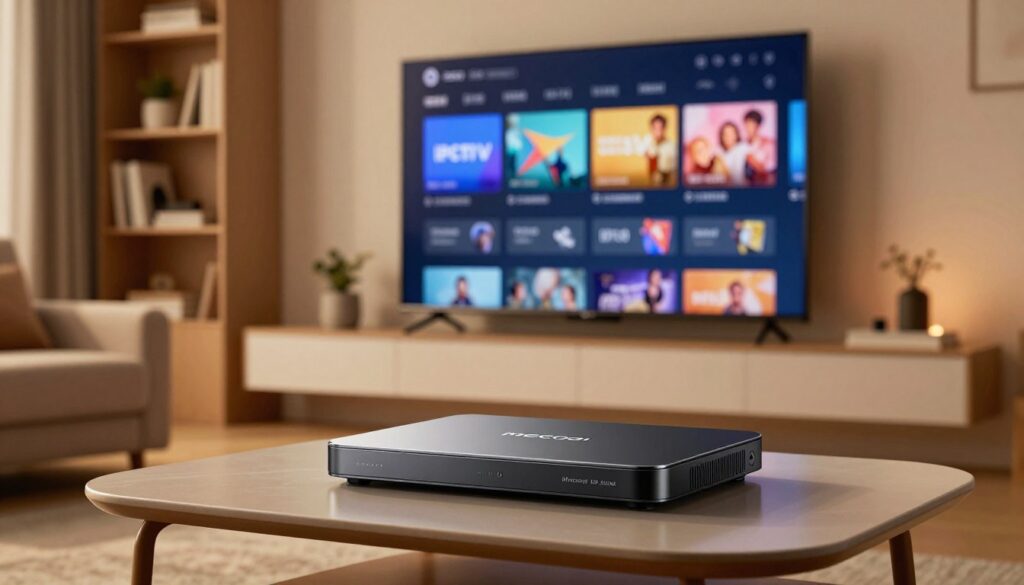
Curious whether a small, Google-certified Android box can truly replace a living-room streamer?
This introduction gives a clear, practical view of how IPTV typically runs on an Android TV box and where the mecool km6 deluxe fits into a 2025 setup.
The KM6 Deluxe ships with true Android TV 10 and Google Play services. That means official app access, Chromecast, and voice control for a familiar TV experience.
Expect a hands-on review focused on setup and performance for IPTV and app-based streaming, not a promise to fix poor sources. We’ll note why this model often wins over a random android box for stability and day-to-day usability.
Price listings often sit near $119.99, so we’ll flag what to check on a listing before you buy. The guide will cover hardware, DRM and app compatibility, network tips, and step-by-step install/config for real-world use.
Later, you can compare legal services like WatchMaxTV and consult resources such as the TroyPoint KM6 guide for advanced app notes.
Key Takeaways
- True Android TV 10 and Google certification mean better app access and familiar controls.
- The unit is a compact, cost-conscious choice for 4K local streaming and IPTV.
- This guide is practical: setup, DRM, network, and step-by-step install details follow.
- Price varies; check seller details and included accessories before buying.
- We focus on performance and usability, not fixing a poor content source.
What the Mecool KM6 Deluxe Is and Why Android TV Matters for Streaming
This box brings a TV-first Android experience, built to work with remotes and living-room habits.
Android TV 10.0 vs. stock Android on a TV
The difference matters. Android 10.0 provides a remote-first interface, menus designed for big screens, and smoother app behavior.
By contrast, many boxes run stock android that mimics a phone UI. That can cause awkward navigation and broken controls when you try to use a remote control.
Why google certified devices make everyday streaming easier
A google certified box includes the Google Play catalog for TV, official sign-in flows, Google Cast, and Google Assistant voice control support.
That means safer app installs, fewer compatibility headaches, and easier access to mainstream services from one device.
Where this box fits in a 2025 cord-cutting setup
Use it for mainstream subscriptions, local media playback, and app-based streaming alongside niche services. It pairs well with phone casting and smart-home routines.
| Feature | Android TV 10.0 | Stock / Generic |
|---|---|---|
| Remote navigation | Designed for remote control | Often phone-like, awkward on TV |
| App access | Google Play for TV (safer installs) | Limited or side-loaded apps |
| Certifications | Google certified — Chromecast & Assistant | Often missing certifications |
| Support & updates | More predictable | Firmware varies by seller |
iptv mecool km6 deluxe: Is This Box Actually a Good Choice?
Deciding on a streaming box comes down to stability, app access, and real-world playback.
Who this device fits: Viewers who want live streams, mainstream apps, and local 4K files on a Google-certified Android TV will find this product a good match. It has a strong chipset, ample RAM, and solid networking for smooth video and fast app loading.
Realistic expectations
The box can improve decoding, reduce app crashes, and keep playback steady. It cannot fix slow or overloaded content servers, poor streams, or a flaky internet connection.
How it compares to generic android boxes
Compared with generic android boxes, this unit offers official app support, more consistent updates, and better remote navigation. That leads to fewer freezes and clearer menu behavior.
| Criteria | Expected Benefit | Buyer Note |
|---|---|---|
| Playback stability | Faster app load, fewer crashes | Good for daily use |
| App compatibility | Google Play TV access | Safer installs, official updates |
| Price vs features | Balanced cost for certification | Avoid very cheap listings missing accessories |
For more options and recommended boxes, see recommended boxes.
Hardware and Performance Review for IPTV Streaming
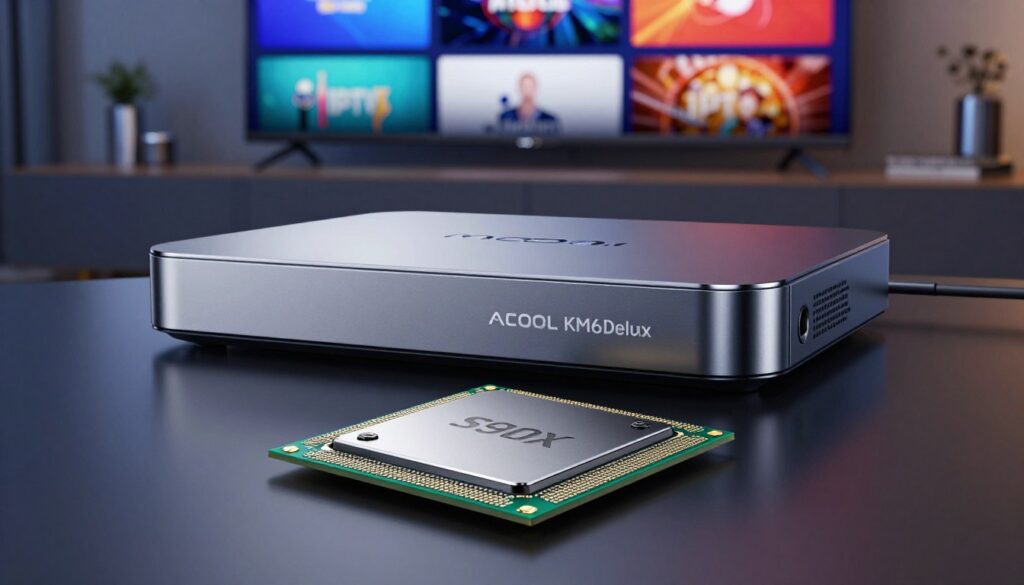
The S905X4 chipset is the practical reason this player keeps video smooth on busy home networks.
Amlogic S905X4 and playback performance
What the amlogic s905x4 does: the quad-core Cortex-A55 CPU plus Mali-G31 GPU improves decoding for high-bitrate video. That means fewer dropped frames and more stable playback when the source is solid.
RAM and storage overview
With 4GB ram you can keep streaming apps and a player open without constant reloads. Switching between apps feels quicker and more responsive.
64GB of ROM gives room for multiple players, catch-up downloads, and some offline content before you need to clear space.
4K HDR and AV1 support
Hardware AV1 and 4K HDR support deliver better quality at lower data use. AV1 can cut bandwidth needs by roughly 20–30% for similar perceived quality.
Form factor, power, and real-world notes
The compact box fits behind a TV or on a shelf, but keep vents clear. Power adapters vary by country, so confirm the charger spec for consistent long-session power and heat handling.
- Operating system: Android TV keeps the UI stable and app compatibility higher than many uncertified boxes.
- Price vs performance: you pay for the chipset, certification, and connectivity — that often equals smoother video and fewer hiccups.
For a detailed hardware walkthrough and teardown, see the full review at KM6 Deluxe review.
App Compatibility, DRM, and Premium Streaming Support

Certified playback unlocks higher picture quality for paid services on many Android TV boxes.
Why certification matters: Many devices can install an app, but only approved hardware and DRM let premium services stream in HD. For example, amazon prime video will play in HD on Google-certified boxes that include the required DRM.
DRM in simple terms
DRM is a protection layer that keeps paid content secure. Common standards here are Widevine Level 1 and PlayReady, which services require for HD playback. Verimatrix is an optional choice often used by operators and enterprise services.
Safe downloads and app access
Use Google Play to download streaming apps and players. It reduces risks from sketchy APKs and keeps updates automatic. Google-certified devices also support Google Cast and Google Assistant for easier discovery and voice control across apps like YouTube and Disney+.
| Item | Why it matters | User benefit |
|---|---|---|
| Widevine L1 | HD/4K DRM for many streaming services | Better picture quality |
| PlayReady | Required by some services for protected streams | Stable, legal playback |
| Verimatrix (optional) | Operator-level protection | Used in pay-TV and enterprise setups |
| Google Play access | Official app catalog for TV | Safer installs and updates |
For guidance on choosing reliable providers and service setup, see this short guide on how to pick a supplier: choose the best provider.
How to Set Up IPTV on the KM6 Deluxe (Android TV 10)
Begin with a guided first-boot: pair the remote control, join your Wi‑Fi or Ethernet, and sign in to Google.
First-time box setup
Pair the remote, connect to your network, and sign into your Google account. Run system updates before installing any players.
Check time zone, display resolution, and HDR toggle in Settings so apps behave correctly.
Choose and download a player
Open Google Play and pick a TV-friendly player that supports playlists and EPG. Grant only needed permissions when prompted.
Add service details and organize channels
Enter M3U or Xtream-style credentials carefully to avoid typos. Use favorites and hide unused categories to keep the guide tidy.
Video, audio and voice control tips
Match output resolution to your TV and toggle HDR if colors look off. Select low-latency or buffer options in the player to reduce stutter.
Use the Google Assistant mic on the remote to search shows, open apps, or control playback hands-free.
| Step | What to check | Why it matters |
|---|---|---|
| System updates | Install latest firmware | Stability, security, app compatibility |
| Player choice | TV UI, EPG support | Smoother navigation and guide accuracy |
| Video settings | Resolution & HDR | Best picture without stutter |
| First-week checks | Verify streams and EPG | Confirm reliable daily use |
For an on-the-go setup and more device tips, see the on-the-go setup guide and this Android TV setup guide.
Network and Connectivity Setup for Buffer-Free IPTV
A stable home network makes more difference to stream quality than the fastest box. Before changing apps or upgrading your player, verify the network. Many playback drops come from Wi‑Fi congestion, not the device.
Wi‑Fi performance and best practices
Use 5G for higher throughput and lower interference. The KM6 supports 2.4G/5G with 2T2R 802.11 b/g/n/ac/ax—2T2R helps when the router also supports it.
Place the router near the box, avoid thick walls, and reduce competing devices on the same channel. If downloads or streams stutter during peak hours, switch bands or test a different channel.
Wired reliability: why Gigabit matters
Plug into the 10/100/1000M LAN for the most consistent streaming. A gigabit Ethernet link removes Wi‑Fi variables and is best for 4K video, live sports, and homes with multiple users.
Ports, expandability and Bluetooth use
Use USB 3.0 for external storage or recordings, and microSD for light file expansion. HDMI 2.1 keeps video sync and HDR, while optical and AV out support older receivers.
Bluetooth 5.0 pairs headphones for late-night viewing, connects controllers, or lets you add alternate remotes for better control.
Quick troubleshooting checklist
- Test wired vs Wi‑Fi to isolate the problem.
- Restart the router and the box; clear the app cache.
- Lower stream resolution as a diagnostic step.
- Confirm player settings and app updates from Google Play.
- Keep power stable: use the correct DC adapter and surge protection.
Smart buys often beat expensive upgrades. Spending a little on a better router, quality Ethernet cable, or a surge protector can improve daily streaming more than swapping your box. For step‑by‑step network checks, see the connection guide.
Conclusion
Short answer: the mecool km6 deluxe is a practical, Google-certified Android TV option for living-room use.
Core takeaway: this android box favors certification, app compatibility, and stable networking over flashy specs. That delivers smoother daily streaming and fewer setup headaches.
Who should buy: cord-cutters who want a friendly TV interface, stable apps, and easy setup instead of wrestling with generic android boxes.
Realistic limits: better hardware helps, but stream quality still depends on the provider, source, and your home network.
Price value: paying near the listed price can make sense when you factor in less time fixing apps and more reliable video performance.
For a deeper look, read the full review. If you want a legal subscription option to pair with this product, check GetMaxTV’s current offer at WatchMaxTV.
FAQ
What is the KM6 Deluxe and why does Android TV 10.0 matter for streaming?
The KM6 Deluxe is a compact Android TV box that runs Android 10.0 and is designed for media playback and streaming. Running a modern Android TV OS ensures better app compatibility, smoother updates, and access to Google Play and Google Assistant. Compared with generic Android boxes that run stock Android, a certified Android TV build often offers a more polished interface, better DRM support, and easier installation of mainstream apps like Amazon Prime Video and Disney+.
Is this box a good choice for streaming 4K and HDR content?
Yes. The device uses the Amlogic S905X4 chipset which handles 4K HDR playback efficiently and supports modern codecs such as AV1. That translates to smoother 4K streaming at lower bitrates and better color and contrast for HDR content—provided your network and streaming service support it.
Who should consider this Android box for their setup?
This box suits cord-cutters who want a reliable player for local 4K files, app-based streaming services, and organized live channel lists from third-party IPTV players. It’s ideal for users who value Google Play access, voice control, and a Google-certified experience rather than bargain generic boxes without certification.
How does it compare to generic Android boxes for app support and stability?
Certified Android TV boxes typically deliver better stability, official app support, and smoother updates. Generic boxes that run stock Android may run many apps but sometimes lack Play Store optimization, DRM levels required by premium services, and timely firmware updates—leading to occasional playback issues or app crashes.
What DRM and premium streaming features are supported?
The unit supports Widevine Level 1 and PlayReady implementations often required for HD and 4K playback on services like Amazon Prime Video. Certification helps ensure apps can stream higher-quality content. Always check the specific model’s DRM claims and the streaming app’s requirements.
Can I get Amazon Prime Video and other major apps on it?
Yes. With Google Play access and an Android TV build, you can install Amazon Prime Video, YouTube, Disney+, and other mainstream apps. Google-certified boxes make it easier to download official apps and receive updates through the Play Store.
What are the RAM and storage specs and why do they matter?
Typical configurations include 4GB RAM and 64GB storage. More RAM improves multitasking and app responsiveness, while larger internal storage lets you keep more apps and local media. Both help reduce stutters and app reloads during heavy use.
How do I set up the box for the first time?
Power it on, follow the on-screen wizard to choose language and Wi‑Fi or wired LAN, sign into your Google account, and apply any system updates. After updates, install streaming apps from Google Play and configure picture and audio settings for your TV.
Which IPTV players should I choose from Google Play?
Choose well-reviewed IPTV players that are compatible with Android TV and support playlists or EPG import. Verify app permissions for network access and local storage. Popular, maintained apps provide better channel management and support for external player integration.
How do I add my IPTV service details and organize channels?
Open your chosen IPTV app, enter your service’s M3U URL or login credentials as instructed, and import the EPG if available. Use the app’s favorites, groups, or guide features to sort channels and create a clean channel list for easier browsing.
What network setup gives the best buffer-free streaming?
For reliable 4K streaming, use a wired 1 Gbps Ethernet connection when possible. If using Wi‑Fi, connect to a 5 GHz band with 2T2R 802.11 support for higher throughput and lower interference. Ensure your router supports the same standards and place it near the box for best signal.
Does Bluetooth work for headphones and remotes?
Yes. Bluetooth 5.0 lets you pair headphones, game controllers, and third‑party remotes. It’s handy for private listening or connecting accessories without extra cabling. Latency can vary by device, so use low-latency headphones for gaming or lip-synced audio.
Which ports does the box include for expandability?
Expect HDMI 2.1 for 4K@60Hz output, USB 2.0/3.0 for external storage and peripherals, microSD for extra media storage, optical audio for legacy receivers, and an Ethernet port for wired networking. These ports make the box flexible for home theater setups.
How do I tune video and audio for the best playback?
In settings, select the appropriate resolution and HDR mode for your TV, enable passthrough if using an AV receiver, and choose the correct output format (PCM, Dolby, or passthrough). Test with known 4K HDR content and adjust refresh rates or HDR settings to eliminate judder and color issues.
Can I use voice control to find content faster?
Yes. Google Assistant lets you search apps, launch shows, and control playback using the remote’s voice button. Voice search speeds up navigation across installed streaming apps and local media.
What troubleshooting steps help with buffering and app crashes?
Restart the box and router, switch to wired Ethernet if possible, clear the app cache or reinstall problem apps, and confirm system firmware is up to date. If a particular stream buffers, test other services to isolate network vs. app issues.
Will this box run stock Android apps or only Android TV apps?
Primarily it runs Android TV apps from the Google Play store optimized for TV. Many standard Android apps also run, but the best experience comes from Android TV versions designed for remote control and big‑screen layouts.
Is performance affected by power and form factor?
Small form factor boxes are efficient and quiet, but they still need adequate ventilation. Use the supplied power adapter and avoid blocking vents. Proper power delivery helps maintain peak playback performance during long 4K sessions.
The WatchMaxTV Team is a dedicated group of streaming specialists and entertainment technology reviewers covering IPTV services for viewers in the USA, UK, and Canada since 2023. Our team independently evaluates every service we feature — testing across Smart TVs, streaming sticks, mobile devices, and gaming consoles. We measure stream stability, picture clarity in HD and 4K, program guide accuracy, and customer support quality. Our goal is simple: help cord-cutters find reliable, affordable alternatives to overpriced cable. Every recommendation on WatchMaxTV.com comes from real-world testing — not sponsored content or paid placements.