
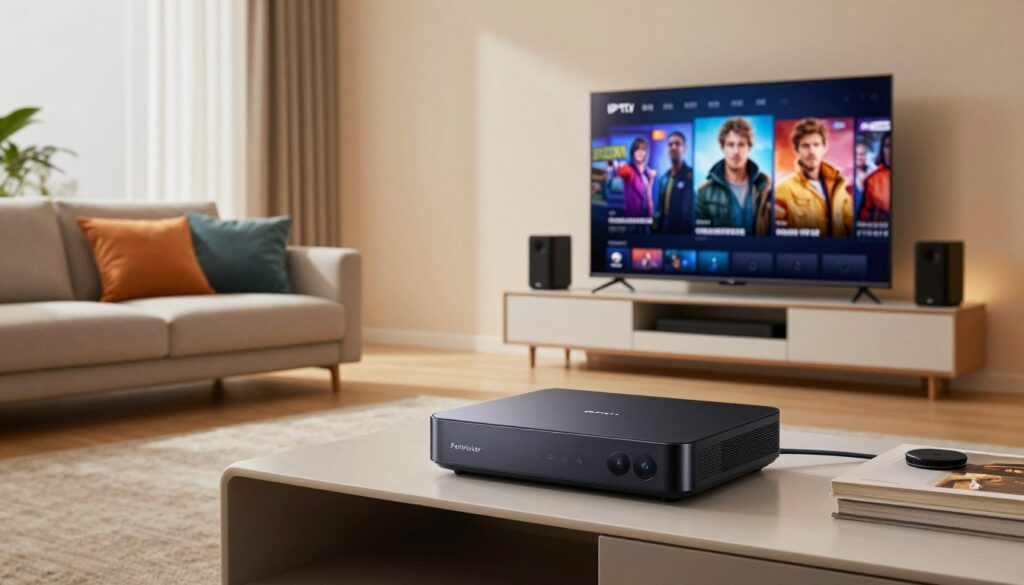
Can a single streaming box really replace a cable bill and give flawless 4K playback?
This guide walks you through a practical, step-by-step setup for the fastest and most advanced Formuler yet. You’ll get clear instructions for initial display and HDR updates, playlist or portal configuration, EPG population, and DVR/timeshift setup so recordings work reliably.
What makes this box a favorite for cord-cutters is its Android 11 base, AX wireless support, Widevine L1 DRM, and MYTVOnline3 bundle that prioritizes quick navigation and stable playback.
I’ll also note real-world behavior: users report fast, responsive menus, quiet operation, and swift channel changes with a thoughtful remote layout.
Remember, playback quality still depends on your chosen service and home network. See a recommended setup discussion over at best IPTV set-up for network tips.
Do this first: follow the checklist in this tutorial, then consider a legal subscription at WatchMaxTV to start streaming legally and with support.
Key Takeaways
- Step-by-step setup plus performance-focused review for the Z11 Pro Max.
- Focus on clean configuration: display, playlist/portal, EPG, and DVR basics.
- Hardware and MYTVOnline3 aim to deliver fast navigation and stable 4K playback.
- Service choice and home network quality strongly affect results.
- Real users note quick channel zapping, cool quiet operation, and solid remote layout.
- Follow the checklist first, then consider a legal subscription on WatchMaxTV.
Formuler Z11 Pro Max overview for IPTV streaming in the US
For U.S. households juggling busy Wi‑Fi and multiple streaming apps, this device offers a simple, reliable route to live and recorded media.
Who this box fits and what “IPTV-ready” means in 2025
Who it’s for: viewers who want an IPTV-first interface (MYTVOnline3) and the flexibility to run Android apps and local media servers like Jellyfin.
IPTV-ready now means modern codec support, Widevine L1 for select OTT apps, stable networking, and an app-focused client that handles playlists, EPG, and DVR.
Key hardware highlights that affect performance
The unit runs Android 11 and pairs AX 2×2 wireless with Gigabit Ethernet for the most stable streams during peak hours.
Widevine L1/L3, efficient decoding for 4K@60, and low power draw (max ~12W, standby 0.5W) help keep picture quality high without excess heat.
Design, ports, and connectivity essentials
The compact cube (≈105×105×21mm) tucks behind most TVs and stays quiet with basic ventilation. Use ethernet for best results; run a cable if possible.
Ports explained: HDMI to TV, LAN for reliable broadband, USB (for DVR/timeshift storage), Micro SD for extra space, and an IR extension if hidden.
What’s in the box and what to buy separately
- Included: device, GTV-IR1 learning remote, HDMI cable, batteries, power supply, remote extender, quick guide.
- Buy separately: a quality USB 3.0 drive or small SSD for recordings and a long Ethernet run or patch cable to leverage gigabit lan.
For official specs and accessories, check the official product page or compare compatible boxes at recommended box options.
iptv formuler z11 pro max specs and real-world performance

Under the hood, the box blends a modern SoC and fast memory to keep menus snappy and streams stable.
Speed and responsiveness: Android 11 paired with the Realtek RTD1319C and 4GB DDR4 RAM delivers faster menu navigation, quicker app launches, and smoother playlist browsing inside MYTVOnline3. Users report quick UI reactions and fast channel changes, which matches the hardware choices.
Graphics and smooth navigation
The Mali-G57 MC1 GPU helps keep scrolling and EPG grids fluid. That GPU, together with the mc1 ram configuration, supports the brand’s “reduced lag” positioning when you flip through long channel lists.
Picture decoding and formats
Output supports 4K 3840 2160 and 4K@60 fps decoding for clearer motion on compatible streams and TVs. AV1 and HEVC support mean more efficient video delivery from modern sources, while H.264 keeps older streams working.
Audio, networking and power
Audio decoders include MPEG-1/2 and MP3 variants plus HE AAC v1/v2, which covers most broadcast streams. For network reliability, gigabit ethernet beats AX wireless during peak use, though AX can be excellent if your router and placement are strong.
Bluetooth 5.0 improves remote responsiveness and reduces line-of-sight issues. Power-wise, the box tops around 12W under load and offers ultra low power standby (~0.5W), so it stays cool and uses little energy when idle—handy for always-on setups.
Ultimate setup tutorial: MYTVOnline3, playlists, EPG, and DVR on Z11 Pro Max

Start with a quick checklist that fixes most playback and display surprises before you add channels or schedules.
First boot essentials
Do this first: set the display resolution to match your TV, enable HDR if your set supports HDR10+/HLG, and run system updates immediately.
MYTVOnline3: portal vs M3U
The bundled MYTVOnline3 app is ad-free and handles both portal (Xtream-style) and M3U imports. Portals are easier for service sync; M3U lists give more control. Name profiles clearly so family members can switch services fast.
EPG and scheduling tips
Add EPG URLs directly inside MYTVOnline3. If you use multiple guides, prioritize the most complete source first. Note: the app may ignore tvg/EPG links embedded in M3U lines, so keep a separate list of EPG URLs.
“Manual EPG entry avoids missing guides when the playlist metadata isn’t read.”
Recording, zapping, and troubleshooting
Use a fast USB 3.0 drive or stable NAS for recordings; recordings are cleanest when you stay tuned to the channel. For fast channel changes prefer gigabit Ethernet over wireless and close unused apps.
If a channel uses an http-referrer in its #EXTINF and fails, ask your service for a non-referrer stream or test the link in another player to isolate compatibility.
- Quick stability check: compare AX wireless vs Ethernet during peak hours.
- Keep playlists trimmed and reboot the box after big updates.
Readers comparing providers can review a reputable option at GetMaxTV or see box comparisons at best Android TV box guide.
Conclusion
To close, the formuler z11 pro and z11 pro max stand out for one main reason: the bundled MYTVOnline3 delivers an ad-free, playlist-focused experience that keeps navigation fast. Hardware supports 4K@60 fps decoding with AV1/HEVC for crisp playback when your streams and TV allow it.
Keep this short setup list handy: correct display/HDR, updated firmware, a tidy playlist or portal, and separate EPG URLs for reliable guides.
Know the limits: EPG lines inside M3U may be ignored, referrer-based streams can fail, and recording quality needs a fast USB or NAS and staying tuned to the channel.
For best stability in U.S. homes use gigabit wired links when possible, optimize AX wireless placement when not, and add external storage for DVR work. This box performs quietly with low standby power.
If you want a legal subscription, check GetMaxTV’s current offer at WatchMaxTV and see the detailed setup guide or the support tutorial for help.
FAQ
What devices and services does the Z11 Pro Max support for streaming in the US?
The box runs Android 11 and supports apps like MYTVOnline3, media players, and common streaming clients. It handles 4K@60fps playback, HDR10+, HLG, AV1, and HEVC decoding. For best results use a gigabit LAN connection or a strong Wi‑Fi 6/AX network and a Bluetooth 5.0 remote. You may need separate subscriptions or portal credentials for specific services.
How do hardware specs affect real-world performance?
The Realtek RTD1319C SoC combined with 4GB DDR4 RAM and a Mali‑G57 MC1 GPU offers smooth navigation, fast app loading, and reliable 4K playback. Ultra low power standby helps reduce heat and energy use during long sessions. For heavy multitasking or large apps, use a wired gigabit connection and keep firmware updated to minimize lag.
Which video and audio formats are supported?
The device decodes 4K 3840×2160 at 60fps and supports HDR10+ and HLG. It handles modern codecs like AV1 and HEVC for efficient streaming. Audio decoding includes MPEG‑1 Layers 1–3 and MPEG‑2 Layers 1–2, ensuring wide compatibility with common stream sources.
What’s the best way to connect for the most stable streaming?
Use a gigabit Ethernet cable for the most consistent throughput and lowest latency. If you prefer wireless, connect to an AX (Wi‑Fi 6) router and place the device near the router. Disable bandwidth‑hungry background apps and prefer wired storage when recording to avoid dropouts.
How do I set up MYTVOnline3 and M3U playlists?
On first boot, update the system, choose the correct display resolution and HDR settings, then install MYTVOnline3 from the Play Store or APK. For portals, enter provider credentials; for playlists, import M3U files or point to a hosted URL. Enable EPG if your provider supplies one or add an EPG URL manually.
Can I record channels and use timeshift features?
Yes. Recording and timeshifting work with attached USB drives or NAS storage formatted and mounted correctly. Use a fast USB 3.0 drive or SSD and ensure the device has sufficient free space. For heavy DVR use, a wired NAS on gigabit LAN offers the most reliable performance.
What should I check when troubleshooting stream buffering or playback errors?
Verify network speed and switch to gigabit LAN if possible. Confirm the stream URL is compatible and not referrer‑restricted. Update firmware and the streaming app, clear app cache, and restart the device. Try alternate decoders in the player app if codec issues occur.
What’s included in the box and what accessories should I buy?
The package typically includes the set‑top box, power adapter, HDMI cable, and a Bluetooth remote. Consider buying a fast USB 3.0 storage device or SSD for recordings, a gigabit Ethernet cable, and a quality HDMI 2.0/2.1 cable for 4K@60 output. A small USB hub or microSD card may help expand storage.
Are there any common compatibility or content limitations I should know about?
Some services use proprietary DRM or referrer checks that can block playback on third‑party apps. Live guide (EPG) feeds may vary in accuracy and update frequency. AV1 streams require compatible app support, and certain high‑bitrate 4K streams may demand wired network and optimized decoding settings.
How do power and heat characteristics affect always‑on use?
The device’s ultra low power standby reduces energy use and heat during idle periods, making it suitable for always‑on setups. Still, ensure proper ventilation and avoid stacking devices. For continuous recording or heavy use, monitor temperatures and use a well‑ventilated shelf or cooling solution if needed.
The WatchMaxTV Team is a dedicated group of streaming specialists and entertainment technology reviewers covering IPTV services for viewers in the USA, UK, and Canada since 2023. Our team independently evaluates every service we feature — testing across Smart TVs, streaming sticks, mobile devices, and gaming consoles. We measure stream stability, picture clarity in HD and 4K, program guide accuracy, and customer support quality. Our goal is simple: help cord-cutters find reliable, affordable alternatives to overpriced cable. Every recommendation on WatchMaxTV.com comes from real-world testing — not sponsored content or paid placements.