
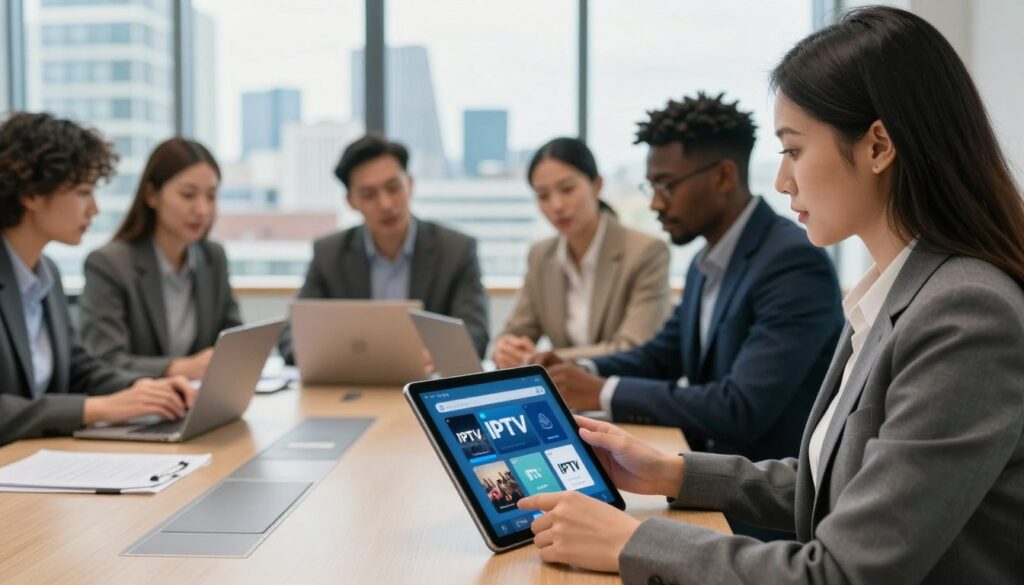
What makes a service truly reliable for streaming UK channels from the United States? If you want steady streams, clear access to local sports, and honest terms, you need a checklist before you buy.
This guide explains what “reliable” means for IPTV in England: stable streams, consistent channel availability, fast support, and transparent billing. You’ll learn how to match a service to your viewing habits — whether you want UK sports, live news, or on-demand movies — and why channel count alone isn’t enough.
The article is for U.S.-based viewers hunting for a London-focused experience. You’ll get a practical pre-pay checklist and a short red-flags list to avoid sketchy sellers. Expect clear checks on legality, lineup fit, device compatibility, trial policies, and reputation signals.
We’ll also note the difference between a service and the player app you use. For a quick comparison of top options, see this write-up on the best UK services, and check GetMaxTV for another option before you decide. When you’re ready, consider a legal subscription at WatchMaxTV.
Key Takeaways
- “Reliable” equals stable streams, clear channels, responsive support, and fair terms.
- Check UK lineup, timezone coverage, and sports availability before you pay.
- Test performance during peak hours and inspect trial/refund rules.
- Verify device compatibility and whether the service is distinct from the player app.
- Avoid unverified sellers; review reputation signals and legal licensing.
- Use resources like the best options list to compare features.
Why IPTV is replacing cable for live channels, sports, and on-demand streaming
Switching from a cable box to internet-delivered TV can change how you watch live channels and sports. The shift is practical: video comes over your home internet instead of a coax cable, so setup is simpler and more flexible.
More channels at a lower monthly cost
You often get a larger lineup for less money. Many services bundle UK and international channels in one plan, so you avoid multiple specialty subscriptions. That said, more channels ≠ better experience; stability and support matter.
Global access to live sports and international programming
Follow leagues and events that your cable bundle may miss. Internet services give you access to regional feeds and niche sports channels, so you can watch UK-centric coverage even from the U.S.
On-demand libraries and catch-up features
On-demand catalogs and catch-up let you watch shows without recording hardware. Quality and catalog depth vary by service, so check sample VOD offerings before you pay.
Multi-device streaming on Smart TVs, Firestick, mobile, and desktop
Streaming works across smart tvs, streaming sticks, phones, and laptops. That means living-room viewing plus mobile access when you travel.
- Live channels and on-demand in one place
- Lower monthly bills for broader channel variety
- Multi-device access that fits daily life
Bottom line: Internet TV can beat cable on price and choice, but you should still vet stability, support, and channel uptime before you commit.
How IPTV works and what you need before you subscribe
Internet protocol television means video is delivered over your internet connection instead of cable or satellite. Streams travel as data packets, so your viewing depends on bandwidth, server stability, and how capable your device is.
Pre-buy checklist: a compatible screen or tvs, a steady home network, and a subscription that actually includes the channels you want. Hardwired Ethernet usually beats busy Wi‑Fi for stable playback.
Minimum speeds and what to aim for
For smooth iptv streaming, target at least 20 Mbps per stream for HD and about 50 Mbps for 4K. Add extra headroom if others share your connection.
Common setups and player apps
Typical setups use Smart TV apps, Fire TV/Firestick, Android TV boxes, phones, tablets, or laptops. Many services rely on a separate app—such as TiviMate, GSE Smart IPTV, or VLC—to play playlists.
Credentials usually arrive as an M3U playlist or Xtream Codes-style login. Treat those like passwords. Remember, true streaming quality is not just resolution; it’s how fast channels load and how well they hold up at peak time.
For a quick comparison and setup tips, see this setup guide and options list.
Legal vs. unlicensed IPTV in the UK and why it matters for reliability
Before you pay, know the difference between a licensed streaming service and a fly-by-night operation. The technology is legitimate, but the rights behind the channels are what count. If a service lacks proper licenses, channels can disappear or lag with no notice.
What “licensed” means and what to verify
Licensed means transparent business details, published terms, and clear channel rights. Check for a business address, a public terms of service, and stated coverage before committing to a subscription.
- Visible company info and clear terms
- Declared channel rights and regional availability
- Real support channels and contact hours
How legality affects stability and support
Services with proper licensing tend to have steadier channel IDs, better EPG accuracy, and predictable customer support. Unlicensed operations often rotate sources or vanish, causing frequent outages.
“Verify the seller’s transparency first; uptime and honest support usually follow.”
| Feature | Licensed | Unlicensed |
|---|---|---|
| Business info | Public and verifiable | Hidden or vague |
| Channel stability | Consistent | Frequent changes |
| Support | Documented contact and SLA | Slow or absent |
Don’t equate social buzz with legitimacy. Instead, verify basics and then compare plans. For a practical comparison of UK options, see this UK subscription guide.
What “reliable iptv provider london” really means when you’re buying from the US
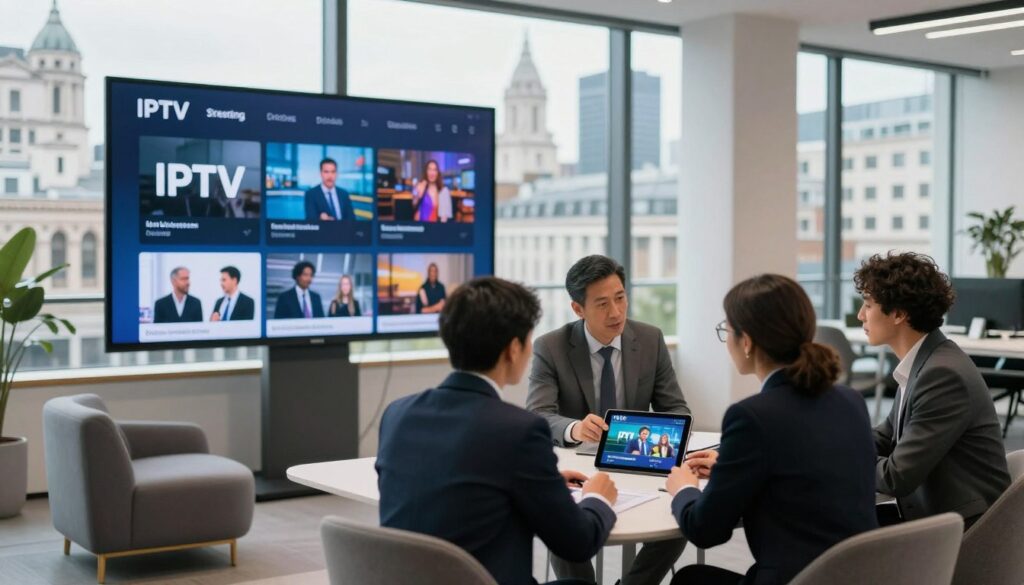
For U.S. buyers, a London tag usually promises UK-centric channels, correct EPG timing, and sports rights alignment — not a physical office in the city. Focus on whether the service gives you the UK feeds and schedule you need from your U.S. location.
London targeting vs. where the service operates
London targeting most often signals channel selection and UK-friendly guides. Many firms use the term for search visibility while their teams work from elsewhere.
That isn’t automatically bad. If routing, servers, and support are solid, you can get a good viewing experience even if the company is abroad.
Geo-availability and travel questions to ask
- Is the service location-locked or will it sign you in from the U.S.?
- Do you need a VPN, and does the service allow one?
- What happens when you travel—will channels keep working?
Why server quality beats business address
During big matches, server routing and capacity determine stream stability more than the legal address. Good peering and load balancing keep channels from breaking under peak demand.
US buyer checklist:
- Confirm UK channel categories and live-sports rights.
- Verify you can sign in from the United States without extra tools.
- Check device support and trial terms before you pay.
“Don’t accept vague claims like ‘works everywhere’ without written terms.”
For a quick comparison of top options and real-world tests, see the top UK options. Your goal is a predictable viewing experience, not a claim about geography.
Channel lineup and content fit: choosing the right IPTV service for your viewing habits
Start by listing the channels you actually watch most evenings and weekends. That short list keeps you from overpaying for thousands of channels you never open.
Live sports and premium sports packages
Decide which leagues matter—Premiership, Championship, or a specific U.S. league—and check whether premium sports are included. Test live channels for a big match during a trial to see if access and stability hold up at game time.
Movies, series, and VOD library depth
Look beyond size. Evaluate update frequency, search quality, and whether the movies series section is organized or just a dumped folder of files. A usable library saves time and improves daily value.
Local UK vs. US vs. international options
Write down your must-have channels for each region and compare. If your household mixes UK shows with U.S. networks, pick a plan that balances both. Use a trial to confirm real availability rather than screenshots.
EPG, catch-up TV, and daily convenience
Accurate guides matter. A correct EPG in UK time zones and dependable catch-up reduce channel-surfing and help you rewatch missed segments.
- Buyer checkpoint: Is the EPG accurate for your time zone?
- Buyer checkpoint: Does catch-up work on the channels you value?
- Try the exact channels on your list during a trial.
For a short curated list of must-watch channels, see this must-watch channels.
Streaming quality and performance: how to avoid buffering and broken streams
A clean match-day stream proves more about infrastructure than about resolution labels. You can get a smoother experience by testing real-world playback, not trusting marketing alone.
HD, Full HD, 4K—what to expect: Advertised resolution is only part of the story. A 4K tag means little if the bitrate drops and the video stutters. Aim for consistent bitrate and fast start times. If your home network is under 50 Mbps, Full HD is the realistic sweet spot for most households.
Decode the claims
Anti-freeze and “99.9% uptime” are marketing phrases unless supported by proof. Look for fast channel switching, stable audio sync, and minimal reconnection loops during normal use.
Test peak-time performance
Try a live sports event on a weekend evening. If channels stall, drop quality, or die mid-game, the service likely lacks capacity. Test at least two big events to confirm consistency.
- Watch the same channel on two devices to separate ISP issues from service issues.
- Switch to mobile data briefly—if playback improves, your home network is the culprit.
- Note repeated reconnects, abrupt quality drops, or missing audio as failure signals.
“If a service can handle a major live sports event cleanly, it will likely deliver good day-to-day streams.”
Mini-checklist: test during peak hours, check channel switching speed, verify audio/video sync, and try alternate networks. For a related comparison and testing tips, see this Canadian channel guide and testing notes.
Device compatibility checklist for Smart TVs, streaming sticks, and mobile
Confirming device compatibility up front saves time and prevents disappointment after purchase. You want the channels to work on your main screen and on phones without extra hassle.
Start small: test the app on your main TV before you add other screens. Many services claim “works on all devices” but omit setup steps or specific player support.
Smart TVs, Firestick, Android, iOS, Windows, and Mac
Check that the service publishes installation guides for each device you own. If the plan sends an M3U playlist or an Xtream-style login, confirm your preferred app accepts that format.
Popular player examples include IPTV Smarters, TiviMate, and native Smart TV apps. App choice affects EPG, catch-up, and general usability.
Multi-screen and simultaneous connections for households
Decide how many simultaneous streams you need—living room, bedroom, and a phone make three. Ask the seller to confirm concurrent limits in writing.
Watch out for vague “unlimited” claims. Verify whether concurrent streams count by IP, account, or device.
- Compatibility checklist: Smart TV, Fire TV/Firestick, Android phone/tablet, iOS, Windows, Mac.
- Confirm app support and whether M3U or Xtream logins are provided.
- Get the simultaneous-stream count before buying subscriptions.
- Run a practical test: install on main TV, play a live channel during peak time, then add mobile and desktop.
| Device | Common App | Login type | Buyer note |
|---|---|---|---|
| Smart TV (Tizen/WebOS) | Native app / TiviMate | M3U / Xtream | Check EPG fit for TV guide |
| Fire TV / Firestick | IPTV Smarters / TiviMate | Xtream / M3U | Side-load instructions may be needed |
| Android / iOS phones | Native or player app | M3U / Xtream | Good for quick checks and mobility |
| Windows / Mac | VLC / web player | M3U / Xtream | Use to verify stability before adding more screens |
Free trial, refunds, and short-term plans: how you test before you commit

A short test run should prove the service works when you actually need it most. Use trials to reduce risk and confirm real-world performance on your devices.
What a real free trial should include
Meaningful access: enough hours to test evenings or a weekend, the same core channels you’d pay for, and a working EPG.
What it shouldn’t be: a limited demo that routes trial traffic to different, faster servers than paid plans.
Paid trials and refund-safe options
Paid trials can work if pricing and refund terms are clear. Look for an explicit money-back window and easy cancellation steps.
If a service refuses any short-term option or refund, treat that as a buyer-risk signal and move on.
What to test during your trial
- Play your must-have channels during peak hours and a live event.
- Verify EPG accuracy and catch-up for the channels you use most.
- Test VOD search and playback across devices.
- Send a real support request and note response time and helpfulness.
“A trial’s job is to give you confidence, not just to show polished highlights.”
| Test Area | Success Sign | Failure Sign | Action |
|---|---|---|---|
| Live channels | Stable stream, no drops | Buffering or disconnects | Contact support, test alternate times |
| EPG & catch-up | Correct times, working catch-up | Missing listings or wrong timezones | Request EPG source, re-test |
| VOD and search | Quick load, accurate search | No playback or bad indexing | Check device app or try web player |
| Support | Fast, clear answers | Slow or no reply | Count as risk; consider other options |
When you find a promising trial, try a short paid option or follow the free path. For a guaranteed test of a UK-focused plan, consider this free trial option at WatchMaxTV free trial. Your goal is confidence in channels, content, and support—not just low pricing.
Pricing and payment safety: spotting value without getting trapped
Start by matching plan length to your risk tolerance: short terms reduce surprises and long terms reward certainty. Choose monthly if you want low commitment. Consider quarterly if you need a balance. Only pick an annual subscription after a full trial and real use.
Monthly vs. quarterly vs. annual subscriptions
Monthly lowers your risk and makes refunds easier. Quarterly often saves a little while still letting you test. Annual can cut cost per month, but it amplifies risk if streams or support fail.
Secure payment methods and why they matter
Pay with traceable methods—card or PayPal—so you have proof if you need a refund. Crypto can be private but harder to dispute. Keep receipts and screenshots of terms and charges.
How to compare cheap vs. total cost of ownership
Compare more than the headline price. Add the subscription cost, extra fees for additional connections, and any pay-per-view or premium sports charges.
- Do this: compare plans using the same baseline—same device count, resolution, and key channels.
- Watch out: deep discounts that require long commitments or hide renewal rules.
- Decision rule: if the pricing page is confusing or changes in chat, treat that as a red flag.
“Value is what stays stable over time—streams, lineup, and support—not the lowest number on a landing page.”
Customer support and reputation signals that predict a smooth experience
Good customer support keeps small setup hiccups from ruining an evening’s viewing. Quick help matters because app configuration, device quirks, and peak-time issues are common. You want answers that get you back to the show fast.
Why 24/7 customer support is a practical must-have
24/7 customer support should mean more than a claim. It should include chat, email, and ticketing with realistic response times. Look for teams that offer guided installs and timed troubleshooting steps.
How to read reviews beyond star ratings
Scan reviews for patterns: repeated buffering at peak time, refund disputes, or setup trouble. Pay attention to whether support actually responds to complaints and how long that takes.
Setup help, troubleshooting, and guided installation
Test support during your trial. Ask a specific question about your device and app, then time the reply. A rapid, helpful answer is a strong trust signal.
“A clear setup guide and responsive team protect your viewing time during big events.”
- Check for published setup guides for popular apps and devices.
- Prefer services with step-by-step install support via chat or WhatsApp.
- Expect documented refund and uptime policies; they show accountability.
Brands like GetMaxTV emphasize guided setups and responsive teams, which can save you hours. In short, consistent history, clear policies, responsive support, and solid documentation usually predict a better long-term experience for users.
Red flags that an IPTV provider isn’t trustworthy
Spotting warning signs early saves you time and money. Below are common red flags that predict poor performance, broken channels, and billing trouble.
Vague licensing answers and shiny promises
If a service dodges questions about licensing or makes grand claims like “99.9% uptime” or “anti-freeze” with no proof, treat that as a warning. Ask for written terms and a business contact.
No trial, no refund, and hard-to-reach support
No trial and no refund means you can’t validate peak-time performance before you pay. Slow or absent support multiplies risk when streams fail during big events.
Constant channel changes, missing EPG, and frequent downtime
Watch for renamed channels, broken links, wrong guides, or outages during sports or major shows. These operational faults ruin daily use more than a low price ever can.
Pushy lifetime deals and unclear simultaneous rules
“Lifetime” offers can vanish if the business folds. Also confirm how many simultaneous streams you get—unclear limits lead to forced logouts and fights over the TV.
Adult defaults and weak parental controls
Services that enable adult channels by default or lack parental controls create trust and safety issues for households with kids.
If you see two or more of these flags together, walk away and choose a service with transparent policies, a clear trial, and verifiable support.
Conclusion
Before you buy, use this short checklist to turn marketing claims into real-world results.
Confirm licensing and clear business terms, match the channel lineup to your needs, and test stability during a big live event. Check device compatibility on your main TVs and phones, and verify you have ~20 Mbps for HD or ~50 Mbps for 4K headroom.
Make sure pricing, trial/refund rules, and responsive support are written down. Remember that “reliable iptv provider london” should mean consistent UK channel access, accurate EPG, and good sports performance— not just a keyword on a site.
Compare offers on GetMaxTV and, if you want a legal subscription with peace of mind, review GetMaxTV’s option at WatchMaxTV.
FAQ
How do I choose a reliable IPTV provider in England — what checklist should I use and what are red flags?
Look for clear licensing information, 24/7 customer support, uptime guarantees, and transparent pricing with secure payments. Test device compatibility (Smart TVs, Fire TV/Firestick, Android, iOS, Windows, Mac) and confirm EPG and catch-up features. Red flags include vague licensing, no trial or refund, constant channel changes, and pushy “lifetime” deals.
Why is IPTV replacing cable for live channels, sports, and on-demand streaming?
IPTV delivers more channels and on-demand content at lower monthly costs, often includes international and premium sports packages, and supports multi-device streaming so you can watch on Smart TVs, phones, and streaming sticks with a single subscription.
What benefits do I get compared with traditional cable?
You get a larger channel selection, global access to live sports and international programming, extensive on-demand libraries, and catch-up TV features. That means fewer schedule conflicts and more ways to watch movies and series on your schedule.
How does Internet Protocol Television work in plain English?
IPTV sends TV channels and on-demand content over your internet connection instead of coaxial cable. A server streams channels to an app or player on your device, letting you pause, rewind, or access VOD without a physical set-top box from a cable company.
What internet speeds do I need for HD and 4K streaming?
Aim for at least 10–15 Mbps per HD stream and 25 Mbps or more per 4K stream. If multiple users stream at once, add those streams together and include headroom for other household internet use to avoid buffering.
What common device setups and player apps should I expect?
Most services support Smart TVs (Samsung, LG), Amazon Fire TV/Firestick, Android TV devices, Android and iOS phones, and Windows/Mac browsers or apps. Popular players include IPTV Smarters and native apps offered by the service — confirm app availability before subscribing.
What’s the difference between licensed and unlicensed services in the UK?
Licensed services have rights to distribute channels and content, which translates to better uptime, legal protection, and official support. Unlicensed services may be cheaper but risk sudden shutdowns, poor channel stability, and legal issues for users.
What should I verify about licensing before I pay?
Check whether the service lists rights holders or official channel partnerships, read terms of service, and look for contactable business details. Reviews and independent forum discussions can confirm whether the service operates legitimately.
If a service markets itself to London, does that matter if I’m in the US?
Not necessarily. Marketing aimed at London or England can simply mean they include UK channels. What matters more is where their servers and CDN nodes are located, geo-availability, and whether streams are accessible while you travel.
How do geo-availability and location locks affect my access?
Some channels are geo-locked and will only stream from specific regions. If you travel, you may lose access unless the service uses global servers or allows connections via VPN. Check the provider’s travel policy and server locations.
Should I worry more about the provider’s listed location or about server quality and support?
Server quality and strong customer support matter more. A provider based in one country can still offer excellent streams globally if they operate robust servers and a fast CDN with responsive technical support.
How do I choose a service based on channel lineup and content fit?
Match offerings to your viewing habits: check live sports packages, film and series VOD depth, and whether local UK, US, or international channels are included. Confirm EPG accuracy and catch-up availability to improve daily use.
What should I look for with live sports and premium sports packages?
Verify channel rights for leagues and events, stream quality during peak matches, and whether the vendor offers anti-freeze technology or redundant streams for major events. Read reviews focused on sports uptime and latency.
How do I evaluate on-demand libraries and catch-up features?
Look at the size and recency of the movies and series catalog, search and filter options, and whether catch-up/EPG works reliably. A rich VOD library and dependable catch-up will replace many cable on-demand features.
What streaming quality should I realistically expect — HD, Full HD, 4K?
Expect consistent HD with a good connection; Full HD depends on bandwidth and server load. 4K requires high bandwidth and a robust CDN — only some services reliably deliver 4K for live sports or movies.
What do uptime claims like 99.9% and anti-freeze technology mean?
Uptime claims indicate overall service reliability; 99.9% is a high benchmark but confirm independent tests or user reports. Anti-freeze technology uses buffering and redundant streams to reduce stutters during high-load moments.
How can I judge peak-time performance and server overload risk?
Read real-user reports from forums and review sites, and ask providers about server capacity and load-balancing. A service that demonstrates consistent performance during major sports events is a strong sign.
What stability checks should I run during live sports events?
During a trial, stream a live match and monitor buffering, delay, and audio-video sync. Try switching channels and testing simultaneous streams to see if performance degrades under load.
Which devices should I confirm compatibility with before buying?
Confirm support for Smart TVs (Samsung/LG), Amazon Firestick/Fire TV, Android TV boxes, iOS and Android phones, and Windows/Mac. Also check whether the service supports multiple concurrent connections for family members.
How many simultaneous streams do most services allow?
It varies. Basic plans often allow 1–3 simultaneous streams; family or premium plans can offer more. Check terms for simultaneous connections and any add-on options to avoid account sharing issues.
What should a legitimate free trial include?
A real free trial gives temporary access to live channels, EPG, and VOD without hidden limits or surprise fees. It should let you test device apps, channel stability, and support responsiveness during real viewing scenarios.
What’s the difference between free trials and paid trials or money-back guarantees?
Free trials are no-cost short access; paid trials ask for a small fee refundable within a window. Money-back guarantees allow full purchase refunds if you cancel within the stated period. Read refund policies and trial terms carefully.
What should I test during a trial?
Test channel availability, EPG accuracy, VOD catalog, stream quality during peak hours, and how fast customer support responds to setup or playback issues.
How should I compare pricing and payment safety?
Compare monthly, quarterly, and annual plans for total cost of ownership. Prefer services offering secure payment methods (credit card, PayPal) and clear billing terms. Cheaper options may hide poor support or frequent downtimes.
What payment methods are safest for subscriptions?
Use reputable payment methods like credit cards or PayPal that offer buyer protection. Avoid anonymous or untraceable methods unless you fully trust the vendor and have verified their reputation.
What customer support signals predict a smooth experience?
Look for 24/7 support, responsive live chat or ticket systems, setup guides for Smart TVs and Firestick, and active community or knowledge-base resources. Quick, helpful support matters more than perfect star ratings.
What constitutes good setup help and troubleshooting?
Step-by-step installation guides, device-specific apps, remote setup assistance, and fast responses to playback or EPG issues. Providers that walk you through Smart TV or streaming stick installation reduce frustration.
What are the top red flags that a service isn’t trustworthy?
Vague licensing, unrealistic promises (permanent low price with big channel lists), no trial or refund policy, poor or unreachable support, constant channel drops, missing EPG, frequent downtime, and default adult content without parental controls.
How do I spot pushy “lifetime” deals and other traps?
Lifetime deals with no clear terms often mean poor long-term service or sudden shutdowns. Check small-print limits on simultaneous streams, geographic restrictions, and whether the company has a verifiable business presence.
What should I test to ensure the service meets my needs before committing long-term?
Use a trial or short-term plan to test live sports, VOD, EPG accuracy, multi-device support, and support response. Simulate household usage by running simultaneous streams to check real-world performance.
The WatchMaxTV Team is a dedicated group of streaming specialists and entertainment technology reviewers covering IPTV services for viewers in the USA, UK, and Canada since 2023. Our team independently evaluates every service we feature — testing across Smart TVs, streaming sticks, mobile devices, and gaming consoles. We measure stream stability, picture clarity in HD and 4K, program guide accuracy, and customer support quality. Our goal is simple: help cord-cutters find reliable, affordable alternatives to overpriced cable. Every recommendation on WatchMaxTV.com comes from real-world testing — not sponsored content or paid placements.