
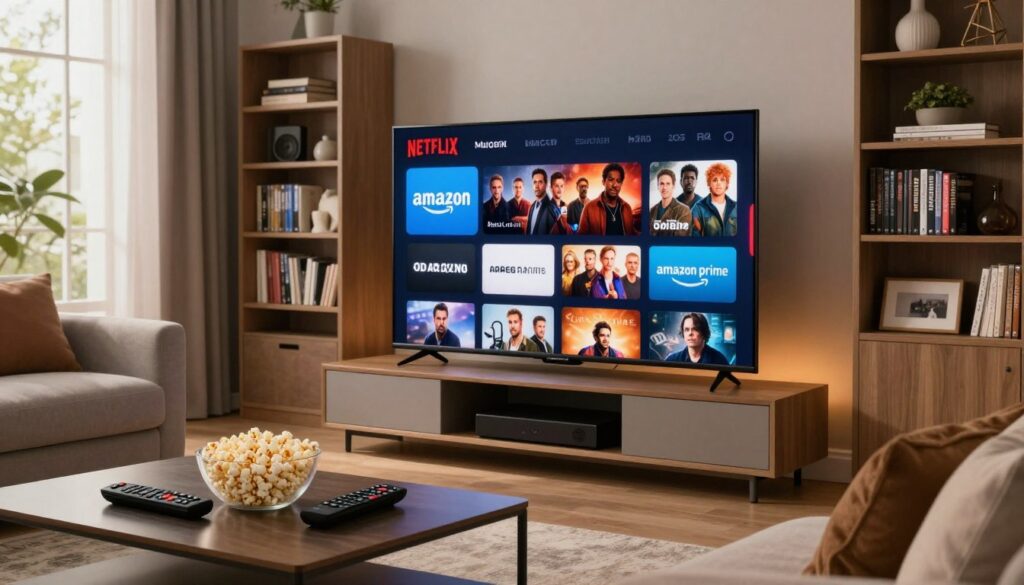
Can one subscription truly deliver live TV, on-demand video, and paid streaming libraries under one roof? Many ads and searches use that phrase loosely, so it’s worth asking what it actually means today.
Short answer: television over the internet often runs alongside separate streaming platforms. Live channels and VOD can come from an IP-based provider, while services like Netflix and Amazon Prime Video remain distinct apps with their own licenses and fees.
We’ll compare these platforms on shows, streaming quality, cost, and device ease so U.S. cord-cutters can choose wisely. Expect practical tips on speed needs, buffering fixes, device choices, and how to avoid risky unverified providers.
For compliant bundle options, we’ll briefly spotlight GetMaxTV and link to options such as a bundled offering from Stream+ bundles. For provider vetting guidance see a useful guide from WatchMaxTV.
Key Takeaways
- “IPTV with Netflix and Prime” usually means side-by-side apps, not a single licensed library.
- Live TV plus VOD can be legal, but bundled paid libraries rarely are without separate subscriptions.
- Check speed (HD 5 Mbps, Full HD 10 Mbps, 4K 25 Mbps) and device compatibility before committing.
- Avoid offers promising free paid-streaming accounts from unverified providers.
- Reliable choices exist; compare price, uptime, and support to find what fits your viewing needs.
What “IPTV with Netflix and Prime” Really Means in the US Today
https://www.youtube.com/watch?v=mgzqH28ULpA
Many shoppers hope a single package will simplify TV and paid apps. They want one interface, one bill, and one device that handles live channels plus on-demand libraries. That expectation drives searches and marketing language.
How the systems differ: managed IP-based TV runs inside a closed network, while major streaming services deliver over the public internet as separate apps. This split is why the terms get mixed up.
Common device and subscription scenarios
Most U.S. viewers use smart TVs or streaming boxes (Fire TV/Android TV) and install an IPTV app alongside paid apps. You sign into each streaming service separately, then switch between apps or use a universal guide on some devices.
What “bundle” usually means
Bundling often means one of three things:
- Pre‑installed apps on a device.
- A discounted offer from an ISP that includes app credits.
- Marketing claims from unverified sellers.
Quick legality and ad reality check
Providers can only distribute what they have rights to. They cannot legally re‑host another service’s library inside their system. So ads that say “includes free Netflix/Prime” are a red flag.
For a clear guide on device compatibility and legitimate bundle options, see our IPTV + Netflix guide.
Internet Protocol Television Explained for Cord-Cutters

Internet protocol television means TV that travels over your home network instead of through coax cable or a satellite dish.
In plain terms: a provider sends live channels and on-demand shows as data packets across a managed internet link. That lets you watch linear channels with an electronic program guide much like cable.
How the channel concept works: the stream for a channel arrives when you tune in, so it looks and feels like traditional channel surfing. Because the transport is internet protocol, you can watch on many devices without a satellite dish.
Compared with cable satellite packages, this model often gives more device flexibility and simpler package changes. Many telecoms offer a closed ecosystem that controls access. That control boosts predictability and makes the service more reliable than open web streams.
| Feature | Protocol Television | Cable | Satellite |
|---|---|---|---|
| Delivery | Over managed IP network | Coax/physical infrastructure | Broadcast from satellite |
| Device flexibility | High — smart TVs and boxes | Medium — set-top box | Medium — set-top dish receiver |
| Bandwidth efficiency | Efficient (multicast possible) | Fixed per line | Fixed per feed |
| Live channels + VOD | Yes — linear + on-demand | Yes | Yes |
Multicast and bandwidth: for big events, providers can send one stream to many homes. This saves bandwidth on the network and keeps the experience smooth for viewers.
If you’re cutting the cord, this technology can replace traditional channel surfing while working alongside other apps. For a practical service comparison, see our service comparison.
iptv netflix amazon prime content: Availability and Access Options

A single device can make access simple, yet each major streaming provider keeps its own subscription and licensing rules.
Separate platforms and licensing
Netflix and Amazon Prime Video operate as independent platforms with distinct licenses. No third party can legally rehost their libraries inside another service.
What legitimate services can offer alongside paid apps
Legal providers may supply live channels, licensed VOD, catch‑up TV, an EPG, and multi‑device login. These features sit next to paid app logins rather than replace them.
Hybrid living‑room setups
Most users run official apps on smart tvs, streaming boxes, or media players. That gives seamless switching between live channels and on‑demand video on one device.
Red flags and a simple decision rule
- Avoid ads promising “free Netflix/Prime inside” or “all premium apps included.”
- Unverified providers can drop channels, deliver malware, or pose legal risk.
- Choose services that are transparent about licensing, pricing, and support; keep paid subscriptions in their official ecosystems.
For deeper technical differences, see a clear comparison of service differences and tips on device setup at box setup.
Content and Viewing Experience Comparison: IPTV vs Netflix vs Amazon Prime Video
Your viewing habits decide whether live channel grids or algorithmic catalogs fit best.
Live programming and sports vs on‑demand movies and series
Live channels excel at real‑time broadcasts: news, local feeds, and many sports events stream on schedules. This is ideal when you want to follow a match or watch a show airing now.
On the other hand, streaming services center on on‑demand movies and series with libraries built for picking titles or bingeing an entire season.
Discovery and personalization
Channel surfing and an EPG make discovery easy when you want something on now. It’s a lean‑back, tune‑in experience for many viewers.
Recommendation engines steer users toward shows and movies based on past viewing. That suits people who prefer curated suggestions or a pick‑a‑title approach.
Release patterns and binge‑watching
TV channels follow scheduled releases and live events. New episodes appear on a broadcast timetable.
Many OTT services favor binge drops or weekly releases for series, which changes how viewers plan watch time and how they “watch favorite shows.”
International channels and niche options
Some providers compete by offering broad international channel lists and language packs. This attracts multilingual households and fans of niche programming.
Streaming platforms may license global hits, but specialty channels often live in linear lineups.
| Feature | Linear channel grids | On‑demand libraries |
|---|---|---|
| Best for | Live events, news, sports | Movies, series, binge sessions |
| Discovery | EPG, channel surfing | Search, personalized recommendations |
| International/niche | Often wider selection | Curated catalog choices |
Recommendation: Sports fans and viewers who like scheduled programming should prioritize live channels. Series lovers who want to binge or follow on demand will prefer OTT apps. Many households pick both to cover all viewing options.
For a broader side‑by‑side comparison of streaming services and cord‑cutting options, see this best TV streaming service comparison.
Streaming Quality, Reliability, and Network Requirements
Smooth video comes from three things: reliable bandwidth, a capable device, and a stable home network. If you get constant pauses, the problem is usually the path between the service and your screen rather than simply the app.
What drives buffering
Buffering is most often a mix of low bandwidth, Wi‑Fi congestion, many devices using data, or ISP limits and throttling. Router placement and interference matter too.
Practical speed targets
Aim for roughly 15–25 Mbps available per household for stable HD streaming and about 40+ Mbps for consistent 4K, especially when multiple users watch at once. If other devices stream or download, add headroom.
Device performance
Newer smart tvs and dedicated boxes (Fire TV/Android TV) usually handle video better than old TV processors. Phones and tablets stream well but depend on Wi‑Fi quality and CPU performance.
Quick optimization basics
- Use wired Ethernet when possible to reduce buffering.
- Place your router centrally and prefer 5 GHz or Wi‑Fi 6 for less interference.
- Drop from 4K to HD when the network is busy — it often solves glitches faster than troubleshooting.
Note: even with a solid home network, the provider’s infrastructure can cause hiccups. For practical checks and troubleshooting steps, see this streaming quality guide.
Pricing and Value: Subscriptions, Add-Ons, and Total Monthly Cost
Total monthly spend depends on which live channels, on‑demand libraries, and how many screens your household needs.
Packaging differences and billing
Subscription models for managed live packages usually come as monthly, quarterly, or annual plans. Standalone streaming services bill separately, so you sign into each app and pay its fee. Many providers allow multiple simultaneous connections in a single plan.
Simple cost comparison framework
List what you want (live channels, VOD, sports, international). Count how many devices need simultaneous access. Add gear and app fees. Total those numbers to see the real monthly spend.
Hidden costs and value checklist
Watch for boxes, upgraded routers or mesh Wi‑Fi, premium add‑ons, cloud DVR, and extra app subscriptions. Cord‑cutters avoid cable or satellite line items, but many apps can push totals back up.
| Item | One‑time | Recurring |
|---|---|---|
| Streaming box | Yes | No |
| Live channel package | No | Yes |
| Paid app subscriptions | No | Yes |
| Upgraded Wi‑Fi | Yes | No |
Tip: try short commitments first and total all fees. For a step‑by‑step budgeting method see this subscription guide. The best value is a package that matches what you actually watch, not the cheapest promise.
Legal and Safety Considerations When IPTV Mentions Netflix or Prime
Knowing how distribution rights work helps you avoid scams and protect your home network.
Legal standard: internet protocol technology is lawful, but a service is legal only when the provider holds rights to broadcast and distribute the shows and VOD it offers in your market.
Any mention of bundled paid libraries usually means simple app compatibility or a licensing problem. If a seller implies included paid platforms, treat that as a red flag.
Practical risks from unverified providers
- Streams can vanish with no refund and no notice.
- Apps or files from shady sources can carry malware and expose your data.
- Poor support and sudden shutdowns leave households without service.
Quick checklist before you buy
- Clear company identity and published terms.
- Transparent channel and content listings.
- Secure payments, legitimate app distribution, and responsive support.
- Try a trial and avoid offers that are “too cheap to be real.”
Legal option spotlight: for viewers who want a compliant subscription experience, consider reputable partners such as GetMaxTV; learn more at GetMaxTV.
Bottom line: prioritize safety and reliable access over large channel counts to protect your devices and viewing experience.
Conclusion
To finish, remember that modern viewing often blends managed live TV with separate paid apps on the same device.
Internet protocol television and protocol television deliver live channels and a cable‑like guide, while streaming services supply on‑demand libraries and discovery tools. Viewers choose based on what fits their schedule and taste.
Pick the live option when scheduled sports or news matter. Pick streaming services for bingeable series, movies, and personalized recommendations. Stable internet, solid devices, and reputable providers matter more than big channel lists or risky bundle claims.
For a legal, well‑supported subscription, consider GetMaxTV and see recommended legal options. Visit https://watchmaxtv.com to learn more and decide the best way forward for your home entertainment.
FAQ
What does “IPTV with Netflix and Prime” actually mean in the US today?
The phrase usually refers to internet protocol television services that work alongside separate streaming platforms like Netflix and Prime Video. It often means a provider offers live channels or a video-on-demand library while leaving access to Netflix or Prime to their official apps or separate subscriptions. Providers rarely have the right to bundle those libraries without explicit licensing from the streaming platforms.
How is internet protocol television different from OTT streaming services?
Internet protocol television delivers live channels and on-demand video over IP networks, similar to how over-the-top services stream video. The difference is in delivery and packaging: IPTV often mimics linear TV with channel lists and EPGs, while OTT services focus on app-based on-demand catalogs and personalized recommendations. Both use the internet, but the user experience and rights management can differ.
Can an IPTV provider legally include Netflix or Prime Video libraries in their service?
No, not without explicit licenses from the streaming platforms. Netflix and Prime Video control distribution rights for their catalogs. A lawful IPTV provider can offer access to the official apps or support login through smart TVs and streaming boxes, but promoting “included” Netflix or Prime libraries without proper agreements is a red flag.
How does internet protocol television deliver live channels and video-on-demand compared with cable or satellite?
IPTV sends video packets over a broadband connection, which allows live channels and on-demand files to stream directly to devices. That contrasts with satellite or cable broadcast methods. IPTV can use unicast for VOD and multicast for popular live channels, making efficient use of bandwidth and supporting interactive features like pause and catch-up.
What viewing setups let me use both live TV and official streaming apps on one device?
Smart TVs, Android TV boxes, Apple TV, Roku, and Amazon Fire TV devices commonly let you run live channel apps or IPTV clients alongside official streaming apps. This hybrid approach gives one-device convenience: live broadcasts and an app-based library, each accessed through their own licensed channels or accounts.
What are common red flags when a provider promises “free Netflix/Prime inside” their service?
Beware of claims that a provider includes full access to Netflix or Prime Video without separate logins or official partnerships. Other warning signs include unusually low prices for premium channels, lack of transparent licensing, poor customer support, and irregular uptime. These can signal unverified services that risk instability or legal exposure.
How do discovery and personalization differ between IPTV and major streaming platforms?
IPTV often uses electronic program guides and channel surfing, giving a linear, scheduled experience. Streaming platforms emphasize algorithmic recommendations, user profiles, and personalized queues designed for binge-watching. Each suits different viewing habits—discovery on IPTV favors live events and channels, while OTT services focus on tailored on-demand suggestions.
What network speeds do I need for reliable HD and 4K streaming?
For consistent HD, plan for at least 5–10 Mbps per stream. For 4K Ultra HD, aim for 25 Mbps or more per stream. Remember home Wi‑Fi congestion, other devices, and router quality affect real-world performance. Using wired Ethernet or a robust dual-band router improves stability and reduces buffering.
Which devices perform best for combined live channel streaming and app-based shows?
Modern smart TVs and well-supported streaming boxes (Android TV/Google TV, Apple TV, Amazon Fire TV) deliver the best balance. They handle multiple apps, offer up-to-date security, and often support wired connections. Older phones, tablets, or budget boxes may struggle with high-bitrate streams or advanced EPG features.
How are IPTV subscriptions typically priced compared to standalone streaming services?
IPTV plans often bundle multiple live channels, regional stations, and VOD tiers. Pricing can look attractive versus subscribing to several standalone apps, but total cost rises if you keep separate streaming subscriptions, pay for premium sports, or buy hardware. Look for transparent monthly fees and any equipment or setup charges.
Where do hidden costs usually appear with mixed streaming setups?
Watch for charges for set-top boxes, premium channel add-ons, higher-tier streams (sports or PPV), multi-device access, and increased broadband data usage. Also factor in potential costs for faster internet plans or stronger routers to maintain quality across devices.
What makes an IPTV service legal and safe to use?
A legal service clearly states licensing for channels, provides official app access for services like Netflix and Prime Video rather than claiming to include their libraries, and offers transparent billing and customer support. Security measures, regular software updates, and positive reputation from verified sources also help ensure safety.
What risks come with using unverified IPTV providers?
Unverified providers may deliver unstable streams, host malware, or expose users to copyright infringement issues. They often lack reliable customer support and can shut down services without notice. These risks can affect device security, privacy, and legal standing for viewers.
What checklist should I use when evaluating an IPTV provider?
Check for clear licensing statements, reputable payment processing, trial periods or money-back guarantees, active customer support, device compatibility, and up-to-date software. Verify that premium streaming services require separate official accounts and that the provider does not promise unauthorized access to paywalled libraries.
Are there legal paid IPTV options that work with official streaming services?
Yes. Several legitimate IPTV distributors offer compliant packages that integrate with official apps and support licensed channel lineups. These services focus on transparency and lawful distribution while letting viewers use their Netflix or Prime Video accounts through native apps or device marketplaces.
Where can I learn more about legitimate multi-service options and official offers?
Start with the official help and subscription pages of major platforms and reputable device manufacturers. Look for provider reviews from trusted tech outlets, FCC guidelines on video services, and support pages from streaming hardware makers. Always verify licensing claims before subscribing.
The WatchMaxTV Team is a dedicated group of streaming specialists and entertainment technology reviewers covering IPTV services for viewers in the USA, UK, and Canada since 2023. Our team independently evaluates every service we feature — testing across Smart TVs, streaming sticks, mobile devices, and gaming consoles. We measure stream stability, picture clarity in HD and 4K, program guide accuracy, and customer support quality. Our goal is simple: help cord-cutters find reliable, affordable alternatives to overpriced cable. Every recommendation on WatchMaxTV.com comes from real-world testing — not sponsored content or paid placements.