
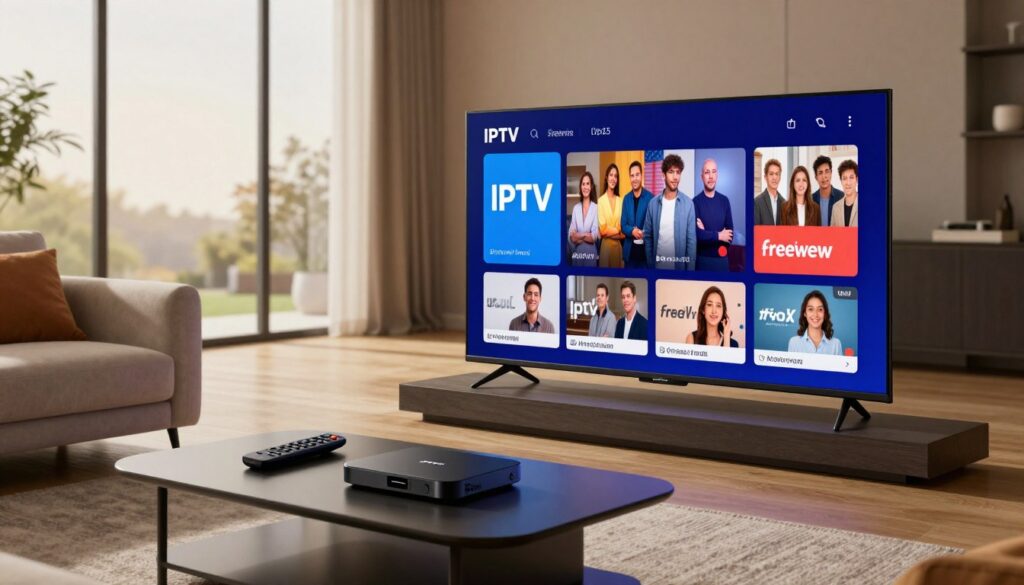
Curious which way to go in 2025 — stick with free broadcast TV or switch to internet-based streaming for everything?
Choosing between simple, free reception and a flexible, feature-rich service shapes how you watch live sports, films, and daily shows. This short guide frames the decision you’re making this year: stay with the familiar broadcast option or move to an internet service when you want more channels, on-demand libraries, and modern playback controls.
If you’re a sports fan, renter, busy family, expat, or a cord-cutter fed up with poor reception, this comparison is for you. You’ll see how channels, device support, cost, streaming quality, trials, and legality stack up so you can make a confident choice.
The UK market is shifting toward broadband-first viewing, with free options backed by major broadcasters and plenty of paid services offering wider content. Later we’ll mention GetMaxTV and link to a deeper resource like this guide for more detail.
Key Takeaways
- Free broadcast TV wins on price and simplicity for many viewers.
- Internet-based services often win on channel depth, multi-device streaming, and playback features.
- “Better” depends on your internet, household habits, and need for premium or international channels.
- Test services before you pay and avoid sketchy offers to protect reliability for live events.
- The market is moving to broadband-first viewing, changing what “free TV” looks like in 2025.
What “IPTV” and “Freeview” Mean in 2025 (and why it matters to your setup)
Knowing how channels arrive at your screen changes how you plan devices and internet needs. This section explains the delivery methods and what you must change at home: aerial and tuner vs. router and apps.
Streaming over broadband: live, on-demand, and time-shifted viewing
Internet-delivered TV lets you stream live channels, watch video on demand, and use time-shifted features like pause, restart, and catch-up.
Live TV is for news and sports. VOD gives you films and box sets. Time-shifted viewing lets you restart a show or catch something you missed.
This mode needs a stable connection and a compatible device, and different iptv services or an iptv service may offer varied channel packs and apps for phones, tablets, and smart TVs.
Broadcast baseline: free-to-air channels via aerial and tuner
Traditional free-to-air reception relies on an aerial and a tuner inside your TV or set-top box.
When reception is good, availability is reliable and costs are low. But signal quality depends on your location and hardware, not your broadband speed.
Freely: the broadband-first free TV bridge
Freely brings live and on-demand together in a single, free service backed by major broadcasters.
This means you can place a compatible TV anywhere with Wi‑Fi without running aerial cabling — useful for renters and modern homes moving away from rooftop antennas.
“Over half of homes may be broadband-only for TV by 2030, making Wi‑Fi placement and app access central to everyday viewing.”
| Delivery | What you need | Real-world trade-off |
|---|---|---|
| Broadband stream | Router, compatible device, decent speed | Portable viewing; reliant on internet and provider servers |
| Broadcast receive | Aerial, tuner or TV with built-in tuner | Stable when reception is good; limited to local channels |
| Freely (broadband-first) | Wi‑Fi, supported TV or app | Free live + on-demand without aerial; depends on broadband |
Once you understand whether delivery is broadcast or internet-based, it’s easier to judge playback features, channel lineup, and overall value. For a deeper look at content and recommended channel lineup, see our recommended channel lineup guide.
Viewing experience: channel lineup, playback features, and everyday usability
Everyday viewing boils down to how fast channels load, how clear on-demand picks are, and whether pause and restart just work when you need them.
Live channels and fast switching for news, sports, and events
Good live TV feels instant. Channel changes should be quick, streams stay stable during breaking news and major sports, and loading screens are rare.
Switching speed matters most during live events. Fast swaps let you follow multiple matches or rolling news without missing a play or update.
On-demand content and box sets
Services with large libraries give you more series and entertainment choices. On-demand content should load fast and keep playback smooth.
Compare catalogs by testing your favorite series during a free trial. That shows if the provider actually carries the shows you watch most.
Time-shifted tools: pause, restart, and catch-up
Pause, restart, and catch-up are expected in 2025. How well they work depends on the app and device.
Some services include DVR-like features. Others limit catch-up windows. Try busy evenings and sports peak times in a trial to verify reliability.
EPG and TV guide quality
A good guide gives accurate schedules, correct channel logos, and clear program info. You should find what you want without endless scrolling.
“Test the guide during prime time: does it match what’s on air and show real start times?”
Reality check: use a trial to test channel switching speed, guide accuracy, and catch-up reliability. For wider international channel options, see this resource on international channel options.
iptv uk freeview alternative: when IPTV makes more sense than Freeview
When your living room TV no longer matches your viewing habits, it’s usually because you want more than local channels can offer.
The most common switch moment comes when you need premium entertainment, international content, or sports that aren’t on free broadcast lineups. You may want hundreds of channels and richer on-demand content that fits your schedule.
Who benefits most? Multicultural households, sports-first viewers, and anyone who wants a bigger library than broadcast TV typically provides will see clear value. These viewers gain broader access without a full cable subscription.
You prefer streaming flexibility
Streaming lets you watch across many devices: living-room TV, bedroom set, phone, tablet, or laptop. That portability replaces being tied to a single aerial-connected device.
You value modern features
Expect DVR-style controls, restart, longer catch-up windows, profiles, and favorites. Many services include an easy guide and interface customization so you can tune the experience to your household.
Value note: If you already pay for broadband, this can replace older cable bundles while giving you more control over how you watch. Some viewers look for reputable, support-forward options such as GetMaxTV when they want a guided setup rather than DIY installs.
Cost and value comparison: free vs subscription (what you really pay for)

The financial side—both up-front and recurring—tells the true story of value.
Free broadcast channels look unbeatable on price. Your ongoing bill can be £0 if reception and hardware already work. That makes free reception a great baseline for tight budgets.
But don’t ignore hidden costs. You may need a new aerial, a signal booster, or a better tuner box if reception is poor. Those one-off expenses add up and affect the real price of “free” TV.
What a subscription buys you
A typical subscription gives you hundreds of channels, on-demand libraries, and multi-screen options so everyone can watch at once.
Compare more than the monthly rate: check channel coverage, stream stability, EPG accuracy, catch-up windows, device support, and customer service.
- Use a free trial to test channel quality and peak-time performance.
- Beware offers that are “too cheap to be true”—low cost can mean overloaded servers or poor support.
- Decide by your habits: if you watch a few local channels, stick with broadcast; if you want breadth and features, a paid subscription can offer better value.
Simple rule: test a short trial and compare real-world reliability before you commit.
For a look at premium options and providers, check a focused guide on premium services to see how price, channels, and quality line up.
Streaming quality and reliability: HD/4K, buffering, and peak-time performance
Streaming reliability becomes your top concern when a big match or live show is on the line. You want clear picture, quick channel changes, and minimal pauses during peak hours.
Speed guidelines you can use: target at least ~10 Mbps for smooth HD and ~20–25 Mbps for 4K. Add headroom if others in your home stream or game at the same time.
Why buffering happens and how to self-diagnose
Buffering comes from three main sources: your internet plan, your Wi‑Fi environment, and the provider’s servers. Any weak link can cause pauses or pixelation.
Run a speed test while the issue occurs, try Ethernet to the TV, and repeat the test during prime time to see if performance drops.
What to test during a free trial
Use a free trial to measure real-world playback for your most-watched live channels and sports fixtures. Test during evening peaks and a big event to reveal hidden limits.
- Check stream startup time and channel switching speed.
- Watch a 30–60 minute prime-time block to spot repeat buffering.
- Try different times of day to see consistency.
Server claims and the simplest upgrade
Treat “anti-freeze” marketing as a claim until you verify it. Repeat tests at different times and ask support for logs if buffering persists.
Quick fix: use a wired Ethernet cable for your main TV device. It reduces interference and gives the most stable playback compared with Wi‑Fi.
“Test during peak events: weaker services usually fail first on stream startup and channel switching.”
If you need help testing channels or want Canadian regional sports info during trials, see this resource on Canadian channels and sports. Paying a bit more for a dependable service can be worthwhile when it delivers consistent HD/4K and prompt support.
Device compatibility: Smart TVs, Android boxes, and the easiest ways to watch

Your choice of hardware determines how easy it is to jump between channels and apps. Start by checking where the apps you want run best.
Smart TVs and streaming platforms
Most users find the simplest path is installing an app on a smart TV. Smart tvs often receive automatic updates and have native store access, so setup is fast.
Android boxes and set-top devices
When a TV’s built-in software is slow, an android boxes device can help. It gives smoother playback, more storage, and a remote-friendly interface.
Phones, tablets, and laptops
Tablet and phone apps give you real portability. You can watch in bed, on commute, or while cooking. Laptops are handy for shared viewing and quick testing.
Households and multi-screen use
- Confirm how many devices the service allows and simultaneous streams.
- Ask providers about device swaps and login limits.
- Prioritize app quality for EPG and playback controls over raw channel counts.
Match your household: if multiple users watch different shows, choose devices and a service that support multi-screen access. For more on hardware choices, see the best Android boxes.
Trials and testing: how to choose the right choice without wasting money
Before you pay, run a hands-on check to see how the service behaves on your devices. A short trial turns marketing claims into measurable results on your network.
What a free trial should verify
Confirm the exact channels you watch and that those channels stream at the promised quality. Check EPG accuracy and that program times match live airings.
Contact support during the trial and note response time and helpfulness. Fast, clear support is part of real-world value.
Real-world test checklist
- Morning browse: test discovery and guide search.
- Prime-time: run a 30–60 minute playback to spot buffering.
- High-demand event: watch a sports or news event to test load handling.
- Channel switching: flip 10–15 channels quickly and log delays or failures.
- Device check: test TV plus phone or tablet to confirm compatibility.
“A focused trial shows which provider is reliable for your home, not theirs.”
Decision filter: pick the provider that performs reliably in your real conditions, even if it costs a bit more. Use this quick free trial guide to start testing with confidence.
Legality and safety: how to stream responsibly (and avoid sketchy providers)
Before you subscribe, learn how to tell a lawful streaming service from a risky reseller. Technology itself is legal, but the service must hold rights to distribute the channels and content it offers.
How to evaluate legitimacy
Look for clear business info. A trustworthy provider shows company details, transparent terms, and normal payment methods. Responsive support and realistic channel claims matter too.
Big red flags to avoid
- Promises of every premium channel for pennies or anonymous sellers.
- No contact, pressure to pay by irreversible methods, or constantly changing URLs.
- Claims that sound too good without a verifiable track record.
VPNs and privacy: what a VPN helps with—and what it doesn’t
A VPN can protect your privacy on public Wi‑Fi, reduce ISP throttling, and help with geo‑restrictions. Use one to secure your connection, but know it does not legalize unlicensed streaming or fix poor servers.
“If legitimacy is unclear, walk away — your best deal is a service you can trust.”
For a technical reference on lawful distribution and rights, see this legal distribution guide. Stay cautious, prioritize licensed options, and protect your devices and data.
Setup guide: how to get streaming running in minutes (without tech headaches)
A simple setup flow helps you move from sign-up to smooth playback in under 15 minutes. Gather your provider login first—this is usually an M3U playlist URL or Xtream Codes (username, password, and server URL).
Pick a provider and gather credentials
Keep your login details handy. Confirm your subscription is active and note the exact URL format the provider gave you.
Install an app and add your credentials
Install a recommended player app on your device: smart TV, streaming stick, Android box, phone, or tablet. Enter the M3U or Xtream info where the app requests account settings.
Optimize settings for best playback
Set resolution to match your screen, enable subtitles if needed, and import EPG data. If the app has buffer or quality controls, set them to favor stable playback over max bitrate.
Troubleshooting common issues
If buffering occurs, check your connection speed and try Ethernet. Restart the router, close background apps, and test again at a non-peak time.
For login errors, re-check username/password and server URL format. Capture a screenshot and contact support if the credentials still fail.
“Before a big match, reboot your router and run a quick speed test to avoid surprises.”
| Step | What to check | Tip |
|---|---|---|
| Credentials | M3U or Xtream details | Copy/paste to avoid typos |
| App install | Device compatibility | Use official app stores |
| Playback | Resolution, buffer, EPG | Test live + on‑demand content |
Stability habit: keep apps updated, reboot your router occasionally, and re-run a speed test before major viewing. For step-by-step help, see the support tutorial.
Conclusion
The right TV choice depends on whether you want fuss-free reception or a bigger channel lineup and modern features. Free broadcast stays the best no-cost baseline for simple watching. A paid streaming service wins if you want more channels, richer content, and multi-device freedom.
Test before you commit: use a free trial to verify channel availability, EPG accuracy, and peak-time reliability in your home. Remember: reliability and legal licensing matter more than the cheapest price.
Freely is a useful broadband-first middle option for free streamed TV. If you need a clear starting point for paid options, review GetMaxTV here: GetMaxTV. For a legal subscription offer, check current deals at WatchMaxTV. For market context, see this note on rivals to Freely: Freely rivals and our picks guide: best picks.
FAQ
What’s the main difference between IPTV and Freeview in 2025?
IPTV delivers live channels, on-demand content, and time-shifted viewing over the internet, so you can watch across smart TVs, Android boxes, phones, and tablets. Freeview provides free-to-air broadcast channels through an aerial with no subscription. Your choice depends on whether you want a broader channel lineup, streaming features, and multi-device access or a low-cost, simple TV setup.
Do I need a special device to use internet-based TV services on my TV?
Not always. Many smart TVs run streaming apps natively, but older sets often need an Android box, Fire TV Stick, or similar set-top device. Those devices improve app compatibility, playback, and access to VOD libraries. Use Ethernet where possible for smoother quality and fewer buffering issues.
How many channels and what kinds of content can I expect from a paid streaming service?
Paid services typically offer hundreds of channels, international lineups, sports, news, and big VOD catalogs with series and box sets. Look at the provider’s channel list and on-demand options during a free trial to confirm the entertainment value and event availability you want.
Can I try a service before committing to a subscription?
Most reputable providers offer a free trial. During that time, test live channels, playback quality, EPG accuracy, and channel switching. A good trial helps you verify server reliability and whether the service supports multiple viewers and devices.
What internet speed do I need for HD and 4K streaming?
For steady HD expect at least 5–8 Mbps per stream; for 4K plan 20–25 Mbps per stream. If multiple devices stream at once, add speeds accordingly. Wired Ethernet reduces interruptions compared with Wi‑Fi and improves peak-time reliability.
How do I judge whether a provider is legitimate and safe?
Check for clear subscription terms, payment methods, and official apps on major platforms. Verify licensing and read reviews from credible sites. Avoid offers that promise every premium channel at a suspiciously low price or anonymous resellers without support.
Should I use a VPN with my streaming service?
A VPN can help protect privacy on public networks and access region-specific apps you’ve legitimately subscribed to, but it won’t legalize unlicensed content. If you use one, pick a reputable provider that supports decent speeds to avoid added buffering.
What features should I test during a free trial checklist?
Verify live sports and news playback, channel switching speed, EPG (TV guide) accuracy, on-demand catalog quality, device compatibility, subtitle support, and customer support responsiveness.
How do subscription costs compare with free broadcast TV?
Free broadcast services have no monthly fee but may require investment in reception equipment and occasional upgrades. Paid services charge subscriptions but often include more channels, VOD, multi-screen access, and modern features. Compare totals over a year and weigh the content and convenience you value.
What common setup steps get me streaming quickly?
Choose a provider, create an account, install the provider’s app on your smart TV or Android box, enter login details (or M3U/Xtream codes where used), and set resolution and EPG preferences. Use Ethernet and keep apps updated for the best playback experience.
Why might I experience buffering or poor picture quality?
Common causes include insufficient internet speed, Wi‑Fi interference, overloaded home networks, or provider server issues. Test with Ethernet, close other heavy-usage apps, and use the provider’s speed or quality settings to reduce buffering.
Can I watch the same account on multiple devices at once?
Many services allow simultaneous streams but limits vary by provider and subscription tier. Check the provider’s device policy before subscribing if multi-screen viewing across TVs, tablets, and phones matters to you.
How do I compare providers without being misled by cheap offers?
Compare channel lists, on-demand catalogs, device compatibility, trial terms, support quality, and genuine user reviews. Beware of bargain listings that lack clear licensing or reliable customer service.
What should I look for in an app’s Electronic Program Guide (EPG)?
Look for accurate scheduling, easy navigation, search and filter tools, and reliable metadata for series and events. A clean EPG helps you find live sports, news, and shows quickly without frustration.
Are block recordings and DVR-style controls available?
Many internet services include time-shifted tools like pause, restart, catch-up windows, and cloud DVR. Confirm storage limits, retention periods, and playback controls during a trial to ensure they meet your viewing habits.
What are the red flags that a provider is sketchy?
Red flags include no clear company info, only anonymous resellers, inconsistent channel lineups, frequent service drops, and pressure to pay by untraceable methods. Legitimate providers offer verified apps, customer support, and transparent billing.
The WatchMaxTV Team is a dedicated group of streaming specialists and entertainment technology reviewers covering IPTV services for viewers in the USA, UK, and Canada since 2023. Our team independently evaluates every service we feature — testing across Smart TVs, streaming sticks, mobile devices, and gaming consoles. We measure stream stability, picture clarity in HD and 4K, program guide accuracy, and customer support quality. Our goal is simple: help cord-cutters find reliable, affordable alternatives to overpriced cable. Every recommendation on WatchMaxTV.com comes from real-world testing — not sponsored content or paid placements.