

Can you get theater-level picture without blowing through your data cap?
You want sharp video and low data use. That trade-off shapes your viewing experience more than channel lists or price.
Today’s streaming services use smarter encoding and adaptive delivery so live sports and movies stay smooth on the internet while saving bandwidth.
We’ll explain why some channels look crisp and others pixelate during motion. You’ll learn how bitrate, codec choice, and your home network affect quality and data use.
GetMaxTV is highlighted as a top value: 19,000+ live channels, 97,000+ VOD, broad device support, instant activation, and 24/7 help—all aimed at giving you the best picture for the least data and price.
By the end of this guide you’ll know what settings and plan fit your TV, devices, and requirements so you can pick the right service with confidence.
Key Takeaways
- Encoding and adaptive delivery decide real-world picture versus data use.
- Bitrate, codec, and network quality shape your daily viewing experience.
- You can tune device and home network to improve clarity without higher costs.
- Choose a service that balances channels, content quality, and bandwidth needs.
- GetMaxTV is presented as a strong value option with wide compatibility and low price.
Why IPTV compression matters for your picture quality today
Small changes in data flow can turn a clear scene into blotchy, blurred video. That happens when the stream’s bitrate and your available bandwidth don’t match the scene’s needs.
Bitrate is how much data the video gets each second. More bitrate usually means clearer detail and smoother motion. Typical stable targets: SD ~2–3 Mbps, HD ~5–8 Mbps, and 4K ~20 Mbps+ for true clarity.
From pixelation to perfection: the role of bitrate and bandwidth
When fast action needs more data, encoders shift bitrate up. If the link can’t keep up, you’ll see macroblocking, banding, or blurring instead of sharp detail.
How US home networks and ISP variability impact your streams
Home networks vary — crowded Wi‑Fi, ISP peering, and local congestion cause speed dips. Adaptive bitrate (ABR) helps, but wired Ethernet and a strong 5 GHz Wi‑Fi cut variability.
“Quality swings are often a temporary drop in connection, not a broken app or TV.”
- Tip: If you see buffering, test your connection speed and try Ethernet.
- Start fast: Choose a value provider that balances bitrate and efficiency so multiple users stream well.
| Resolution | Typical Bitrate | When to Increase |
|---|---|---|
| SD | 2–3 Mbps | Low-motion shows, basic news |
| HD | 5–8 Mbps | Movies, standard sports |
| 4K | 20 Mbps+ | HDR, live sports, fast action |
For a balanced, budget-friendly option that starts in minutes with 24/7 help, check a detailed guide on streaming quality and consider GetMaxTV as a reliable choice.
IPTV compression explained in plain English
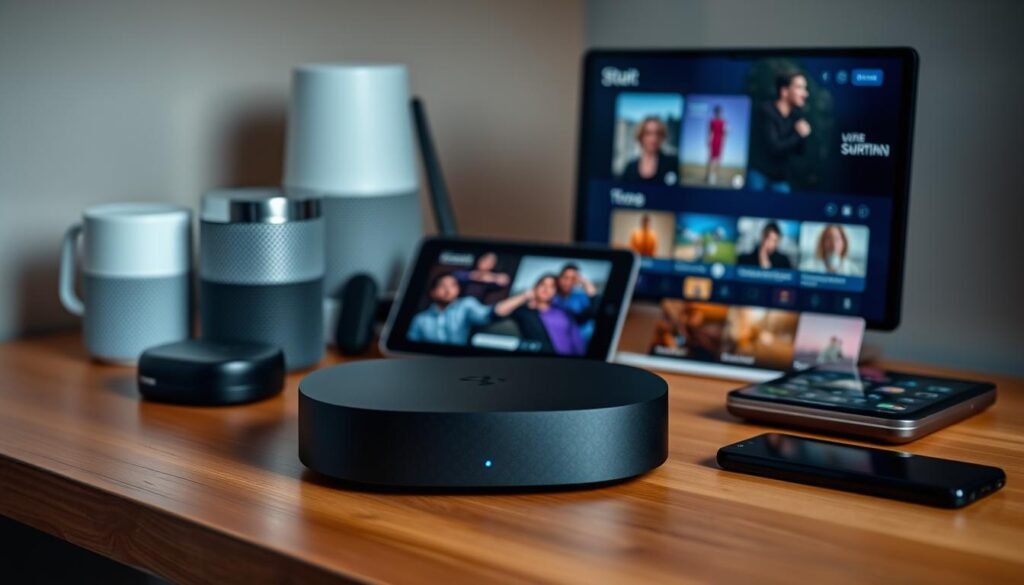
Smart encoders trim unnecessary detail so streams travel faster and cheaper.
Lossy vs lossless: what actually gets discarded
Lossy encoding removes data that has little impact on what you notice. It often shrinks a stream by more than 85% while keeping faces and action readable.
Lossless keeps every bit, cutting files by only ~40–60%. That preserves perfect fidelity, but it uses far more bandwidth and is impractical for most live viewing.
Artifacts to watch for: macroblocking, banding, and motion blur
When the encoder or bitrate can’t keep up, you may see blocky squares in fast motion — that’s macroblocking.
Banding appears as visible stripes in gradients or skies. Mosquito noise looks like fizz near text and edges.
- Think of lossy like packing: remove redundancy so the essentials fit.
- Not all content compresses equally: animation compresses well; grainy films and sports stress encoders.
- Adaptive bitrate helps: simple scenes use less data while intense scenes get more.
“If artifacts pop up only during big plays, it’s likely a bitrate mismatch — try a higher quality setting or wired connection.”
Your device matters too. Newer decoders handle modern tech better and show fewer artifacts at the same data rates.
Practical tip: Choose a provider that balances visible quality and data use. GetMaxTV aims for that sweet spot, keeping artifacts minimal while offering strong value at $6.95/month.
The codecs behind great streaming: H.264, HEVC, AV1, and VVC
The right codec lets you watch crisp video without burning extra bandwidth. Codecs are the technology that turn raw content into a stream your TV can show. They balance file size, device load, and visible quality.
H.264 / AVC — the reliable workhorse
H.264 keeps playback smooth because almost every device decodes it. That makes it the safe baseline for broad compatibility and steady delivery.
H.265 / HEVC — better 4K efficiency
HEVC gives roughly 50% better efficiency than H.264 at similar quality. That helps you stream 4K sports and movies at lower bitrate and less bandwidth use.
AV1 and VP9 — open-source gains, higher demands
AV1 and VP9 improve video compression further, but they need newer hardware decoders to avoid heavy CPU load. If your device supports them, you get cleaner detail at the same data rate.
VVC and what’s next
VVC promises another 30–50% gain over HEVC but faces patent and processing hurdles. Widespread use by providers will depend on device support and licensing work.
- Mix codecs in multi-room homes to keep older boxes working while newer screens get premium quality.
- Confirm your TV, Firestick, or box meets your requirements to unlock best performance.
“Efficient codecs can improve evening delivery by lowering bandwidth pressure without hurting what you see.”
Practical tip: Choose services that match content and codec to device capabilities. GetMaxTV supports modern codecs on popular devices across the United States, so you can pick higher-quality options when your hardware allows.
Quality vs size in the real world: matching content to bitrate

Match each show to the right bitrate so you get clear pictures without wasting bandwidth.
Recommended bitrates: SD, HD, and 4K guidance for smooth playback
Use these practical targets today:
- SD: ~2–3 Mbps — good for small screens or background viewing.
- HD: ~5–8 Mbps — ideal for most 1080p TVs to keep faces and text sharp.
- 4K: ~20 Mbps+ — needed for true 4K detail; add extra Mbps for HDR scenes.
Why fast-action sports need more data than news or animation
Fast pans, camera cuts, and close-ups demand higher bitrate to avoid motion blur and macroblocking. Live sports rely on steady data to preserve crisp motion and fine detail.
News or talk shows compress well because scenes change less and palettes are simpler. Animation also needs less data thanks to clean lines and limited gradients.
| Content Type | Typical Bitrate | Notes |
|---|---|---|
| News / Talk | 2–4 Mbps | Stable picture, low motion |
| Movies / HD Drama | 5–8 Mbps | Preserves texture and faces |
| Live sports / Action | 8–20+ Mbps | Higher demand for motion clarity |
Tip: If you have multiple streams, budget bandwidth so each video stream meets its requirements. Pair efficient codecs like HEVC or AV1 with the right bitrate to get strong quality without huge data use.
“Choose Auto with a high ceiling so adaptive delivery raises bitrate during complex scenes.”
GetMaxTV tunes delivery for crisp live sports and cinema at exceptional value. See recommended quality settings to match your devices and viewing needs.
How to optimize your setup for better compression outcomes
The right mix of wired links, router settings, and device support keeps live action sharp when it matters most.
Network essentials: wired connections, QoS, and smart Wi‑Fi placement
Go wired where you can. Ethernet removes interference so your ABR can stay at higher quality rungs.
If Wi‑Fi is necessary, use 5 GHz, place the router centrally and elevated, and avoid crowded channels for better speed and stability.
Enable QoS to prioritize iptv services traffic over big downloads and game updates during peak viewing.
Player settings: ABR vs fixed quality
Start with Auto (ABR). It adapts to link changes and reduces artifacts during busy scenes.
If your connection is rock‑solid, try High to cut visible defects — switch back if buffering appears.
Device decoding and support
Confirm your device supports HEVC or AV1. Newer Fire TV, Roku, Android TV, and many smart TVs decode these formats more efficiently.
Older devices may struggle at the same settings, so match content and device capabilities for best performance.
Troubleshooting checklist for buffering and artifact issues
- Reboot router and device, then test speed.
- Switch to Ethernet or move to 5 GHz Wi‑Fi.
- Clear app cache and check for firmware updates.
- Close cloud backups and large downloads during big games.
- Compare another device on the same network to isolate decoder limits.
“If problems persist, GetMaxTV’s 24/7 support can walk you through settings so you’re watching in under two minutes.”
Tip: Modern routers with MU‑MIMO and OFDMA help multi‑user homes keep every stream at the quality it needs.
For deeper setup guidance and recommended settings, see our detailed streaming quality guide and try GetMaxTV risk‑free with instant activation and round‑the‑clock support.
Behind the scenes: network infrastructure that powers smooth IPTV
A fast, well-managed network is the invisible hero behind smooth, clear live video.
Quality isn’t just an app setting — it’s the result of smart content delivery and solid physical systems working together.
Content delivery networks cache streams near you, cutting latency and reducing the load on central servers. That short path improves startup time and keeps picture consistency high.
Multicast and ABR combine efficiency with flexibility. Multicast saves bandwidth for hugely popular channels, while adaptive bitrate tuning reacts to changing link conditions so playback stays stable.
Fiber, switches, and IGMP Snooping: why infrastructure matters
Fiber backbones and well‑configured switches lower jitter and packet loss — two silent killers of performance. Less jitter means steadier frames and fewer visible glitches.
IGMP Snooping keeps multicast traffic contained to the ports that need it. That prevents needless load across your home or provider networks and helps deliver consistent quality to each user.
“Load balancing and failover routing keep streams available during peak demands so viewers see fewer interruptions.”
- QoS and traffic management prioritize streaming when neighborhood usage spikes.
- Load balancing spreads demand across servers to avoid overload.
- Failover reroutes traffic if a node fails, protecting uptime and user experience.
| Component | Role | Benefit | Typical Impact |
|---|---|---|---|
| CDN | Cache and edge delivery | Faster starts, lower latency | Improved stability and less buffering |
| Multicast | Efficient live delivery | Bandwidth savings on delivery network | Scales better for popular channels |
| Fiber + Managed Switches | Transport and local routing | Lower jitter and packet loss | Smoother motion and consistent bitrate |
| QoS / Load Balancing | Traffic management | Prioritizes video traffic | Fewer stalls during peak hours |
Practical note: Providers that invest in modern delivery systems turn codec and data savings into visible gains — cleaner motion, faster channel changes, and reliable uptime.
GetMaxTV leverages these systems so you get strong quality at a minimal price. That means your monthly dollar stretches further while you enjoy steady streams on many devices.
Future trends shaping compression and streaming performance
AI and cloud-driven tools are changing how video gets packed and sent so you enjoy steadier picture quality without higher bills.
AI-powered, per-title, and per-scene encoding
AI-powered encoders analyze scene complexity in real time and shift bits to faces, fast motion, or HDR highlights. This per-scene logic gives you more consistent quality while avoiding wasted bandwidth.
Per-title and per-scene approaches stop using one-size-fits-all settings. They boost detail where required and pull back on easy scenes. That means less visible artifacting and steadier playback for all viewers.
Cloud transcoding and regional bitrate optimization in the US
Cloud transcoding brings heavy-duty algorithms to everyday platforms and scales instantly during peaks. It lets providers test new features without hardware swaps and improves cross-device integration.
Regional bitrate optimization tunes ladders for local last-mile conditions across US networks. The result: fewer stalls and smoother motion in areas with variable internet performance.
“Smarter delivery relies on software and edge compute — not just higher bitrates — to make every stream look better.”
- AI-driven encoding allocates bits where your eye needs them most.
- Cloud transcoding enables powerful algorithms across devices and services.
- Regional optimization stabilizes streams for diverse US network conditions.
| Trend | Benefit | Impact on Users |
|---|---|---|
| Per-scene AI encoding | Better perceived detail | Fewer artifacts, steady viewing experience |
| Cloud transcoding | Rapid scaling and new features | Consistent playback across platforms |
| Regional bitrate tuning | Localized delivery ladders | Smoother streams in varied internet areas |
Bottom line: expect ongoing gains in performance and features as codecs meet AI and cloud systems. These solutions raise perceived quality without needing much more data.
GetMaxTV tracks these trends so your subscription keeps getting better value over time. That means upgrades in delivery, platforms, and services without raising your monthly cost.
Why GetMaxTV gives you max quality and max value at just $6.95/month
GetMaxTV packs a massive library and crisp delivery into one low monthly price.
Pay only $6.95/month and unlock one of the largest content libraries available: 19,000+ live channels and 97,000+ VOD movies and shows. That scale comes with modern delivery systems so your viewing stays smooth.
All-inclusive sports and movies, no contract
All sports and movie packages are included—no add‑ons that jack up your bill. You get major leagues, big releases, and deep catalogs without a long-term commitment.
Universal compatibility and instant activation
GetMaxTV works with Firestick, Smart TV, Android TV, Android phones, Mac, Windows, and more for easy integration into your home setup.
Instant activation in 2 minutes means you can start watching tonight. If you need help, 24/7 customer support is ready to assist.
Why it feels premium despite the price
- Smart ABR, CDN delivery, and device decoding support keep streams crisp during busy evening hours.
- No contract and easy upgrades let you tailor the service to your needs.
- Customer-first support helps tune settings for your internet and devices.
“Massive content, reliable delivery, and round‑the‑clock support make this a strong quality service at a budget price.”
| Feature | What you get | Why it matters |
|---|---|---|
| Library size | 19,000+ live channels; 97,000+ VOD | More choices for every mood and event |
| Price & terms | $6.95/month; no contract | Low cost and flexible commitment |
| Devices | Firestick, Smart TV, Android, Mac, Windows | Easy integration with your current gear |
| Support & setup | Instant activation; 24/7 support | Fast start and help when you need it |
If you want full details and plan comparisons, check the subscription plans. Ready to try? Subscribe now at watchmaxtv.com, or request a free trial via WhatsApp at message us.
Conclusion
A clear picture comes when delivery networks, adaptive bitrate, and device decoding work in harmony.
a strong, practical takeaway: video quality depends on smart compression, ABR ladders, and the provider’s delivery network working with your devices and home setup. Keep the SD/HD/4K rules of thumb handy: SD ~2–3 Mbps, HD ~5–8 Mbps, 4K ~20 Mbps+.
Match your requirements to capable devices (HEVC/AV1 support), prefer wired links when you can, and use Auto or High quality in the player. Providers that invest in CDNs and optimized systems deliver steadier video content at peak times.
Ready to try? GetMaxTV packs 19,000+ live channels and 97,000+ VOD with no contract, instant activation, and 24/7 support. Subscribe now at watchmaxtv.com or request a free trial on WhatsApp: contact support.
Want to learn how encoders fit into delivery? See what an encoder does for a quick primer on systems that shape every video stream.
FAQ
What does video quality versus file size mean for streaming in 2025?
It’s the trade-off between image clarity and the data you send over the internet. Higher quality requires more bits per second, which increases bandwidth use and storage. Modern codecs and adaptive delivery try to keep picture fidelity high while cutting the data you need, so you get better-looking streams without constantly hitting your connection limits.
Why does compression matter for your picture quality today?
Compression decides how much visual detail is preserved when video is packed for delivery. Poor settings or outdated codecs can cause pixelation, blocking, or washed-out colors. With the right encoder and bitrate, you can maintain sharpness and fluid motion even on constrained networks, improving your viewing experience across devices.
How do bitrate and bandwidth affect pixelation and stuttering?
Bitrate is the amount of data used per second of video; bandwidth is your available network capacity. If bitrate exceeds what your connection can reliably deliver, frames drop or downscale, causing pixelation and stalls. Matching bitrate to your bandwidth and using adaptive streaming reduces interruptions and keeps motion smooth.
How do US home networks and ISP variability impact my streams?
Home setups vary widely—Wi‑Fi placement, router age, and ISP throttling all affect performance. Peak-hour congestion and long Wi‑Fi hops can reduce throughput and increase latency, leading to buffering. A wired connection or a modern dual-band router usually improves reliability and reduces visible artifacts.
What’s the difference between lossy and lossless encoding?
Lossless preserves every original pixel and color value, producing identical results but large files. Lossy removes perceptually less important information to cut size dramatically, which is practical for live and on-demand delivery. Smart encoders remove details your eye won’t miss while keeping perceived quality high.
What visual artifacts should I watch for?
Common signs of overcompression include macroblocking (blocky squares), banding (stepped gradients), and motion blur or ghosting in fast scenes. These indicate bitrate or encoder settings aren’t matching the content’s complexity, especially in sports or action sequences.
Which codecs work best on most devices today?
H.264 remains widely supported and efficient for many devices. Newer options like HEVC and AV1 offer better compression efficiency—meaning similar quality at lower bitrates—but they demand more from hardware and software. Check device support for optimal playback.
Do I need a specific device to get HEVC or AV1 playback?
Some smart TVs, streaming sticks, and newer set‑top boxes include hardware decoders for HEVC and AV1, which deliver smooth playback and lower power use. Older devices may rely on software decoding and struggle with high-resolution streams. Verify compatibility in your device specs.
What bitrates are recommended for SD, HD, and 4K?
As a baseline, SD can work well around 1–2 Mbps, HD often needs 3–8 Mbps depending on motion, and 4K typically requires 15–25 Mbps or more for high-quality fast action. Adaptive bitrate delivery helps scale these values to match your connection in real time.
Why do live sports need more data than news or animation?
Sports feature complex, fast motion with crowded scenes, which require higher bitrates to preserve detail and avoid artifacts. News and animation usually have simpler motion and more static areas, so they compress more efficiently at lower bitrates.
How can I optimize my home setup for better streaming quality?
Use a wired Ethernet connection when possible, place your router centrally, enable QoS to prioritize video traffic, and keep firmware up to date. Position Wi‑Fi access points to reduce interference and choose 5 GHz for lower latency on short-range devices.
Should I use adaptive bitrate (ABR) or fixed-quality settings in my player?
ABR automatically adjusts quality to your current bandwidth, minimizing buffering during fluctuations. Fixed quality can give a constant picture but risks stalls if your connection dips. Use “High” or fixed modes only if you have a stable, high-speed link.
What troubleshooting steps help with buffering and artifacts?
Restart your router and streaming device, test with a wired connection, close background apps, and run a speed test. If problems persist, lower the player’s resolution or enable an adaptive setting. Contact your ISP if speeds fall below expected levels during peak times.
How do CDNs and ABR deliver better streaming at scale?
Content delivery networks cache and serve video from servers closer to you, reducing latency and packet loss. ABR splits content into multiple quality renditions so players can switch streams based on real-time bandwidth, keeping playback smooth across diverse network conditions.
Why does underlying network hardware like fiber and switches matter?
High-capacity links like fiber reduce congestion and packet loss, while managed switches with IGMP snooping help optimize multicast traffic in local networks. Better infrastructure cuts latency and jitter, improving consistent delivery of high-bitrate streams.
What future trends will improve streaming quality?
Expect more AI-driven per-title and per-scene encoding that tailors bitrate to actual visual complexity, plus expanded cloud transcoding and regional bitrate optimization to match local network conditions. These advances aim to deliver consistent quality while using less data.
Does GetMaxTV support a wide range of devices and offer instant activation?
Yes. GetMaxTV lists compatibility with popular platforms like Fire TV, Android TV, Windows, macOS, and many smart TVs. Their service typically includes quick activation and around-the-clock customer support for setup and troubleshooting.
The WatchMaxTV Team is a dedicated group of streaming specialists and entertainment technology reviewers covering IPTV services for viewers in the USA, UK, and Canada since 2023. Our team independently evaluates every service we feature — testing across Smart TVs, streaming sticks, mobile devices, and gaming consoles. We measure stream stability, picture clarity in HD and 4K, program guide accuracy, and customer support quality. Our goal is simple: help cord-cutters find reliable, affordable alternatives to overpriced cable. Every recommendation on WatchMaxTV.com comes from real-world testing — not sponsored content or paid placements.