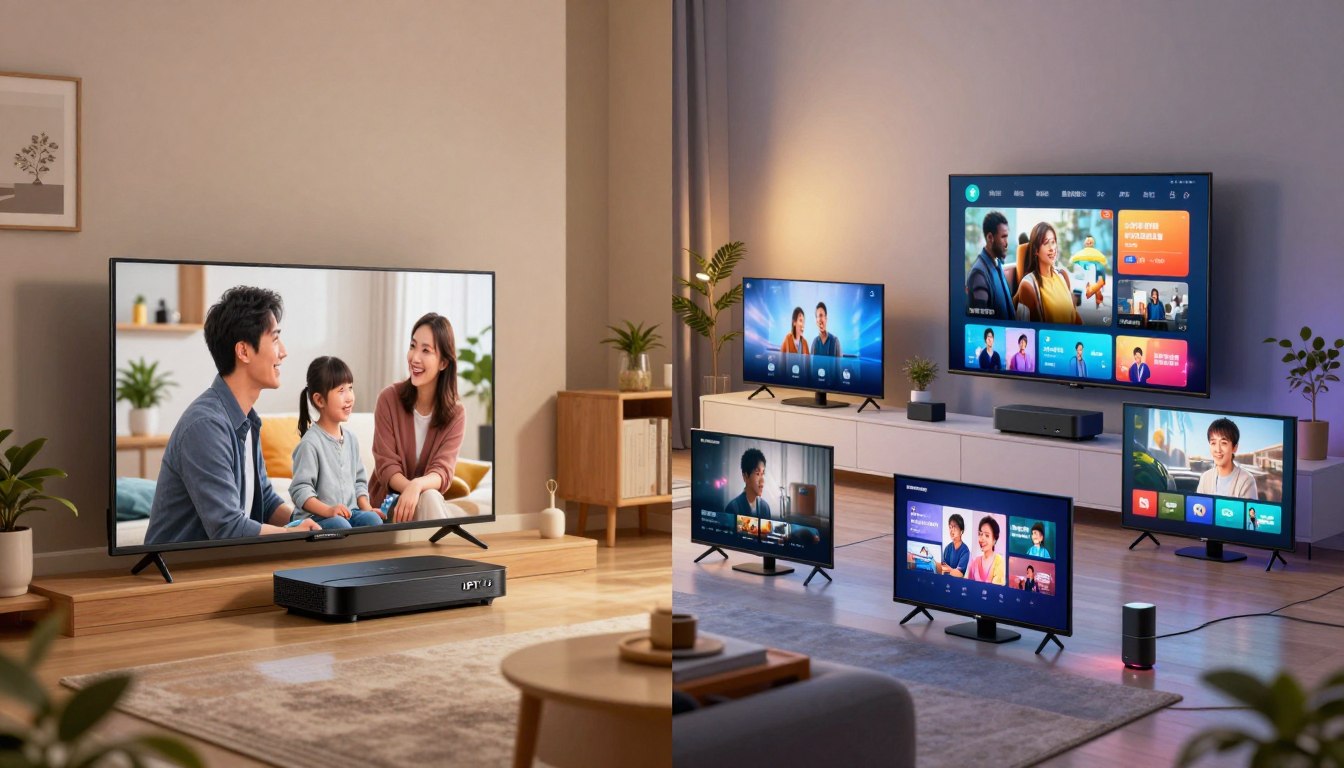
Which plan truly fits your home: one stream or several at once? This question cuts to the heart of how you watch live TV and on-demand content in 2025.
You need a clear, practical decision: do you require one stream at a time or several simultaneous streams, and why that matters for daily viewing. Provider rules about simultaneous streams shape real-world speed, buffering, and reliability.
In this short guide you’ll learn how the technology works, what each plan allows, and how it affects buffering. You’ll also see how to buy safely in the US market and what legal clarity matters for licensing versus tech.
While researching, you may encounter brands like GetMaxTV as an example provider to evaluate. For a deeper checklist, see our internal guide.
Ready to pick the right subscription? Choose a legal IPTV subscription at watchmaxtv.com to stay safe and enjoy smooth entertainment.
Key Takeaways
- Decide whether one stream or multiple streams fits your household needs.
- Provider stream rules directly affect buffering and speed.
- Compare plans, testing simultaneous streams before you buy.
- Check legal clarity: technology differs from licensing rights.
- Evaluate providers like GetMaxTV but follow a safety checklist.
Internet Protocol Television in 2025: how IPTV subscriptions actually deliver TV
Modern subscriptions move broadcast and on‑demand content onto your internet pipe. This is internet protocol television in action: live channels, VOD, and catch‑up play over your home network instead of coax or satellite.
What changes for you day to day? You can watch on more devices — smart TVs, streaming sticks, phones, tablets, and PCs — and you’re no longer tied to a single cable box. That makes the viewing experience more flexible.
IP-based delivery vs traditional cable
Protocol television drops the old cable wiring and uses internet protocol to move video. The result is broader device support and 4K/8K picture where available.
Why provider quality matters
Uptime, stream stability, and fast support are what make services feel premium. Fast internet helps, but your final experience depends on both your network and the provider’s delivery systems.
Reliable streaming is not just speed — it’s uptime, low buffering, and quick support when things go wrong.
| Metric | Why it matters | What to test |
|---|---|---|
| Uptime | Shows how often the service is available | Run a trial during peak hours |
| Stream stability | Less buffering, smoother playback | Play live channels and VOD back to back |
| Support | How fast issues get resolved | Send a test ticket or chat |
iptv single vs multi connection: the core differences you’re comparing
Choosing the right plan comes down to how many streams you actually use at once in your home. That single fact separates a one‑stream plan from one that supports several people watching at the same time.
What one active stream looks like in daily life
One active stream means only one device can play at a time. If you start a show on your living room TV and then press play on your phone, the first device may stop or you might get logged out.
What multiple simultaneous streams mean
A plan that allows several streams is made for households where more than one person watches different channels or VOD at once. This reduces fights over the remote and supports multiple devices in use.
Device limit vs simultaneous streaming
Many providers let you install apps on many devices but still cap how many can play concurrently. Installed devices and active streams are different limits to watch for.
How credentials and player apps behave
After you buy a subscription, you usually get a playlist URL (M3U) or Xtream Codes-style credentials (username, password, server URL). You enter those into a player app and the provider enforces the streaming rules.
Exceeding allowed simultaneous streams can trigger logouts or buffering, so match your plan to actual household needs.
| Item | What it means | What to check |
|---|---|---|
| Active streams | How many devices can play at once | Test during peak hours |
| Installed devices | How many devices can have the app | Confirm app support for your TV and stick |
| Credentials | Playlist URL or username/password | Verify login method and ease of setup |
Decide based on how many simultaneous viewers you expect, not how many devices you own. For a quick checklist, see our viewing guide to match plans with real household needs.
When a single-connection IPTV service is the right fit
If you usually watch on one screen and rarely share TV time, a single-stream plan often fits your life and budget.
Best match for solo viewers and simpler setups
Simple homes benefit most. If you watch from one Smart TV or a Fire TV stick each night, a single active stream covers your viewing needs without extra cost.
Where it can still shine: travel, dorms, and secondary TVs
A single active stream works well for a laptop in a dorm or a tablet on the road. It also suits a guest-room TV you rarely use.
Tradeoffs to expect: flexibility, convenience, and household conflicts
Be honest about habits. You’ll need to close the app on one device before starting another to avoid logout or buffering. That habit keeps things smooth but reduces flexibility.
Quality depends on the provider and your network; a one-stream plan isn’t automatically lower quality, but it can reveal buffering sources faster during troubleshooting.
Get started with a short trial, match a plan to your real needs today, and upgrade later if your household or viewing patterns change. For a quick checklist, see our how to choose guide.
When a multi-connection IPTV subscription makes sense for your home

If your household juggles sports, kids’ shows, and different schedules, a plan that supports several active streams can change evening routines for the better.
Couples and roommates: avoid the "who gets the TV" fight
When one person wants live sports and another wants a movie, a subscription that allows simultaneous viewing stops the remote tug‑of‑war. You get fewer logouts and less friction over what to watch.
Families: sports, kids’ channels, and on‑demand content
Families benefit most. Kids can watch their channels while adults catch up on news or a game. VOD libraries also let different members watch content on their own time.
Multi‑room viewing: TV in the living room, tablet in the kitchen
Multiple devices can stream at once without forcing someone to stop. This works well for morning routines, cooking while following a show, or someone watching on a commute.
Features that matter with multiple viewers
Look for profiles, parental controls, and favorites so watch history and recommendations stay personal. These features keep your viewing organized and safe for kids.
“Many top providers include multiple simultaneous streams in family plans; just verify the exact limits before you buy.”
| Scenario | Why it helps | What to check |
|---|---|---|
| Couples/Roommates | Prevents conflicts over live shows | Allowed simultaneous streams, upgrade options |
| Families | Kids and adults watch different content | Profiles, parental controls, VOD library |
| Multi‑room | Consistent viewing across devices | Device limits, app compatibility, bandwidth needs |
Before you subscribe, verify how many simultaneous streams the service includes and whether you can upgrade later. For a handy checklist, see our connection guide.
Streaming quality, buffering, and internet speed: what changes with more connections
When more devices play at once, your internet needs and buffering risk change fast.
Bandwidth planning for HD vs 4K
One HD stream usually needs about 15–25 Mbps. One 4K stream commonly needs 40+ Mbps.
Multiply those numbers by how many simultaneous streams you expect, then add room for other home use. Without headroom, you’ll see buffering and lower picture quality.
Home network basics: Ethernet vs Wi‑Fi
Ethernet is the simplest upgrade for stability. Plug your main TV or set‑top device into a wired port to reduce micro‑stutters.
Wi‑Fi works fine for most rooms, but placement, old routers, and interference can cause drops even when speed tests look good. Mesh systems help larger US homes.
ISP throttling and VPNs
If slowdowns happen mainly at peak hours, ISP throttling may be at play. Testing with a reputable VPN can show whether traffic shaping is the cause.
A VPN can help diagnose issues, but use it cautiously—some services slow VPN traffic and it may violate provider terms.
How to tell if the network or the provider is the problem
Quick checks:
- If YouTube and Netflix also buffer, your network is likely the bottleneck.
- If only one service buffers, the provider may be congested—note channel and timestamps.
Try one device wired, lower resolution, test different channels, then contact provider support with exact timestamps.
| What to test | Why it helps | Action |
|---|---|---|
| Wired vs Wi‑Fi | Shows if wireless is the weak link | Plug one device into Ethernet and repeat the issue |
| Speed at peak times | Reveals throttling or congestion | Run speed tests at evening high-usage hours |
| Service comparison | Helps isolate provider vs network | Play another streaming service and note results |
Setup and device compatibility across single and multi connections

Start by picking devices that match your habits—then the rest of the setup falls into place. Choose hardware we list below and you’ll avoid surprise limits or poor quality when multiple people watch at once.
Popular device options in the US
- Smart TVs — simplicity and a native app make them ideal for the living room.
- Fire TV / Firestick — affordable, portable, and works with many player apps.
- Phones & tablets — personal viewing on the go and great for kids.
- PCs — useful for troubleshooting, browser playback, and downloading updates.
App choices and the typical setup flow
Your subscription supplies the streams; the app is just the interface. Most setups follow three easy steps so you can get started quickly.
- Pick a compatible app or player (IPTV Smarters-style apps are common).
- Sign in with the credentials your service sends.
- Load channels and the EPG, then test live TV and a VOD title.
Verify one live channel, one VOD item, and that the program guide matches before customizing favorites.
Login methods: you’ll typically use an M3U playlist URL or an Xtream Codes-style set (server URL, username, password). Xtream Codes often makes EPG and organization easier.
Remember: providers enforce simultaneous streaming limits on their servers no matter how many devices have the app installed. Keep apps updated and use reasonably modern hardware for smooth HD or 4K streaming.
For step-by-step help, check this setup manual or learn about multi-room options in this multi-room setup.
Pricing, packages, and value: what you’re really paying for
Price tags hide the real cost: how many people watch at once often matters more than channel counts.
Think cost per active stream. Match the monthly cost to how many simultaneous viewers you expect. This helps you avoid paying for unused capacity.
Compare what each package includes
Typical differences: number of allowed streams, channel lineup, VOD library size, and catch-up. Check EPG accuracy and whether favorites or parental controls are included.
Buy with a test drive
Trials (24–72 hours) let you test peak-hour performance and your must-have channels on every device. Use the trial to stress-test streaming and confirm support response.
“Use a short trial to verify your favorite channel works during prime time before you commit.”
| What to check | Why it matters | Quick action |
|---|---|---|
| Allowed streams | Determines real household cost-per-stream | Play multiple devices at once during trial |
| Channel list & VOD | Match content to your habits to avoid extras | List must-have channels, ignore bloated catalogs |
| Upgrade & refund terms | Gives flexibility if needs change | Ask if you can move from one plan to another easily |
For plan comparisons and pricing ideas, see a roundup of top best plans and this practical service guide to get started safely.
How to choose a trustworthy IPTV provider in the US

Begin your search with providers that publish straightforward policies, easy support contacts, and verifiable uptime records.
Legal clarity
Internet protocol television is a legal delivery method. The key is whether a provider has licensed the content it distributes in your region.
Do not assume a low price means licensed content. Ask where channels and movies are sourced before you subscribe.
Reliability checklist
- EPG accuracy and correct program times.
- Consistent picture quality across prime hours.
- Predictable uptime and good performance during big events.
- Responsive support with clear contact options.
Payment and account policies
Check rules on simultaneous connections, device limits, and how credential sharing is handled. Look for secure payment flows and clear renewal/cancellation terms.
Where GetMaxTV fits
You can include GetMaxTV in your shortlist and evaluate it the same way. If you want to compare plans and limits while you research, review details at GetMaxTV.
Always use a trial when offered and test the service on your home network before committing long-term.
Common mistakes when choosing single vs multi connections
Choosing the cheapest plan can feel smart today and costly by game time. Low prices often come with overcrowded servers and unstable streams during peak hours.
Buying on price alone
Why cheap can backfire. The lowest-cost services may throttle or drop streams when many users tune in. That is most obvious during live sports or prime-time shows.
Skipping the trial
Always test before you pay long term. Watch for repeated buffering, missing channels, wildly wrong EPG times, and slow support responses.
“If a service buffers across channels or support is unhelpful during a trial, treat that as a red flag.”
Overloading allowed streams
Exceeding an account’s allowed streams often causes forced logouts or constant buffering that looks like bad internet. Match the plan to your household’s peak simultaneous viewers.
Outdated apps and underpowered devices
Old apps can break program guides and playback. Update apps first when troubleshooting.
Older streaming sticks and TVs may fail at HD or 4K decoding. If video stutters but other services play fine, test on a newer device or use Ethernet.
Quick prevention tips:
- Pick a plan that fits your typical concurrent viewers.
- Use the provider trial and test prime-time channels.
- Prefer Ethernet for main TVs and update apps on every device.
| Common mistake | Why it matters | Quick fix |
|---|---|---|
| Buying cheapest service | Leads to unstable streams at peak times | Check trial performance during prime time |
| Skipping trial | Hides buffering, missing channels, poor support | Run a 24–72 hour stress test on your devices |
| Overloading streams | Triggers logouts and playback errors | Match plan streams to household demand |
| Outdated app/device | Causes EPG errors and playback stutter | Update app or try a newer device, use wired networking |
Conclusion
Your viewing setup and daily habits should drive the plan you choose, not marketing.
Core comparison: a one‑stream plan fits a household that watches on one screen, while plans that allow several active streams suit homes with frequent simultaneous viewing and multiple devices. Count your active viewers and pick the right number of connections for your needs.
Buyer priorities: choose a provider with proven reliability, clear rules about streams, an accurate EPG, and fast support to protect your viewing experience and enjoy the benefits of a stable service.
Before you pay long term, use a trial and stress test during peak hours. For setup tips and performance checks, consult this configuration guide and the multiple‑connections checklist at IPTV Rapid.
Ready to get started? If you want a legal iptv subscription, check GetMaxTV’s offer at watchmaxtv.com to compare plans and secure the best experience in today’s streaming landscape.
FAQ
What’s the difference between a single-connection and a multi-connection subscription?
A single-connection plan lets only one stream play at a time using the service credentials, while a multi-connection plan allows several simultaneous streams across different devices. Think of it as one seat versus multiple seats for your household—single fits solo viewers, multi fits families or roommates.
How does Internet Protocol Television deliver channels compared to traditional cable?
Internet-delivered television sends video as data packets over your broadband connection instead of through coaxial cable. That enables on-demand libraries, time-shifted content, and apps on Smart TVs, streaming sticks, phones, and tablets. Quality depends on your internet bandwidth and the provider’s server stability.
Why does provider quality matter for streaming and reliability?
Provider quality affects uptime, stream stability, channel availability, and customer support. A reliable service maintains consistent bitrate, accurate program guides, and fast help when channels drop. Good providers also manage load across servers so you don’t face frequent buffering during peak hours.
In real life, what does a “single connection” plan limit me to?
With a one-stream plan you can watch on any supported device, but only one device can play live or on-demand content at once. If someone else signs in and starts a stream, the first session typically stops or you’ll see a login error.
What does a “multi connection” plan allow that single doesn’t?
A multi-stream package lets multiple devices view different channels or VOD at the same time under the same account. That means living room TV, tablet, and a phone can all stream concurrently without interrupting each other—handy for households with varied schedules.
Are device limits the same as simultaneous streaming limits?
Not always. Device limits refer to how many devices you can register or store credentials on; simultaneous streaming limits control how many play at the same time. A provider can allow many registered devices but only a few concurrent streams.
How do logins and credentials usually work with common streaming apps?
Most apps use a username/password or a playlist/URL and sometimes an API key. Some platforms cache credentials per device; others require active verification. Always follow your provider’s setup instructions and avoid sharing credentials beyond your allowed connections.
When is a single-connection service the best option?
Choose single-connection if you live alone, watch on one primary screen, or need a low-cost backup while traveling. It’s also useful for dorms or secondary TVs where simultaneous viewing isn’t needed.
What tradeoffs should you expect with a single-stream plan?
You’ll save money but sacrifice flexibility. Expect occasional conflicts if more than one person wants different content, and plan for interruptions if someone else tries to start a stream under the same account.
Who benefits most from a multi-connection subscription?
Couples, roommates, and families benefit most because multiple people can watch different live shows, sports, or kids’ channels at once. It also supports multi-room setups like a living-room Smart TV plus devices in bedrooms or kitchens.
Which features gain importance when several people use the service?
Profiles, parental controls, favorites, and simultaneous DVR or catch-up features become key. Those tools let each viewer maintain recommendations, manage access for kids, and avoid channel conflicts.
How much internet speed do I need for HD and 4K when multiple devices stream?
Plan roughly 5–8 Mbps per HD stream and 15–25 Mbps per 4K stream. For multiple viewers, add those up and leave headroom for other household internet use. Your router and ISP performance also influence real-world results.
Should I use Ethernet or Wi‑Fi for the best streaming stability?
Ethernet gives the most stable, low-latency connection and reduces buffering. Modern Wi‑Fi (Wi‑Fi 5/6) can handle multiple streams but place your router centrally, use 5 GHz for streaming devices, and avoid heavy interference for best results.
Can my ISP throttle streaming and how can a VPN help?
Some ISPs may deprioritize streaming during congestion. A VPN can obscure traffic type and sometimes avoid throttling, but it may add latency and is not a guaranteed fix. Check provider policies and test performance before relying on a VPN long-term.
How can I tell if buffering is caused by my network or the provider?
Test other streaming services and run an internet speed test. If other services are fine and speeds match your plan, the provider may be the issue. Frequent channel-wide drops or EPG errors also point to provider-side problems.
What devices work well with streaming services in the US?
Smart TVs (Samsung, LG), Fire TV/Firestick, Roku, Android TV boxes, iOS and Android phones, tablets, and PCs are common. Choose devices with up-to-date OS versions and sufficient processing power for HD/4K playback.
What should I know about app installation and playlist setup?
Many services use third-party players or dedicated apps that accept a playlist URL, username/password, or Xtream Codes-style credentials. Follow your provider’s instructions, keep apps updated, and avoid unofficial or outdated players that lack security updates.
How should I evaluate cost when comparing plans?
Think cost per simultaneous stream rather than just headline price. Compare channel lineups, VOD, catch-up features, and trial length. A slightly pricier plan with stable streams and good support often gives better value than a cheap but unreliable one.
Do free trials or short-term plans matter?
Yes. Trials let you test stream quality, channel availability, and app compatibility without long-term commitment. Use trials to stress-test at peak hours and on the devices you use most.
How do I pick a trustworthy provider in the US?
Look for clear licensing information, responsive customer support, accurate EPG data, and transparent payment and connection policies. Check independent reviews and test with a trial. Reliable providers publish uptime promises and decent documentation.
Are streaming services legal?
The delivery technology is legal; legality depends on content licensing. Always choose services that clearly state content rights and avoid platforms offering copyrighted channels without permission.
What common mistakes should I avoid when choosing between single and multi-stream plans?
Don’t pick solely on price—low-cost options often cut corners on stability. Don’t skip trials, and don’t overload your network without checking bandwidth. Also, avoid outdated hardware or apps that can’t handle HD/4K playback.
Where can I find services that offer clear trial options and good support?
Look for providers that advertise free short-term trials, transparent plan comparisons, and visible support channels like live chat or email. Reviews and community forums can help, but always verify with a personal trial on your devices and network.