
The landscape of home entertainment is changing fast. By 2026, over 80 million Americans have cut the cord. The average cable bill has soared to $147 a month. Meanwhile, streaming now represents a massive 47.5% of all TV viewing.
This shift highlights a huge demand for affordable, flexible options. Internet Protocol Television (IPTV) delivers live TV and on-demand content directly over the internet. It’s a powerful alternative to traditional cable.
But what happens when your screen stays blank or buffers endlessly? It can ruin your entire evening. This common frustration has a few usual suspects. Our guide provides a clear path to get your service back on track quickly.
Understanding the root cause is your first step toward a solution. Often, with a few simple checks, you can restore your access in just minutes. We’ll walk you through proven steps to diagnose and solve these interruptions for good.
Key Takeaways
- Cord-cutting is accelerating, with streaming now dominating how we watch TV.
- IPTV offers a cost-effective way to access live and on-demand programs.
- Service interruptions are often quick to diagnose and resolve yourself.
- Basic troubleshooting starts with your internet connection and app settings.
- For persistent problems, a detailed fix guide offers step-by-step solutions.
- Regular maintenance of your device and software can prevent many common issues.
- Knowing when to contact your provider gets you back to your shows faster.
Understanding the Problem and Diagnosing Issues
Diagnosing streaming problems begins with recognizing the telltale signs. A blank screen or a frozen buffering icon are clear signals something is wrong. Pinpointing the exact cause saves you time and frustration.
Common Symptoms and What They Mean
A black screen often points to a weak internet connection. For stable HD streaming, your speed needs to stay above 25-30 Mbps. If it dips below, your app can’t receive the necessary data.
An error message usually means your device is struggling to talk to the server. You might see your channel list but the stream won’t start. This can indicate provider server maintenance or downtime.
You can quickly check your internet health. Use your phone to visit a website like Speedtest.net. Run a test to see if your network is the root issue.
Impact on Your Streaming Experience
These problems directly ruin your viewing experience. Constant interruptions break your immersion. A failure to retrieve program information causes a persistent loading error.
Effective troubleshooting involves a simple checklist. Verify your connection, check your service provider’s status, and ensure your device isn’t bogged down by other apps. Addressing these areas usually gets your streaming back on track in minutes.
Troubleshooting IPTV not loading channels
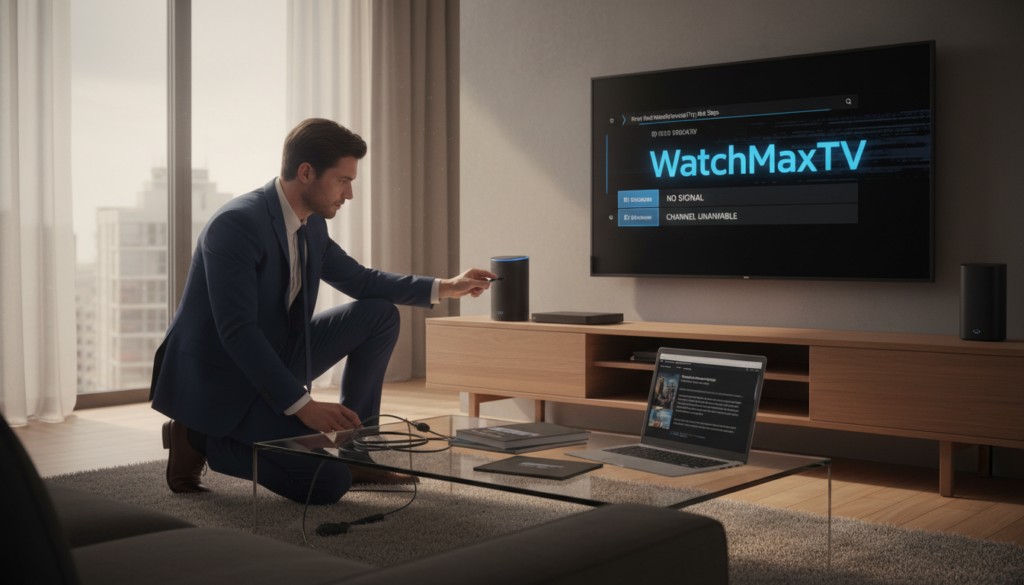
A blank screen doesn’t have to mean the end of your movie night. Most service interruptions have simple fixes. Follow this sequence to restore your access quickly.
Reboot Your Devices and Router
Start with a full power cycle. Unplug your streaming device and router for 60 seconds. This clears temporary memory glitches.
Wait 2-3 minutes after plugging back in. Let all the router lights stabilize. Then, turn your device on again. This often solves the problem instantly.
Check Your Internet Connection and VPN Settings
Your internet is the lifeline for streaming. Switch your WiFi to the 5GHz band for better performance. For the most stable connection, use an Ethernet cable.
If you use a VPN for privacy, try disabling it temporarily. Some provider servers block VPN connections. This test can reveal a common issue.
Clear App Cache and Update Your IPTV App
Corrupted data can stall your app. Find the settings menu in your streaming application. Select the option to clear cache.
Popular apps like TiviMate and IPTV Smarters benefit from this. It gives the app a clean slate to fetch fresh credentials from the server.
Finally, check your app store for an update. Installing the latest version ensures compatibility and security fixes.
These steps resolve most common channel loading errors. If your program list is still empty, contact your service with a detailed message of what you’ve tried.
Why Choose WatchMaxTV

Choosing the right platform can transform your viewing from frustrating to flawless. This premium IPTV service is built to eliminate interruptions and deliver consistent, high-quality entertainment.
Premium Streaming Quality and 99.9% Uptime
WatchMaxTV provides an enormous library. You get over 21,000 live channels and 97,000 video-on-demand titles. Everything streams in crisp HD and 4K resolution.
The service boasts a 99.9% uptime guarantee. This means reliable access whenever you want to watch. Plans start at an affordable $6.95 per month.
You can test everything with a 24-hour free trial. A full 30-day money-back guarantee protects your purchase. This provider ensures you get value without risk.
Device Compatibility and 24/7 WhatsApp Support
This platform works on all your favorite devices. Enjoy it on Fire TV, Roku, Apple TV, and Smart TVs. It also runs seamlessly on Android, PlayStation, Xbox, and Kodi.
If a problem arises, dedicated help is available day and night. Their 24/7 WhatsApp support team provides quick, personalized solutions. This ensures your streaming remains smooth on every screen in your home.
Ready for a better experience? Learn more about WatchMaxTV and start your free trial today.
Conclusion
A smooth streaming session relies on a few key maintenance habits.
Following the systematic steps in this guide typically resolves any interruption quickly. You can often get back to your shows in just minutes.
Regularly clear your app cache and keep your software updated. A stable internet connection is also crucial. For a deeper dive into advanced troubleshooting, consult this comprehensive fix guide.
Choosing a dependable service provider forms the foundation of a great experience. If issues persist, their support team can help restore your access promptly. With consistent care, your favorite content will always be ready when you are.
FAQ
Should I use a VPN with my streaming service?
It depends on your location and your provider’s rules. A VPN can sometimes cause a slow connection or block access if the server isn’t optimized for streaming. For the best experience, check with your provider’s support team for their recommended settings.
How often should I clear my app’s cache?
If you start seeing error messages or the app becomes sluggish, clearing the stored data can help. Try doing this every few weeks to keep your application running smoothly and prevent minor glitches.
Will this guide work for any device I own?
The core steps, like rebooting your router and checking your network, are universal. However, the exact method for updating your software or clearing an app’s temporary files will vary between an Android phone, Firestick, or other streaming box.
What does it mean if only some content won’t play?
This often points to a specific server or channel source having a temporary problem. Your main connection might be fine. Good providers, like WatchMaxTV, monitor their systems closely to fix these issues quickly.
How do I know if the problem is with my provider?
First, run through the basic checks on your own internet and equipment. If everything else on your network works fine and your app is updated, contact your service’s support. A reliable company will have a helpful team to diagnose the issue from their end.
The WatchMaxTV Team is a dedicated group of streaming specialists and entertainment technology reviewers covering IPTV services for viewers in the USA, UK, and Canada since 2023. Our team independently evaluates every service we feature — testing across Smart TVs, streaming sticks, mobile devices, and gaming consoles. We measure stream stability, picture clarity in HD and 4K, program guide accuracy, and customer support quality. Our goal is simple: help cord-cutters find reliable, affordable alternatives to overpriced cable. Every recommendation on WatchMaxTV.com comes from real-world testing — not sponsored content or paid placements.