
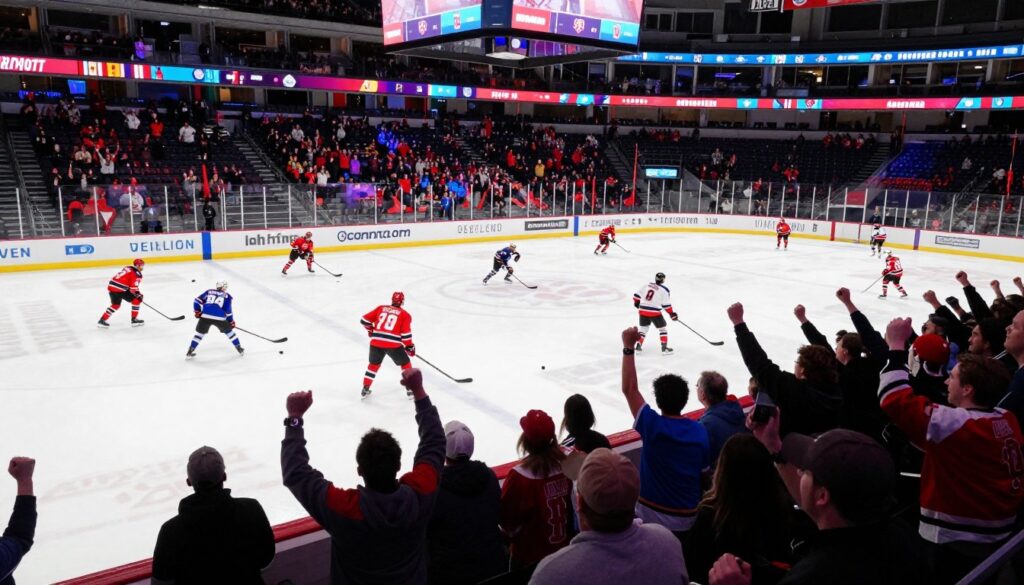
Frustrated by blackout rules, regional locks, and feeds that stutter right at puck drop? You’re not alone. In the United States many viewers pay for services that still don’t show the games they want.
This guide breaks down practical streaming setups and mix-and-match plans that can replace some or all of your current package depending on where you live. You’ll get clear comparisons focused on reliability, video quality for fast motion, channel coverage, replays, and multi-device viewing.
We’ll define what “without blackouts” can and can’t mean legally so you know what’s realistic. This is a buyer’s guide for your situation—team loyalty, travel, household streams, and budget—not a one-size-fits-all pitch.
Before discussing services, we’ll cover legal and safety basics and the licensing that separates legit providers from risky ones. For a quick related option, see GetMaxTV (https://getmaxtv.com) as one example of a provider to evaluate.
Ready to find legal, reliable ways to watch more games? Check available subscriptions and consider a lawful streaming plan at https://watchmaxtv.com for a legal IPTV subscription.
Key Takeaways
- Blackouts and geo-restrictions are common problems for U.S. viewers.
- You can reduce missed games with the right mix of streaming services.
- Prioritize reliability at puck drop, video quality, and device support.
- Legal licensing matters—know the safety basics before subscribing.
- This guide helps you pick a plan that fits your team, travel, and budget.
Why NHL fans look for a blackout-free way to stream in the United States
Blackouts and geo-locks turn what should be a simple game night into a puzzle of rights and regions.
In plain terms: local broadcast rights allow a nearby TV station or regional sports network to block a game, even if you subscribe to a paid service. That’s the core of many blackout rules.
How regional restrictions and app “geo-locks” disrupt live sports
Geo-locking is a where-you-are filter. Streaming apps check your IP or device location and may deny or change feeds when you cross state lines or switch networks.
Result: The feed you expect can vanish or be replaced by a local broadcast, which may or may not carry your team.
When “out-of-market” still isn’t truly out of blackout territory
National games are usually safe, but RSN (regional sports network) rights cause most headaches. An out-of-market package can still be blacked out if a local partner holds local rights.
“Even paid out-of-market packages sometimes respect local carriage rules — so you can be surprised at game time.”
- Local rights can block a game you paid to see.
- Geo-locks change availability based on IP and networks.
- RSNs create the most frequent blackout cases.
Because of this, many fans look into mix-and-match options and regional bundles to improve game-day access. This guide will walk you through realistic, legal ways to reduce missed games and pick the right service for how often you watch and where you travel.
For a related lawful subscription example, consider evaluating a legal service that lists regional channels and sports coverage at regional sports channel options.
What you actually get with NHL Center Ice and where it can fall short
Before you pick a plan, it helps to know exactly what a national out-of-market package actually delivers.
In practical terms: these packages are built to give you out-of-market games by adding extra sports channels to a pay-TV lineup or partner app. They excel at broad game coverage, but they assume you also have access to the partner service or cable account.
Channel packages vs. streaming access across devices
Getting the channels doesn’t always mean you can stream everywhere. A channel number in a cable grid is different from an app-ready stream on your phone or big-screen device.
What to check: whether the package includes an EPG, device support, and simultaneous streams for your household.
Common pain points: cost, add-ons, and game availability
Base packages can look affordable until you add regional sports networks or national rights feeds. That drives up total pricing and cost.
- National exclusives or local rights can still block a game.
- Add-ons for RSNs or extra networks increase bills fast.
- Device limits may stop you from watching on the go.
Use this as your baseline. Your best move may be a bundle of apps, a legal channel-focused premium sports subscription, or a different mix depending on whether you value channels, streaming flexibility, or price most.
iptv nhl center ice alternative options worth considering right now
Choose a streaming strategy that balances channel coverage, legal rights, and travel-friendly access.
IPTV in plain English is a delivery method that sends TV over the internet. The legal question is whether the provider holds rights to distribute the channels and games. Unverified providers may offer tempting prices, but they often stream copyrighted content without rights and carry risk.
How the market divides
- Legal IPTV subscriptions — licensed services that list channels and promises you can verify.
- Mainstream live TV bundles — YouTube TV, Hulu + Live TV, Fubo and similar carry major sports networks and DVR features, making them solid Center Ice replacements for many fans.
- League and network apps — ESPN+, league packages and RSN apps that unlock out-of-market games but may still face local blackouts.
“Legality depends on licensing, not the delivery tech — always confirm rights before you subscribe.”
Quick decision shortcut
If you follow one team, prioritize local RSN access and your home market. If you watch lots of matchups, pick broad sports coverage and services known for stable night‑time streaming.
| Option | Strength | Best for |
|---|---|---|
| Legal IPTV subscriptions | Channel depth, cable-like grid | Users wanting many live channels and reliability |
| Live TV bundles | DVR, multi-device, major sports networks | Fans who want a simple cable replacement for live sports |
| League/network apps | Targeted out-of-market games, on-demand replays | Viewers who focus on specific matchups and highlights |
Travelers: hotel Wi‑Fi and mobile hotspots change your viewing reality. A flexible setup that supports multiple networks and devices wins over a single locked platform.
Next: the rest of this guide digs into reliability, quality targets, and the safety checklist so you can make the best legal choice for game nights. For a premium sports package example, compare offerings like the premium sports package.
What to look for in an IPTV service for hockey without buffering
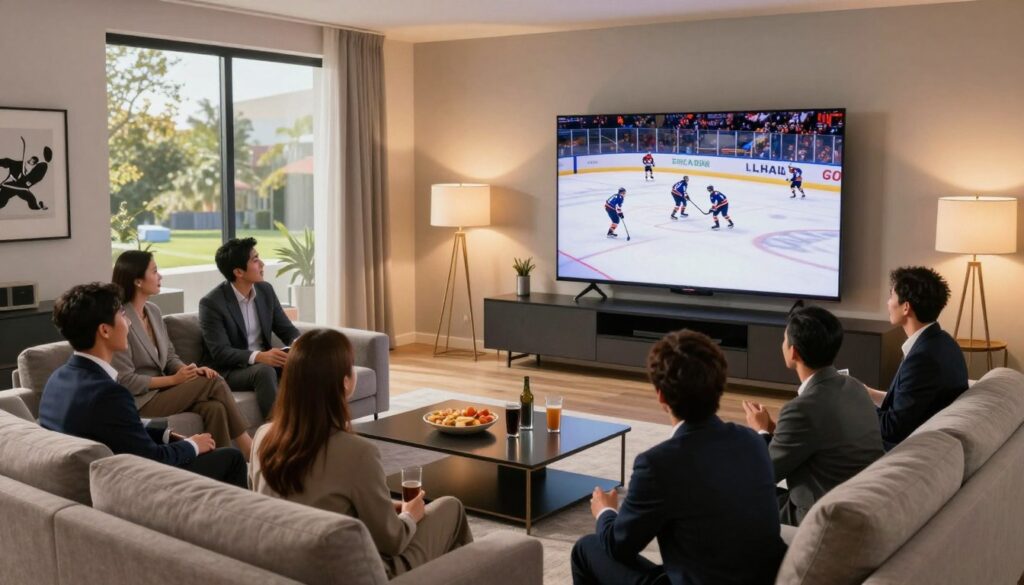
Start by making reliability your top criterion—fast-moving hockey punishes dropped frames and delays. If streams stall during a rush or a goal, the rest of the features won’t save game night.
Streaming reliability and uptime during peak viewing hours
Aim for 99% uptime and proven stability during prime-time hours. Look for providers that advertise anti-freeze tech and low-latency delivery so you stay in sync with live plays and social feeds.
Video quality targets for hockey
Target 1080p60 as the baseline for smooth motion. Where offered legitimately, 4K can add clarity on fast sequences. Prioritize low latency over higher bitrates when you must choose.
Channel lineup essentials
Pick a service that lists national sports networks and the local stations that carry your regional broadcasts. Missing the local channel is the fastest route to a blackout-like feeling.
EPG, catch-up, and replay tools
A clean EPG reduces “where is the game?” moments. Catch-up and replay tools save West Coast viewers and busy households from missing overtime drama.
VOD library and on-demand content
Beyond live sports, a deep VOD library gives your family entertainment after the final horn. Check for movies, highlights, and classic games.
Multi-device support and multiple connections
Confirm simultaneous connections so different members can watch separate channels without failures. Device compatibility matters—phones, smart TVs, and streaming sticks should all work.
Customer support and transparency
“Fast, clear support during peak hours is non-negotiable—especially when a feed drops at puck drop.”
Good support includes quick response times, setup guides, and ticketed resolution. Favor services with clear pricing, trial options, and refunds so you can test stability risk-free. For a focused comparison of services built for hockey fans, see this list of top options.
| Criteria | Minimum Target | Why it matters |
|---|---|---|
| Uptime | 99% | Prevents game interruptions during peak hours |
| Video quality | 1080p60 (4K when available) | Smooth motion for fast plays and clearer detail |
| EPG & catch-up | Accurate guide + replay window | Find games fast and rewatch key moments |
| Connections & devices | 3+ simultaneous streams | Household flexibility without buffering fights |
| Support & trial | Real-time support + trial period | Test reliability before long-term commitment |
For a focused shortlist of leading services tailored to hockey viewers, check this roundup: best IPTV services for hockey.
Legal and safety checklist before you subscribe to any IPTV provider
Shopping for a streaming service for live sports means as much due diligence as it does price comparison. Make a quick legal and security pass before you commit so your subscription gives reliable access without unexpected risks.
Why legit vs. pirated content is the deciding factor
Technology doesn’t make content lawful — licensing does. A service can use modern delivery but still be illegal if the provider lacks distribution rights. Always confirm that the provider lists clear channel rights and authorized feeds.
Payment security, account protection, and privacy basics
Use secure checkout methods and avoid paying with untraceable channels. Create strong, unique passwords and enable two-factor authentication when offered.
Limit personal data you share. If a service asks for unnecessary details, treat that as a warning sign about privacy and data handling.
Red flags: pricing, unclear rights, and no support
Watch for suspiciously low pricing and overly broad promises like “every game everywhere.” Those claims often mask licensing gaps or unstable streams.
Also avoid providers with no published support contacts, no refunds, or vague terms of service. Good support is essential when a live feed fails at puck drop.
| Checklist item | What to expect | Action |
|---|---|---|
| Published licensing | Clear channel lists and rights | Verify on provider site or ask support |
| Pricing | Market-aligned, transparent fees | Compare similar services; avoid too-good-to-be-true offers |
| Payment security | HTTPS checkout, card/PayPal options | Use traceable payments; keep receipts |
| Support | Email, chat, or phone and refund policy | Test response before subscribing |
| Privacy | Minimal data collection, clear policy | Read privacy policy; decline unnecessary permissions |
Bottom line: a legitimate service balances clear content rights, fair pricing, solid support, and sensible privacy. Use this checklist to shop confidently and avoid substitutes that create legal or security problems.
GetMaxTV snapshot: a streamlined IPTV provider approach for sports and entertainment
Want fewer apps to juggle? GetMaxTV packages live channels and on‑demand content in a single subscription that aims for simplicity.
Where it fits: this provider is an example of a compact service if you want one plan that covers evening entertainment and many game-day channels without opening a dozen apps.
Where GetMaxTV fits if you want live channels plus on‑demand content
GetMaxTV focuses on a broad channel lineup, a VOD catalog, and a simple EPG so you can find games fast.
It’s not a promise of every out-of-market matchup, but a stable channel set can reduce missed coverage for many viewers.
What to confirm before purchase: channels, device compatibility, and support
Before you subscribe, verify three things:
- Channels: confirm the specific channels that carry your team and regional broadcasts.
- Devices: check whether your devices are supported—smart TVs, streaming sticks, and phones matter.
- Support: ask about response times, trial periods, and refund policies so you can test reliability.
Contextual check: review the main offer details on GetMaxTV
Always read the plan details and terms before committing. Look for clear channel lists, EPG availability, and connection limits.
“Treat every subscription like a trial: verify channels, test streams, and confirm support before you rely on it for game night.”
| Feature | What to verify | Why it matters |
|---|---|---|
| Channel lineup | List of live channels and regional stations | Ensures access to the teams and broadcasts you watch most |
| Device support | Smart TV, Fire/Apple/Android compatibility | Prevents last-minute setup issues on game day |
| EPG & VOD | Interactive guide and on-demand catalog | Find games quickly and catch up after the final horn |
| Support & trial | Response times and refund policy | Test stability and get help when a feed drops |
For the current plan details and to confirm channel coverage, review GetMaxTV at GetMaxTV. Treat this as one legal subscription option in your toolbox—verify rights and terms before you commit.
Mainstream streaming services that can replace parts of Center Ice
Mainstream streaming options can cover national games, out-of-market feeds, and the wider sports ecosystem. Pick services that match the teams and matchups you watch most each month.
ESPN+
Value: Solid out-of-market game coverage via the NHL Power Play in the US, with 1080p60 streams and select 4K events.
Note: local blackouts still apply based on broadcast rights.
YouTube TV
Why it fits: A cable-like grid, multiview, unlimited DVR, and many sports add-ons let you build a custom stack for live sports.
Hulu + Live TV
All-in-one convenience: live channels plus Disney+ and ESPN+ under one login. Good if you want live TV and a big on-demand library.
FuboTV and DAZN
FuboTV targets sports fans with 4K event support, broad device compatibility, and solid DVR tools.
DAZN suits viewers who also follow NFL and global soccer and want replays in the same subscription.
“Choose services by the games you actually watch each month, not by marketing claims.”
| Service | Strength | Best for |
|---|---|---|
| ESPN+ | Out-of-market games, 1080p60 | Fans who watch many away matchups |
| YouTube TV | Cable-like grid, DVR | Households wanting multiview and add-ons |
| Hulu + Live TV | Live + VOD bundle | Viewers who want one-login convenience |
| FuboTV / DAZN | Sports-forward channels, replay features | Fans of broad sports and 4K events |
For a legal, regional content option you can review a full regional content package before you commit.
How to pick the right option based on your hockey viewing style

Pick the right setup by matching your viewing habits to the strengths of each streaming plan. Spend one minute to name your style: one-team loyalty, league-wide viewer, or only big games. That simple step guides your choice.
If you follow one team all season
If you back one team, prioritize local channels that carry regional broadcasts. Confirm those channels are included before subscribing.
Tip: pairing a local-focused service with a national app can close coverage gaps without doubling costs.
If you watch every matchup
For league-wide viewing, choose services with broad channel lists, strong peak-hour reliability, and replay tools for overlapping games.
Stability beats bells and whistles: smooth streaming during busy hours keeps you in sync with the action and social feeds.
If you travel often
Pick a service that works across hotel Wi‑Fi and different ISPs, and that lets you log in on phones and streaming sticks you carry.
Test login and playback on mobile before committing to avoid surprises on the road.
If your household needs multiple streams
Check how many simultaneous connections the plan includes and what upgrades cost. Families that watch separate games should budget for 3+ streams.
Rotate services by month for peak vs off‑season hours—this can be cheaper than stacking year‑round subscriptions.
“Define your viewing style first; then shop features that match reliability, connections, and viewing hours.”
| Viewer style | Key priority | Best move |
|---|---|---|
| One-team fans | Local channel access | Confirm RSN or local broadcaster; pair services if needed |
| Every matchup | Breadth & reliability | Choose wide coverage with strong peak-hour performance |
| Frequent travelers | Cross-network access | Test on mobile/hotel Wi‑Fi; prefer services with simple logins |
| Household / family | Simultaneous connections | Buy a plan with 3+ streams or upgrade before subscribing |
Device compatibility and setup tips for smoother hockey streams
A few simple device and network choices cut buffering and keep you watching the whole game.
Best devices for reliable viewing
Smart TVs offer the easiest setup and work well for casual viewers. If you want flexibility, choose Fire TV or Android/Google TV sticks for wide app support. Apple TV gives polished apps and stable performance for demanding viewers.
Network optimization: wired vs wireless
Whenever possible, plug your main device into Ethernet. Wired Ethernet beats Wi‑Fi for low latency and fewer dropouts during live sports.
If you must use Wi‑Fi, prefer 5GHz, reduce interference, and keep the device close to the router.
EPG setup and channel organization
Validate the EPG times and channel mapping so schedules match real broadcasts. Create a favorites list that groups team channels, sports hubs, and locals to reach puck drop faster.
| Item | Why it matters | Action |
|---|---|---|
| Device choice | App support and stability | Pick smart tvs or streaming sticks that run your preferred apps |
| Wired network | Lower latency, fewer buffers | Use Ethernet for the main screen |
| EPG & favorites | Faster navigation on game day | Set and test favorites before game time |
Tip: factor device compatibility into your total cost. A cheap subscription can become costly if you need new hardware. For help choosing hardware, see this streaming devices guide: streaming devices guide.
Pricing and value comparison: IPTV vs cable satellite vs streaming bundles
Monthly bills often hide the real cost of watching sports — the headline price rarely tells the full story. You need a clear view of pricing, true cost, and what each plan includes so you pay for coverage, not clutter.
Understanding subscription structures, add-ons, and hidden fees
There are three common cost paths: traditional cable and cable satellite bundles, streaming bundles that mimic cable, and flexible internet-based subscriptions. Each builds a base plan and then layers add-ons.
Watch for: regional fees, sports add-ons, DVR upgrades, rental hardware, and extra connection charges. Those line items turn a low advertised price into a higher real monthly cost.
When rotating services monthly beats stacking subscriptions
If you only watch heavily during the regular season and playoffs, a rotating approach can save money. Subscribe to 1–2 services for the months you need them and pause in the off-season.
This avoids year-round bills for channels you rarely use. Use free trials and short trials to test stream quality during peak games before you commit.
Tip: map your must-have games to the packages that actually carry them. Pay for coverage, not channel bloat.
| Path | Typical monthly cost drivers | Best if you want |
|---|---|---|
| cable / cable satellite | Hardware, RSN fees, long contracts | Linear channels and one-bill simplicity |
| Streaming bundles | Base plan + sports add-ons, DVR fees | App flexibility with mainstream reliability |
| Internet-based subscription | Lower base price, optional extras, provider transparency varies | Flexible month-to-month access and channel depth |
Finally, use trials strategically and compare the true monthly cost before you pick a service. For a vetted provider list and reviews, see a short review roundup on LinkedIn for legal options: legal provider reviews.
Customer support, trials, and what “reliable service” really means
Reliable service is measurable, not marketing fluff. You want fast channel load times, steady playback for an entire period, and minimal drops during peak hours.
What good support looks like when streams fail at puck drop
Good support gives clear contact options (chat, phone, email) and quick replies during games. You should get step-by-step troubleshooting and honest timelines, not vague promises.
Look for published response times and a visible refund or trial policy so you aren’t stuck when a feed fails.
How to test quality during a trial
Use your usual device, at your usual game time, on the same home network. That gives a realistic view of buffering and channel load behavior.
- Check several channels, not just the headline feed.
- Measure channel load time and note any buffering events.
- Track whether the stream recovers quickly after short network dips.
“Reliability wins: peak-hour stability and reachable support matter more than feature lists.”
Decide month-to-month. Use the trial and refund window to decide if the service stays on your bill next month. If buffering is frequent or support is slow, cancel before the next billing cycle.
Conclusion
, Your best path to reliable live games starts with matching services to your viewing habits and local rights.
Choose by who you follow, where you watch, and how often you travel. Prioritize reliability, clear licensing, and the exact channels that carry your team.
Measure what matters: stable streams at peak hours, the right number of connections for your household, and an EPG or vod library that helps you find replays fast.
Compare pricing by month and consider rotating services instead of stacking packages year‑round. Use trials and test support during a live game so you know what works before you commit.
Want a legal iptv subscription option? Check GetMaxTV’s offer at https://watchmaxtv.com to review channels, devices, and support before you subscribe.
FAQ
What is a blackout-free way to stream hockey games in the United States?
A blackout-free option combines a legal live TV or sports subscription that carries national and local sports networks with out-of-market packages or league apps that have rights for your games. Look for services that list sports networks, local channels, and on-demand libraries so you can avoid regional blackouts and watch on multiple devices.
How do regional restrictions and app geo-locks disrupt live sports viewing?
Regional restrictions block broadcasts based on your geographic location, while app geo-locks enforce those rules at the service level. That can prevent you from accessing out-of-market games even when you pay for a season package. Choosing providers with clear rights and reliable network access helps reduce those disruptions.
Can out-of-market packages still be affected by blackouts?
Yes. Even out-of-market packages sometimes have blackout rules tied to local broadcast rights or national windows. Always confirm the service’s coverage map, the league’s blackout policy, and any conditional restrictions before subscribing to avoid surprises on game day.
What does a Center Ice-style package normally include and where does it fall short?
Typical packages provide a wide channel lineup of regional feeds and out-of-market games, plus some replay options. Shortcomings often include high cost, additional add-ons for certain feeds, limited device support, and occasional blackout or streaming quality issues during peak hours.
What are legal alternatives to unverified providers for watching hockey?
Consider mainstream streaming bundles and league/network apps like ESPN+, YouTube TV, Hulu + Live TV, FuboTV, and DAZN. These services carry major sports networks or offer out-of-market coverage, provide secure payments, customer support, and regular updates to apps and device compatibility.
How do live TV streaming bundles compare to unverified providers?
Live TV bundles offer licensed content, transparent pricing, and customer support. Unverified providers may appear cheaper but can lack rights, offer risky payment setups, and deliver unstable streams. For consistent game-day quality and safety, a licensed provider is the better choice.
What streaming reliability should I expect for live hockey without buffering?
Aim for services that advertise high uptime and optimized peak-hour delivery. A stable connection with low latency, adaptive bitrate streaming, and strong CDN support helps prevent buffering, especially during simultaneous prime-time games.
Which video quality levels matter most for hockey viewing?
Look for 1080p at 60 fps for smooth motion; 4K may be available for premium events. Low latency and sustained bitrate are critical so fast puck movement and player shifts remain clear on-screen.
What channel lineup essentials should a service include for full hockey coverage?
The ideal lineup includes national sports networks (ESPN, TNT), regional sports networks that carry your team, local broadcast stations for in-market games, and dedicated live channels for league packages. Confirm the provider lists these channels before subscribing.
How important are EPG, catch-up, and replay tools?
Very important. An accurate electronic program guide (EPG), catch-up windows, and DVR/replay features let you watch missed periods or games on your schedule. These tools also reduce stress if you can’t tune in at puck drop.
What should I check about a provider’s VOD library?
Check for archived games, highlights, classic matchups, and on-demand shows. A deep VOD library adds entertainment value beyond live sports and helps justify monthly costs for families who watch diverse content.
How many simultaneous connections do most services support?
That varies. Many mainstream bundles support two to four simultaneous streams. If your household needs more, choose plans that advertise higher device counts or family-friendly account options.
What customer support standards should I expect?
Expect 24/7 chat or phone support during major events, clear troubleshooting guides, and reasonable response times. Reliable providers publish support hours and offer trial periods so you can test responsiveness before committing.
How can I verify transparent pricing, trials, and refund policies?
Read the subscription terms, check for free trials, and confirm refund windows. Transparent providers list channel packages, add-on costs, and any taxes or fees up front. Avoid services with vague billing terms or no trial option.
Why does legality matter when choosing a streaming provider?
Legal services hold content rights, protect your payment data, and reduce the risk of takedowns or account shutdowns. Using licensed options ensures consistent access, reliable support, and avoids potential legal and security issues.
What payment and privacy basics should I look for?
Use services with secure payment processors, clear privacy policies, and account protections like two-factor authentication. Verify how the provider stores data and what refund or cancellation processes exist.
What are red flags when evaluating a service?
Watch for prices that seem too low, unclear channel rights, no customer support, and promises of every feed without official partnerships. Those signs often indicate unlicensed or unstable offerings.
How does a provider like GetMaxTV position itself for sports and entertainment?
Providers that combine live channels with on-demand libraries and clear device support aim to be a one-stop option. Check channel lists, device compatibility (Smart TVs, Fire TV, Apple TV, Android/Google TV), and user reviews to ensure the service fits your needs.
Which mainstream services can replace parts of a Center Ice-style package?
ESPN+ covers many out-of-market games in the U.S.; YouTube TV provides a cable-like grid and multiview features; Hulu + Live TV bundles sports with entertainment; FuboTV targets live sports with 4K options; DAZN may suit fans of multiple global leagues. Choose based on your team and viewing habits.
How should I pick a service based on my viewing style?
If you follow one team, league or team-specific apps might be best. If you watch many matchups, a broader live TV bundle or out-of-market package makes sense. Consider travel needs and how many simultaneous streams your household requires.
What devices are best for smoother live sports streams?
Smart TVs, Amazon Fire TV, Apple TV, and Android/Google TV devices deliver the best balance of app support and performance. Use Ethernet when possible for lower latency and fewer dropouts during live games.
Why does Ethernet often outperform Wi‑Fi for live sports?
Ethernet gives a stable, consistent bandwidth with lower latency and fewer packet losses. That stability reduces buffering during fast-action moments, making it the preferred choice for reliable live streams.
How do subscription structures and add-ons affect total cost?
Base plans cover core channels, but add-ons for premium networks, higher-resolution streams, and cloud DVR can raise monthly costs. Compare total monthly pricing, introductory offers, and whether rotating services month-to-month could save money.
How can I test a service during a trial to ensure it meets quality standards?
During a trial, check buffering frequency, channel load times, stream stability during peak hours, and customer support responsiveness. Test on the devices you use most to confirm compatibility and video quality.
The WatchMaxTV Team is a dedicated group of streaming specialists and entertainment technology reviewers covering IPTV services for viewers in the USA, UK, and Canada since 2023. Our team independently evaluates every service we feature — testing across Smart TVs, streaming sticks, mobile devices, and gaming consoles. We measure stream stability, picture clarity in HD and 4K, program guide accuracy, and customer support quality. Our goal is simple: help cord-cutters find reliable, affordable alternatives to overpriced cable. Every recommendation on WatchMaxTV.com comes from real-world testing — not sponsored content or paid placements.