
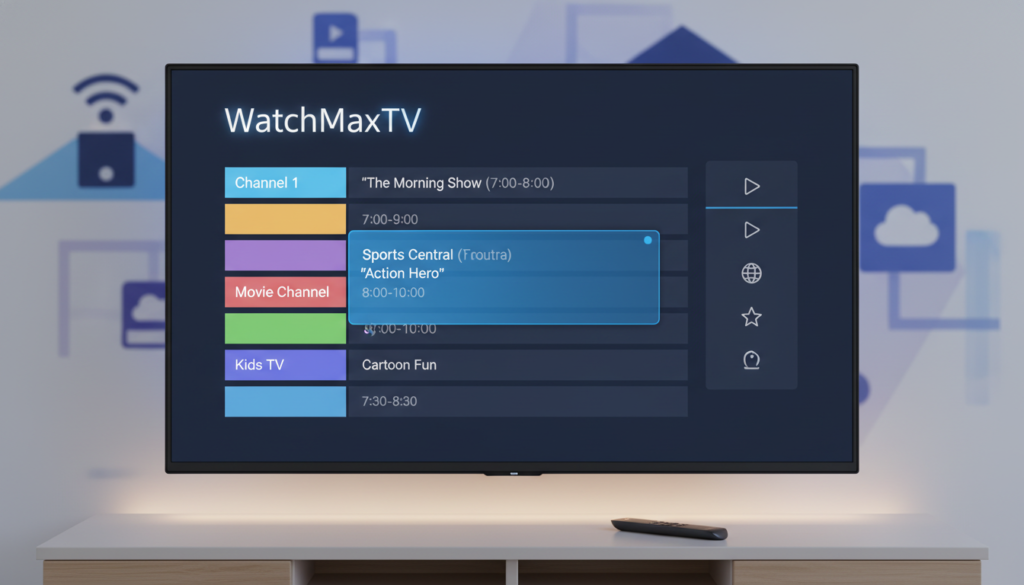
The television landscape has changed forever. In 2026, over 80 million Americans have cut the cord. The average cable bill is a staggering $147 per month. Meanwhile, streaming now represents 47.5% of all TV viewing.
This shift has made Internet Protocol Television, or IPTV, a popular and cost-effective alternative. It delivers live TV and on-demand content directly over the internet. The heart of a great viewing experience is the electronic program guide.
This guide is your primary roadmap. It shows you what’s on every channel, right now and for the next week. Without it, you’re left with a blank list of channel names. You miss out on show titles, descriptions, and start times.
Sometimes, this essential data fails to load. The screen goes blank where your schedule should be. Don’t worry. For top-tier apps like TiviMate, 99% of these hiccups are resolved in under five minutes with a few basic tweaks.
This article is your first stop. We’ll explain why your program guide is crucial. Then, we’ll guide you through the simple steps to get it back. For a deep dive into all potential solutions, check out our comprehensive step-by-step troubleshooting guide.
Key Takeaways
- Streaming now makes up nearly half of all TV watched in the United States.
- The electronic program guide is the essential navigation tool for any TV service.
- When it’s missing, you lose the ability to see what’s on your channels.
- Most guide problems can be fixed very quickly within your app’s settings.
- Refreshing the data or updating your service information often solves the issue.
- Understanding the common causes is the first step to a seamless viewing experience.
- A reliable provider is key to maintaining consistent program information.
Understanding and Diagnosing EPG Issues
Navigating your streaming service becomes a guessing game when the schedule disappears. Before you start pressing buttons, take a moment to understand what’s happening. This will save you time and frustration.
What Is an Electronic Program Guide and Why It Matters?
Think of your electronic program guide as a digital TV listings magazine. It pulls detailed information for every channel and program from your service. Most providers deliver this data in standard formats like XMLTV.
These files can be 10 to 50 MB in size. A stable internet connection is crucial to download them. Without this guide, you lose all ability to plan your viewing.
Identifying Common Causes of EPG Failures
Pinpointing the root cause is your first step. Problems often stem from a few key areas. Use the table below to match your symptoms with likely sources.
| Symptom | Likely Cause | Quick Check |
|---|---|---|
| Completely blank guide | Incorrect EPG source URL or provider server downtime | Verify the URL in your app settings |
| Shows airing at wrong times | Incorrect device time and date settings | Check your device’s clock synchronization |
| Guide loads very slowly or partially | Unstable network or corrupted cached data | Test your internet speed and clear the app cache |
Many providers use shared sources. If one server has issues, it affects many users. Always check for app updates to ensure compatibility with the latest data.
Essential Troubleshooting Steps for EPG Problems
Getting your schedule back on track starts with two core actions: checking your source and clearing old data. These steps address the majority of glitches that cause your guide to disappear.
Verifying Your EPG URL and App Configuration
Your EPG URL is the direct link to your provider’s schedule data. A single typo in this address will block all information from loading. Always double-check this setting in your app.
First, navigate to your IPTV app’s settings menu. Compare the URL there with the one your provider supplied. If they’ve changed their server, you’ll need the new source. Also, ensure your application has storage permissions enabled to save the downloaded guide.
Refreshing and Clearing the EPG Cache
Your app stores temporary files, or a cache, to load the program guide faster. Sometimes these files get corrupted.
Clearing this cache is a powerful fix. In apps like TiviMate, it often resolves “no information” errors in under a minute. Afterward, perform a manual refresh. This forces your app to download a fresh, clean schedule file directly from your provider. For more simple solutions for program guide issues, this process is a reliable first step.
IPTV EPG not working fix: Step-by-Step Solutions

When your channel listings vanish, the solution often lies in two overlooked areas: your device and your network. After confirming your source URL and clearing old cached data, these steps form the next logical phase in your troubleshooting.
Checking Device Settings and Network Connectivity
A stable, high-speed internet connection is non-negotiable. Your television app downloads large schedule files to populate the guide. A weak network will cause this process to fail.
Test your connection speed. Also, check that your local firewall or internet service provider isn’t blocking access to your provider’s server. Always verify a strong network before you manually refresh your program data.
Ensuring Accurate Time and Date Settings
Incorrect time settings are a leading cause of schedule errors. Your guide uses your device’s clock to display shows at the correct hour.
The most effective fix is to set your device to update the time and date automatically. This prevents synchronization problems. Also, match your time zone exactly in your app’s settings. Many users find their IPTV Smarters app works perfectly after this simple change.
Remember, guide updates usually happen every 12 hours. Keep your device powered on during these intervals to receive the latest information seamlessly.
Optimizing Your IPTV Experience with WatchMaxTV

Imagine a television service where guide problems are rare and help is always just a message away. The ultimate solution for consistent, hassle-free viewing often lies with your choice of provider.
Why Choose WatchMaxTV: Premium Channels and 24/7 Support
WatchMaxTV delivers a premium streaming experience. You get access to over 21,000 live channels and 97,000 video-on-demand titles. Everything streams in crisp HD and 4K quality.
This service boasts 99.9% uptime. This means your program guide data is consistently available. If you ever have an issue, their team offers 24/7 support via WhatsApp.
Plans start at just $6.95 per month. You can test the platform with a free 24-hour trial. No credit card is required for this trial period.
The app works on all your devices. This includes Fire TV, Roku, Apple TV, and game consoles. You can easily update your settings with help from their support team.
Your investment is protected by a 30-day money-back guarantee. This makes trying the service completely risk-free. For reliable channels and unparalleled support, visit WatchMaxTV today.
Advanced Troubleshooting and Alternative Approaches
When basic fixes don’t restore your channel listings, it’s time to explore more advanced methods. This phase looks at your entire setup, from network configuration to software choices.
It helps isolate persistent issues that simple refreshes can’t solve. For a comprehensive detailed guide on EPG loading issues, these strategies are your next logical step.
Using Alternative EPG Sources and DNS Settings
Your primary provider might have server downtime. Using an alternative epg source can deliver the missing data. Many community-maintained sources offer reliable program information.
Sometimes, your internet connection is the blocker. Changing your DNS settings to a service like Cloudflare (1.1.1.1) often helps. This bypasses restrictions that might prevent your app from reaching the schedule server.
Testing on Multiple Devices and App Updates
Test your subscription on a phone or tablet. This tells you if the guide issue is local to your main device. Comparing channel data across devices quickly identifies the problem’s scope.
An outdated app can cause parsing errors. Always check for manual updates in your device’s store. Many users find that switching to a different streaming app bypasses specific configuration glitches.
Finally, ensure time zone settings match on all devices. This maintains a consistent and accurate viewing schedule for everyone.
Conclusion
A seamless viewing experience hinges on a few key settings. Fixing your program guide is often straightforward. Check your source URL, clear the cached data, and verify your device’s clock.
These steps keep your schedule accurate. Your viewing becomes organized and enjoyable for every channel.
Most guide hiccups are temporary. They often resolve when your provider updates their server information.
If problems persist, consider a reliable service like WatchMaxTV. It offers stability and support for seamless streaming.
We hope this guide has restored full functionality to your favorite app. Keep your application updated and your settings optimized to prevent future disruptions.
FAQ
What is an electronic program guide, and why do I need it?
Your electronic program guide is the interactive menu that shows you what’s on every channel and when. It’s essential for planning your viewing, setting reminders, and getting the most from your service. Without it, you’re just flipping through channels blindly.
Why has my channel guide suddenly stopped showing information?
This is usually a temporary data issue. Common reasons include an outdated EPG URL in your app settings, a server hiccup from your provider, or a stale cache on your device. A quick refresh of the guide data often solves it.
How do I check and refresh my program guide source?
First, open your app’s settings menu and look for the “EPG” or “Guide” section. Verify the source URL provided by your service is entered correctly. Then, use the “Refresh EPG” or “Clear Guide Data” option within the app to force an update.
Can clearing the cache on my app really fix the guide?
A> Absolutely. Over time, your app stores old, corrupted guide data. Clearing this cache forces the application to fetch fresh, updated information directly from the provider’s server, which can resolve display issues immediately.
My device’s time is wrong. Could this break my TV guide?
Yes, this is a very common culprit! Your electronic program guide relies on your device’s correct time and timezone to align show schedules. If these are off, the listings will be scrambled. Always check your device’s date and time settings first.
What should I do if basic troubleshooting doesn’t work?
A> Contact your provider’s support team. The problem might be on their end with the guide data server. A premium service like WatchMaxTV offers 24/7 support to help diagnose and fix these server-side problems for you quickly.
Are there alternative sources for my channel listings?
A> Some applications allow you to use public or third-party guide sources. However, for accurate listings—especially for live sports and premium channels—it’s always best to use the official EPG source provided by your subscription service for reliability.
The WatchMaxTV Team is a dedicated group of streaming specialists and entertainment technology reviewers covering IPTV services for viewers in the USA, UK, and Canada since 2023. Our team independently evaluates every service we feature — testing across Smart TVs, streaming sticks, mobile devices, and gaming consoles. We measure stream stability, picture clarity in HD and 4K, program guide accuracy, and customer support quality. Our goal is simple: help cord-cutters find reliable, affordable alternatives to overpriced cable. Every recommendation on WatchMaxTV.com comes from real-world testing — not sponsored content or paid placements.