Curious how you can watch German public channels from the United States without cable or satellite?
This guide explains what Internet Protocol Television is and how it delivers live and on-demand TV over the web. It will help US viewers compare options to access ARD and ZDF legally and reliably while focusing on real-world usability.
What you’ll learn: how the service works, how access from the U.S. typically works, which features matter (EPG, catch-up, restart, recording), and which red flags hint at unsafe or illegal offers.
This buyer’s guide does not name a single “best” solution for everyone. Instead, it gives a checklist—verify channel availability, confirm device support, check concurrent streams, and validate rights and support—so you can pick what fits your needs.
When you’re ready to evaluate providers, consider GetMaxTV as one brand to review. For a legal subscription option, check GetMaxTV’s offer and compare it against the checklist before you buy.
Key Takeaways
- Learn how internet-based TV delivers German public channels to U.S. viewers.
- Focus on legality, stability, and device compatibility when comparing offers.
- Essential features: EPG, catch-up, restart, and recording matter most.
- “Best” depends on needs—live news, on-demand, travel, or family use.
- Check channel rights, simultaneous streams, and customer support before paying.
- Consider GetMaxTV as one option and review its offer on the linked page.
What IPTV Is and Why It’s Popular for German TV Streaming
Think of TV that arrives through your internet connection instead of a rooftop dish or a cable line. This delivery method sends channels and on-demand shows as data to apps and devices you already own.
How it works in plain English
Instead of coax or satellite, TV channels travel over your home network to a smart TV app, a small HDMI stick or box, or a phone app. Set-top hardware is not required if your TV runs apps natively.
Common ways people watch
- Smart TV apps for modern sets.
- Streaming sticks/boxes for older TVs.
- Mobile apps to watch on the go.
Why it appeals to German-channel fans
Public-service broadcasters like ARD and ZDF are often included in platform lineups or catch-up libraries. Fans like the flexibility to move between rooms or watch abroad without installing extra hardware.
Note: This delivery method is neutral on legality—what matters is the provider’s rights and transparency. For options and provider comparison, see a detailed list of services and recommended choices at IPTV Germany guide and a curated set of recommendations at recommended services.
Watching ARD and ZDF From the United States: What to Expect
From the U.S., access to German public channels depends less on tech and more on rights and regional rules. Live feeds, catch-up clips, and on-demand catalogs may be available in different ways. Expect variability—some shows stream live abroad, others are limited to Germany due to licensing.
Geo-restrictions and availability: live vs. on-demand
Live broadcasts can be blocked or restricted. On-demand libraries often have different rules. Check what a service lists before you subscribe.
Best viewing scenarios for expats, travelers, and learners
Expats who need daily news should pick providers with reliable live channels and a clear program guide.
Language learners benefit from replay and subtitles to pause, repeat, and study audio.
Travelers should prioritize mobile playback and fast reconnects on cellular networks.
Quality expectations: HD/4K depend on provider and connection
Labels like “HD” or “4K” matter only if the provider keeps bitrate steady and your connection can handle it. Peak hours can soften even HD streams.
“Quick channel start, minimal buffering, and reliable A/V sync are the signs of a good service.”
- Test with a trial or short plan.
- Try on laptops and smartphones to confirm playback and data use.
- What success looks like: fast starts, little buffering, synced audio/video, and consistent availability.
For help finding secure remote access tips, see a practical guide on VPN options for watching German TV abroad at watching German TV abroad.
iptv deutschland ard zdf: What to Look For in a Provider
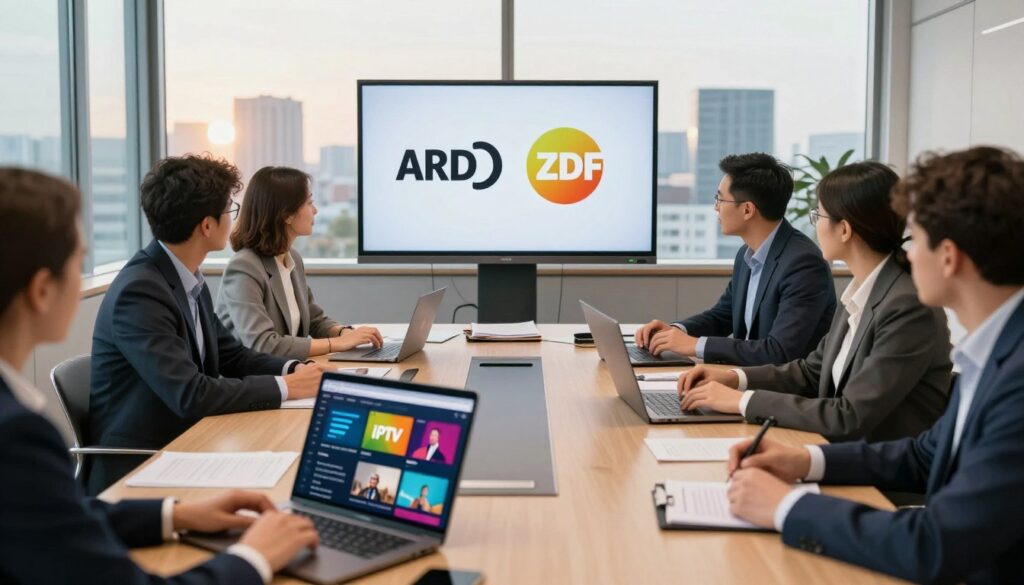
A clear channel list is non-negotiable. Look for a published lineup page that names ARD and ZDF channels explicitly and shows current tiers. Avoid vague claims like “all German channels.”
Confirm channel availability
Verify by checking a provider’s channel page and recent changelog. If the page lacks detail, ask support for a screenshot or live demo.
Must-have streaming features
- EPG (program guide) for quick navigation;
- Catch-up and restart for missed shows;
- Pause/recording and series recording where allowed.
Note: Some programs restrict recording due to licensing. Read feature limits before you assume everything will record.
Device compatibility and simultaneous streams
Confirm there is an app for smart tvs or whether you’ll need an external stick or box for your tvs. Check that phones and tablets work too.
Ask how many simultaneous streams the plan allows. Four concurrent streams fit many families; fewer streams can force scheduling conflicts.
Simple evaluation flow
- Check the published lineup and plan tiers.
- Test ARD/ZDF channel load time and EPG accuracy.
- Try restart/catch-up on a known show across two device types.
For comparison shopping and criteria to weigh, see a helpful guide to top offerings and selection tips at best Germany services and a checklist on how to choose providers at how to choose a provider.
Legality and Trust: How to Choose a Legit IPTV Service

Before you subscribe, learn how rights and contracts—not the delivery method—decide whether a channel is legal to watch.
Why legality depends on rights, not the tech
Streaming is just a way to move video over the internet. What makes access lawful is whether the provider has distribution or broadcast rights for each channel and program.
Trust signals to look for
- Clear company info: a named business, contact details, and public terms.
- Transparent terms: published rights statements and realistic feature limits.
- Normal payments: common processors, receipts, and refund policies.
- Responsive support: real customer service and public uptime or changelogs.
Red flags to avoid
- Claims like “100% anonymous” or hiding owner identity.
- Unreal channel counts such as “50,000+ channels”.
- Bundles that promise access to paid platforms (Netflix, Prime, Disney+) inside one subscription.
- Sweeping technical promises—“no freezing” or “8K everywhere”—without details.
“Stable, legal access backed by clear rights is worth more than an inflated channel list that disappears.”
Buyer checklist: verify legal statements, read refund terms, confirm realistic limits, and avoid anonymous sellers. For more on spotting illegal providers, review this illegal providers guide.
Consider known, lawful options like GetMaxTV as part of your evaluation. Prioritize compliance and support over flashy numbers.
Internet and Streaming Requirements for Smooth ARD/ZDF Playback

A steady home connection matters more than a headline speed number when you want smooth German channel playback. Stable throughput and low congestion let live broadcasts start fast and stay synced.
Recommended speeds and why stability matters
Benchmarks: plan for at least 6 Mbit/s per SD stream and 16 Mbit/s for HD. If multiple viewers watch at once, add headroom—two HD streams need well over 32 Mbit/s total.
Wi‑Fi vs. mobile networks
Ethernet is the most reliable choice for living-room TVs. Modern Wi‑Fi works well if the router is new and placed correctly.
Mobile networks can be fine on the go but vary by location. Test hotel Wi‑Fi and keep a phone hotspot as a backup when reliability matters.
Quick performance tips
- Place the router centrally and avoid enclosing it in cabinets.
- Use Ethernet for the main streaming device when possible.
- Consider mesh Wi‑Fi for large homes and enable device prioritization.
- Buffering often stems from crowded channels, distance from the router, or other heavy household use (gaming, video calls).
“Smooth viewing depends more on steady throughput and low congestion than a single top speed number.”
For deeper guidance on connection tuning and expected playback quality, see this streaming quality resource.
Device Options: Smart TVs, Streaming Sticks, Phones, and Tablets
Choose devices that match how you like to watch—simple setups beat complexity for most living rooms.
Smart TVs: stream directly when possible
If your smart tvs support the provider’s app, sign in and watch with no extra hardware. This is the easiest path for living-room viewing.
Practical warning: older TV app stores can be limited. A modern streaming stick often updates more reliably than built-in software.
Streaming sticks and boxes
Fire TV, Chromecast, and Apple TV add current apps and better performance to older sets. They plug into HDMI and often reduce buffering and app crashes.
Mobile viewing: phones and tablets
Smartphones are great for travel and commutes. Confirm whether your plan allows out-of-home streaming and how many devices can be registered.
Tablets sit between phones and TVs: a larger screen for subtitles and menus, but still portable for the kitchen or bedroom.
“Install the app, log in, test playback, then try casting or HDMI before you commit.”
- Check provider device list for your exact model.
- Install the app and test a live channel and captions.
- Try casting or HDMI playback to confirm living-room reliability.
Comparing Plans and Value: What You’re Really Paying For
When you shop for a plan, you’re buying consistent playback and useful features—not just names on a list.
Channel quality tiers: SD, HD, 4K and real-world performance
Labels like SD, HD, and 4K matter only if the provider keeps bitrate steady. Peak hours and multiple viewers can reduce quality fast.
Check real tests, not just marketing. Ask what bitrate the provider uses and whether adaptive streams downgrade under congestion.
Feature value: cloud DVR, series recording, and on-demand libraries
Features can beat extra channels. Cloud DVR, series recording, restart, and catch-up help when schedules differ across time zones.
Read license notes: some programs block recording or restart functions. That restriction changes the real value of a plan.
Trials and guarantees: test without committing
Use a free trial or a short paid month to test channel load time, EPG accuracy, and buffering on your primary device.
Pro tip: Compare customer support response and transparency. A modest price premium can be worth reliable help and clear terms.
“Test live channels, record a show, and try playback on two devices before you decide.”
Ready to compare a legal subscription option? Review GetMaxTV’s details here: https://watchmaxtv.com.
Conclusion
In closing, prioritize clear rights, honest channel lists, and a plan that matches your viewing habits.
Quick buyer checklist: confirm ARD and ZDF availability, verify legal rights and transparent terms, and make sure your devices are supported.
Trust over hype: choose providers with named companies, realistic channel counts, and responsive support rather than inflated promises or “all-in-one” bundles.
Remember streaming quality is a system: provider infrastructure + home internet stability + device choice. Troubleshoot across all three if problems appear.
Use trials or a short plan to test live news, catch-up, recording, and travel playback from the United States. For more technical tips, see the German M3U lists guide.
Ready for a legal subscription option? Check GetMaxTV’s current offer at https://watchmaxtv.com.
FAQ
What does it mean to stream German public channels over the internet?
Streaming German public channels means receiving television content via an internet connection rather than through cable or satellite. This delivers live and on-demand broadcasts from public broadcasters and other licensed providers directly to smart TVs, streaming sticks, tablets, and smartphones.
Are live ARD and ZDF feeds available outside Germany?
Availability outside Germany varies. Some live feeds are geo-restricted due to broadcasting rights. Many services provide on-demand catch-up pieces that are easier to access abroad, while true live streams may require a provider with proper international rights or a legitimate distribution agreement.
What internet speed do I need for reliable HD or 4K streaming?
For stable SD streaming aim for at least 3–4 Mbps, for HD plan on 5–10 Mbps, and for 4K allow 25 Mbps or more. Equally important is a consistent connection: avoid heavy bandwidth use on the same network during viewing to reduce buffering.
Which devices work best for watching German public channels remotely?
Smart TVs with built-in apps, streaming sticks and boxes like Amazon Fire TV, Chromecast with Google TV, and Apple TV, and mobile devices running iOS or Android all work well. Choose a platform that supports the provider’s app and offers smooth updates and EPG features.
How can I tell whether a service is legal and trustworthy?
Look for clear licensing information, transparent terms of service, verifiable customer support, and reputable payment methods. Legitimate providers list rights and channel sources. Avoid anonymous services, unrealistic channel counts, or offers that bundle many premium pay platforms without proof of rights.
What streaming features should I prioritize when comparing providers?
Prioritize an accurate electronic program guide (EPG), catch-up and restart options, pause and recording (cloud DVR), multi-device simultaneous streams, and clear device compatibility. These features determine how convenient and flexible your viewing will be.
Can I watch on multiple devices at once and how many streams are typical?
Many services let you stream on multiple devices simultaneously; typical allowances range from two to five streams. Check the provider’s plan details—simultaneous streams matter for families or multi-room setups and affect subscription tier choices.
Do smart TVs always need extra hardware to stream German channels?
Not always. Many smart TVs run apps that stream channels directly. However, older or less common TV platforms may require a streaming stick or box to access modern apps and maintain smoother updates and better app support.
How can I reduce buffering when streaming on Wi‑Fi or mobile networks?
Improve router placement, use 5 GHz Wi‑Fi where possible, limit other heavy traffic on the network, and prefer wired Ethernet for critical streaming devices. On mobile networks, switch to a stronger coverage area or use Wi‑Fi calling and data offload where available.
Is it worth paying more for HD or 4K channels?
That depends on screen size and viewing habits. HD gives a clear, pleasant experience on most TVs and tablets; 4K shows benefits on larger screens and for high-detail content. Consider whether your internet connection and display support the higher quality before upgrading plans.
What are common red flags for low-quality or risky services?
Red flags include no documented rights, anonymous ownership, unrealistically low prices for premium content, massive channel lists with inconsistent availability, and lack of clear support channels. These often indicate unreliable or illegal distribution.
Can I test a service before committing long-term?
Many reputable providers offer trials, short-term plans, or money-back guarantees so you can test stream quality, features like cloud DVR, and device compatibility. Use trial periods to confirm streaming stability and whether the channel lineup meets your needs.
How does catch-up and restart functionality work for public-channel programming?
Catch-up lets you watch recently aired shows on demand for a limited window, while restart lets you rewind a live transmission to the beginning of the program. Both depend on the provider’s agreements and server infrastructure, so availability varies by channel and service.
What should I check about mobile app support for German TV services?
Confirm the app supports your device OS version, offers an up-to-date EPG, allows casting to TVs if needed, and supports login across devices. Good apps also provide clear playback controls, subtitle options, and stable updates from the vendor.
How do regional rights affect what I can watch from abroad?
Regional rights determine whether a program can be shown outside Germany. Some news and free-to-air content may be widely available, while sports, films, and licensed series often have restricted distribution. Providers must secure rights for each territory they serve.