
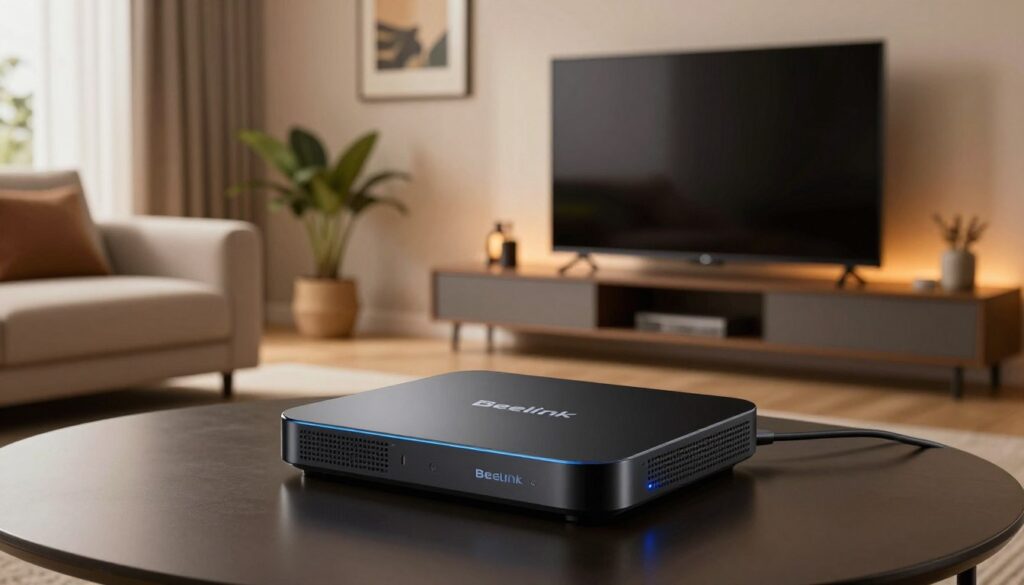
Curious whether this premium Android TV box really delivers for power users—or if it’s all hype?
This review walks you from unboxing to your first stream and tests real-world performance for live channels and local media. The device uses the Amlogic S922X-H platform and packs faster CPU/GPU, more memory, and an aluminum chassis built for sustained playback and multitasking.
Expect clear guidance on setup steps, network choices, bitrate ceilings, and audio passthrough. We will explain why certification matters: some major streaming apps, like Netflix and Prime Video, can be limited in quality on non-certified devices despite strong hardware.
We also point to practical help for setting up a stable connection and mention GetMaxTV as a legal, reliable service option. If you want a legal IPTV subscription, check GetMaxTV’s offer at this setup guide.
Key Takeaways
- The box targets power users who value speed, memory, and robust connectivity.
- Great for IPTV apps, KODI/Plex libraries, and tinkering — less ideal for certified 4K streaming.
- We test network type, bitrate limits, and audio passthrough to set realistic expectations.
- Wired Ethernet often beats Wi‑Fi for stable 4K or high-bitrate streams.
- Consider a legal IPTV provider like GetMaxTV if you want reliability and compliance.
What Makes the Beelink GT-King Pro a “High-End” IPTV Box Today
For users who run big media libraries or heavy builds, a powerful android box makes everyday use feel instant and reliable.
Who gets the most value? Fans of dedicated IPTV applications, owners of large local media collections, and power users who add peripherals and custom apps. This device targets people who need more ports, storage, and responsiveness than simple streamers provide.
Real-world tradeoffs for U.S. streamers
High-end boxes still matter today because they deliver smoother multitasking, faster UI response, and stronger decoding for heavy media clients like KODI or PLEX.
Expect one clear tradeoff: hardware power and flexibility come at the expense of some certified app benefits. In the U.S., non-certified devices can limit Netflix and Prime Video quality even when the hardware is capable.
- Benefit: Less lag when channel surfing and more stable playback with a strong network.
- Tradeoff: You pay for horsepower, ports, and features rather than guaranteed certified 4K on every service.
Specs and Design Breakdown for Smooth Streaming
Let’s look under the hood to see which parts keep streams steady and menus snappy.
Core hardware and graphics
SoC and cpu: The Amlogic S922X-H hexa‑core (4x Cortex‑A73 + 2x A53) improves decoding and app responsiveness. A stronger cpu reduces stutters when switching channels and loading guides.
Graphics: The Mali‑G52 MP6 gpu boosts UI fluidity and helps graphics‑heavy apps run smoothly, even though video decoding is the primary job.
Memory, storage, and expandability
With 4GB of ram, apps stay cached longer and reloads happen less often. The 64GB eMMC storage holds apps, players, and artwork without juggling space.
Expandable TF/microSD support up to 4TB means you can add removable storage for local media and large libraries on a card.
Ports, output and connectivity
HDMI 2.1 output lets you match resolution and refresh rates, which can cut judder on 4K screens. Multiple USB ports (including USB 3.0) aid external drives and peripherals.
For steady streams, Gigabit Ethernet (1000 Mbps) is the safest pick; dual‑band Wi‑Fi ac works well if your 5GHz coverage is strong. Bluetooth 4.1 supports remotes and audio accessories.
Design, cooling and control
The aluminum, fanless design is quiet and built for sustained load, but placement matters—leave airflow under the case to help heat disperse.
Remote control options include a flymouse for cursor navigation, a voice remote with Google Assistant, and app‑based control as a handy backup.
Tip: For reliable subscriptions and trusted services, consider checking recommended providers at recommended providers.
iptv beelink gt king pro Setup: From Unboxing to First Stream
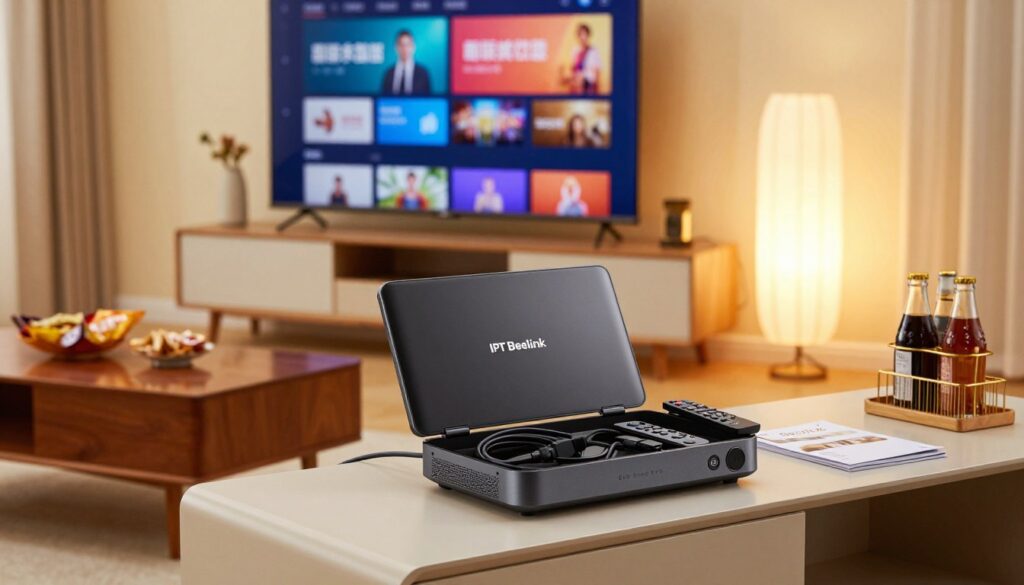
Start streaming confidently by checking the parts, pairing the remote, and tuning the network.
Unboxing checklist
- Box unit (main device)
- Flymouse voice remote and USB dongle
- HDMI cable
- DC 12V/2A power adapter and quick manual
If the unit is silent on power-up, press the hardware power button on the side or top to start the operating system. Keep the USB dongle plugged in so the remote control and voice features pair immediately.
First boot on Android 9.0
Choose language and time zone, then connect to Google Play with your account. The tile-based launcher is simple: add shortcuts for your main applications and Settings for quick access.
Tip: Keep the home screen clean. Place your IPTV app, KODI or PLEX, and Settings on the first row for faster navigation.
Network setup for stable streaming
Use wired Gigabit Ethernet when possible for consistent throughput and minimal buffering. If you must use Wi‑Fi, pick 5GHz to avoid crowded 2.4GHz bands and place the box within good router range.
Real buffering often stems from weak signal, router QoS, or local network congestion — not just the plan’s advertised mbps.
Installing applications safely
Only install apps from Google Play or trusted services. Read reviews, avoid apps that ask for unrelated permissions, and prefer reputable subscriptions. For community help and troubleshooting, see this forum thread.
For a guided, legitimate setup path and provider suggestions, check the official setup guide.
Best settings to confirm before streaming
- Set resolution to match your TV (4K or 1080p).
- Choose a refresh rate that reduces judder on motion-heavy content.
- Select the correct audio output mode for your receiver or TV.
- Enable HDMI-CEC only if you want unified control of TV and receiver.
| Step | Action | Why it matters |
|---|---|---|
| Unbox | Confirm unit, HDMI, power, remote dongle | Prevents missing parts and pairing issues |
| First boot | Pair remote, sign into Google Play | Enables app installs and voice control |
| Network choice | Ethernet preferred; 5GHz Wi‑Fi as backup | Reduces buffering and improves throughput |
| App safety | Install reputable services only | Protects privacy and avoids unreliable streams |
Video and Audio Quality: How It Performs With IPTV and Media Apps

Playback quality depends on more than raw specs—network, receiver, and app settings shape the final output.
4K playback and common video formats
4K@75fps capability means the device can drive a high refresh rate for compatible screens, but most movies and channels use 24, 30, or 60 fps. Match the fps to your source for the smoothest motion rather than chasing a higher number.
Supported video formats include H.264 and H.265 (HEVC) for most local files and streams. VP9 decoding helps with some web apps and saves bandwidth on certain services.
Bitrate expectations in home networks
The box can handle up to ~100 Mbps playback in tests. In real homes, Wi‑Fi interference, router limits, or NAS speeds often reduce throughput.
Tip: Use wired Ethernet for consistent mbps and fewer buffering events.
Audio performance and passthrough
Audio over HDMI supports Dolby and DTS 5.1 for typical living-room setups. Some advanced formats may fall back to a core stream depending on your AV receiver and the app’s passthrough support.
Verify the HDMI audio output mode and test with a known file to confirm full surround sound on your receiver.
KODI, PLEX and mixed media use
Both KODI and PLEX run well on this device. They let you combine live channels and local libraries on one box while keeping artwork and metadata smooth during browsing.
Usability note: A mouse-style remote often makes library management, subtitles, and advanced playback menus easier.
- Check HDMI input settings on your screen and receiver.
- Test a high-bitrate sample over Ethernet to verify ~100 Mbps handling.
- Use trusted setup guides for stable streaming, such as this detailed review or viewing tips at streaming setup guide.
Streaming Service Limitations, Updates, and Top Alternatives
Certification rules from streaming platforms shape what resolution you actually get, no matter how fast the chipset looks on paper.
Why major apps can cap playback
Services like Netflix and Prime Video use DRM and certification checks to protect content. On many non‑certified android box models, that means Netflix may be limited to about SD/540p and Prime Video to around SD/480p, even if the hardware handles more.
In plain terms: the operating system version and certification, not raw power, often set the usable resolution and final quality.
Updates, firmware and long-term support
The unit runs an Android 9 phone/tablet branch. That means some apps behave like mobile versions and may need a mouse-like cursor for certain menus.
Updates can arrive via OTA or downloadable firmware from the manufacturer. Expect a slower cadence than platform vendors. Plan for fewer major version upgrades over time and verify firmware availability before you buy.
Choosing between the GT-King Pro and NVIDIA Shield
Both devices have clear strengths.
| Area | GT-King Pro | NVIDIA Shield |
|---|---|---|
| Certified 4K streaming | Limited on some services | Stronger support |
| Storage & ports | More expandability | Moderate |
| Long-term updates | Variable | Reliable |
Quick buying tips for U.S. households: if consistent 4K on mainstream streaming apps is your top need, prefer a certified device. If you value customization, local media, and ports, the GT-King Pro remains attractive.
Want more detail on device behavior and user opinion? Read a hands-on review at review and opinion. For guidance on choosing services and providers, see this practical article: how to choose a provider.
- Confirm Widevine level and official app availability.
- Check firmware/update policy on the manufacturer website.
- Prefer Gigabit Ethernet and a TV‑optimized remote for best results.
Conclusion
When responsiveness and expandability matter more than out‑of‑the‑box certified streaming, this hardware stands out.
Verdict: The gt-king pro box is a powerful, flexible choice for users who prioritize live services, local media libraries, and heavy multitasking.
The everyday strengths are clear: a responsive system, roomy storage and memory options, and stable playback when paired with a wired or strong 5GHz network. Audio and remote control features add practical convenience for living‑room setups.
Be mindful of the main gotchas: some mainstream apps limit resolution on non‑certified devices, and firmware/update support may lag compared with major platform players.
Choose this box if you value customization, peripherals, and a true media hub. If simple, guaranteed 4K from mainstream apps is your top priority, consider a certified alternative. For legal subscription options and provider details, see GetMaxTV.
Readers who want a legal IPTV subscription should check GetMaxTV’s offer on https://watchmaxtv.com
FAQ
What hardware makes this high-end Android box stand out?
The unit uses an Amlogic S922X-H CPU paired with a Mali-G52 MP6 GPU, which together handle 4K decoding and smooth UI rendering. It also offers 4GB of RAM and 64GB eMMC storage, plus microSD expansion. These parts help reduce stutter during high-bitrate playback and improve multitasking when running media apps and background services.
Who should consider buying this streaming box?
This device suits power users, home theater enthusiasts, and people with large local media libraries. It’s also a good match for cord-cutters who want flexible app support and hardware decoding for many video formats. Casual viewers who prefer certified streaming services might prefer devices with built-in DRM certification instead.
How does network choice affect streaming performance?
Ethernet (Gigabit) gives the most stable throughput and lowest latency, ideal for 4K at high bitrates. Dual-band Wi‑Fi ac on 5GHz works well for many homes, but signal strength and interference can cause buffering. For consistent high-bitrate playback, use wired connections or a strong 5GHz signal with the box placed near the router.
What ports and connectivity options are available?
Look for HDMI 2.1 output for higher refresh rates, USB 3.0 for fast external drives, and a Gigabit Ethernet port. Bluetooth 4.1 supports remotes, gamepads, and audio devices. These connections give flexibility for external storage, soundbars, and low-latency network streaming.
Which video formats and resolutions are supported?
The system handles common codecs like H.264 and H.265 and supports 4K playback with HDR in many cases. Frame-rate handling and exact HDR formats can depend on the app and source file. High-bitrate files up to roughly 100 Mbps are generally manageable with wired connections and optimized settings.
Are there audio limitations to be aware of?
The box can pass Dolby and DTS formats via HDMI passthrough, but some apps or AV receivers may limit decoding. Check your receiver’s supported formats and enable passthrough in app settings for best surround sound performance. Bluetooth audio works for casual listening but can introduce latency for video.
What should I check during the first setup?
Unbox and confirm accessories: HDMI cable, power adapter, and remote dongle. On first boot, complete Android 9.0 initial setup, sign into Google Play if needed, and set display resolution and refresh rate. Choose Ethernet or connect to 5GHz Wi‑Fi and test playback with a high-bitrate sample to verify network stability.
How do I install apps safely on this Android box?
Use Google Play when possible and avoid unknown APKs from unverified sites. Check app reviews and permissions, and enable app updates from trusted sources. For media hubs like KODI or Plex, download from official pages and follow guides from reputable communities for add-on configuration.
How often does the firmware get updates and why do they matter?
Firmware and OTA updates vary by manufacturer. Updates can improve stability, add codec support, and patch security issues. Check the vendor’s website or support channels for download availability, and apply updates during idle hours to avoid interrupting viewing.
How does this box compare to the NVIDIA Shield for streaming?
The Shield often wins on software certification, robust streaming app support, and AI upscaling. The Amlogic-based box provides strong raw media decoding and value for local playback and high-bitrate files. Choose based on whether you prioritize certified app performance or pure local-media horsepower.
Can I expand storage for large media libraries?
Yes. In addition to the internal 64GB eMMC, you can add external USB drives or a TF/microSD card. Some boxes support expansion up to multiple terabytes, so use a USB 3.0 drive or a high-capacity microSD for better throughput when running large libraries.
What remote control options exist and which is best?
Options include an air mouse (flymouse), a voice-enabled remote with Google Assistant, and app-based control via smartphone. A voice remote speeds searching and basic commands, while an air mouse helps with navigation in apps that lack remote-friendly interfaces. Choose based on your preferred interaction style.
What tips reduce overheating and maintain performance?
Place the unit in a ventilated spot, avoid stacking other devices on top, and keep vents clear. Although many units use passive cooling, leaving some space around the case improves thermal dissipation. If you run demanding apps, allow cooling breaks to prevent thermal throttling.
What real-world bitrate should I expect for 4K streaming at home?
For smooth 4K playback of high-quality sources, plan for network speeds from 25 Mbps to around 100 Mbps depending on HDR and codec efficiency. Local files over Ethernet handle higher bitrates well; streaming services often compress video more, so actual needs vary by provider and file type.
The WatchMaxTV Team is a dedicated group of streaming specialists and entertainment technology reviewers covering IPTV services for viewers in the USA, UK, and Canada since 2023. Our team independently evaluates every service we feature — testing across Smart TVs, streaming sticks, mobile devices, and gaming consoles. We measure stream stability, picture clarity in HD and 4K, program guide accuracy, and customer support quality. Our goal is simple: help cord-cutters find reliable, affordable alternatives to overpriced cable. Every recommendation on WatchMaxTV.com comes from real-world testing — not sponsored content or paid placements.