

Here’s a shocking number for you: by 2026, over 80 million Americans have cut the cord on traditional cable. The average monthly cable bill has soared to $147, making it a major budget drain. Meanwhile, streaming now represents a massive 47.5% of all TV viewing.
This shift highlights a clear need for a better, more affordable way to watch. Enter the modern world of streaming live television, movies, and sports directly over your broadband connection.
As more people rely on this method for daily entertainment, understanding your home network’s consumption becomes essential. You need a stable connection that won’t let you down during the big game or your favorite show.
Different video qualities, from standard definition to ultra HD, have a huge impact on your monthly allowance. Without knowing the specifics, you could face surprise fees from your provider.
This resource is designed to help. We’ll break down what you need to know to enjoy your content without worry. You’ll learn how to manage your bandwidth and stay comfortably within the limits of your current plan.
Key Takeaways
- Streaming services now account for nearly half of all television viewing time.
- Managing your home network’s bandwidth is key to a smooth viewing experience.
- Video resolution is the biggest factor determining how much data you consume.
- Knowing your consumption habits helps you avoid internet plan overage charges.
- A stable broadband connection is critical for streaming live TV without interruption.
- Optimizing your setup can let you enjoy more content within your monthly data cap.
Understanding the Basics of IPTV Data Usage
The way we watch TV is undergoing a massive transformation, moving from broadcast towers to broadband routers. Industry projections indicate that by 2025, over 100 million homes globally will rely on this modern technology for their daily television content.
What is IPTV and How It Consumes Data
Unlike traditional cable, this service transmits programming over your internet connection. Every show you stream consumes a measurable amount of your network’s bandwidth. For a deeper dive into the mechanics, check out this comprehensive tutorial on how IPTV works.
The Importance of Tracking Your Data Consumption
Monitoring your home network’s activity is crucial. Many internet providers enforce monthly caps, and exceeding them can lead to slower speeds. Understanding your streaming habits helps you manage your budget and avoid surprises, ensuring a smooth viewing experience.
IPTV data usage guide
Choosing the right video quality can make or break your streaming budget. The clarity you see on your screen directly translates to how much of your home network’s bandwidth is used. This guide helps you understand the numbers behind your favorite shows.
Several elements work together behind the scenes. The bitrate and resolution your provider uses are major players. Advanced compression technology also helps deliver a great picture while managing your consumption.
Key Factors Influencing Data Consumption
Your total internet use isn’t just about how long you watch. The technical settings chosen by your service have a big impact. These settings determine how efficiently your video is delivered to your device.
For a deeper look at the technology, learn more about how modern streaming works. This knowledge helps you make smarter choices for your home.
Comparing SD, HD, and 4K Streaming Data Needs
Not all content requires the same resources. Here’s a quick look at how different qualities compare:
| Quality | Resolution | Approx. Data per Hour |
|---|---|---|
| Standard Definition (SD) | 480p | 0.7 GB |
| High Definition (HD) | 720p | 1.5 – 2 GB |
| Full HD | 1080p | 3 – 4.5 GB |
| 4K Ultra HD | 2160p | 7 – 10+ GB |
Standard Definition is perfect for saving your monthly allowance. High Definition offers a nice balance for everyday viewing. Full HD is great for sports and movies, but it uses more of your plan.
4K Ultra HD delivers stunning detail. However, it can consume a much data in a single evening. Picking the right setting keeps your streaming smooth and your bill predictable.
Bandwidth and Streaming Quality Considerations
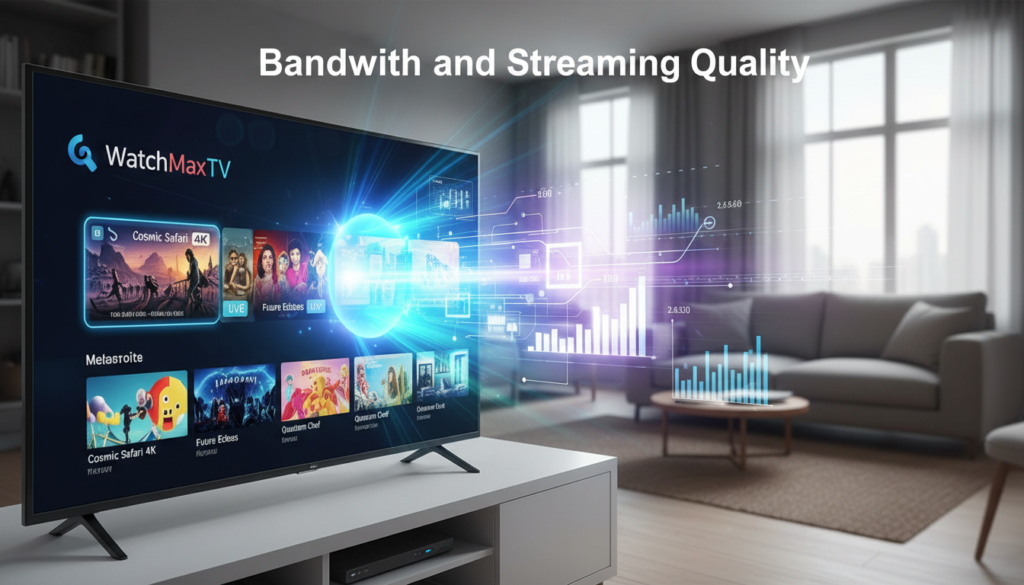
Bandwidth isn’t just a technical term; it’s the fuel for your viewing experience. Your internet speed directly determines how crisp and reliable your picture will be.
A stronger connection means less waiting and fewer interruptions. It’s the foundation for enjoying your shows the way they were meant to be seen.
Impact of Video Resolution on Data Usage
The resolution you select has a massive effect on your network. Higher definition pictures require a much data to flow to your screen every second.
For a stable stream, you need minimum speeds. Standard Definition needs about 5 mbps. High Definition requires at least 10 mbps.
To enjoy stunning 4K content, your internet connection should support 25 mbps or more. This prevents frustrating buffering during live events.
Choosing the Right Bitrate for Optimal Performance
Bitrate is the secret sauce for picture quality. A higher bitrate delivers a sharper, more detailed image.
However, it also demands significantly more bandwidth from your home network. Finding the right balance is key for smooth streaming.
You want the best performance without overloading your plan. Adjusting this setting helps you maximize your internet for a great view.
Network Infrastructure and Optimization for IPTV

Behind every smooth stream is a sophisticated network designed for efficiency. Providers use advanced technology to deliver your content reliably. These systems work to improve your performance and manage bandwidth.
Utilizing CDNs and Multicast Technologies
Content Delivery Networks (CDNs) store video on servers near you. This reduces wait times and improves streaming quality. Your internet connection doesn’t have to work as hard.
Multicast sends one live feed to many users at once. It eases the load on provider networks. This is key for popular sports events or news channels.
Adaptive Bitrate Streaming and QoS Best Practices
Adaptive Bitrate Streaming (ABR) changes your video quality on the fly. If your internet speed dips, it uses a lower bitrate. This prevents annoying buffering during your show.
Quality of Service (QoS) settings give your streaming traffic priority. Other online activities won’t interfere. You get a consistent picture, even when others are using the internet.
Modern compression like H.265 (HEVC) is a game-changer. It can cut the much data needed for HD content in half. You enjoy the same great picture while using less data.
| Optimization Technology | Primary Function | Key Benefit for You |
|---|---|---|
| H.265 (HEVC) Compression | Reduces file size of video | Uses up to 50% less data for same quality |
| Content Delivery Network (CDN) | Caches content closer to your location | Faster start times and less lag |
| Adaptive Bitrate (ABR) | Adjusts bitrate based on available bandwidth | Eliminates buffering |
| Quality of Service (QoS) | Prioritizes streaming traffic on your network | Reliable performance during peak hours |
| Multicast Technology | Sends one stream to multiple viewers | Reduces strain on the provider’s infrastructure |
Monitoring and Managing Your IPTV Data Usage
Modern tools put you in the driver’s seat, letting you see exactly what’s happening on your connection. Taking control of your home’s consumption is easier than you think. A little insight goes a long way in preventing surprise fees.
Leveraging Router Analytics and Monitoring Apps
Your router is a powerful source of information. Most modern models have built-in analytics. You can see how much data each device on your network uses.
This helps you identify which TV or phone is consuming the most. For even more detail, consider a monitoring app. Tools like GlassWire or NetGuard track real-time streaming activity on Android and other platforms.
Don’t forget to check your internet provider’s customer portal. Their dashboard shows your monthly usage against your plan’s limit. It’s a proactive habit that keeps your budget safe.
If you notice a single app using too much, you can adjust its settings. Lowering the video resolution on that device saves significant bandwidth. Managing traffic this way ensures a smooth experience for everyone at home.
For a complete guide on this topic, explore these IPTV monitoring best practices. They offer advanced strategies for keeping your streaming efficient and reliable.
Why Choose WatchMaxTV
Your home television experience deserves a service that’s both powerful and reliable. With countless providers available, finding the right one makes all the difference.
Premium Service Features and Device Compatibility
WatchMaxTV stands out as a premier service provider. It delivers over 21,000 live channels and 97,000 on-demand movies and shows.
Everything streams in crisp HD and 4K quality. You get a 99.9% uptime guarantee and 24/7 support.
This content works on any screen in your house. Compatible devices include Fire TV, Roku, Apple TV, Smart TVs, Android, PlayStation, Xbox, and Kodi set-top boxes.
Start Your Free 24-Hour Trial at WatchMaxTV
The best way to see the high-quality video is to try it yourself. You can start a free 24-hour trial with no credit card required.
Plans begin at just $6.95 per month. If you’re not completely satisfied, a 30-day money-back guarantee protects you.
Experience this top-tier iptv service today. Begin your trial now at https://watchmaxtv.com.
Practical Tips to Reduce Data Consumption
A few simple changes to your viewing habits can dramatically lower your monthly internet bill. You don’t need to miss out on your favorite channels or movies. Smart adjustments make your home network more efficient.
Lowering Resolution and Disabling Auto-Play Features
Manually adjust your video quality on your device. Dropping from 1080p to 720p uses much data less. This is a quick fix that prevents buffering on slower speeds.
Turn off auto-play for previews. These trailers download content you didn’t choose. Disabling them can save several gigabytes each month.
If your plan is limited, avoid streaming during busy time. Providers sometimes throttle internet connection speeds then. For more insights on managing your streaming usage, see this resource on mobile data and media.
Many service provider platforms let you cache movies overnight. You watch later without using live bandwidth. It’s a clever way to enjoy high-quality video.
Always pause or exit your stream when you step away. This is the most effective method to control your monthly consumption. Your experience stays smooth, and your budget stays intact.
Conclusion
Streaming your favorite shows should be simple, not a source of stress. Managing your home’s entertainment is a straightforward process. It involves picking the right video settings and a reliable service provider.
By 2026, the demand for crisp, high-definition content will keep rising. Smart bandwidth management will become essential for every household. This ensures your internet can handle the load.
The tips shared here work on any device, from a smart TV to a phone. They help you enjoy live channels and on-demand movies without surprise bills. Choosing a platform like WatchMaxTV offers a great balance of variety and smooth streaming performance.
We hope this empowers you to take control of your home network. Enjoy a seamless, high-quality viewing experience every day.
FAQ
What exactly is IPTV, and how does it use my internet?
What are the main things that affect how much data my streaming uses?
How does video quality directly impact my monthly data cap?
Can I optimize my home network for better streaming performance?
What tools can help me monitor my household's streaming data consumption?
What are some easy ways to reduce my data usage while watching TV?
How do premium services like WatchMaxTV handle data efficiency?
The WatchMaxTV Team is a dedicated group of streaming specialists and entertainment technology reviewers covering IPTV services for viewers in the USA, UK, and Canada since 2023. Our team independently evaluates every service we feature — testing across Smart TVs, streaming sticks, mobile devices, and gaming consoles. We measure stream stability, picture clarity in HD and 4K, program guide accuracy, and customer support quality. Our goal is simple: help cord-cutters find reliable, affordable alternatives to overpriced cable. Every recommendation on WatchMaxTV.com comes from real-world testing — not sponsored content or paid placements.