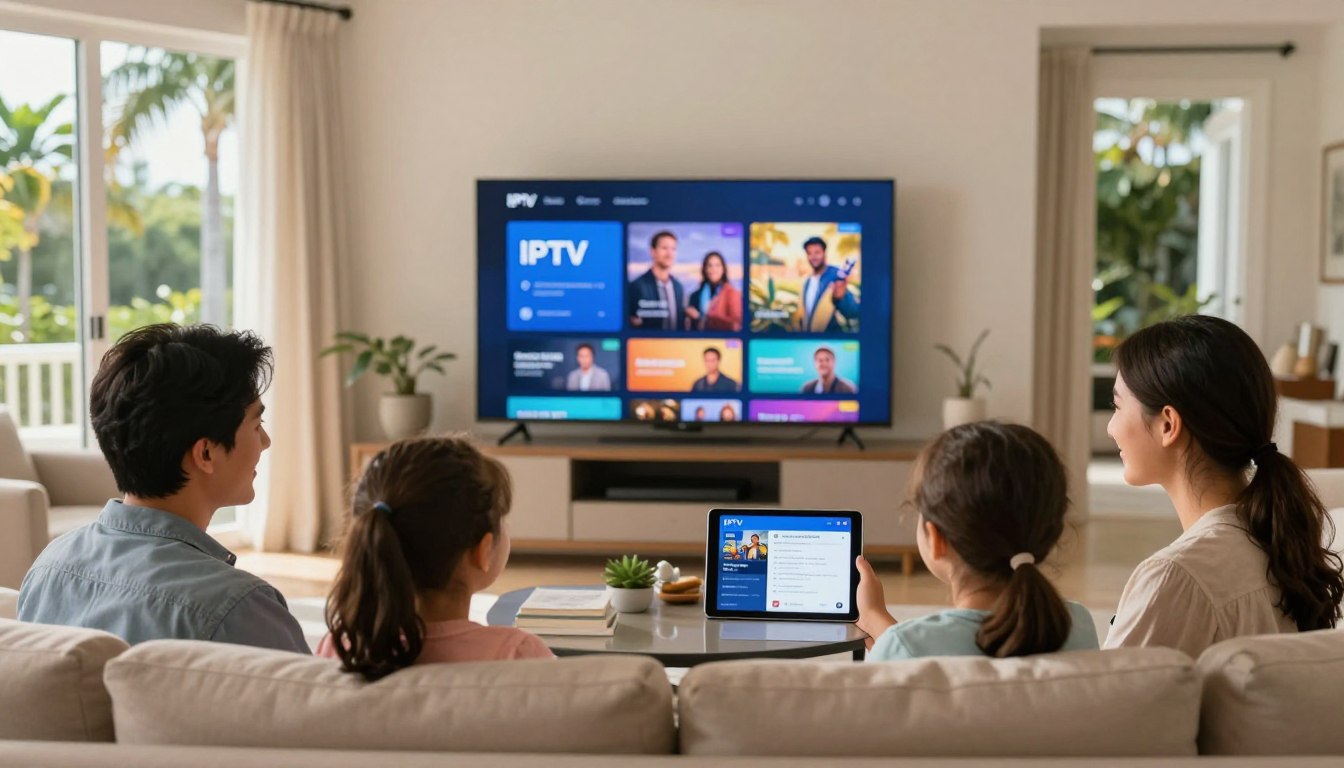
Curious whether a new streaming service will actually hold up on a big game night?
You can test it first — verified free trial options let you try before you pay, so you learn how the service performs on your home internet. In this guide you’ll see how to judge picture clarity, buffering, channel switching speed, audio sync, and app behavior on real devices.
We’ll compare verified U.S. offerings like YouTube TV, Hulu + Live TV, and fuboTV and explain typical trial lengths (24 hours to 7 days). You’ll also get safety tips on privacy and scam avoidance, and what “legal” usually means in streaming.
Because Florida conditions—peak-hour congestion, storm-season outages, and big sports nights—can expose weaknesses, testing under real conditions matters. You’ll find a clear checklist for what to document and how to set realistic expectations.
Consider exploring GetMaxTV as one option you can evaluate responsibly. Learn more at GetMaxTV. By the end, you’ll know exactly what to test and how to choose a plan that fits your household.
Key Takeaways
- Use a free trial to see how a service runs on your home network before committing.
- Test picture quality, buffering, channel changes, audio sync, and app stability.
- Try trials during peak hours and big events to mimic real conditions.
- Compare verified services like YouTube TV, Hulu + Live TV, and fuboTV.
- Follow privacy and scam-avoidance tips and set realistic expectations.
- Document your tests so you can pick the right plan for your household.
What an IPTV Free Trial Actually Lets You Test Before You Pay
A trial helps you test how channels and on-demand content actually perform in your living room. Use the trial to measure playback on the devices you use every day and to check whether headline claims match real results.
Streaming quality basics: HD, FHD, and 4K expectations
Watch a mix of slow and fast-moving scenes to compare HD, FHD, and 4K. 4K labels can be misleading if bitrate is low or compression is heavy. Note any pixelation, soft detail, or audio lag across devices.
Channel lineup and categories
Audit live channels by category: news, kids, entertainment, and especially sports. Confirm local channel availability for your area rather than assuming coverage.
On-demand content and library depth
Sample new releases, old seasons, and niche genres to judge library depth. Count varied titles, not just headline numbers, to see real value for your household.
User experience: app navigation, EPG, and discovery
Test how fast the app launches, whether search returns relevant results, and if the EPG is accurate and easy to read. An intuitive discovery flow matters for everyday use.
Reliability signals to watch
Track buffering frequency, channel start time, and peak-hour drops. Treat marketing claims like “99% uptime” as a prompt to verify performance during evenings and big events.
Practical tip: Keep a simple log—device, time, channel, and issues—so you can compare services objectively. For a balanced way to explore options, check this evaluation resource: trial comparison guide.
Why Florida Viewers Should Use a Free Trial to Validate Live Streaming Performance
Florida evenings and sports weekends are a fast way to see if a streaming service holds up under pressure. Real-life testing shows whether promises match your actual viewing experience.
Testing during real-life conditions: evenings, weekends, and big games
Run at least one test session after dinner and one on a weekend afternoon. Peak-hour congestion and big events reveal buffering, latency, and channel drops that off-peak checks miss.
Try a big-game scenario — NFL, NBA, or college football — to evaluate motion handling and whether streams degrade when many people tune in.
Multi-device viewing at home: Smart TV, Fire Stick, mobile, and tablet
Check the same service on your Smart TV, Fire Stick, phone, and tablet. Confirm simultaneous streams so family members can watch different channels at once.
Make sure the provider supports the devices you already own. If it doesn’t, you may need new hardware — and that changes the cost-benefit of any trial.
“Test the way you actually watch. That’s the only reliable way to pick a plan you’ll keep.”
- Schedule prime-time and weekend tests.
- Simulate big-game viewing to stress streams.
- Validate multi-device stability and stream limits.
iptv subscription with free trial florida: The Safest Ways to Trial a Service
Treat a trial as a short experiment. Focus first on whether a provider shows clear licensing, easy cancellation, and honest support channels.
Verified services are those that operate under U.S. licensing agreements, publish clear terms, and offer predictable support channels. Examples include mainstream names that you can trust for consistent rights and documented pricing.
Verified services vs unverified services
Unverified providers may appear cheaper, but they can vanish or face shutdowns. That risk can leave you without access and no recourse. Choose verified options first if you want stability and real customer help.
Privacy and security basics
A VPN can help protect your privacy on public Wi‑Fi and hide casual tracking. It won’t make an unlicensed service legal, and some VPNs lower speed. Test performance before you rely on it during a big event.
How to avoid scams
Read trial terms before entering payment info. Watch for auto-renew clauses, unclear cancellation steps, or pressure to pay via chat apps. Be skeptical of promises like “zero buffering” or impossibly large channel lists for low price.
- Verify licensing and support contact info.
- Confirm auto-billing rules and cancellation process.
- Use a VPN for privacy when appropriate, but test speed impact.
| Check | Verified Provider | Unverified Provider |
|---|---|---|
| Licensing | Clear, public agreements | Often unclear or absent |
| Support | Documented channels and refunds | Informal chat only, limited help |
| Risk | Low — stable access | High — shutdown or disappearance |
Next step: start with a known provider’s trial and log performance. For a practical place to compare options, check this trial guide.
Trial Lengths and What They Usually Include

Start by matching the trial length to the viewing moments that matter most to you.
Most streaming services offer windows from 24 hours up to seven days. Verified brands tend to give longer windows so you can test evenings, a weekend, and a sports night. Shorter offers (24–48 hours) limit abuse and cost, but they force you to prioritize what to check first.
How to budget testing time: if you have only a day, test peak hours and your must-have channels first. If you get a week, schedule one big-game test, a weekday news check, and family viewing on a weekend.
What to confirm in the fine print
- Do you need to enter a card? Check whether auto-billing starts after the trial ends.
- How many steps does cancellation take? Practice the flow so you won’t miss the deadline.
- Are there access limits? Trials sometimes restrict channels, cloud DVR, or simultaneous streams.
Feature checklist before you decide
Confirm cloud DVR availability and recording limits. Check how many devices can stream at once. Verify app support for your Smart TV and popular streaming sticks. Compare the total monthly price after add-ons so the listed starting price matches your needs.
| Feature | What to test | Why it matters |
|---|---|---|
| Trial length | 24 hours to 7 days | Determines how much real-world use you can evaluate |
| Cloud DVR | Storage limits & playback quality | Important for busy schedules and on-demand viewing |
| Simultaneous streams | Number of concurrent devices | Ensures household members can watch different channels |
| Device support | Apps on Smart TV, sticks, mobile | Prevents surprise hardware purchases |
Final tip: treat the trial as a buyer’s guide. Use it to verify benefits, not chase the lowest sticker price. For direct comparison tools and sample offers, see a concise evaluation at compare trial options and a testing checklist at free test guide.
Verified IPTV Free Trials You Can Compare Today in the United States
If you want a quick, reliable way to compare providers, focus on verified offers that publish clear terms and channel lists.
YouTube TV typically offers about a week and often runs longer promos. It includes 100+ channels and stands out for unlimited cloud DVR and a simple interface.
fuboTV gives a week-long window and leads on sports. Expect roughly 228+ channels and strong live sports coverage across multiple streams.
Hulu + Live TV has a shorter window but bundles Disney+ and ESPN+, covering 95+ live channels for mixed live and on-demand content.
Philo is budget-friendly, around 70+ channels, entertainment-focused, and offers generous DVR rules. DirecTV Stream provides a cable-like guide and a mid-length period for testing.
Also consider Peacock, Paramount+, and Apple TV+ for on-demand content and occasional live channels to complement a full lineup.
| Provider | Trial length | Channels (approx.) | Standout feature |
|---|---|---|---|
| YouTube TV | 7 days (promos longer) | 100+ | Unlimited cloud DVR |
| fuboTV | 7 days | 228+ | Sports-forward lineups |
| Hulu + Live TV | 3 days | 95+ | Includes Disney+ & ESPN+ |
| Philo | 7 days | 70+ | Low price, entertainment focus |
| DirecTV Stream | 5 days | 75+ | Cable-like guide experience |
Tip: compare the real monthly price after the initial period and confirm local channel availability for your ZIP code before you decide.
How to Judge Streaming Quality During Your Trial Without Guesswork
Begin by checking how consistent playback is on the devices you actually use. A clear checklist saves time and stops you from blaming the provider when the problem is your network.
Quick at-home speed and stability checks
Run a speed test at the time you normally watch shows. Look for steady Mbps over several minutes, not just peak numbers.
Do this: test during peak hours and note fluctuations. If speed drops sharply, the issue may be your ISP or Wi‑Fi setup, not the streaming service.
Picture quality, motion, and audio sync
Watch a sports event and a high-detail drama scene. Sports reveal motion handling; dramas reveal compression and detail loss.
Confirm audio sync on dialogue-heavy shows. Even slight lag ruins the experience during fast-paced sports.
Buffering diagnostics and router tips
Compare Wi‑Fi vs Ethernet. If Ethernet removes buffering, move the router or add a wired link. Try a second device to isolate the fault.
Device performance and channel behavior
Test the same channel on a Smart TV app, a streaming stick, and a phone. Sticks often perform better; phones can mask bitrate issues on small screens.
Channel switching, EPG, and catch-up checks
Time how long it takes to jump channels. Slow switching kills live sports enjoyment even if final picture quality is fine.
Verify EPG times and try catch-up playback. Incorrect guides and broken replays are common user complaints.
| Test | Good Benchmark | Why it matters |
|---|---|---|
| Speed stability | Consistent Mbps for 5+ mins | Prevents random buffering |
| Channel switch | <3 seconds to start | Critical for live sports |
| Audio sync | No visible lag | Ensures watchable shows |
Pro tip: test once with and once without a VPN if you plan to use one. Note added latency. Log results in a simple grid (time, device, channel, issue) and use that evidence when you decide.
For a concise testing checklist and provider selection tips, see this provider selection guide and the testing checklist.
Choosing the Right Plan After the Trial: Price, Features, and Fit
Now that you’ve logged real playback notes, it’s time to match needs to a plan that fits your household.
Match your viewing habits. If you’re sports-heavy, prioritize services that showed reliable live playback and list the regional sports networks and national channels you need. For on-demand content first, choose the provider with the deepest library and good recommendations for shows and movies.
Family viewing changes the math. Check simultaneous streams, profiles, and parental controls. These often matter more than raw channel counts when multiple people watch at once.
Comparing add-ons and true price
Add-ons like premium channels, extra streams, or regional sports can quickly raise the monthly price. Compare the real monthly total, not just the base rate, and confirm whether local channels and RSNs are available in your market.
Cloud DVR and recording limits
Look beyond “unlimited” claims and check retention windows, fast-forwarding rules, and concurrent recordings. If you record many shows, a generous cloud DVR makes a small price premium worthwhile.
- Prioritize the plan that covers must-have channels and sports access.
- Choose more streams or DVR only after you verify you’ll use them.
- Recalculate the final price including add-ons before you commit.
Practical way forward: pick the simplest plan that meets your must-haves, lock it in month-to-month, and add options only after a few weeks of real use. For a direct comparison of provider options, check this resource: WatchMaxTV.
Smart Subscription Habits That Reduce Risk and Regret
Smart buying habits cut your exposure when services change or vanish. Pick month-to-month plans so you can leave fast if quality drops or a provider disappears. This limits cost and stress.
During your trial, test support by sending a chat message and an email. Time responses and note helpfulness. Fast, clear answers matter more than marketing claims.
Keep your setup simple and secure
Update apps on your devices and avoid sharing logins widely. Use strong passwords and enable two-factor auth when available. These small steps reduce account lockouts and playback interruptions.
VPN and privacy
If you use a VPN for privacy, choose a reputable one and check performance on your devices. A VPN can protect data but may add latency that harms live viewing.
Quick reference checklist
- Choose month-to-month billing to lower risk.
- Test chat and email support during your trial period.
- Keep apps updated and secure your account details.
- Confirm a VPN won’t break playback on your devices.
- Save cancellation steps, renewal dates, and support contacts in one place.
| Action | Why it matters | How to verify |
|---|---|---|
| Month-to-month plan | Limits exposure if service ends | Check billing terms before you pay |
| Support test (chat/email) | Shows real responsiveness | Record response time and clarity |
| Account security | Prevents unauthorized access | Use strong passwords and 2FA |
Tip: explore options like GetMaxTV as a starting point for balanced evaluation. For a broader list of verified services in the U.S., see a curated directory here: verified provider list.
Conclusion
Wrap up your testing by focusing on real use: peak hours, devices, and the channels you can’t live without. A free trial is the best way to confirm streaming quality, reliability, and usability before you pay.
During your trial, check peak performance, sports motion and audio sync, channel switching speed, guide accuracy, and app behavior on each device you own. Keep simple notes so you can compare results.
Choose verified services where licensing and support are clear. Compare the true price after promos, add-ons, and extra streams. Base your decision on your test log, not marketing claims.
For a legal option to review today, see the Falcon review and consider GetMaxTV at https://watchmaxtv.com for a completed offer.
FAQ
What can you realistically test during a trial before you commit?
You can verify streaming quality (HD, FHD, or 4K), channel availability, on-demand library depth, app navigation and electronic program guide (EPG) responsiveness, and reliability during peak hours. Check simultaneous stream limits and any cloud DVR features the provider advertises.
How should you check picture and audio performance for sports and fast scenes?
Watch a live sports event or fast-action show at different quality settings. Look for motion smoothness, frame drops, and audio sync. Test over Wi‑Fi and a wired Ethernet connection to isolate network issues from service issues.
When is the best time to run your tests to simulate real-life use?
Test during evenings, weekends and during major games or popular shows. Those are peak-load times when buffering or reduced quality is most likely to show up, so you’ll see how the service performs under typical household demand.
Which devices should you try the service on?
Try the main devices you use: Smart TV app, Fire TV Stick, Roku or Google Chromecast, plus a phone and tablet. Each app can behave differently, so confirm playback, casting, and account syncing across platforms.
How do you identify a verified, legal streaming provider versus an unverified one?
Look for listings on official app stores, clear company contact information, transparent billing terms, and partnerships with known networks. Verified services typically appear on Roku, Google Play, Apple App Store or as recognized OTT platforms like YouTube TV, fuboTV, Hulu + Live TV, Philo, and DirecTV Stream.
Should you use a VPN during the trial?
Use a VPN only if you need privacy or are accessing region-restricted content within the law. Some providers block VPNs, and using one can affect streaming quality. Prioritize a reputable VPN if you choose that route to protect your data.
What red flags suggest the offer might be a scam?
Avoid services that require weird payment channels, demand long prepayment for “discounts,” lack clear cancellation rules, or promise unrealistic channel counts for a tiny fee. Also be wary of sites with poor reviews or no customer support contact.
How long do trial windows usually last and why do they vary?
Trial windows commonly range from 24 hours to 7 days, depending on the provider and promotion. Short trials cut abuse; longer trials let you test peak times and DVR features. Read the trial terms to know exact start and end times.
What fine-print items should you confirm before signing up?
Confirm cancellation rules, whether the trial auto-renews into a paid plan, accepted payment methods, device limits, and geographic restrictions. Verify whether features like cloud DVR or premium channels are included or require upgrades.
Which features should be on your checklist during the trial?
Check cloud DVR availability and recording limits, number of simultaneous streams, device compatibility, channel lineup (local and sports coverage), on-demand library size, and the quality options available (HD/4K).
What verified trial services can you compare in the U.S. today?
Consider YouTube TV (extended promos, unlimited cloud DVR), fuboTV (sports-heavy, many channels), Hulu + Live TV (bundles with Disney+ and ESPN+), Philo (budget-friendly entertainment), DirecTV Stream (cable-like guide), plus on-demand options like Peacock, Paramount+, and Apple TV+.
How can you do quick at-home speed checks to assess streaming readiness?
Run a speed test on the device you’ll stream from. Aim for at least 25 Mbps for single 4K streams, 5–10 Mbps for HD. Test during peak hours and compare Wi‑Fi vs Ethernet to spot Wi‑Fi interference or router placement issues.
What practical steps help diagnose buffering or stutter?
Switch to Ethernet, close background apps, reboot your router, and test another device. If issues persist, note time-of-day patterns and report them to customer support with timestamps and channel info.
How do you evaluate the app experience and channel switching behavior?
Navigate the EPG, search for shows, use the guide to tune channels, and test channel switching speed. Check catch-up playback, recordings, and whether personalized recommendations and parental controls work intuitively.
After the trial, how do you choose the right plan for your household?
Match the plan to viewing habits: prioritize sports packages, family-friendly channels, or on-demand catalog. Compare add-ons like premium channels and regional sports networks, and weigh DVR storage and simultaneous stream limits against price.
Why is a month-to-month plan often the safer choice?
Month-to-month gives flexibility if a provider changes terms or ends service. It reduces long-term risk and lets you switch quickly if performance, price, or channel lineup no longer fits your needs.
How can you verify customer support quality before you pay?
Test live chat, email, or phone support during the trial. Note response times and whether agents solve technical issues or billing questions. Good support reflects a provider’s commitment to service continuity.
What account security steps should you take right away?
Use a strong password, enable two-factor authentication if available, avoid sharing login details widely, and keep app software updated. Monitor billing statements for unexpected charges and cancel before auto-renew if you decide not to continue.
How do you compare price versus value after the trial ends?
Tally the channels you actually use, DVR needs, device support, and simultaneous streams. Divide the monthly cost by how much your household watches to judge value. Promotions or bundle discounts can improve cost-effectiveness.
Where can you find more information about verified offers and responsible exploration?
Check official provider pages and app store listings for up-to-date promotions and detailed terms. Read recent user reviews and tech coverage from outlets like The Verge, CNET, or TechRadar to verify performance claims and ensure you test options responsibly.