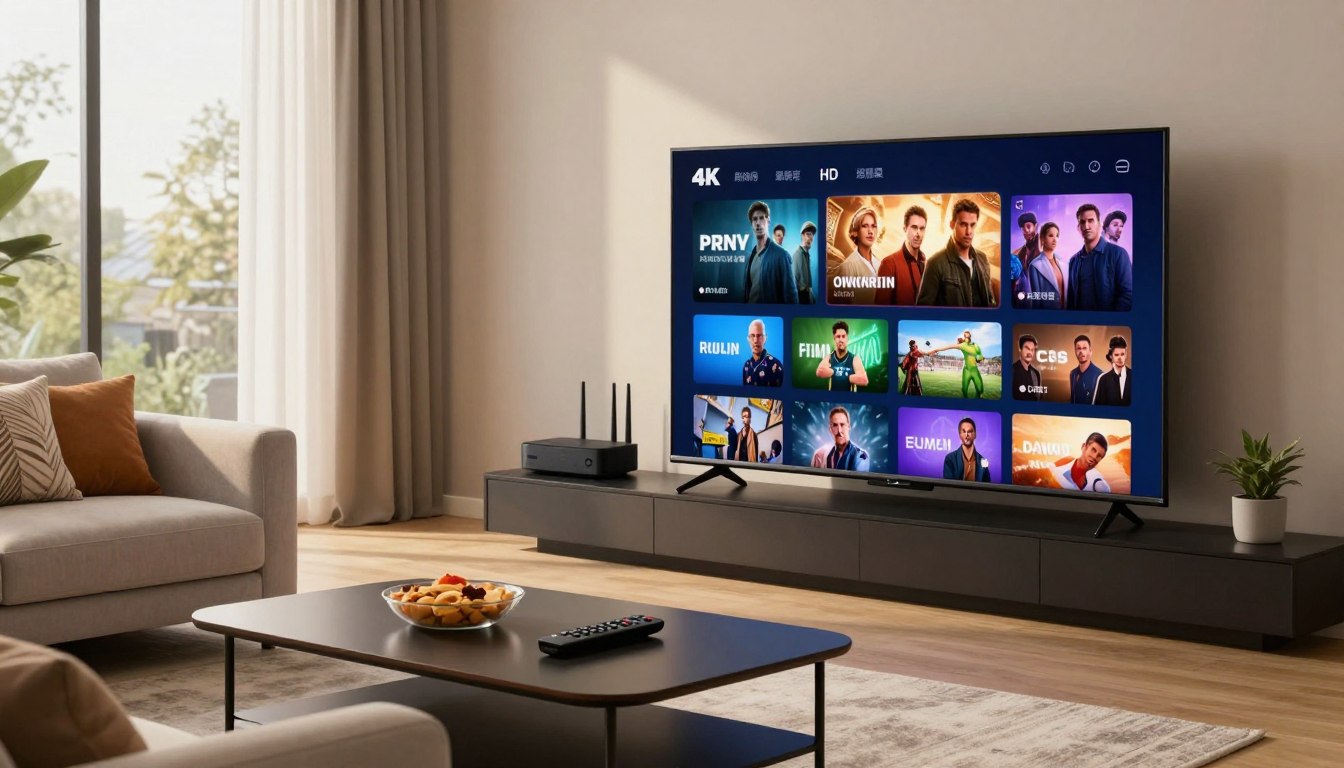
Can a new streaming setup truly replace cable and still deliver flawless Ultra HD at prime time?
You want reliable playback, clear channel lineups, and fast support when you cut the cord. This guide defines the best as services that give you dependable Ultra HD playback, predictable uptime, accurate EPGs, and quick customer help.
We’ll show how packages work, what genuine 4K looks like in real use, and how to compare services before you pay. Expect practical benchmarks—uptime, buffering, EPG accuracy, and VOD integrity—rather than marketing claims.
Framed for U.S. viewers, the guide explains why many leave cable for cost and flexibility, and why prime-time stability matters most for most households. You’ll also learn how to spot legal, privacy-safe options and how different picks suit sports, movies, family use, or tight budgets.
For a deeper comparison and picks by use case, check our best IPTV guide.
Key Takeaways
- “Best” means uptime, low buffering, accurate channels, and fast support.
- Look for present-day benchmarks like 98.5%+ uptime and real-time EPGs.
- Compare sports, VOD, family, and budget use cases before you buy.
- Prime-time performance matters most for U.S. households cutting cable.
- Verify legality, privacy features, and responsive customer service.
What you’re actually buying with a 4K IPTV subscription in 2025
Buying a modern streaming package means paying for streams, on-demand libraries, and replay tools — not a coax line.
IP-delivered content moves your channels over your home network. That changes setup, device choice, and how quickly channels load compared with cable. You swap a physical box for apps on Smart TVs, streaming boxes, or phones.
What’s inside the package
You get three main things: live channels, a VOD library, and catch-up/replay. Live channels are for sports and news. A vod library stores movies and shows you can start anytime. Catch-up lets you replay missed broadcasts.
Access methods and compatibility
Most providers deliver lists via M3U playlists or Xtream Codes. M3U is simple but needs the right player. Xtream Codes often works across popular apps and is easier to fix when streams fail.
Real-world “4K” quality
True 4K depends on steady bitrate, proper frame rate (60fps for fast motion), and light compression. Poor bitrate or heavy compression can make 4K look soft like HD.
“Expect sharper text in tickers, smoother pans in sports, and fewer artifacts in dark scenes — when the stream is truly high-quality.”
| Component | What you notice | Value for your viewing |
|---|---|---|
| Live channels | Low latency, fast channel changes | High for live sports/news households |
| VOD library | On-demand movies and shows | Best if you binge or rewind series |
| Catch-up | Replay recent broadcasts | Useful if you miss live airings |
Not every channel will be true 4K; many packages mix SD, HD, and 4K streams. Match the package to how you watch — live-first or VOD-first — and check our package guide for help selecting features.
Why more U.S. viewers are switching to IPTV services
Cutting the cord often starts when you want more channels for less money and the flexibility to watch anywhere. Many households find they pay less than a typical cable bundle while getting niche feeds, international networks, and sports coverage that cable often omits.
More channels for a lower monthly price
You can get a much broader channel mix without the high cable bill. That matters if you follow niche sports or regional networks that cable bundles bury.
Global access for sports and multilingual homes
Global access means your household can watch international leagues, regional news, or shows in other languages. Better access often equals happier multilingual viewers and fans of overseas sports.
Fresh on-demand libraries for movies and series
Updated VOD libraries make a difference when you want to watch movies, series, or daily shows on your schedule. Bigger libraries are great — but only when streams are stable and listings are accurate.
Multi-device viewing that fits real life
You’ll use smart tvs, streaming boxes, phones, and laptops across the day. Start a movie on the TV, pause, and continue on your phone when you leave the house.
- Expectation note: The best iptv services for you depend on when you watch and whether big sports events are non-negotiable.
- Network reminder: A low-priced plan still feels costly if buffering ruins game night — home network quality matters.
4k iptv subscription 2025: what to look for before you pay
Before you click buy, use a short checklist to confirm the package will actually perform when it matters.
True 4K versus upscaled streams: look for steady sharpness, consistent bitrate, and smoother motion during sports. A simple test is to watch fast pans and ticker text—if edges blur, it’s probably upscaled.
Uptime and real downtime
Uptime numbers like 99.8% sound good. Translate that: 99.8% equals roughly 1.5 hours of downtime per month. 99% is about 7 hours. If live events matter, choose a provider with the highest uptime you can verify.
Peak buffering and channel accuracy
Test buffering between 7–11 PM ET. That window shows how the service handles stress from many viewers. Also verify channel lists and EPG accuracy—wrong guides or missing locals ruin daily use.
VOD quality and support
Don’t trust a huge vod library count alone. Sample titles to check for broken links and missing episodes. For customer support, demand a clear support path: live chat for urgent fixes, and email/ticket with timely replies for setup help.
“Verify 4K authenticity, check uptime history, stress-test peak buffering, and confirm EPG and VOD quality before you pay.”
| Check | Why it matters | Quick test |
|---|---|---|
| 4K authenticity | Real picture quality | Watch sports tickers |
| Uptime | Live event reliability | Ask for published logs |
| Support | Fixes when things break | Open chat and time the reply |
Our testing standards for best IPTV services (present-day benchmarks)
We run tests that reflect how you’ll actually use a streaming service. Our lab-style checks mimic real living rooms — including the busiest evenings of the week.
Stream stability across day and peak hours
We measure buffer events per hour over a 30-day window and place extra weight on 7–11 PM ET testing. That shows how streams behave under most stress.
Stability first: if a service stalls during peak hours, its feature list matters less.
Uptime monitoring and why it matters for live events
Uptime is tracked with continuous probes and real-user checks. For sports and breaking news, minutes of downtime equal missed moments.
VOD validation and metadata checks
We sample titles across genres to count broken links, missing episodes, and sloppy metadata. A clean VOD library should play reliably and show correct details.
EPG accuracy checks
EPG data is compared against official schedules. Wrong guides mean wasted time every day, so accuracy is a must for good viewing experience.
Value scoring: pricing, features, and performance
Our value score balances price, multi-device support, catch-up features, and real performance. Cheap does not equal best unless it performs when you need it.
“Test on your device and use any available trial — that small check will reveal most issues before you pay.”
| Test area | Method | Benchmark |
|---|---|---|
| Peak-hour buffering | 7–11 PM ET, daily probes | <0.5 buffer events/hour |
| Uptime | 30-day monitoring + logged incidents | >99.5% for top services |
| VOD integrity | Sample 50 titles across genres | <2% broken links |
| EPG accuracy | Compare guides to network schedules | 95%+ timing and labeling match |
| Value score | Price vs features vs real performance | Composite 0–100 scale |
Devices and apps that reliably handle Ultra HD IPTV
Not all devices decode high-bitrate streams the same way — your choice matters for picture and channel switching.
Which devices perform best: dedicated streaming boxes and high-end sticks usually win. They have better decoding chips, more RAM, and stronger Wi‑Fi or Ethernet options. That reduces buffering and speeds channel changes.
Pick between Firestick and NVIDIA Shield
If you choose between a Firestick and an NVIDIA Shield, pick Shield for raw power and faster switching. Firestick is cheaper and user-friendly for casual users.
Smart TV tradeoffs
Samsung and LG smart tvs are convenient but may run slower apps. Use them for ease of use, but expect fewer performance wins versus standalone boxes.
Phones and laptops
Use an iPhone or Windows laptop for travel, troubleshooting, and second-screen viewing. They’re great for quick checks but usually aren’t your primary living-room device.
Player apps to know
Common apps are IPTV Smarters, TiviMate, XCIPTV, and GSE Smart IPTV. Some excel at EPG handling, others at playlist management or simple playback. Try the app your provider recommends.
Compatibility check: confirm your provider supports the login method your favorite app uses. Remember: apps are just the player—your provider and network still control buffering and reliability.
Internet speed and home network setup for 4K streaming
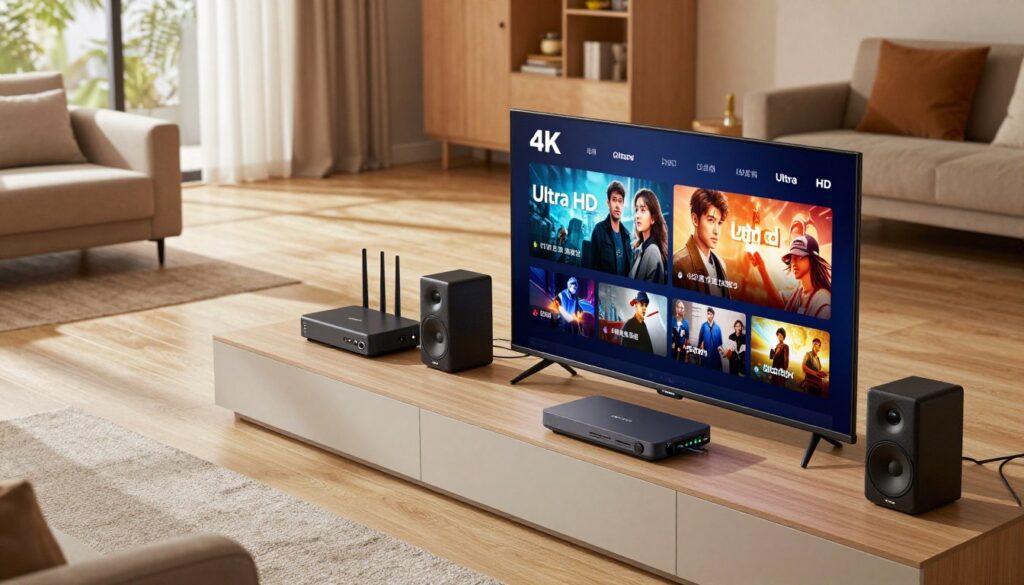
Good streaming starts with a home network that can handle high-bitrate video without hiccups. Below are simple rules to size your connection and fix common problems fast.
Minimum speeds and how to plan
Basic minimums: SD ≈ 5 Mbps, HD ≈ 10 Mbps, 4K ≈ 25 Mbps.
One 4K stream uses about 25 Mbps as a baseline. For multiple TVs, phones, or background downloads, aim for 50+ Mbps to avoid interruptions.
Wi‑Fi vs Ethernet
Ethernet wins for stability and lower latency. If you want consistent channel changes and fewer stalls, wired is the best option.
Wi‑Fi is convenient. Use 5 GHz, place the router closer, and minimize wall interference for better performance on each device.
Quick troubleshooting checklist
- Switch the streaming device to Ethernet when possible.
- Move to 5 GHz Wi‑Fi and reduce simultaneous downloads.
- Reboot your router and streaming device if buffering persists.
- Run a prime-time test between 7–11 PM ET to see real-world performance.
- To isolate the issue: test another app, try a different channel, or use a second device—this tells you whether the network or the provider is at fault.
Quick comparison: top IPTV providers and how they stack up for 4K
Choosing a provider means balancing real-world reliability, picture consistency, and practical support — not just headline claims.
Uptime and stability snapshot: our test benchmarks show how small percentage gaps matter in practice.
- 99.8% — Near-flawless live reliability; rare interruptions during prime time.
- 99.7% — Very solid; occasional short blips under heavy load.
- 99.3% — Noticeable more downtime across a month; plan around event risk.
- 98.9% — You may see multiple interruptions during big games or evening news.
4K quality positioning
True 4K providers (example: Sonix, Pioneers) hold bitrate through fast motion and keep text sharp on tickers. They remain stable at prime time.
Limited 4K providers deliver high-res streams but only on select channels; expect drops during peak hours.
Variable/upscaled 4K often looks like HD upscaled; sports motion and dark scenes reveal bitrate limits.
Support responsiveness
Live chat is the fastest path when a stream dies minutes before an event. Ticketing offers traceable fixes but can be slower. Email-only is the slowest and risky for urgent problems.
Channel and VOD library scale
“Thousands” of channels can hide duplicates, regional variants, and dead links. Focus on the number of usable channels you actually watch.
Similarly, a big VOD library is only valuable if titles play and metadata is accurate. Check for broken links and missing episodes before you commit.
| Compare | What to watch for | Buyer tip |
|---|---|---|
| Uptime | Real minutes lost per month | Prefer 99.7%+ for live events |
| 4K consistency | Bitrate stability during sports | Test fast pans and tickers |
| Support | Response method and speed | Pick live chat for event-night peace |
| Channels & VOD | Usable count vs headline “thousands” | Sample your top channels and a few VOD titles |
“Small uptime differences add up during big events — test during prime time and prioritize usable channels over raw counts.”
Best overall pick for most viewers: high-uptime, low-buffering 4K performance
Pick a provider that delivers near-zero pauses and instant channel changes when a game or show matters most.
What fast channel loading and low buffering feel like
The day-to-day difference is immediate. Channels load in about a second, switching between live feeds feels seamless, and you rarely see the loading circle.
Low buffering means you don’t hunt for fixes during a big play or a tense scene. Picture quality holds steady on the channels that offer higher resolution, and VOD plays without repeated stalls.
Who benefits most
This pick suits homes that blend sports, movies, and general entertainment. If you watch live games or prime-time shows, uptime leadership prevents missed moments.
“With a top performer you stop troubleshooting and just watch—channel flips are fast and support answers quickly.”
| Criteria | Top outcome | Why it matters |
|---|---|---|
| Uptime (example) | 99.8% (Sonix) | Fewer missed plays and live events |
| Channel loading | ~1.2 seconds | Smooth switching during multi-game nights |
| Buffering rate | <0.5% viewing time | Less interruption for movies and sports |
During a trial, validate channel loading speed, peak-hour stability, and EPG accuracy for the channels you use daily. Higher-performing services often cost more, but you’re paying for stronger infrastructure and faster support.
For a broader comparison and picks by use case, see our best IPTV guide.
Best option for international channels and multilingual households
If your household needs channels in several languages, a global-focused provider can solve most viewing gaps quickly.
International catalogs bring regional news, cultural programming, kids’ shows in native languages, and niche sports that mainstream U.S. packages often miss.
Where global catalogs add the most value
Regional news and cultural content keep families connected to home. Kids’ channels in another language help preserve literacy and routine.
Specialty sports and smaller leagues can appear only in international feeds, so these catalogs fill real gaps for fans.
Tradeoffs to expect
Large channel counts (example: IPTV Geeks claims 40,000+ channels across 150+ countries) can include duplicates and mixed quality.
EPG accuracy and interface polish vary by region. Smaller markets often show mismatched guides or older metadata.
How to test must-have channels
During a trial, sample your top five channels. Check time zones, EPG timing, and that labeled content matches the stream.
Confirm access methods the provider uses and test on the devices your family uses every day.
Be honest: international catalogs often mix SD, HD, and occasional 4k streams. Expect variable picture quality across regions.
“Prioritize accurate labels and steady playback over headline channel counts — your family will thank you during live events.”
| What to check | Why it matters | Quick test |
|---|---|---|
| Top-language channels | Daily usability for family members | Play for 10 minutes during prime time |
| EPG alignment | Find shows at the right time | Match schedule to official broadcaster |
| Picture consistency | Comfortable viewing for movies and sports | Watch fast-motion scenes for artifacts |
| Stability | Less frustration for multiple viewers | Run concurrent streams if needed |
Buyer tip: If you support several languages at home, choose a service that balances stability and accurate labeling over raw channel totals. Use a trial to validate the channels and content that matter most before you commit to a plan in this guide.
Best premium experience for consistent 4K playback
A premium plan is about paying for infrastructure that keeps high-bitrate feeds steady when your household needs them most.
Why premium infrastructure can matter during big games and prime time
Premium providers invest in stronger server capacity and intelligent delivery. That means adaptive bitrate profiles and larger CDN pools to reduce stalls during peak hours.
Example: Pioneers TV posts a 99.7% uptime benchmark and markets “premium 4K with adaptive bitrate” to keep buffering low at 7–11 PM ET. In practice, that shows up as fewer pauses and more stable picture during high-demand events.
Who should pay more: families with multiple devices and dedicated 4K fans
If your household streams on several screens, a premium plan handles multiple connections without collapsing. Look for services that support at least five simultaneous streams if you have many devices.
Use this decision rule: pay up only if you watch live sports weekly, prefer true high-resolution viewing, and often stream on multiple screens. Otherwise, you may not need the higher price.
- What you’re paying for: stronger servers, adaptive bitrate behavior, and prime-time consistency.
- How it matters in real life: smoother playback during big games when cheaper plans usually falter.
- Test before you buy: try your worst-case conditions—prime time, long Wi‑Fi distance, and busiest hours—then decide.
For detailed premium options and to compare plans, check premium IPTV plans to see whether the added cost matches your viewing needs and long-term experience.
Best budget IPTV service if you’re price-sensitive
If saving money is your top goal, a budget streaming plan can look attractive — but there are trade-offs you should know.
What you typically give up at lower price points
Reality check: a low monthly price (examples around $9.99) often means uptime near ~98.9% and more buffering during 7–11 PM ET.
Limited high-res channels are common: only a handful of true high-resolution feeds, uneven bitrates, and frequent fallbacks to standard HD.
Email-only support is typical and can take 1–2 hours for a reply. That saves cost but slows fixes during live events.
Who this option fits best
- Casual users who watch mostly daytime or on-demand content.
- Households that don’t center around live sports or major events.
- Anyone who cares more about monthly price than flawless prime-time performance.
How to avoid false economy
Try the shortest plan or a free trial first. Test the exact channels you watch during 7–11 PM to catch buffering and EPG issues before you commit.
Even on a budget, look for: basic EPG accuracy, clear channel labels, and a verifiable support path so you aren’t stuck when streams fail.
“Saving on monthly price is smart — just validate prime-time behavior and your must-watch channels first.”
Best IPTV by use case: match the service to how you watch
Match the service to how you actually watch — your habits should guide the pick. Use this quick guide to pick the best iptv option for your routine. Run a short trial on the exact device and app you plan to use nightly.
If you mainly watch live sports and major events
Choose uptime and low buffering first. Sports and big events demand the tightest delivery so you don’t miss plays.
Test peak-hour performance and channel change speed on the device you’ll use for game night.
If you mainly watch movies, series, and VOD
Prioritize a clean vod library and metadata quality. Broken links and bad labels ruin binges more than a slightly smaller catalog.
Sample several movies and episodes during prime time to check consistency.
If you need multiple simultaneous connections for your household
Confirm device limits and real-world throughput. Providers differ on concurrent streams; test with two or more devices at once.
If you want U.S. local channels plus extra entertainment
Verify ABC, CBS, NBC, and FOX affiliates for your area and EPG alignment. Label accuracy and correct time zones make daily use simple.
Quick decision tree: sports-first = uptime focus; VOD-first = library and link integrity; family = simultaneous streams; locals = affiliate + EPG check.
Pricing, trials, and subscription terms: how to compare offers safely
Start by treating every offer like a short test drive—pricing labels often hide the real experience during peak hours.
Monthly vs multi-month plans: value per dollar and flexibility
Monthly plans cost more per month but give you flexibility if quality drops. Multi-month deals lower the effective price, yet they lock you in when a service degrades.
Safe-buy rule: start monthly or use a short trial unless you already verified peak-hour behavior for your must-watch channels.
Trial access and money-back guarantees: what to verify before checkout
Check trial length, eligibility, and what counts as a valid refund reason. Confirm the time window and whether “technical issues” are clearly defined.
“Use the trial to test prime-time access, EPG accuracy, and channel stability on your devices.”
Payment options and account delivery expectations
Instant delivery should mean you receive login credentials, M3U/Xtream details, and setup steps within a few hours. If a provider promises instant access but delays more than 24 hours, ask why.
Prefer payment methods with buyer protection and avoid odd demands. Responsive customer support is part of the value—especially during setup and the first week.
| What to check | Why it matters | Quick test |
|---|---|---|
| Plan length | Flexibility vs savings | Compare monthly vs multi-month effective price |
| Trial & refund terms | Risk reduction before you commit | Read fine print; test during 7–11 PM |
| Delivery & access | Start watching without surprises | Expect credentials, playlist details, and setup steps |
| Payment method | Buyer protection and recourse | Prefer cards or trusted processors |
Red flags that signal a risky IPTV provider
A tempting price or giant channel list can still come with broken streams and no real support. Trust signals matter more than flashy ads. Look beyond big numbers to avoid wasting time and money.
Unrealistic channel counts and inflated claims
Marketing that touts “thousands” of channels or guaranteed flawless 4k playback is a warning sign. Huge counts often hide duplicates, dead links, or mislabeled streams.
Don’t assume quantity equals value. Test the specific channels you watch before you buy.
No EPG, no trial, or no clear support path
If a provider skips an EPG, offers no trial, or only gives a generic email, that is a strong red flag. You need an accurate guide and a way to get help when streams fail.
Customer support should be reachable and responsive—live chat or timely ticket replies are ideal.
Frequent domain changes and unstable availability
Providers that change domains often may face takedowns or poor operational stability. That instability can interrupt your service with little notice.
“Prioritize steady quality and transparent terms over flashy promotions—your viewing experience depends on it.”
- Confirm the EPG works for your local channels.
- Run a trial during 7–11 PM to test peak performance.
- Verify a clear refund policy and at least one fast support channel.
- Avoid offers that only promise massive channel counts without proof.
Legal and safety considerations for IPTV in the United States

Understanding what is permitted and what isn’t will help you pick a stable, supported streaming option.
IPTV technology vs unlicensed content: the line you need to understand
Technology itself is lawful: moving channels over the internet is a valid delivery method.
What matters is licensing. Distributing copyrighted content without rights is illegal in the U.S.
That illegal activity is what exposes services to shutdowns, domain changes, and sudden outages.
Privacy basics: when a VPN may help with security and throttling
Your ISP can see that you connect to a streaming service and the amount of data you use.
A VPN can hide that metadata and encrypt your traffic, which helps privacy and can reduce ISP throttling in some cases.
Remember: a VPN improves privacy, not legality. It does not make unlicensed content lawful.
Choosing a legal IPTV service and why it protects your viewing experience
Legal services give clearer access and better support. They usually offer consistent billing, reachable support channels, and fewer sudden outages.
That stability matters for customers who watch live events and rely on accurate guides and replay tools.
“Too-good-to-be-true channel lists and rock-bottom prices are risk signals — verify legitimacy before you pay.”
| Risk signal | Why it matters | Practical check |
|---|---|---|
| Massive channel counts | Often include duplicates or dead links | Test your top channels during prime time |
| No clear billing or support | Hard to resolve outages or refunds | Confirm live chat or email response time |
| Domain churn | Signals legal or operational trouble | Search for stable company info and reviews |
Practical takeaway: favor providers that operate with rights, disclose terms, and offer clear support. If an offer promises endless premium content for a tiny fee, treat it as a red flag and verify legitimacy before you buy.
Where GetMaxTV fits if you want a straightforward, supported IPTV experience
If you want a guided, no-nonsense streaming option, look for a service that makes setup predictable and support reachable.
What “straightforward and supported” should mean for you:
- Clear setup steps and quick access to login details.
- Realistic stability expectations during prime time.
- A fast way to contact support when a channel or guide misbehaves.
How to use this guide and buyer checklist
Prioritize peak-hour stability, accurate channels/EPG, and transparent subscription terms. These matter more than flashy channel counts.
Explore GetMaxTV here: GetMaxTV
GetMaxTV is worth evaluating if you want a clearer onboarding path and a supported setup experience. Review offer details and device compatibility at https://getmaxtv.com.
Tip: Verify legality, refund rules, and customer support response time before you commit.
Keep expectations realistic: your internet and device still shape daily performance, but a reliable provider and reachable support can make setup and viewing far smoother for users who want less hassle.
Conclusion
Your best pick is the one that stays stable during the moments you care about most. Prioritize uptime (99.8 / 99.7 / 99.3 / 98.9 examples), truthful 4k quality, accurate channels and a dependable support path over giant channel counts.
Test during prime time (7–11 PM ET), use a capable device and a reliable app like IPTV Smarters, and ensure you have at least 25 Mbps baseline for high-res viewing.
Match the service to how you watch: sports need top uptime; a clean VOD library matters for binge viewers. Compare offers to cable based on what you actually watch, not raw numbers.
Choose legal services to protect viewing and reduce shutdown risk. If you want a compliant option, check a legal offer at GetMaxTV’s 4K page.
FAQ
What are you actually buying with a 4K IPTV subscription?
You’re buying access to streamed live channels and on‑demand libraries delivered over the internet. That typically includes live sports, news, and thousands of on‑demand movies and series, plus an electronic program guide (EPG), multi‑device access, and customer support. Check bitrate and true Ultra HD claims to confirm actual picture quality.
How does this streaming service compare with traditional cable in the U.S.?
You’ll usually get more channel variety and lower monthly costs than cable. Streaming offers global channels, flexible packages, and easier multi‑device viewing on Smart TVs, streaming boxes, phones, and tablets. Expect differences in local channel availability and on‑screen EPG polish versus cable providers.
What’s the difference between true Ultra HD and upscaled Ultra HD?
True Ultra HD delivers native 2160p streams with higher bitrates and wider color depth. Upscaled content is boosted from lower resolutions and won’t match native 4K motion detail or clarity. Look for bitrate specs, HEVC support, and sample streams to judge quality.
How much internet speed do I need for smooth Ultra HD streaming?
Plan for at least 25 Mbps for a single 4K stream. If you have multiple devices or simultaneous streams, aim for 50+ Mbps. Use Ethernet when possible to reduce buffering, and optimize your router and Wi‑Fi placement for peak hours.
Which devices and apps reliably play Ultra HD streams?
Reliable devices include Amazon Fire TV (4K models), NVIDIA Shield, recent Samsung and LG Smart TVs, iPhones, and Windows PCs. Common player apps you’ll see are IPTV Smarters, TiviMate, XCIPTV, and GSE Smart IPTV. Check app compatibility before you buy.
How do providers handle live sports and major events?
Top providers invest in infrastructure to minimize buffering and maintain high uptime during peak events. Premium plans often offer prioritized streams and better CDN routing. When watching big games, look for providers that advertise strong uptime and low peak‑hour buffering.
What should you check about a provider’s VOD library?
Verify the size and quality of the library, not just counts. Test for broken links, missing episodes, accurate metadata, and recent updates. A large catalog loses value if many titles are incomplete or repeatedly unavailable.
How important is uptime and what does “99%+” actually mean?
Uptime shows how often the service is reachable. “99%+” can still allow several hours of downtime per month. For live events you want providers with higher benchmarks (99.7% or better) and transparent monitoring practices.
What support options should a trustworthy provider offer?
Look for live chat, email ticketing, and a responsive knowledge base. Fast support response times matter when channels drop or account details need fixing. Avoid services with no clear support path or only slow email replies.
Are free trials or money‑back guarantees important?
Yes. Trials let you test stream quality, EPG accuracy, and device compatibility without committing. Money‑back guarantees protect you if performance differs from advertised claims. Verify trial length and refund terms before checkout.
What are common red flags that a provider is risky?
Beware of inflated channel counts, repeated domain changes, no EPG, no trial, or no support. Unrealistic Ultra HD claims and hidden fees also signal risk. Choose providers with transparent pricing and stable service history.
Do I need a VPN for streaming and privacy?
A VPN can help protect privacy and may reduce ISP throttling. It won’t fix poor provider infrastructure or illegal content issues. Use a reputable VPN provider and verify that using one doesn’t violate the service’s terms.
How do pricing plans usually compare (monthly vs multi‑month)?
Monthly plans give flexibility; multi‑month plans often lower the per‑month price. Balance savings with your need for flexibility. Confirm whether upgrades, device limits, or refunds are handled differently across plans.
What should you expect for channel accuracy and EPG reliability?
Expect occasional mismatches, but good providers keep EPG data updated and aligned with real schedules. EPG accuracy matters most for daily viewing and catch‑up features; test it during a trial period to confirm reliability.
How many simultaneous streams should you expect from a typical plan?
Plans vary: budget options may allow one or two streams, while premium plans can allow four or more simultaneous connections. Match the plan to your household’s device count to avoid conflicts during peak hours.
Where can you find reliable comparisons of top providers?
Look for up‑to‑date testing that reports uptime, peak‑hour buffering, true Ultra HD quality, support responsiveness, and VOD validation. Reputable reviews include measured benchmarks and disclose testing methods.
What’s the best way to test a service before committing?
Use a trial to check live channel loading times, peak‑hour stability, EPG accuracy, and VOD playback. Test on your primary devices and run simultaneous streams if that’s important for your household.