Which device will make your live streaming feel smooth, reliable, and easy to use at home?
You’re comparing two major ecosystems: Google’s platform, which powers 270+ million active devices, and Amazon’s Fire family, with over 200+ million users.
Both are mainstream today, so the practical differences matter more than brand loyalty.
This guide will define what you’re actually choosing: a device, an app store, and a daily interface that shapes your viewing experience.
Expect clear coverage of app availability, playback stability for long live sessions, VPN compatibility, storage limits, and network options.
We focus on legal, reliable streaming paths and avoid risky or pirated setups.
Later you’ll see GetMaxTV mentioned as an example of pairing dependable service with solid hardware, and you can check a deeper platform comparison at this Muvi guide.
Ready for a practical recommendation by user type? Start here, then follow the setup steps at WatchMax TV.
Key Takeaways
- Both platforms are widely adopted, so most apps support one or the other.
- Your best choice depends on priorities like smooth live playback or app flexibility.
- Core differences include app selection, long-session stability, and network options.
- Choose an ecosystem as much as a device — it shapes day-to-day use.
- Focus on legal, reliable services and pair them with capable hardware like GetMaxTV examples.
What you’re really choosing for IPTV streaming in the US today
When you pick a streaming box for live channels, you’re choosing more than hardware—you’re choosing an everyday viewing system.
What “IPTV” means in practice: apps, players, and live TV experiences
In simple terms, you subscribe to a service, then open an app or player to load channel lists, an electronic program guide, and sometimes on‑demand libraries. Some apps handle everything for you. Others act as players and need a playlist or login from your provider.
The decision factors that affect your day-to-day viewing
Live channels must start fast, stay stable for long sessions, and switch without audio lag. Your device should run major apps alongside the live player without slowing down.
| Factor | Why it matters | What to check |
|---|---|---|
| App availability | Determines which streaming apps and IPTV players you can install | Search the store for your favorite apps |
| Performance | Affects channel start time and multitasking | Look for enough RAM and a modern processor |
| Network reliability | Reduces buffering and keeps long sessions stable | Prefer Ethernet or dual-band Wi‑Fi |
A quick note on legal services and safe setups
Choose legitimate services. Read terms, avoid “too good to be true” bundles, and only install apps from trusted sources. Unknown APKs can bring malware, billing fraud, or sudden shutdowns.
For setup help and safe installation steps, check the installation guide.
Android TV and Fire TV basics: OS, device types, and how they work
Knowing which platform runs your box clarifies what apps, updates, and features you’ll actually get.
Android TV in 2025: Google’s smart platform across products
Android TV is Google’s smart operating system that appears on smart sets and dedicated streaming boxes, set-top players, soundbars, and media hubs. It launched in June 2014 and has had multiple releases since then, so the same label can cover very different hardware generations.
This matters because older versions may miss newer app features, security patches, or DRM updates. If you want smooth playback and broad app access, check the device’s current version and whether it still gets updates.
Fire TV in 2025: Amazon’s Fire OS family
Amazon’s Fire OS, first released in April 2014, powers the Fire Stick models, the Fire Cube, and many smart sets with the company’s interface. It’s based on Android AOSP but adds Amazon’s layout, app discovery, and store rules.
The platform choice affects how you find apps, which voice assistant you use, and how the home screen promotes content from the seller’s ecosystem.
Android TV vs Google TV vs Fire TV: practical differences
Google TV is an experience layer on the same underlying Android system. The core operating system and most app APIs remain the same, but the user interface, recommendations, and search feel different.
- App store: Google Play on Google’s platform versus the Amazon Appstore on Fire OS.
- Version impact: Newer OS versions affect compatibility, DRM, and performance.
- Day-to-day: The home screen, casting, and voice control vary by system and shape your viewing flow.
For device picks and top hardware suggestions, consider the best Android boxes when you need more power or storage for demanding media apps.
android tv vs firestick iptv: core differences that impact streaming quality
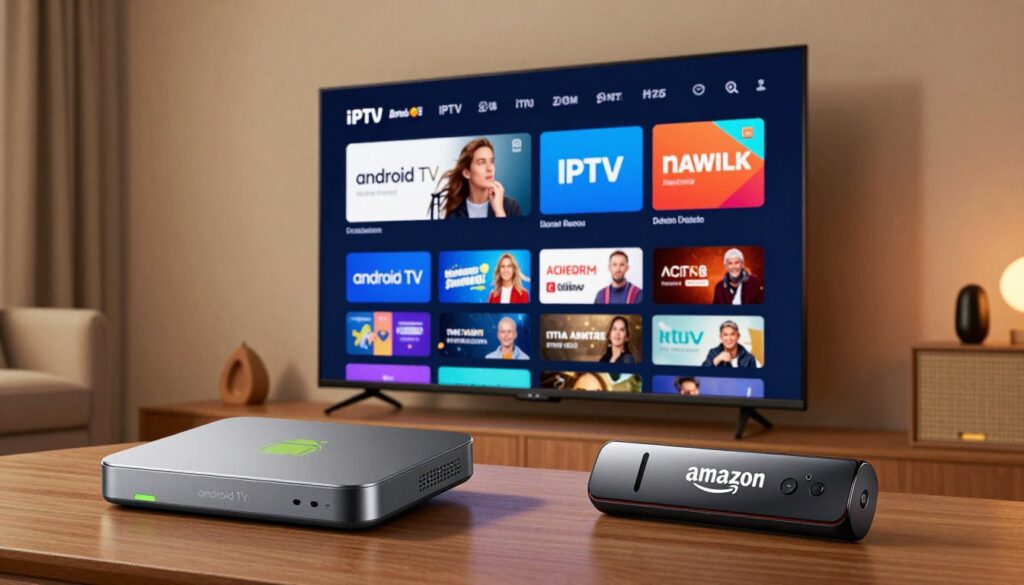
What affects your nightly streaming isn’t the logo — it’s how apps, hardware, and network choices work together.
Apps and services: Google Play Store vs Amazon Appstore availability
Both platforms run major services, but you’ll find some IPTV-focused apps appear faster or more consistently on Google Play. That means easier installs, native updates, and broader developer support.
If you value more app choice and customization, boxes that lean on Google Play often win.
Video playback stability: live channels, VOD, and long-session reliability
Streaming quality covers startup time, channel change speed, audio sync, and subtitle stability. A capable box keeps the UI responsive during long sessions and when loading EPG artwork.
Sticks can handle casual viewing well, but heavy EPGs and VOD libraries may expose thermal or memory limits and cause slowdowns.
VPN compatibility and regional access considerations
Many users run a VPN for privacy or to access region-appropriate content. Android-based boxes usually offer smoother VPN support via native apps and router setups.
Use a VPN responsibly and within service terms. It’s a network tool, not a shortcut for unauthorized content access.
Streaming device limits: when a stick feels cramped vs when a box feels smoother
Sticks trade ports, thermal headroom, and raw power for compactness and low cost. This can matter once you install multiple apps or keep background services running.
Boxes often provide more RAM, storage, and cooling, so playback stays stable and switching between apps is faster.
| Area | Stick | Box |
|---|---|---|
| App availability | Good for major apps; some niche players may lag | Broader app support and easier updates via Google Play |
| Long-session stability | Can warm up and slow with heavy use | Better thermal design and multitasking headroom |
| VPN support | Sideloads or router-based setups often needed | Native app support and easier configuration |
| Ports & expansion | Few ports, limited storage | More USB, Ethernet, and storage options |
If you want a simple, compact solution, a stick will serve most needs. If you want maximum app support, smoother long sessions, and room to grow, consider boxes. For curated recommendations and service pairings, see best IPTV solutions for 2025.
Hardware and performance for IPTV apps, players, and multitasking
Your box’s internals and your home network determine if channels switch instantly or buffer under load.
CPU and RAM expectations
Live playback plus EPG data can stress a device more than a single on‑demand app. Loading logos, schedules, and thumbnails runs the CPU and fills RAM.
Many an android box offers more memory and a faster chip than a compact stick. That extra headroom cuts app reloads and keeps navigation snappier.
Storage realities
Storage fills quickly from cached thumbnails, app updates, and recorded data. Low free space can cause updates to fail and apps to slow.
Ethernet vs Wi‑Fi
Buffering often starts with weak Wi‑Fi, congestion, or distance from the router. A wired connection stabilizes high‑bitrate streams and reduces spikes.
- Tip: Prefer a box with Ethernet or a supported adapter for steady performance.
4K, HDR, and picture checklist
- Confirm device output supports 4K/HDR.
- Check your TV accepts the same HDR format.
- Verify the service/player supports required codecs for smooth video.
Real-world takeaway
Not every device performs the same. Premium hardware tends to deliver stable long runs and better picture quality.
If you watch sports or long shows often, prioritize sustained performance and reliable networking over the lowest price. For device suggestions see best box picks and a deeper compare at detailed hardware guide.
App ecosystem and content access: what you can install and watch

Which app stores you can reach determines the range of content you can access and how you keep those apps up to date.
Major streaming apps you’ll find
Both platforms support the big US services you use every day. Netflix, Disney+, Hulu, and Prime Video are available and get regular updates.
Bottom line: you won’t be cut off from mainstream services, so your core viewing stays intact.
App availability and safe sideloading
Google Play access gives devices wider reach for third-party apps and easier updates. That often helps when a developer distributes directly through that store.
Sideloading means installing an app outside an official store. People do it for niche players, but only use trusted sources. Avoid sketchy APK sites and check reviews.
Casting and sharing media
Many Google-based devices include built-in casting for quick phone-to-screen streaming. Amazon-based systems offer casting-like options, but the behavior varies by app.
Casting is a handy backup when an app misbehaves or when you want to share a clip fast.
Choosing for freedom or simplicity
If you try new apps often and want greater customization, a Google Play–friendly device usually fits better. If you mainly stream mainstream services and Prime Video, an Amazon-centered option will work well.
Keep it legal and reliable: focus on supported apps and reputable services for the best long-term experience.
Interface and ease of use: home screen, discovery, and daily navigation
A clear, well-organized home screen makes nightly channel surfing faster and less frustrating.
Android UI: customization and Google-forward recommendations
The interface offers rows of apps, clear tabs, and flexible shortcuts. You can arrange apps and pin favorites so it takes fewer clicks to open your live player.
Benefits: personalized suggestions and deeper customization that fit power users and families who want tailored discovery.
Fire UI: Amazon-first layout and fast, beginner-friendly browsing
The home view is simple and direct with Home, Find, and Live sections. It favors quick access and is friendly for less technical users.
Strength: fast navigation and predictable layout that helps everyone in the household find content quickly.
Remote controls and daily control
Many users prefer the Firestick remote for one-hand, tactile control and quick app buttons. That ease matters when channel surfing or using guides.
Discovery vs direct launching: if you want recommendations, choose a platform that highlights suggestions. If you just want to open your player fast, pick the interface that lets you pin apps up front.
Practical takeaway: pick the home and interface you’ll enjoy using every night—small frictions add up. For a broader look at devices, see the best media streamers.
Voice control and smart home features: Google Assistant vs Alexa
Voice assistants now act like a remote extension, letting you control playback and smart lights without leaving the couch.
Finding channels and launching apps with voice search
You can ask the assistant to open an app, jump to a channel, pause or play, and change volume. Both Google Assistant (on Android TV) and Alexa (on Fire TV) handle these basics fast.
Realistic note: voice search works best with mainstream apps. Some third‑party players don’t expose searchable metadata, so you may need to open the app first.
Smart home control while streaming
While you watch, you can dim lights, adjust a thermostat, or check a camera feed without stopping playback. That keeps the viewing experience smooth and hands-free.
| Feature | Google Assistant | Alexa |
|---|---|---|
| Launch apps & search | Strong across Google Play apps, quick app switching | Good for installed apps and Echo integration |
| Smart home control | Works well with Nest and other Google-friendly devices | Best with Echo, Ring, and many Zigbee hubs |
| Deep search inside players | Varies by app support | Varies by app support |
Pick the assistant you already use—if your home runs on Google services, you’ll feel the system fit. If Echo speakers run the house, Alexa will reduce friction. For more on hands-free setups see the voice control guide.
Pricing, device lineup, and adoption: value beyond the sticker price
Picking the right hardware affects your daily streaming more than any ad or sale price.
Device choices at a glance:
- A plug-and-play stick is the simplest option for basic streaming and fits tight budgets.
- The fire cube is a higher-end, more capable option from Amazon’s family for users who want extra power and Ethernet support.
- Boxes and built‑in set models vary widely; premium boxes offer more storage, cooling, and ports for heavy use.
Market adoption as a trust signal
Large installed bases—270+ million Google‑based active devices and 200+ million Fire devices—mean broad app support and ongoing platform updates. That scale helps keep services available and developers motivated to maintain apps.
Budget today, frustration tomorrow
Cheap boxes may feel fine at first. Over time they fill with app data, slow during long sessions, and struggle with multitasking.
What to pay for: stable Ethernet or strong dual‑band Wi‑Fi, enough storage for apps and EPG caches, and a box that handles multitasking without constant reloads.
Who should choose what
- Casual streamer: a stick covers basic needs.
- Sports / live heavy user: a premium box or fire cube with Ethernet and extra RAM.
- Traveler: a compact stick or small box with easy setup and portable power.
- Smart‑home household: choose the ecosystem that matches your assistant and devices.
- Simple family: pick a reliable stick or box with parental controls and clear UI.
Trusted experience tip: hardware and service both matter. A robust box won’t fix an unreliable provider, and a strong service can be limited by weak hardware. Pairing your device with a reputable provider like GetMaxTV can improve day‑to‑day consistency and support—see plan details and compatibility at GetMaxTV.
Conclusion
The right streamer is the one that keeps channels stable and apps easy to manage.
If you want maximum flexibility and stronger sustained performance, a quality android box often wins. If you prefer a simple, mainstream setup with an excellent remote and Alexa, a firestick type device is a solid pick.
Focus on three IPTV-specific differentiators: long-session stability, storage headroom for guides and updates, and how easily you install and maintain your chosen app. Not every device is the same, so prioritize reputable models and realistic specs over bargain listings.
If you remember one thing: match a device to your viewing habits, then pick a provider known for reliability. For a legal subscription option and current offers, check GetMaxTV at https://watchmaxtv.com.
FAQ
What are the main differences between an Android-based box and an Amazon Fire Stick for streaming live TV and apps?
You’re choosing between an open ecosystem with Google services and a more Amazon-centric platform. The Google-powered boxes usually let you install apps from the Play Store, support Chromecast-style casting, and offer broader hardware choices. The Fire device focuses on the Amazon Appstore, Prime Video integration, and a simpler, often faster out-of-the-box experience. For live channel stability and app flexibility, boxes with more RAM and storage usually outperform sticks.
Can I run third-party IPTV players and clients on both platforms?
Yes, but the path differs. On Google-based systems you can install most IPTV players directly from the Play Store or sideload easily. On Fire OS you can use the Amazon Appstore when available or sideload APKs; sideloading works but requires extra steps. VPN and player compatibility also matter, so pick a device with enough storage and a responsive CPU.
How important is hardware (CPU, RAM, storage) when streaming many live channels?
Hardware matters a lot. If you’ll run multiple apps, EPG data, or heavy players, aim for a box with higher RAM and a modern CPU. Sticks are fine for casual viewing, but boxes with Ethernet ports and more storage reduce buffering, speed up channel changes, and handle long sessions better.
Will casting or screen mirroring work differently between the two operating systems?
Casting works best on the Google-flavored platform thanks to native support for Chromecast-style features. Amazon devices support some casting and Miracast, plus Alexa routines, but you’ll find fewer native casting options. You can still mirror screens and use apps that implement their own casting protocols.
Is VPN support reliable on these streaming devices for regional access?
VPNs work on both, but the experience varies. Google-based systems let you install full VPN apps from the Play Store and configure them system-wide. On Amazon’s platform you may need to sideload or use router-level VPNs for the best reliability. If regional access is critical, test a VPN with the device before committing.
How does picture quality compare—will 4K and HDR be the same across devices?
Both platforms can support 4K and HDR, but you must check device specs: HDR formats, HDMI version, and codec support (HEVC, VP9) differ between models. Higher-end boxes and the Fire TV Cube typically offer better hardware decoding and more stable 4K playback than low-cost sticks.
Are major streaming services like Netflix, Hulu, Disney+, and Prime Video available?
Yes. Both ecosystems host major apps such as Netflix, Disney+, Hulu, and Prime Video. The difference is in storefront placement and app versions: you’ll often get a tighter Prime Video experience on Amazon devices and deeper Google Assistant integration on Google-powered boxes.
How user-friendly are the home screens and discovery features?
The Amazon interface prioritizes Prime content and offers quick access for beginners, while Google-forward systems emphasize personalization, app tiles, and Google recommendations. If you like customization and search-based suggestions, you’ll prefer the Google approach; if you want fast access to purchases and Prime channels, Amazon’s layout is simpler.
Which remote and voice assistant offer better control for finding shows and managing smart home gear?
Alexa on Fire devices is tightly integrated with Amazon services and works well for basic smart home commands. Google Assistant on Google-backed systems delivers stronger search results and works seamlessly with Chromecast and Google Home ecosystems. Choose based on the smart devices you already own.
How do device prices affect long-term IPTV satisfaction?
Cheaper sticks give fast value but often cut RAM, storage, and network hardware—issues that show up with many live channels or large EPGs. A slightly higher upfront spend on a well-spec’d box or the Fire TV Cube can reduce buffering, sideloading headaches, and app crashes over time.
What should you check before buying to avoid compatibility or performance problems?
Look at RAM, storage, CPU, Ethernet availability, supported codecs, and app storefront access. Confirm the device supports the IPTV players you plan to use and that it has enough free storage for EPG data and updates. If using a VPN, verify app availability or plan for a router-based solution.
Is sideloading apps safe, and how does it affect updates and stability?
Sideloading is common but comes with trade-offs: manual updates, potential security risks, and occasional compatibility quirks. Use trusted APK sources, enable only what you need, and prefer devices with easier sideload workflows and enough storage to keep apps updated.
Which device is better for multitasking or running multiple media apps at once?
Higher-end boxes with more RAM and better CPUs handle multitasking far better than most sticks. If you often switch between apps, run background downloads, or use a home media server, choose a device with strong multitasking specs and a reliable Wi‑Fi or wired connection.
How do updates and long-term support compare between the two ecosystems?
Google-backed devices and major brand boxes generally receive Android/Google updates through manufacturers at varying cadences. Amazon maintains its Fire OS updates for its devices but prioritizes Amazon services. For long-term security and feature updates, buy from reputable brands with clear support policies.
Can a Fire TV Cube or a premium box replace a set-top IPTV experience?
Yes. The Cube and premium boxes offer stronger CPUs, Ethernet, and multi-format decoding that mimic traditional set-top box reliability. If you want a near-seamless IPTV experience with voice control and smart home integration, those higher-end models are excellent choices.
What’s a practical buying tip for someone focused on live channel stability and wide app access?
Prioritize device RAM and Ethernet connectivity, verify Play Store or Appstore access for your chosen apps, and consider a model with a proven track record for long-session playback. If you need wide app access and casting, choose a Google-based box; if you want tight Prime Video integration and a simple setup, pick an Amazon device.