
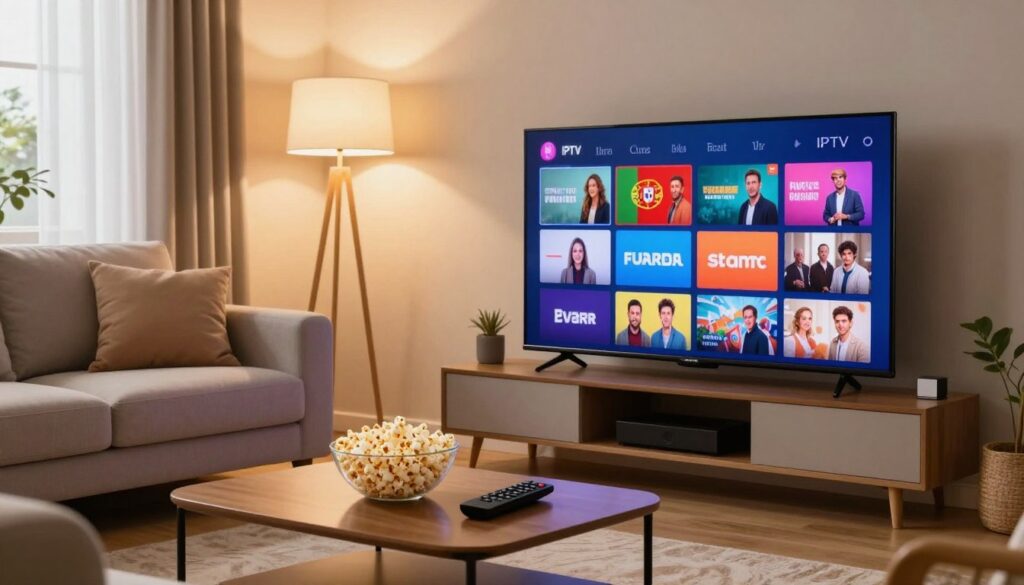
Ever wondered if you can watch every Portuguese channel from your living room in the U.S. without costly cable or satellite gear?
This guide explains what an iptv portugal service means for you: live Portuguese channels, sports, and on-demand shows streamed over the internet to your Smart TV, phone, tablet, or laptop.
You’ll get a clear, practical buyer’s guide that shows how to compare providers, confirm channel lists, and test video quality during peak hours.
Focus on real checks: internet speed, server reliability, and device compatibility matter more than flashy claims. Remember that the whole chain — provider servers, your broadband, and your device — determines performance.
We’ll also briefly note services like GetMaxTV as options to evaluate. Ready to find the best fit for your home entertainment? Check the offer and see which plan suits your needs — or read our detailed reviews here.
Key Takeaways
- You can stream Portuguese channels in the U.S. via internet delivery rather than cable or satellite.
- Look for verified channel lists, solid uptime, and fast customer support.
- Test peak-time quality and confirm device compatibility before you commit.
- GetMaxTV is one market option to compare when shopping.
- Your experience depends on provider servers, your internet, and your devices working together.
Why an IPTV Portugal Subscription Makes Sense for Viewers in the United States
You can enjoy live Portuguese channels and on-demand shows from your living room, without satellite dishes. This approach uses internet streaming so you skip bulky hardware and long-term cable contracts. It’s practical, flexible, and tailored to modern viewing habits.
Watch Portuguese TV without cable or satellite
Streaming delivers live TV and on-demand movies and series to common devices. You get simpler setup and lower physical needs than satellite, with more choices than standard bundles.
Ideal for expats, Portuguese speakers, and fans of global entertainment
This service suits expats, students, and families who want Portuguese news, kids’ shows, and prime-time entertainment. You also keep easy access to international content and sports when important matches air.
What you can expect: live TV plus on-demand movies and series
Expect live channels, a library of movies and series, and the convenience to watch across time zones. Performance depends on your home network and the provider’s stability during peak hours.
“Pick a plan that lists the channels you actually watch, offers reliable playback, and provides quick support.”
This guide helps you compare options so you find the best iptv fit for steady, simple viewing in the U.S.
What “IPTV Portugal” Is and What You Actually Get With the Service
Think of it as TV delivered over the internet — a service that uses an app or player instead of a cable box. You sign in, load a playlist, and watch live channels, sports, movies, and series on your Smart TV, phone, or streaming stick.
After you subscribe, most providers email login details or a playlist URL. That unlocks a channel lineup and often a VOD (video-on-demand) library of movies and series you can browse anytime.
What the channel mix usually includes
Expect live national channels, sports feeds for big events, and on-demand movies and series. Some packages advertise thousands channels — which can be real — but the best choice depends on whether the Portuguese channels and sports coverage match what you actually watch.
International access and household value
Many services bundle US, CA, EU, and TR channels alongside Portuguese content so mixed households keep familiar shows without extra bills.
- Features to check: EPG accuracy, channel uptime, VOD organization, and support responsiveness.
- Core requirement: a stable internet connection plus reliable provider servers for consistent quality.
“Pick a plan that lists the channels you watch and offers clear setup help for your devices.”
For a quick product overview and market data, see this product insights page. To compare actual services and setup options, review a vendor guide here: service comparison and setup.
Portuguese Channels and Content You Should Look For
Start by confirming the exact channel names you watch most, not just a big channel count.
Make a short checklist that begins with RTP, SIC, and TVI. These three networks cover national news, prime-time entertainment, and cultural programs.
What to check before you buy
Don’t rely on totals. Scan the lineup for real channel names and test whether key channels load reliably. Confirm sports feeds if live matches matter to you.
Content that keeps you connected
Look for Portuguese news, talk shows, and cultural programs that feel like home. Entertainment and local reporting matter most to expats and families.
On-demand and library usability
On-demand lets you catch missed episodes and find new series without rigid broadcast times. Test the library search, categories, and playback of movies and series.
“Choose the service that consistently delivers the channels you use with clear, easy-to-use features.”
- Confirm exact channel names and reliable loading.
- Prioritize news, culture, and entertainment you actually watch.
- Test on-demand playback and library search before committing.
Live Sports and Sports Channels: What to Expect From IPTV Portugal
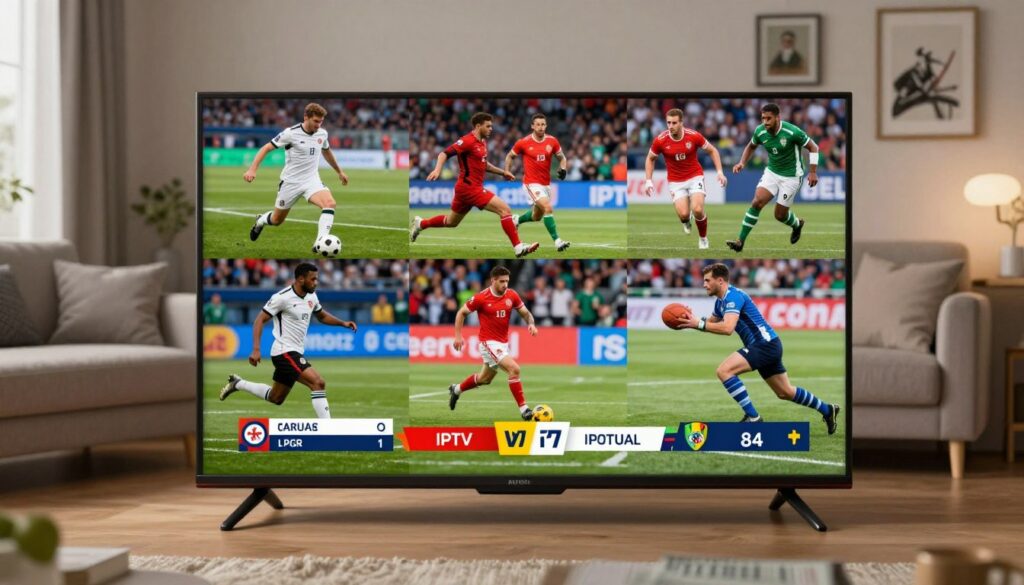
Live matches and tournament coverage make sports one of the most demanding uses of any streaming service. Expect access to major football leagues plus wider coverage like basketball, tennis, and select international events.
What to expect: many sports channels deliver HD feeds and some offer 4K when both the provider and your connection support it. Coverage varies by package, so confirm which leagues and tournaments are included before you buy.
How to evaluate live sports performance
Check for stable playback at peak match times, quick channel switching, and smooth motion without frequent resolution drops. Buffering or lag kills the viewing experience, so prioritize providers that prove uptime and fast servers.
- Test plan: use a free trial during the exact times you watch most games.
- Watch Portuguese sports channels and any international feeds you care about.
- Measure performance over Wi‑Fi and via Ethernet to see real differences.
“Prioritize the sports channels you actively watch; extra channels and entertainment content are nice-to-haves.”
Streaming Quality in 2025: HD, 4K, and What Your Internet Connection Needs
Good picture and smooth playback start with the right internet plan and a realistic view of your home network.
HD vs 4K: stable HD usually beats unstable 4K. If your connection drops or buffers during live sports, a steady 1080p feed gives a better viewing experience than choppy 4K.
Speed rules: aim for at least 10 Mbps for HD and 25 Mbps for 4K. Add extra bandwidth for each additional device that streams at the same time.
Factors that affect stability include Wi‑Fi interference, distance from the router, walls and floors, and household congestion from gaming or downloads.
- Use Ethernet when possible for a more reliable connection.
- Upgrade your router or try mesh Wi‑Fi to reduce dead zones.
- Pause heavy downloads during big matches to avoid buffering.
Remember the playback “chain”: provider stream quality + server performance + your internet connection + your device decoding ability all determine the result.
“The best iptv service for you is the one that stays stable in your real home setup — not just on paper.”
Want to compare plans? See our roundup of the best iptv options to match speeds and features to your home network.
Devices and Apps That Work With IPTV Portugal

Choosing the right player or device makes setup fast and keeps playback smooth. You usually don’t need special gear beyond a compatible device and stable internet.
Smart TVs and popular platforms
Many smart tvs from Samsung, LG, Philips, Panasonic, and Sony run apps directly. Confirm app availability on your model and whether the formats match the provider’s requirements.
Streaming devices and players
Fire Stick, Roku, and Apple TV are common ways to get access without replacing your TV. VLC on a computer also works well for testing playback and streams.
Android devices and boxes
Android phones, tablets, and Android Box setups are flexible and easy to update. These devices support many player apps and are popular for advanced features.
Common apps and emulators
STB Emulator, SS‑IPTV, Perfect Player, and GSE Smart IPTV Pro cover most formats providers send. Choose the app your provider recommends for best EPG, favorites, and VOD navigation.
Specialty hardware support
MAG boxes, Dreamlink, Avov, and Enigma give a set‑top experience but may need extra configuration. These boxes suit advanced users who want a dedicated device.
“Confirm your provider supports your exact device and app so features like EPG and VOD work as expected.”
Buyer check — before you pay: test a free trial on your main device and consult the device compatibility guide to match features and apps to your home setup.
Setup and Activation: From Payment to Watching in Minutes
Right after checkout you’ll get the details that turn payment into a working TV feed.
Look for an email that contains your login, playlist or portal URL, and clear install steps for Smart TV, Android box, PC/Mac, phone, Apple TV, tablet/iPad, and MAG devices.
Quick setup paths
- Install the recommended app on your main device.
- Enter the credentials from the email or paste the playlist/portal link.
- Load channels, test a few live feeds, then try VOD and EPG features.
Many users start watching within minutes if the app is already installed. More complex set-top boxes or emulators can take longer, so allow extra time for configuration.
What to test immediately
- Channel load speed and playback stability.
- EPG accuracy, VOD access, and search/favorites behavior.
- Performance across multiple devices (TV, phone, tablet) to confirm multi-device support.
If a playlist won’t load, credentials fail, or buffering affects all channels, contact support via the provider’s email or live chat. Responsive customer support is a reliable sign of a stable service.
“A fast activation and helpful support mean you can trust the service and enjoy uninterrupted viewing.”
| Step | Typical Time | What to Expect |
|---|---|---|
| Receive email with credentials | Immediate to 15 minutes | Login, playlist/portal link, and install guide |
| Simple app setup (Smart TV/phone) | 5–10 minutes | Install app, enter credentials, load channels |
| Advanced box or emulator setup | 15–60 minutes | Extra configuration, firmware, or EPG mapping may be needed |
| Support contact | Immediate to a few hours | Email or live chat help for credentials, buffering, or device issues |
When you want more localized guidance for specific setups, check a focused provider page such as this setup guide. It can help match instructions to your exact device and features.
Choosing the Right IPTV Provider: Reliability, Support, and Updates
A smart buying decision focuses on uptime, fast help, and regular content refreshes — not just a big channel count.
Start by checking practical signals. Look for provider response times, server load handling during peak hours, and clear update logs for the channel library.
Customer support that matters
Fast live chat and responsive email support save time when you set up a new device or face a playback hiccup.
Responsive support means short wait times, clear setup steps, and follow-up when channels fail to load.
Server reliability at peak viewing
Server capacity determines whether streams stay smooth during big sports events and prime time.
Weak systems often fail when many viewers connect at once. Pick providers that publish uptime stats or offer trial periods to test real-world performance.
Content updates and library freshness
Channels change, links break, and on‑demand libraries evolve. Good providers push regular updates so your channel list stays accurate.
Ask how often they refresh EPG data and fix broken links.
Multi-device expectations
Depending on your plan, you may watch on TV, phone, tablet, and laptop—sometimes simultaneously.
Match the provider’s device limits to your household needs before you buy.
“Verify channel uptime, peak-time stability, server capacity, device compatibility, and support responsiveness before you commit.”
| Buyer Criteria | What to check | Why it matters | How to verify |
|---|---|---|---|
| Channel uptime | Stable channels, low downtime | Fewer outages during shows you care about | Test trial during prime hours |
| Server capacity | Load handling, CDN use | Prevents buffering at scale | Ask for load specs or trial results |
| Support | Live chat/email speed | Faster fixes for setup and playback | Send a test query before buying |
| Content updates | Frequency of channel and VOD refresh | Keeps library accurate and links working | Request update schedule or changelog |
If you want to compare options, you can review GetMaxTV’s offer and plan details at GetMaxTV plans. For more provider reviews, see our main offer here: Portuguese service provider guide.
Privacy, VPN Use, and Refund Policies to Consider Before You Subscribe
Before you sign up, consider how privacy and refund policies affect your viewing risk and peace of mind.
Do you need a VPN? Not always. A VPN can add privacy on public Wi‑Fi, help if your ISP throttles video, or bypass a geo-block. It may slow your connection, so test speeds before you rely on it.
Security basics: protecting your data
Look for secure checkout (HTTPS), minimal data collection, and clear account controls. Use a credit card or trusted payment method for added dispute protection. Keep passwords unique and enable two-factor where available.
Reduce risk with trials and refunds
Use a free trial if offered and test the service on your main devices during peak hours. Check live sports, on-demand movies, and the channel access you care about.
- Verify playback quality on Wi‑Fi and Ethernet.
- Confirm simultaneous device limits with your household needs.
- Hold providers to a clear 30-day money-back guarantee before you pay.
“Try before you commit: privacy, security, and fair refund rules matter as much as channel count.”
For guidance on VPN use when watching Portuguese channels, see this VPN and viewing guide.
Conclusion
By the end, your buying choice should center on the channels you watch and reliable playback when it matters.
Quick checklist: confirm the exact Portuguese channels you want, test streaming quality during peak time, and verify device compatibility. Prioritize a plan that delivers live sports, movies, series, and a clear channel library.
The best iptv for you is the one that stays steady in your home — provider servers, your connection, and setup all matter. Check trial and refund policies before you pay to reduce risk.
Ready to compare offers? Check GetMaxTV’s offer for current plans and device support.
FAQ
What channels and content are included with a typical Portugal live TV service?
You’ll usually get major national broadcasters like RTP, SIC, and TVI, plus news, entertainment, cultural shows, sports channels, and on-demand movies and series. Many providers also include international feeds for the US, Canada, and parts of Europe and Turkey, giving you a broad library for live and catch-up viewing.
How does streaming over the internet differ from cable or satellite?
Streaming delivers television via your internet connection instead of a satellite dish or coax. That means you can watch on smart TVs, streaming sticks, phones, tablets, and set-top boxes. You’ll need a stable connection to avoid buffering, but you gain on-demand libraries, flexible device access, and often lower monthly costs.
Can I watch live sports reliably with this kind of service?
Yes, you can watch football, basketball, and other events if the provider carries those channels. For real-time sports you’ll need steady bandwidth and low latency. Choose a provider with fast servers and good peak-time performance to reduce lag and dropped streams.
What internet speed do I need for HD and 4K viewing?
For consistent HD playback plan on at least 10 Mbps per stream. For 4K you should aim for 25 Mbps or more. Ethernet or a strong Wi‑Fi connection helps, and remember multiple household users will increase your total required speed.
Which devices and apps will let me watch on my TV and phone?
Popular smart TVs from Samsung, LG, Sony, Philips, and Panasonic work well. Streaming players like Amazon Fire TV Stick, Apple TV, and Roku often support third‑party players. Android phones, tablets, Android boxes, and set-top boxes are widely compatible. Common apps include VLC, GSE Smart IPTV Pro, Perfect Player, and STB emulators.
How do I set up the service after payment?
After you pay, the provider usually sends an email with login info, a playlist URL or M3U file, and step‑by‑step instructions. Follow the guide for your device: install the recommended app, load the playlist or credentials, and test a channel. Setup often takes under 10 minutes on smart devices.
What should I do if channels don’t load or buffering occurs?
First, check your internet speed and try an Ethernet connection. Restart your router, device, and the app. If problems persist, contact customer support with your device type and any error messages so they can check server status or resend configuration details.
How important is customer support and server reliability when choosing a provider?
Very important. Look for providers with responsive live chat or email support, reliable uptime during sports and prime time, and frequent content updates. Good support helps with device setup and quick fixes when streams fail.
Are trial periods or refunds commonly available?
Many reputable services offer a short free trial or a 30‑day money‑back guarantee. Use trials to test streaming quality, channel availability, and device compatibility before committing to longer plans.
Should I use a VPN with this type of streaming service?
A VPN can help protect your privacy and access geo‑restricted content, but it can also slow your connection. Use a high‑speed VPN if you choose one, and test performance to ensure it doesn’t cause buffering during live events.
How do providers keep their channel lists and libraries current?
Reliable providers update playlists and on‑demand libraries regularly, adding new channels, replacing broken links, and refreshing VOD content. Ask how often they update and whether they offer automatic playlist refreshes for your app.
Can I watch on multiple devices at once?
Most services allow multi‑device streaming, but limits vary. Check the provider’s device allowance — common plans support two to five simultaneous streams. If you want more, choose a plan that explicitly lists higher multi‑screen support.
What security steps should I take when subscribing online?
Pay through secure gateways, use strong passwords, enable two‑factor authentication if available, and avoid sharing login details. Verify the provider’s refund and privacy policies before you subscribe to protect your data and payment info.
Which streaming apps work best with set‑top boxes like MAG or Dreamlink?
STB‑oriented providers often recommend MAG, Dreamlink, and similar boxes. Apps and firmwares tailored for those boxes deliver stable playback and EPG support. Use official or widely used third‑party apps designed for the hardware to ensure compatibility.
The WatchMaxTV Team is a dedicated group of streaming specialists and entertainment technology reviewers covering IPTV services for viewers in the USA, UK, and Canada since 2023. Our team independently evaluates every service we feature — testing across Smart TVs, streaming sticks, mobile devices, and gaming consoles. We measure stream stability, picture clarity in HD and 4K, program guide accuracy, and customer support quality. Our goal is simple: help cord-cutters find reliable, affordable alternatives to overpriced cable. Every recommendation on WatchMaxTV.com comes from real-world testing — not sponsored content or paid placements.