

Can you reliably watch every top-flight match in 4K without risking your devices or breaking rules?
You’ll get a clear, practical how-to for streaming Premier League matches in the United States using reputable internet-based services. This short guide shows how to confirm coverage, choose a service, and set up devices so your matchday goes smoothly.
Expectations: “Every match” depends on broadcast rights and the service you pick; you’ll learn how to verify streams and prioritize stability when 4K isn’t realistic.
This article focuses on legal, trustworthy options and basic safety hygiene. Free streams can expose you to malware and account risk, so we stress reputable providers and good habits. You’ll also see how GetMaxTV fits as a subscription option to explore later.
Finally, the steps ahead are simple: choose a legit service, pick compatible devices, verify your internet, tune app settings, and understand VPN use when you travel. Follow these tips to make your home viewing reliable and crisp.
Key Takeaways
- Learn a US-focused, legal approach to streaming Premier League matches.
- Confirm coverage with your chosen service before matchday to avoid surprises.
- Prioritize stable streams over 4K when bandwidth is limited.
- Use reputable providers and follow basic safety practices to protect devices.
- Get guides on device choice, internet checks, app settings, and VPN basics.
What “IPTV” Means for Premier League Streaming in the US
Think of internet-delivered TV as the way your favorite channels arrive through apps instead of a cable box.
How it differs from cable, satellite, and antennas
You’re watching TV over your internet connection, not via an antenna on the roof, a satellite dish, or a cable set-top box.
This changes the delivery and the control: you use logins, apps, and profiles and can often pause or replay shows on demand.
Common platforms you probably already use
Many big-name services work this way. Netflix, Disney+, Prime Video, and Hulu all deliver content over the internet through apps you install on a smart TV or phone.
That makes the model familiar: the technology is internet-based, but the experience still feels like TV.
“If you can stream movies on your phone, you can stream matches—permissions and rights permitting.”
Why live sports fit this model
Live sports and the premier league work well with internet delivery because they let you watch on phones, tablets, or a living-room device and often add replays or match clips.
Keep realistic expectations: what you can stream depends on regional rights and the subscription tier of your service.
| Delivery | Typical Experience | Notes |
|---|---|---|
| Cable / Satellite | Linear channels, set packages | Stable but less flexible on-demand |
| Internet apps | Apps, profiles, on-demand, and replays | Flexible; depends on your internet speed |
| Antenna | Free local broadcasts | Limited channels and no nationwide sports coverage |
For a practical how-to on setup and confirming coverage, see this streaming guide.
Where You Can Watch Premier League Matches in the United States Right Now
If you want reliable, legal access in the U.S., start by checking NBC’s channels and Peacock’s schedule.
Rights snapshot: NBC holds the main broadcast rights, and Peacock is the streaming home for many matches. That means some games air on NBC networks while others stream on Peacock.
Peacock and NBC work together. Peacock may carry exclusive streaming games, while NBC’s linear channels show others. Do not assume one subscription covers every match.
Cord‑cutting options: If you use OTT services, Sling TV, Fubo, Hulu + Live TV, and YouTube TV often include NBC networks. Exact channel lineups depend on your plan and market, so check your package before paying.
Before matchday routine
- Open the US TV schedule and confirm kickoff time in ET.
- Note which channel or service lists the game and whether it’s a live stream or replay.
- Plan for morning and midday ET windows on weekends; weekday fixtures can appear outside those slots.
Using the schedule is the best way to avoid scrambling during overlapping matches and crowded weekends.
iptv premier league live: What You Need Before You Start
Before kickoff, make sure your setup is ready so matchday doesn’t turn into a scramble.
Pre-flight checklist:
- Confirm a legitimate service with clear pricing, official apps, and transparent terms.
- Avoid sketchy sites that offer free streams; they often carry malware and account theft risks.
- Test a backup device so you can switch if an app or browser tab fails mid-match.
Choosing a legitimate service and spotting bad sites
Look for recognizable brands, a proper app in official stores, and secure payment flows. If a page is mostly embedded players and aggressive pop-ups, it’s a red flag.
Device checklist for watching at home or on the go
Use a modern streaming device or Smart TV for the living room, plus a phone or tablet for mobile viewing. Keep a second device ready to swap in if needed.
Internet connection basics for stable streams
Consistent bandwidth matters more than spike speed. Place your router centrally, reduce interference, and prefer wired Ethernet for key devices when possible.
Quick readiness test: stream a high-resolution live event or a long 1080p video on your intended device and network an hour before kickoff. If buffering shows, fix the connection or switch devices.
For a deeper subscription primer, check this subscription guide to compare options and avoid risky sites.
How to Stream Premier League on IPTV Platforms Step by Step
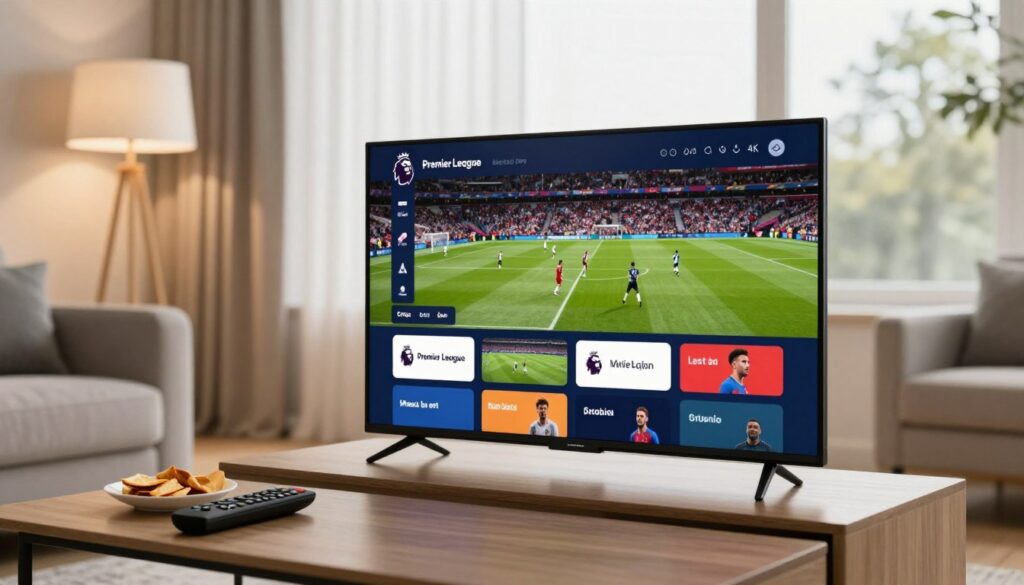
Follow these simple steps to move from subscription to kickoff without fumbling through menus.
Create your account and confirm subscription details
Sign up with a reputable provider and choose the plan that lists the matches or channels you need.
Check during signup: plan name, included competitions, simultaneous streams allowed, and whether DVR or replay features are included.
Install the official app on your preferred device
Download the official app from your device’s store — Apple App Store, Google Play, Roku Channel Store, Fire TV, or your Smart TV’s app store.
Sign in, find the match, and start streaming
Sign in on the app and pick the sports hub or search for “Premier League” to surface matches quickly.
Open the live/now-playing rail close to kickoff to avoid long load times and confirm you’re on the correct account profile before the match starts.
Enable replays or recording when your platform supports it
If your plan offers DVR or on-demand replays, learn the app’s recording flow. Some services require you to start recording before kickoff.
Test a short recording ahead of time so you know where saved clips appear and how long they’re retained.
- Quick matchday sanity check: confirm subscription status and profile login 15 minutes before kickoff.
- If you need extra guidance, see this setup note on getting app access and setup.
How to Watch Premier League in 4K on IPTV Without Buffering
True 4K viewing for big matches depends on consistent bitrate, a stable router, and smart device placement — not just advertised speeds.
What 4K actually requires from your internet and network
4K means higher bitrate. That translates to steady, sustained throughput rather than short speed spikes. Many services still offer 1080p or 720p for sports, and only select events or providers push 4K.
Expect realistic outcomes: you may get 4K on a few events, but most matchstreams default to Full HD for reliability.
Wi‑Fi vs Ethernet and why it matters for live sports
Use Ethernet for your main viewing device when possible. A wired connection cuts interference and sudden drops that cause buffering during peak events.
If you must use Wi‑Fi, move the device closer to the router and pick the 5GHz band for better stability.
Streaming settings to prioritize resolution and stability
In-app, pick “best available” when your network is strong. If you see jitter, lock the player to 1080p for smoother viewing.
“A steady Full HD stream often looks better than intermittent 4K that stutters.”
When Full HD is the smarter choice than forced 4K
Don’t force 4K if your connection shows buffering. A stable 1080p picture beats a shaky 4K feed every time. Prioritize a calm network and a backup device so you can switch quickly if problems appear.
Best Devices for Premier League IPTV Streaming

Your device choice shapes picture quality, app stability, and how easily you switch feeds.
Smart TVs and streaming sticks for the living room
Smart TVs are convenient for big-screen viewing and often work out of the box with major services.
Still, a dedicated streaming stick or box usually gets faster app updates and smoother playback. A compact streaming device can improve loading times and reduce crashes.
For the living room, prefer a device with Ethernet or strong 5GHz Wi‑Fi support and stable frame-rate handling.
Mobile, tablet, and laptop viewing for matchday travel
When you travel, prioritize battery life, a bright screen, and the ability to switch between Wi‑Fi and cellular for reliable access.
Laptops give you the widest app and browser options, while phones and tablets add quick failover if your main device hiccups.
What to look for in an IPTV app experience
Good apps have clear live tiles, fast search, and quick sports categories so you find matches fast.
Look for minimal crashes, reliable audio controls, and simple account switching.
“Keep the app on at least two devices — TV plus phone — so you can swap instantly if one fails.”
- Confirm official app availability on your platforms before you subscribe.
- Choose devices that prioritize fast app loading and stable network options.
- Maintain a backup device to avoid matchday stress.
For a compact lineup of recommended streaming devices, see this streaming devices.
Using a VPN to Watch Premier League When You Travel
Traveling can change what you can watch because streaming services check your IP location.
Why geo-restrictions happen: Broadcast rights are sold by country, so services often check your IP and block access when it shows you are abroad.
Quick travel workflow: choose a reputable vpn provider, install its app or client, connect to a server in your home country, then open your streaming app and load the match.
Which devices support VPN apps
Most providers offer apps for iOS, Android, Windows, and macOS. Many also support popular streaming devices like Fire TV, Apple TV, and some Smart TVs.
Confirming your stream works
- Verify the vpn app shows “connected.”
- Refresh the streaming app or website and check the match page for playback.
- If you see a location error, try a different server in the same country or sign out and sign back in.
Troubleshooting and expectations
If video buffers, pick a nearer server or prioritize stability over resolution. Be aware that using vpn may conflict with an app’s terms of service, so check your provider’s rules before travel.
For extra setup tips and regional provider notes, see this guide on trusted service options.
VPN Benefits Beyond Streaming the Premier League
Using a vpn on unfamiliar Wi‑Fi keeps your passwords and streaming logins private while you travel.
Privacy on public Wi‑Fi and at‑home networks
A vpn encrypts your traffic so people on the same network can’t read it. This is useful at airports, hotels, and cafés.
At home, encryption helps protect devices on shared networks and keeps account details safer when you sign in to apps.
Extra security tools some plans include
Many providers bundle extras such as malware blocking, tracker blockers, and breach alerts. Those tools add another layer of security beyond basic vpn encryption.
- Malware protection can stop dangerous downloads.
- Tracker blocking limits ad profiling while you browse.
- Breach scanning alerts you if an email or account appears in exposed data.
Reducing ISP throttling during peak events
Some ISPs throttle certain traffic. A vpn can make that traffic harder to classify and may help reduce slowdowns during busy events.
Realistic note: vpn routing can also slow your connection if the server is far away. Test your setup before matchday.
Use a vpn as a general safety habit, not just a quick workaround. It’s a practical way to improve security and privacy on the internet.
Premier League IPTV Options Around the World and What US Fans Should Know
Across the world, rights deals mean the same match can appear on very different apps and channels.
That happens because each country sells rights separately, so your best option depends on location and what you can legally access.
Examples of official coverage in key markets
In the UK, look to Sky/Now and Discovery/TNT Sports. Canada commonly uses Fubo. Mexico often lists Paramount+. Australia has Optus Sport, New Zealand uses Sky services, while Spain and Sweden use DAZN and Viaplay respectively.
Commentary, resolution, and coverage differences
Commentary language varies — English, Spanish, or local languages — and that can change your viewing experience as much as picture quality.
Resolution ranges from 720p to 1080p, with some limited 4K events. A provider’s 4K claim rarely means every match streams at that level.
Why some services are harder to access
Payment rules create friction: many services require local billing, a local app store region, or a country-issued card. That affects access and price for traveling fans.
| Country | Service | Typical Resolution |
|---|---|---|
| UK | Sky/Discovery | 1080p (select 4K) |
| Canada | Fubo | 1080p |
| Mexico | Paramount+ | 720p–1080p |
“Plan ahead: know local services and payment rules before you travel.”
Pricing and Value: How to Compare Premier League Streaming Services
Cost is important, but the games you actually watch and the picture quality shape what you get for your money.
Monthly price vs match coverage
Compare price against total games and how often your club appears. Peacock (~£5.90/month, ~175 games, 1080p) looks cheap for casual viewers. Other platforms, like Setanta (~£2.35, 380 games, 1080p but limited English commentary) or TOD (~£14, 380 games, 720p), offer more matches but different tradeoffs.
Understand resolution claims
720p can be fine on smaller screens. 1080p is the common sweet spot for home viewing. 4K is a premium add and often limited to select broadcasts, so don’t pay extra expecting every game in ultra‑HD.
Ads, pre‑roll, and premium tiers
Some services show short ads unless you upgrade. Factor in whether you need an ad‑free tier or a separate live-TV bundle to reach all matches. Run a trial and test a real match on your device and network to see if the advertised price delivers the viewing experience you want.
“Pick value based on coverage, not just the sticker price.”
For a roundup of options and how they stack up, see the best sports streaming services.
Legal and Safety Risks of Illegal Premier League IPTV Streams
Free streams may seem harmless, but they often carry real costs.
Free match feeds from unofficial sites can expose your devices to intrusive ads, shady redirects, and hidden downloads. You might lose more than a few minutes to buffering—you can lose passwords or personal files.
Why “free” sites are risky for your device
These sites rarely run clean code. Many deliver adware or scripts that probe your browser, prompting fake updates or installing toolbars without clear consent.
Malware, ransomware, and account theft
Malicious actors hide Trojans and ransomware behind bogus players. If you click the wrong prompt, malware can steal credentials, encrypt files, or hijack your accounts.
VPN use and terms-of-service implications
A vpn can help protect privacy when you travel, but it does not make illegal streaming legal. Providers can still terminate accounts if app logs show suspicious access.
“Using a VPN won’t erase illegal activity — nor will it stop malware already on your device.”
- Stick with official apps and verified services for safe access.
- Keep software and anti-malware tools updated.
- Use a vpn for privacy, not as a license to break the rules.
Troubleshooting: Fix the Most Common Premier League IPTV Streaming Problems
Start with the basics and work outward: network, app, device, then account.
- Check your network and internet speed.
- Restart or update the app and sign back in.
- Reboot the device and clear app cache if needed.
- Verify account, channels, or regional access last.
Buffering and lag during peak windows
Pause the stream for 10–20 seconds to force a bitrate reset. That often clears short buffers.
If issues persist, switch from Wi‑Fi to Ethernet, move closer to the router, or pause other household downloads.
App crashes, login loops, and storage issues
Update the app from the official store, then restart your device. Clear cache or reinstall if crashes continue.
Check free storage; low space can break playback. Keep a backup device handy to swap in fast.
Geo‑block errors and VPN tips
Confirm your vpn shows “connected” to the correct country. Try a different server and fully close then reopen the app.
Note: vpn can help travel access but won’t fix account or rights restrictions. For deeper fixes, see this streaming troubleshooting guide.
Audio/video sync and commentary fixes
Rewind 10 seconds, try alternate audio tracks or captions, or lower the stream quality to stabilize timing.
“A calm, stepwise check saves match time — work from network to account and you’ll usually find the fix.”
Conclusion
A simple routine—confirm the channel, test your connection, and have a backup device—keeps matchday stress-free.
Pick a reputable streaming service, verify NBC/Peacock coverage in the US, and favor stability over forced 4K. A steady 1080p feed often beats occasional ultra‑HD that buffers.
When you travel, a vpn can help access your paid apps, but expect occasional troubleshooting and follow provider rules. Avoid sketchy sites, use official apps, and protect accounts with strong passwords and updates.
For a subscription option to compare, see GetMaxTV and its offer at watchmaxtv.com. For extra setup tips, check this setup guide.
Ready to subscribe? If you want an IPTV option, check GetMaxTV’s offer on watchmaxtv.com.
FAQ
What is IPTV and how does it apply to watching Premier League matches?
IPTV stands for Internet Protocol Television — it delivers TV channels and on‑demand content over the internet instead of cable or satellite. For Premier League coverage, that means you can stream matches through apps and services (for example Peacock in the US) on smart TVs, streaming sticks, phones, or tablets. Choose legitimate platforms that hold broadcast rights to avoid security and legal risks.
How does streaming compare with cable, satellite, or antennas for sports?
Streaming gives flexibility: you can watch on many devices, pause or replay, and often pay monthly. Cable and satellite still offer broad channel bundles and reliable broadcast quality, while an antenna can get local channels for free. For most fans, a licensed streaming service provides the best choice for match coverage, pricing, and device support.
Which official services carry Premier League coverage in the United States?
NBC and Peacock hold the primary rights in the US; many matches air on NBC, NBCSN replacement channels, and Peacock’s streaming platform. Other TV providers and streaming platforms that carry NBC channels (like YouTube TV, Hulu + Live TV, or Sling in some packages) may also show matches depending on your subscription and lineup.
Do I need a fast internet connection to watch matches in 4K?
Yes. 4K streaming typically needs consistent speeds of 25 Mbps or higher and a stable home network. If your router or Wi‑Fi is congested, you’ll see buffering. For reliable matchday viewing, consider Ethernet for your main device or a high‑quality dual‑band router and reduce other bandwidth use during games.
Which devices work best for watching matches at home and on the move?
Smart TVs and streaming sticks (Roku, Amazon Fire TV, Chromecast with Google TV) are ideal for living-room viewing. Laptops, tablets, and phones give portable access. Make sure the device runs official apps, supports HD/4K playback, and has up-to-date software for the best experience.
Can I use a VPN to watch matches while traveling abroad?
Yes, a VPN can help you connect to a server in your home country to access services you subscribe to, which is useful when traveling. Use a reputable VPN provider that supports the device you plan to use and check the streaming service’s terms, since some platforms block VPN traffic or restrict accounts for security reasons.
What are the benefits of using a VPN beyond bypassing geo‑blocks?
A good VPN improves privacy on public Wi‑Fi, helps prevent ISP throttling during busy live events, and can add encryption that reduces the risk of snooping on your home network. Some plans also include ad blocking or malware protection, which boosts security when you stream on multiple devices.
Are there official international options for watching matches, and how do they differ?
Yes. Countries like the UK, Canada, Australia, and others have official broadcasters (Sky Sports, TNT Sports, DAZN, Optus Sport, etc.). Coverage differs by commentary language, match selection, and streaming resolution. Payment rules and local blackout restrictions can make some services harder to access from abroad.
How should I compare streaming services for value and pricing?
Compare monthly price against how many matches and which games you get, plus resolution claims (720p, 1080p, 4K), ad frequency, and premium tier benefits. Also factor in device app quality, DVR or replay options, and whether a service supports multiple simultaneous streams for household viewing.
What legal and safety risks exist with unofficial free streams?
Unofficial streams often carry malware, intrusive ads, and the risk of account theft. They may also violate copyright law, exposing you to legal or financial consequences. Stick to licensed platforms and use strong passwords and two‑factor authentication for streaming accounts to stay safe.
How can I stop buffering and lag during peak match times?
Start by testing your internet speed before kick‑off. Use Ethernet for key devices, close background apps and downloads, and lower stream resolution if needed. If problems persist, restart your router and device, and check your ISP for outages or known congestion during big events.
What should I do if the app keeps crashing or I can’t log in on matchday?
Update the app and device OS, clear the app cache or reinstall the app, and confirm your subscription is active. If storage is low, free up space. Contact the service’s support if login loops continue — they can check account status and device limits.
How do I fix audio/video sync or missing commentary tracks?
Try switching streams (if multiple feeds are available) or toggling audio tracks in the player. Restart the app and, if possible, test the same stream on another device to rule out device-specific issues. If the problem persists, report it to the broadcaster so they can correct the feed.
Are there security settings I should change on my router for smoother streaming?
Prioritize quality of service (QoS) for your streaming device if your router supports it, and use WPA3 or WPA2 encryption to keep your network secure. Disable unused ports and firmware updates regularly to prevent vulnerabilities that could affect streaming performance and security.
What’s the smartest choice: force 4K or stick with Full HD?
If your connection or hardware struggles, Full HD (1080p) often gives a steadier picture and fewer interruptions. Reserve 4K for devices and networks that consistently hit required speeds. That balance reduces buffering and makes for a more enjoyable matchday experience.
The WatchMaxTV Team is a dedicated group of streaming specialists and entertainment technology reviewers covering IPTV services for viewers in the USA, UK, and Canada since 2023. Our team independently evaluates every service we feature — testing across Smart TVs, streaming sticks, mobile devices, and gaming consoles. We measure stream stability, picture clarity in HD and 4K, program guide accuracy, and customer support quality. Our goal is simple: help cord-cutters find reliable, affordable alternatives to overpriced cable. Every recommendation on WatchMaxTV.com comes from real-world testing — not sponsored content or paid placements.