

Curious how you can catch live U.S. games while living abroad without losing the fourth-quarter thrill?
An IPTV subscription is a way to get live television over the internet rather than through cable. It became popular because it lets you watch live sports and big events when you’re outside the U.S. and traditional broadcasters don’t reach you.
This Buyer’s Guide will help you compare channels, reliability, device compatibility, features like catch-up, and customer support. You’ll learn what matters most so you can choose with confidence.
UK viewers often face late kickoff times, regional rights, and flaky streams that can ruin a tight finish. The “best” option depends on your internet, your devices, and which broadcasts you need each week.
We’ll focus on legal and licensing awareness, since reliable services usually follow the rules and last longer. This is especially useful if you live in an apartment, use shared Wi‑Fi, or have varied fiber access.
Next you’ll see must-have channels, quality specs, device checklists, app choices, and how to test a setup during actual game times. If you want a legal subscription option now, check https://watchmaxtv.com.
Key Takeaways
- Understand what an internet-based TV subscription is and why it helps fans abroad.
- Compare channels, reliability, device support, catch-up, and help before you buy.
- Be aware of regional rights and kickoff times that affect access and viewing quality.
- Choose based on your home setup—connection, hardware, and must-see broadcasts.
- Prioritize legal, licensed services for consistent, long-term viewing.
Why IPTV is a popular way to watch NFL when you’re in the UK
You get more flexibility and often lower costs than traditional cable. Online packages let you watch on phones, tablets, and multiple TVs without a bulky box. That matters when you want the game in another room or on the move.
How it stacks up against cable and official apps
Cable is reliable but device-limited and usually pricier. Official apps can offer high quality but may block content by region or package. A good iptv service can combine multi-device access, HD/4K options, and catch-up features you value.
What "reliable streaming" means to your game night
Reliability is simple: steady streams during kickoff, predictable channel availability, and minimal buffering when viewership peaks. Live sports stress a platform’s servers; uptime and capacity matter most on big game days.
| Buyer Priority | What to Check | Outcome |
|---|---|---|
| Stability | Server load and peak uptime | Minimal buffering |
| Picture & audio | Consistent HD, low latency audio | Crisp motion, synced sound |
| Access | Channel rights and device apps | Predictable game availability |
Want to compare options? See this guide on how to stream the Premier League and a recommended Premium sports package.
Know your must-have channels for full NFL coverage
https://www.youtube.com/watch?v=kmEUkyV4zWk
Before you subscribe, make a short channel checklist so you never miss a key game or studio show.
US broadcasters matter: FOX, CBS, NBC, and ESPN each carry unique windows and prime-time matchups. Missing any one of these networks can leave gaps in weekend and weekday games.
Dedicated day-long coverage
NFL Network delivers round-the-clock analysis, selected games, and replays. RedZone is ideal if you want touchdown action across multiple games in real time.
UK and international options
Sky Sports NFL offers British-style studio shows and local scheduling that many viewers prefer. DAZN and NFL Game Pass give reliable live and on-demand content, which can be simpler when you need replays or delayed viewing.
Build your checklist
- Confirm a current channel list in writing before you pay.
- Verify RedZone and NFL Network availability if you follow multiple games.
- Check that FOX, CBS, NBC, and ESPN are present to cover all main windows.
Want a quick reference to must-watch channels? See this concise guide at must-watch channels to validate lineups and avoid surprises.
iptv for nfl manchester: what to prioritize if you’re watching from a UK city
Living in a busy UK city changes how you should pick a streaming plan for live American sports.
Broadband in apartment blocks can be misleading. Your headline internet speed rarely tells the full story. Building wiring, shared lines, and local provider routing all shape your match-day stability.
Local broadband realities and how they affect sports streaming quality
In shared homes, focus on consistent Wi‑Fi coverage and wired Ethernet where possible. Old routers and crowded evening networks cause buffering exactly when games get tight.
Kickoff times, replays, and why catch-up matters more outside the US
Late kickoff time in the UK means you may rely on full replays and highlights more than live viewing. Check whether a provider offers true channel catch-up, not just a small VOD library that skips less popular games.
| Priority | What to check | Why it matters |
|---|---|---|
| Stability | Wired Ethernet, router age, provider peering | Reduces buffering during peak sports hours |
| Catch-up depth | Full channel replays vs limited VOD | Lets you watch later without missing analysis |
| Device support | Smart TV and phone compatibility | Makes switching rooms or watching away from home easy |
| Peak handling | Reviews of live match uptime | Shows real-world streaming quality |
Decision lens: if you mostly watch live, pick stability. If you often watch later, choose rich catch-up features and good search. Compare service options against that lens to match your viewing experience.
Streaming quality and buffering: what specs to look for before you buy
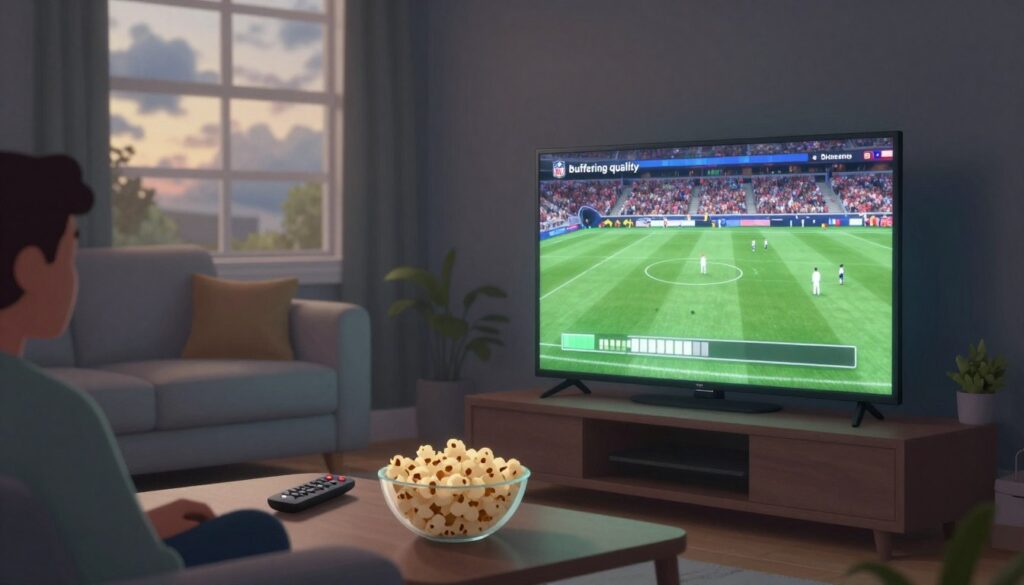
Before you hit subscribe, check the real-world streaming specs that decide whether a game stays smooth or stalls. Start by measuring the speed that actually reaches the device you plan to watch on, not just the headline plan speed.
Minimum internet speed targets for HD streaming
A good baseline for HD is roughly 15 Mbps available to the streaming device. If others share your connection, add 5–10 Mbps per extra active stream.
How server stability impacts big matchups and peak-time games
Buffering usually comes from one of three places: your home network, the provider’s servers, or overloaded peak-time routes. Isolate the cause by testing different networks and times.
Server instability shows up on Sundays, prime-time, and playoffs. Weaker services will falter under load; look for providers that advertise multiple servers, load balancing, and clear uptime or support policies.
Reducing lag on smart TVs and streaming devices at home
Use wired Ethernet when possible and modern Wi‑Fi bands (5 GHz). Close background apps on smart TVs and boxes and match player settings to the stream format.
“Test during a real live event — that’s the only time you’ll know if performance holds.”
Run a live-game test before signing up and ask support about peak-time performance data.
Device compatibility checklist for NFL streaming at home or on the go
Before you buy, make sure your main screen and mobile gear actually work with the service you plan to use.
Start simple: pick the screen you use most and confirm the provider has an app or setup guide for that device. Don’t assume “works on all devices” means easy setup. It should mean clear instructions and app support.
Common hardware and what each does best
Smart TVs give the biggest viewing experience. Fire TV and Android TV boxes are flexible and often support third‑party apps. Phones and tablets are handy on the move. Laptops are reliable for multitasking and workarounds.
| Device type | Best use | Quick tip |
|---|---|---|
| Smart TV | Primary living-room viewing | Check native app or HDMI player support |
| Fire TV / Android TV | Easy app installs, low-cost | Use official app store versions when possible |
| Phone / Tablet | On-the-go access | Test mobile bitrate and data use |
| Laptop / PC | Backup or multi-window viewing | Use browser or desktop player for reliability |
Pick package size by how many screens watch at once: one stream for solo viewers, two for couples, and multi-room packages when family members watch different games.
“Decide your primary screen first, then choose the provider and app that fit that screen best.”
Watch for pitfalls: simultaneous stream caps, device registration limits, and account-sharing rules can cut off access mid-season. Test during a live game before you commit.
IPTV apps and players you’ll actually use to watch NFL
The app you choose often decides whether a close game feels seamless or glitchy.
Pick an app that matches your device and comfort level. Two people with the same subscription can have very different results depending on the player they use.
Popular player options
Here are common apps and what they do best:
- IPTV Smarters Pro — broad device support and an easy login flow.
- TiviMate — excellent Android TV navigation and playlist management.
- Smart IPTV (SIPTV) — simple setup for many smart TVs and stable playback.
- Kodi — flexible, great when you want add-ons and custom layouts.
- VLC — lightweight playback for tests or quick streams on PC and mobile.
Playlists and login types made simple
M3U playlists are plain lists that tell your player where channels live. They load channels and let you switch fast.
Xtream-style logins use a username, password, and server address. That setup often gives built-in EPG and smoother channel guides.
| Feature | What to expect | Why it matters |
|---|---|---|
| Quick channel switching | Minimal delay when changing channels | You won’t miss a kickoff or scoring play |
| Favorites & search | Pin channels and find games fast | Saves time during live events |
| EPG support | On-screen program guide and schedule | Helps you find replays and start times |
| Stable playback | Consistent video without frequent buffering | Keeps the experience enjoyable |
“Your app can’t fix weak streams, but the right one will make good streams feel dramatically smoother.”
Practical tips: Avoid obscure players with no updates. Test an app during a live game. And if you want an easy setup, try this guide to IPTV Smarters as a starting point.
Legal and licensing basics you should understand before subscribing
Understanding who holds broadcast rights helps you pick a service that actually works on game night.
The technology itself can be lawful, but legality hinges on whether a service has rights to distribute the channels and content. If a provider lacks those rights, you risk sudden shutdowns, missing games, and no recourse.
How to spot a legitimate operation
Look for clear business details, written terms, consistent pricing, and real customer support channels. Legitimate services list rights or partner networks and avoid promises like “every channel forever.”
Why free streams are risky
Free streams often fail during peak demand. They get throttled, taken down, or overloaded first. Beyond buffering, they can carry malware, steal login data, or mishandle payments. You’ll have no reliable support when things break.
| Sign | What it means | Why it matters |
|---|---|---|
| Transparent terms | Clear contracts and prices | Shows accountability and lasting availability |
| Real customer support | Email, chat, or phone listed | Helps solve outages and activation issues |
| Rights disclosure | Partners or channel licenses shown | Predictable access to live content |
Treat legality as a reliability filter: paid, licensed providers usually give steadier streams, better support, and safer entertainment. If you want a practical next step, use this guide to choose the best provider as part of your decision process.
Geo-restrictions and traveling: what changes when you’re outside the United States

Travel can change how you reach live US sports and who can see the feed.
Why broadcasts get blocked: Broadcasters sell rights by region. To enforce those deals, services check your device’s IP address and block or allow content based on location. That means the feed you used at home might stop working when you travel.
When you move between countries, on-demand libraries and live channels can differ. A channel that streamed yesterday may be unavailable today. Replays, highlights, and some sports shows often change by region too.
VPNs and what to consider before you try one
A VPN masks your IP and is a popular option people consider to regain access. But a VPN does not change licensing rules. Using a VPN may breach a provider’s terms and could risk account action.
Be cautious: respect the service’s terms and local laws. If you try a VPN, test it before a big match and expect mixed results during peak streaming times.
Travel readiness checklist
- Confirm whether your subscription allows out-of-region viewing and how many devices you can register.
- Test playback on the network you’ll use abroad, including mobile data if needed.
- Plan around time zones—catch-up and full replays can be more useful than live access when schedules shift.
- Have a backup option and check support contact methods before you leave.
| Issue | Why it happens | Quick fix |
|---|---|---|
| Blocked live channel | IP shows you outside licensed region | Check subscription terms; test via local Wi‑Fi or mobile hotspot |
| Missing on-demand content | Library varies by country | Rely on catch-up or official region-specific apps |
| Unstable streaming | Local routing or server limits | Test during off-peak hours and contact support |
“Plan and test ahead; that short check can save you the disappointment of missing key games.”
For a careful look at VPN options and considerations, see this VPN guide.
Features that matter most for NFL fans
Focus on practical features that save you time and keep you from missing key plays.
Catch-up that truly works means you can rewind live channels, pause during a late-night break, and fast-forward through downtime. That live-channel scroll-back is different from a small on-demand library; it puts the full broadcast at your fingertips.
Catch-up, pause, rewind, and full-game replays
Pause and rewind protect you from hiccups and missed moments. If your stream stutters or someone knocks on the door, you can jump back to the action without losing context.
Full-game replays are essential when kickoff is late. They let you watch a complete game on your schedule or review a specific play later.
On-demand highlights for busy weeks and late kickoffs
Concise highlight reels save time. When you can’t watch multiple games, highlight bundles keep you up to date on scores, turnovers, and key drives.
Electronic program guide and search that makes game-finding easy
An accurate EPG and fast search cut the scrolling. You want to jump to the right channel or replay in seconds, not hunt through menus during live swaps.
| Feature | Why it helps | What to check |
|---|---|---|
| True catch-up | Rewind live channels, not just VOD clips | Channel-based scroll-back and time-shift length |
| Pause/rewind | Fix hiccups and rewatch plays | Responsive controls, minimal lag when resuming |
| Full-game replay | Watch entire games later | Availability window and video quality |
| On-demand highlights | Quick story catch-up during busy weeks | Curated packages and short-form options |
| EPG & search | Fast access to live games and replays | Accurate schedule, team search, and filters |
“The features you choose decide whether you watch the game or chase it.”
Price, trials, and payment options: how to compare IPTV services fairly
Price signals can be misleading; the cheapest plan often hides weak streams and poor support. You should weigh monthly cost against uptime, features, and real customer help. That approach saves time and disappointment on big game nights.
Monthly costs and realistic expectations
Typical monthly packages sit around $10–$15. At the lower end expect basic HD and limited catch-up. Mid-range plans usually add reliable HD, multi-device support, and decent uptime.
Free trials and money-back testing
Test during a live game window. Use a trial or guarantee to check channel switching, stream stability, and playback on your main device.
“Run a live-game test before you commit — it’s the only way to know if quality holds.”
Payment flexibility and what "instant activation" means
Instant activation usually means you get login details immediately. It does not guarantee high-capacity servers on peak days.
Prefer providers with clear billing, receipts, and easy cancellations. That protects you if the service underdelivers.
| Price tier | What to expect | Buyer note |
|---|---|---|
| $8–$12 / month | Basic HD, limited catch-up, single or two streams | Good for casual viewers; test before peak games |
| $13–$20 / month | Reliable HD, catch-up, multi-device, better support | Best balance of cost and quality for regular viewers |
| $21+ / month | Higher bitrate, full catch-up, more simultaneous streams | Consider if you need multi-room reliability and pro-level uptime |
How to choose: narrow candidates by testing live, reading recent customer support reports, and prioritizing features you’ll use most. That helps you find the best provider and package for your setup, not just the cheapest option.
How to evaluate providers without getting overwhelmed
You don’t need to read every review to find a reliable sports streaming option—focus on a few key checks.
A quick buyer’s checklist for sports channel coverage and NFL access
Run these checks in minutes:
- Confirm required channels: FOX, CBS, NBC, ESPN, NFL Network/RedZone, and Sky Sports NFL if relevant.
- Verify replay and catch-up depth so late kickoffs don’t leave you behind.
- Check device compatibility and simultaneous stream limits.
- Ask about real-world peak performance and trial terms.
Customer support standards to look for if you’re not technical
Good customer support is clear and helpful. Look for step-by-step setup guides, responsive chat or email, and friendly troubleshooting that doesn’t blame your home network immediately.
How to sanity-check “best IPTV” claims before you commit
Ask for a current channel list, request peak-time uptime data, and test during a live game. Use a trial to confirm channel switching and steady playback on your primary device.
A note on trusted guidance
You can speed your decision by comparing services against reputable references. See guidance at GetMaxTV to benchmark features, support, and coverage.
| Check | Why it matters | Quick question to ask |
|---|---|---|
| Channel coverage | Ensures game access every week | Do you carry FOX, CBS, NBC, ESPN, NFL Network/RedZone? |
| Support & setup | Saves time when things go wrong | Is live chat/email available and are guides provided? |
| Trial & peak tests | Shows real-world reliability | Can I test during a live game and get a refund if unhappy? |
“Buy for the games you watch, not the biggest channel count.”
Use real NFL schedule moments to test your setup
Pick a real game day to stress-test your setup. Lab checks don’t reveal peak issues. A live slate shows whether your service holds when demand spikes.
International Games as a stress test
International match days are ideal pressure tests. In 2025 games are hosted in London, Berlin, Dublin, Madrid, and São Paulo. Those events bring unique schedules, heavier demand, and more regional restrictions.
Week 14 viewing: a crowded slate to check against
Week 14 (Dec 4–8, 2025) has 16 scheduled games. That makes it a realistic stress window to test channel coverage and server stability.
Verify the exact broadcasters you need: FOX, CBS, NBC, ESPN, and nfl network where applicable. Missing one network or channel can break your viewing plan—confirm before kickoff.
| Test step | What to measure | Acceptable result |
|---|---|---|
| Startup | Time to first frame | <10 seconds |
| Channel switching | Change between live channels | <3 seconds |
| HD stability | 15–30 minutes on live feed | No repeated buffering |
| Catch-up | Post-game replay access | Full game available within an hour |
Run this routine during an international game or the Week 14 slate. Check startup, switch channels, watch 15–30 minutes of HD, then confirm catch-up availability. Note the exact local time you test and any errors.
“If it holds under a packed schedule, your regular-season viewing experience will likely stay trouble-free.”
To rehearse a real schedule and local broadcast needs, try a focused week 14 viewing check and decide with confidence.
Conclusion
Decide with confidence: confirm the channels you need, check that a provider holds clear rights, then validate performance during a real game. Use a short trial to test startup time, channel switching, and buffering on your primary devices.
Your best choice matches how you watch — live nights or replay-heavy viewing, single screen or multi-room use. Prioritize stable streaming, minimal buffering, a solid app or player, device compatibility, and reachable customer support when things go wrong.
If you want a legal subscription and an easy way to compare options, check GetMaxTV’s legal subscription options to review plans, trials, and support before you commit.
FAQ
What should you look for when choosing a subscription to watch NFL in the UK?
Look for a service that offers the major US broadcasters (FOX, CBS, NBC, ESPN) plus NFL Network and RedZone. Check device compatibility with your smart TV, Fire TV, Android TV box, phone, or tablet. Prioritize services with clear pricing, reliable customer support, minimal buffering, and features like catch-up, pause, and full-game replays. Confirm the provider’s channel lineup, package sizes, and whether they offer a free trial or money-back guarantee before you commit.
Why is streaming via internet services a popular way to watch football compared with cable or official apps?
Streaming gives you more choice and flexibility. You can pick packages focused on sports channels, watch on multiple devices, and avoid long-term cable contracts. Many streaming services also let you start games on-demand, use catch-up, and view highlights. For fans in the UK, streaming often makes US broadcasts and RedZone easier to access than traditional cable.
What does “reliable streaming” mean for your game-day experience?
Reliable streaming means consistent picture quality with minimal buffering, stable servers during peak times, and low latency so live action stays in sync. It also means accessible customer support, clear channel availability, and apps that run smoothly on your chosen devices. A provider that handles big matchups without dropouts will keep the game exciting instead of frustrating.
Which channels do you need for full NFL coverage?
You’ll want FOX, CBS, NBC, ESPN, plus NFL Network and RedZone for continuous football coverage. In the UK, Sky Sports NFL and DAZN offer local options; NFL Game Pass is useful for on-demand replays and out-of-market games. Confirm the exact channels included in your package so you don’t miss prime-time or playoff games.
How do UK viewing options like Sky Sports and DAZN compare to US networks?
Sky Sports often packages NFL content with UK-focused commentary and scheduling, while DAZN and NFL Game Pass provide international access to live and on-demand games. US networks carry local broadcast rights for live Sunday and Monday games; if you need all windows covered, combine a service that supplies both US channels and international offerings.
How do local broadband conditions in a UK city affect sports streaming quality?
Your broadband’s upload and download speeds, network congestion, and router setup determine whether streams stay smooth. During peak hours or major games, slower or saturated connections can cause buffering. Aim for stable, high-speed broadband and use wired Ethernet or a strong Wi‑Fi signal on match days.
Why do kickoff times and replays matter more when you’re outside the US?
Many kickoff times fall late at night in the UK, so catch-up, pause, and full-game replay features become essential. You’ll likely rely on on-demand highlights and DVR-style functions to follow late kickoffs or to rewatch key plays the next morning.
What minimum internet speeds should you aim for to stream HD football reliably?
For a smooth HD stream, target at least 10–15 Mbps per device. For 4K or multiple simultaneous streams in your home, plan for 25–50 Mbps or more. These targets help reduce buffering and deliver crisp sports action on smart TVs and streaming devices.
How does server stability affect big matchups and peak-time games?
Stable servers handle high traffic during popular games and keep streams running without interruptions. Services with distributed servers and good load balancing maintain quality under pressure. If a provider lacks capacity, you’ll see dropped connections and lag during crucial moments.
How can you reduce lag on smart TVs and streaming devices at home?
Use a wired Ethernet connection when possible, place your router near the TV, close unused apps and background downloads, and update your device firmware regularly. Choosing a high-quality HDMI cable and enabling low-latency or game modes on compatible TVs can also help.
Which devices should you check for compatibility before subscribing?
Confirm support for your smart TV brand (Samsung, LG, Sony), Amazon Fire TV, Android TV boxes, Apple TV, phones, tablets, and computers. Also check if the provider supports multi-device streaming so you can watch in different rooms or on the go without issues.
How many simultaneous streams should your package include?
Look for packages that match how your household watches. Two to four simultaneous streams cover most homes, while larger families or shared accounts may need more. Verify limits upfront so you don’t lose access when multiple people tune in.
What apps and players work best for watching games on different devices?
Popular apps include IPTV Smarters Pro, TiviMate, Smart IPTV, Kodi, and VLC. Each has strengths: some offer polished EPG and recording features, others handle custom playlists well. Make sure the app you choose supports your playlist format and device.
What playlist formats should you understand?
Common formats include M3U playlists and Xtream-compatible links. M3U is widely supported by players like VLC and TiviMate, while Xtream provides stream authentication and EPG integration. Knowing these helps when setting up channels and guides.
How can you tell if a service has proper broadcasting rights?
Check the provider’s terms, look for transparent licensing info, and prefer services that list official channel partners or regional rights. Legitimate broadcasters or well-known streaming platforms will be clear about their permissions and coverage.
Are free streams worth the risk?
Free streams often come with reliability, security, and compliance risks. They may buffer more, disappear without warning, or expose you to malware. For consistent game-day viewing and peace of mind, paid services with clear licensing and support are a safer choice.
Why are some NFL broadcasts blocked based on your location?
Broadcasters hold territorial rights that restrict where content can be shown. Networks and streaming platforms block streams outside authorized regions to comply with contracts. That’s why certain games or feeds aren’t available if your IP address shows you’re in a different country.
Is using a VPN a reliable way to access US broadcasts from the UK?
A VPN can change your apparent location, but it doesn’t guarantee legal access or stable streams. Some services block VPNs, and using them may violate terms of service. If you consider a VPN, pick a reputable provider and understand the legal and practical limits.
What features matter most for football fans when choosing a streaming plan?
Prioritize catch-up, pause, rewind, full-game replays, on-demand highlights, and a searchable electronic program guide. These features help you follow late kickoffs, rewatch key plays, and quickly find games across networks and channels.
How should you compare price and trial offers across providers?
Compare monthly costs against channel coverage, simultaneous streams, and included features. Look for free trials or money-back guarantees so you can test during a live game. Check payment options and whether “instant activation” really means fast, reliable setup.
What quick checklist can help you evaluate providers without getting overwhelmed?
Verify channel coverage (US networks and NFL-focused channels), device compatibility, stream quality targets, customer support hours, trial or refund policies, and server stability during peak games. Also read recent user reviews to spot recurring issues.
What customer support standards should you expect from a sports streaming provider?
Expect responsive support via email, live chat, or phone, clear setup guides, and troubleshooting resources for common devices. Fast help during game day is crucial—look for providers with good response times and helpful tech guidance.
How can you test your setup using real NFL schedule moments?
Use international games or prime-time matchups as stress tests because they draw high demand and expose geo-restriction behaviors. Test late kickoffs and Week 14 prime-time broadcasts to ensure your chosen service performs under pressure and covers the necessary channels.
The WatchMaxTV Team is a dedicated group of streaming specialists and entertainment technology reviewers covering IPTV services for viewers in the USA, UK, and Canada since 2023. Our team independently evaluates every service we feature — testing across Smart TVs, streaming sticks, mobile devices, and gaming consoles. We measure stream stability, picture clarity in HD and 4K, program guide accuracy, and customer support quality. Our goal is simple: help cord-cutters find reliable, affordable alternatives to overpriced cable. Every recommendation on WatchMaxTV.com comes from real-world testing — not sponsored content or paid placements.