

Want to cut the cord and still catch every Grand Prix without missing a lap?
You can watch races online using internet-delivered TV that gives you more flexibility than cable. This guide explains how those services work, what gear you need at home, and how to choose a reliable provider that keeps buffering low and picture quality high.
Expect practical, trustworthy advice: you’ll learn how to watch Formula races live, access replays, and pick a service with stable apps and multi-device support. You can compare options and features on GetMaxTV’s main offer page: GetMaxTV.
We’ll also cover legality, simple VPN guidance for travel, and what “good” looks like—stable streams, the right channels, and clear customer support. By the end, you’ll know how to find licensed providers and avoid sketchy feeds.
Key Takeaways
- You’ll learn what internet TV services are and how they deliver live races.
- Find the right home setup for HD or 4K viewing and minimal buffering.
- Know how to spot reliable providers with strong apps and multi-device support.
- Understand legal considerations and safe VPN use when you travel.
- Compare features, pricing, and trials—use resources like WatchMaxTV’s guide: how to choose a provider.
Why IPTV is a smart way to stream Formula 1 in the US
Modern web-based TV services bring live motorsport coverage straight to your devices.
What this tech actually means
Instead of satellite or cable signals, live channels and on-demand content travel over your internet connection. That means feeds reach your smart TV, phone, or streaming box through apps rather than a set-top box.
Why fans prefer it
You get global access and more device flexibility. With the right plan, you can watch races from different broadcasters and pick the feed or language you want.
This choice often includes on-demand replays, multi-device support, and more plan options than traditional TV.
Quality expectations for race day
HD is common and 4K may be available with a compatible service and device.
But frame stability and a steady bitrate matter as much as raw resolution when cars are moving at high speed. Poor frame rate makes action hard to follow, even at high resolution.
| Feature | What to expect | Why it matters |
|---|---|---|
| Resolution | HD standard; 4K on select plans | Sharper picture for big screens |
| Frame stability | Consistent bitrate and low jitter | Smoother motion during close battles |
| Commentary options | May vary by provider and rights | Confirm language and feed availability |
| Device support | Smart TVs, boxes, phones, PCs | Watch at home or on the go |
In short: this approach can be a smart choice for US viewers, but pick a reputable service with the channels, performance, and commentary options you need before you buy.
What you actually need to watch Formula 1 with IPTV
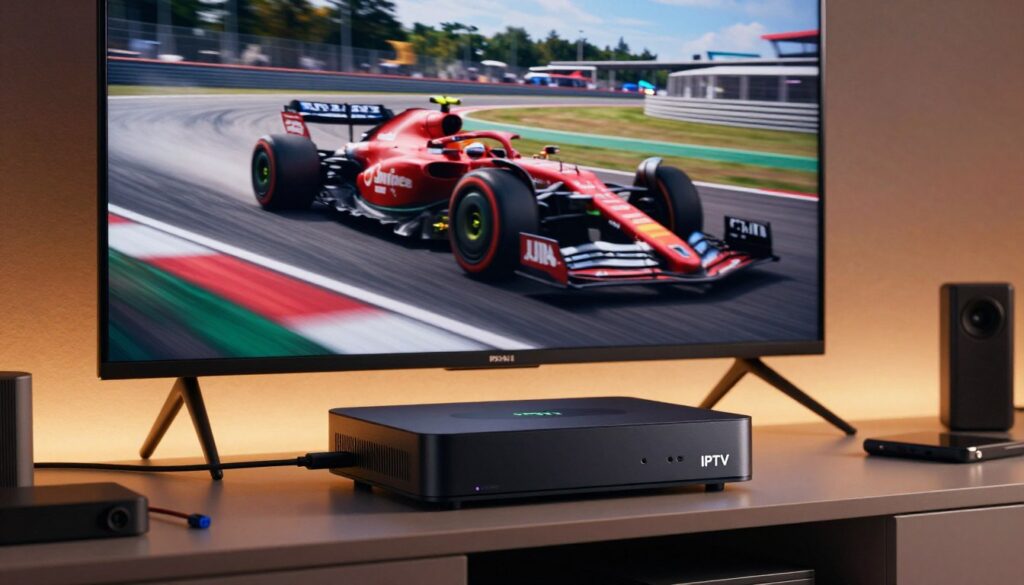
Get the basics right and race day will feel effortless.
Start with a compatible device. Common options include Smart TV apps, streaming sticks (including Fire Stick), Apple TV, phones/tablets, and computers. Choose one that fits your screen and budget.
Devices that work
You’ll need a device that runs the provider’s app or accepts a playlist. Dedicated streaming devices often win on performance: they get more frequent updates, support newer codecs, and navigate faster than many built-in Smart TV apps.
Connection basics
Stability beats peak speed. Aim for consistent bandwidth and low packet loss so live action stays smooth.
- Speed guide: ~10 Mbps per HD stream; ~30 Mbps for 4K, plus headroom for others on the network.
- Provider needs: a login, the provider’s app or playlist method, and multi-device permissions if you’ll watch on the go.
- Practice run: Test the same device and network at the same time of day to spot congestion.
Match your target resolution to your connection and screen size so you don’t waste bandwidth and avoid buffering during key moments. For setup help, check the installation guide to see what you’ll need.
iptv f1 formula one streaming: what to look for in a service before you buy

A smart purchase begins with channel verification—make sure your chosen platform carries the actual race feeds you need.
Channel access and coverage
Confirm which channels carry every race weekend in the U.S. Don’t buy a general sports package and assume it includes practice, qualifying, sprint events, and the Grand Prix itself.
Look for explicit listings and, when in doubt, use the provider’s channel guide or contact support to verify access. For a U.S.-focused check, also see this guide to check channel availability.
Live vs. on-demand
Decide if replays, highlights, and catch-up are priority features. If your schedule conflicts, a service with fast on-demand posting helps you never miss a session.
Stream reliability and servers
Reliability wins over flashy extras. Check provider transparency, reported uptime, and user reviews about peak-time performance.
Why servers matter: overloaded infrastructure causes buffering and frame drops during starts and late-race battles.
Picture, audio, and commentary
Confirm HD/4K options, stable frame rates, and available commentary feeds. Multiple commentary choices are vital if you prefer a specific broadcast team.
Multi-device support
Verify how many devices your subscription allows and whether you can switch between TV and phone without hassle. A good service runs smoothly on both home screens and mobile devices.
- Buyer’s rule: prioritize confirmed coverage, reliability, and catch-up over a long channel list you won’t use.
Legal and licensing basics: how to stream F1 without risking sketchy feeds
The easiest way to avoid sketchy feeds is to use platforms bound by official broadcast agreements. Start by confirming that the provider or channel you choose holds the rights to show the race in your region. That licensing is what makes a provider legitimate.
What “legal” means and why it matters
Legal services follow rights agreements, and that matters to you. When a platform has licensed content, it is more stable, less likely to disappear mid-race, and usually offers proper customer support. Look for clear billing, company details, and a stated refund or money-back guarantee.
Why unofficial or ripped feeds fail
Unofficial streams often overload under big events. That leads to buffering and sudden takedowns during key moments.
They also increase risk: shady sites and third-party add-ons can carry malware or intrusive ads. If a deal seems too cheap and lists every channel with no company name, treat it as a red flag.
Kodi and source legality
Kodi is a legal media player. The legality depends entirely on the add-on and the source of the content you connect to. Use official repositories and only play material you have rights to.
VPNs, travel, and legal limits
A VPN can protect your privacy and help you access your legitimate subscription when you travel. It does not make an illegal feed legal. Use a VPN sensibly and pair it with licensed services.
Quick checklist
- Confirm rights for the race in your region.
- Prefer services with clear billing, support, and a money-back guarantee.
- Avoid offers that list everything for very low cost or no company info.
- Use kodi only with official add-ons and verified content sources.
- Use a vpn for privacy or travel, not to purchase illicit feeds.
When you want watch reliably, choose licensed platforms and verify coverage before you buy. For curated provider options and reviews, see this roundup of top choices: best providers.
Best ways to watch F1 in the US with IPTV-friendly options
If you live in the U.S., your easiest path often starts with securing ESPN access for race weekends.
ESPN access for Formula 1: how US coverage typically works
ESPN carries the broadcast rights in the United States, so most plans that let you watch races boil down to one thing: reliable ESPN access. That includes practice, qualifying, and the grand prix itself.
Low-cost bundles that carry ESPN
Licensed live-TV apps give you channel bundles over the internet rather than a traditional cable box. They act like a lawful, app-based way to get channels you need.
Sling TV is a concrete low-cost example. Plans often start around $40/month and promotions or a short free trial sometimes appear. That makes it an affordable way to get ESPN in many markets.
When app-based services help
Your schedule matters: practice and qualifying take place at varied times, so pick a subscription that offers mobile access and cloud features if you need to follow sessions away from your TV.
Use official platform apps on your streaming device, phone, or smart TV for the smoothest experience. Many viewers prefer the provider’s native app rather than chasing unstable feeds; it’s usually safer and more reliable.
“Confirm the channels that carry the races you want, check device support, and test the app experience before you commit to a plan.”
For a quick next step, compare licensed options and confirmed ESPN access on this guide to watch every race without Sky.
Apps, platforms, and setup tips for smooth race-day streaming
Get your apps and devices ready now so race day is all about the action, not fixes.
Installing and logging into the provider app on Fire Stick, Apple TV, and Smart TVs
Install the provider app, sign in, and confirm playback before the weekend. On a Fire Stick, keep extra storage free and update the app from the store. For specific Fire Stick app choices, see a guide to the best apps for race viewing: best apps for Fire Stick.
On Apple TV, check tvOS updates and the app version so codecs work correctly. On Smart TVs, remove unused apps to free memory and update firmware. You’ll need account logins and any multi-device permissions ready to switch devices fast.
Kodi setup for official sources: using repository add-ons the right way
Use official add-ons only. Install from repository: Add-ons → box icon → Install from repository → Kodi add-ons repository → Video add-ons → ESPN3 → Install. That same repo houses ORF TVthek and RSI.CH Play where available.
Avoid “all-in-one” pirate add-ons. They are risky and unstable. For legitimate Sling subscribers, the Sling TV add-on in the official repo is an option for lawful access.
Quick pre-race checklist: test your stream before lights out
- Test the stream on the device you’ll use and a backup device.
- Confirm audio/commentary tracks and picture settings.
- Check your connection stability and, if supported, switch servers in the app to a less busy option.
- Run the test at the same time you’ll watch to catch peak congestion.
- Keep login info, device updates, and a 10-minute run-through on race morning.
Pro tip: Follow a simple setup flow: install the app, log in, set playback preferences, and run a short test. If you want a full setup walkthrough for devices and playlists, see this step-by-step guide: device setup guide.
VPNs, geo-restrictions, and how to avoid buffering during live races
If you hit a geo-block while away, a VPN is the usual tool to regain access.
When a VPN helps — and when it won’t
Use a VPN when you travel and your paid app refuses playback outside your home country. A VPN can make your device appear local so your usual account works.
It won’t create rights that your service lacks. If the platform has no license in the country you’re trying to watch from, a VPN can’t add missing rights.
Why free VPNs often fail for sports
Free providers usually have fewer servers and heavy congestion. That causes low speed, dropped packets, and repeated buffering during fast action.
Paid, reputable services offer larger server pools and better unblocking success. Many also include a short money-back guarantee so you can test without long-term risk.
Practical checklist for race day
- Choose a reputable VPN and install its app on the device you’ll use.
- Connect to a server in the country where your platform is available and test playback well before the race.
- Prefer servers with low load and geographic proximity to reduce latency.
Top tips to reduce buffering
Use Ethernet if possible. It beats Wi‑Fi for consistent speed and lower jitter.
If Wi‑Fi is the only option, move the router closer and pause other household downloads during the race.
Adaptive bitrate means the player lowers resolution automatically to keep action continuous. That is usually better than a frozen feed.
For step-by-step setup and a quick viewing checklist, see this viewing guide.
Conclusion
For fans who want consistent access and clean commentary, small setup steps make a big difference on race day. ,
Quick take: choose the option that legally gives you the channels for every race you care about. A reliable service with solid apps, good servers, and multi-device support creates the best streaming experience and keeps buffering low.
Prep wins: pick the right device, confirm your internet, and test playback and commentary before the weekend. That way you’ll never miss a key moment.
If you want a legal subscription and stable access, consider verified providers and check GetMaxTV’s offer. For a helpful walkthrough to watch F1 races, see this guide: watch F1 races.
FAQ
What is IPTV and how does it deliver live TV over the internet?
IPTV is a method of delivering television content using internet protocols instead of traditional broadcast or cable. It sends live channels and on-demand video through servers to an app on your smart TV, streaming stick, phone, or computer. You pick a provider, install their app, sign in, and the service pulls the live feed to your device so you can watch races and other live programming in real time.
Why is this approach a smart way to watch races in the US?
It gives you flexibility and wider access than a single cable package. You can stream international channels, switch between feeds, and use multiple devices. That means you’ll often find broader race weekend coverage, alternate commentary, and the freedom to watch on your schedule without being tied to one provider.
What picture quality can I expect on race day?
Many providers offer HD and some offer 4K for big events. Your actual quality depends on the service’s stream resolution, your connection speed, and the device’s capabilities. Aim for a plan labeled HD/4K and a stable connection for the best results.
Which devices work for watching races with this setup?
You can use smart TVs, Amazon Fire TV Stick, Roku, Apple TV, Android boxes, set-top boxes, laptops, tablets, and phones. Check that the provider offers an app for your device or supports streaming via web browser or a compatible media player like Kodi when using official add-ons.
What internet speed do I need to avoid buffering?
For HD, aim for at least 5–10 Mbps per stream. For 4K, target 25 Mbps or more. If multiple devices use the same network, add their needs together. A wired Ethernet connection reduces packet loss and buffering compared with Wi‑Fi.
How do I know a service covers every race weekend?
Review the channel list and the provider’s stated rights for the season. Look for inclusion of the official broadcasters that hold race rights in your region, and check schedules and on-demand options before you subscribe to be sure you can watch practice, qualifying, and the race.
What’s the difference between live and on-demand features?
Live lets you watch the action as it happens. On-demand includes full replays, highlights, and clips you can watch later. Services that offer both let you catch sessions you missed or rewatch key moments without being tied to the live broadcast.
How important is stream reliability during big races?
Very important. Good providers maintain robust servers, high uptime, and capacity for peak traffic. Look for reviews about uptime and peak-time performance, and choose services with multiple server locations or CDN support to reduce interruptions during popular events.
What should I consider about picture and audio quality?
Check the offered resolutions, frame rate stability, and audio options like stereo or multichannel commentary. Also verify whether alternate commentary tracks or language options are available if you want a different announcer or team radio mixes.
Can I watch on multiple devices at the same time?
Many plans allow simultaneous streams, but limits vary. Confirm the number of concurrent connections supported and whether the provider restricts device types. Multi-device support is handy if family members want different races or shows at once.
What does “legal service” mean and why should I choose one?
A legal service has proper broadcast rights from rights holders. That protects you from takedowns, poor-quality feeds, and potential malware from dodgy sources. Legal options also offer customer support, stable apps, and consistent quality during major events.
Why do unofficial or ripped streams often fail?
Unofficial feeds frequently suffer from low bandwidth, frequent takedowns, and unstable servers. They can buffer heavily, drop out during key moments, and sometimes carry security risks like malware. For reliable race-day viewing, official sources are safer and more consistent.
Is using Kodi legal for watching races?
Kodi itself is a legal, open-source media player. The legality depends on your add-ons and content source. Use official repository add-ons or authorized broadcaster apps and avoid third-party builds that distribute pirated streams.
How can I get ESPN coverage for races in the US?
ESPN holds rights for many U.S. broadcasts. You can access ESPN via live TV streaming bundles, ESPN’s own apps (with a qualifying subscription), or authorized platforms that carry the channel. Confirm whether your chosen service includes ESPN live and on-demand content for race weekends.
Are there affordable streaming bundles that include ESPN?
Yes. Low-cost bundles like Sling TV, Hulu + Live TV, YouTube TV, and others often include ESPN in certain packages. Compare channel lineups, simultaneous stream limits, and DVR features to find the best fit and value for your needs.
When do IPTV-style apps help with watching on multiple platforms?
They’re useful when you want a single interface across TV, phone, and tablet. Provider apps designed for multiple platforms make it easy to switch devices during the weekend and keep bookmarks, profiles, and DVR content synced where supported.
How do I install and log into a provider app on Fire Stick or Apple TV?
Search for the provider in the device’s app store, download the official app, and follow the on-screen instructions to sign in with your account. For Fire Stick, enable the app in settings if needed. For Apple TV and smart TVs, use the remote to install and enter your login credentials.
How do I set up Kodi correctly for official sources?
Install Kodi from the official site, then add only official repositories and licensed add-ons from broadcaster partners. Avoid unofficial repositories. Follow the add-on instructions to authorize accounts where required so you access legitimate, licensed content.
What should I check before race start to avoid last-minute problems?
Test your stream 15–30 minutes before the session, ensure your app is updated, confirm your login, and close unused background apps. Restart your router if you notice speed drops and switch to Ethernet if possible to minimize buffering.
When might you need a VPN for watching abroad?
Use a reputable VPN when traveling if your subscription is region-locked and you need to appear in your home country to access your service. Make sure VPN use complies with the provider’s terms and pick a high-speed, reliable VPN optimized for streaming.
Why do free VPNs often fail for live sports?
Free VPNs typically limit speed, bandwidth, and server choices. That causes buffering and poor resolution. They also struggle to bypass regional blocks reliably. Paid VPNs provide faster, consistent connections better suited for live events.
How can I reduce buffering during live races?
Use Ethernet instead of Wi‑Fi, prioritize your device on the router, close background apps, and choose a server or CDN node close to your location. If your provider offers adaptive bitrate, let it manage quality, or manually lower resolution to maintain a smooth stream during congested periods.
The WatchMaxTV Team is a dedicated group of streaming specialists and entertainment technology reviewers covering IPTV services for viewers in the USA, UK, and Canada since 2023. Our team independently evaluates every service we feature — testing across Smart TVs, streaming sticks, mobile devices, and gaming consoles. We measure stream stability, picture clarity in HD and 4K, program guide accuracy, and customer support quality. Our goal is simple: help cord-cutters find reliable, affordable alternatives to overpriced cable. Every recommendation on WatchMaxTV.com comes from real-world testing — not sponsored content or paid placements.