
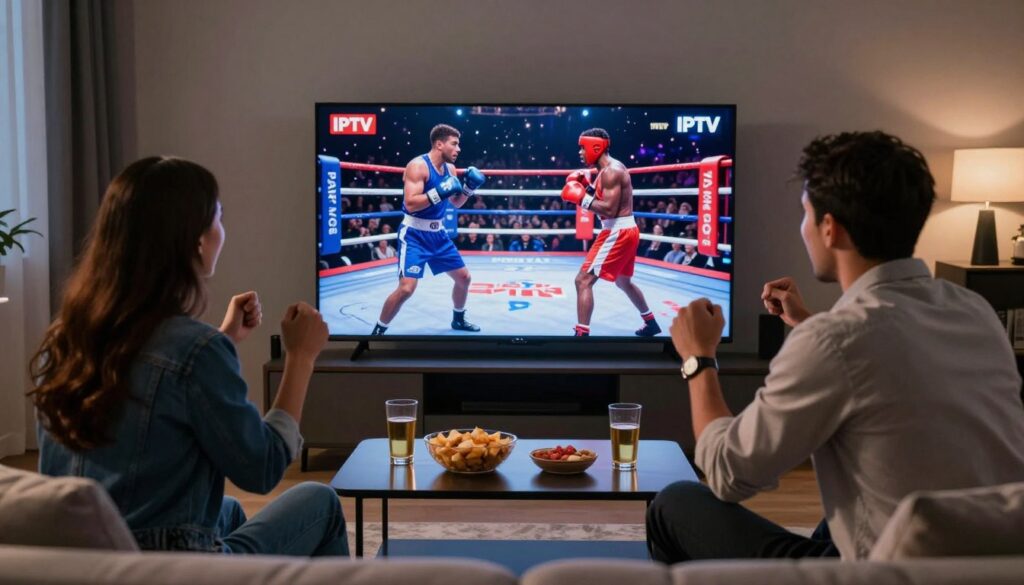
Do you feel like every big fight night still forces you to buy a new ticket at the door?
You want clear, legal ways to get live streaming of major events without juggling multiple purchases. Cable pay-per-view feels expensive and outdated, and many fans expect instant access, global coverage, and 4K on any device in 2025.
This piece compares a streaming approach that mimics IPTV flexibility with a mainstream platform like DAZN. You’ll get trustworthy guidance on legitimate viewing choices, reliability, and what to verify before you pay.
We’ll explain what pay-per-view means, how DAZN pricing works in practice, and how an IPTV-style pay model operates. You’ll also learn what matters on fight night: stream stability, motion clarity, HD vs 4K, and device compatibility.
We’ll mention GetMaxTV as an example of a DAZN-style experience, then close with next steps and a simple legal-subscription CTA to keep your viewing safe and reliable.
Key Takeaways
- You can find flexible streaming options that cut down on repeated pay-per-view buys.
- Compare cost, coverage, and device compatibility before subscribing.
- Prioritize legal services for reliability and long-term support.
- On fight night, stream stability and 4K clarity matter most.
- GetMaxTV is a mentionable example of a DAZN-style platform experience.
- Choose a paid subscription to ensure safe, consistent access to events.
Why boxing PPV streaming looks different in 2025
Fight night has changed. Fans now expect a fast, device-friendly stream that starts quickly and stays stable when the main event hits. This shift shapes how you compare services.
What you expect now:
- Instant start times and easy login so you don’t miss the first bell.
- Global coverage so undercards and regional feeds are available live.
- High-quality video, often 4K, because fast combinations and head movement expose low bitrate flaws.
Why traditional cable fell behind is simple. High one-time prices, blackout rules, and bulky hardware make cable less flexible. You can’t easily move a cable box from your living room to a hotel or phone.
Today’s sports scene favors platforms that offer many channels and multi-device access. You want to watch on a Smart TV, a Fire TV Stick, or while you’re out on your phone. That freedom matters when you choose a service.
“Viewers moved away from unreliable boxes and blackout restrictions toward services that promise watch-anywhere quality and consistent playback.”
| Criteria | What to check | Why it matters |
|---|---|---|
| Cost over time | Subscription vs single event fees | Monthly value can beat repeated one-time buys |
| Event availability | Channel list and international feeds | Full card access avoids missed undercards |
| Reliability | Peak traffic performance and backups | Stable playback at main event start |
| Ease of use | Quick login and fast channel search | Reduces delay, so you catch the action live |
What PPV means in boxing and why it costs extra
Many major fights are sold separately from regular subscriptions, and that’s by design. You pay a one-time fee to watch a specific live card. That fee usually covers the main event and, in many cases, the undercard too.
PPV basics: one-time payment for a specific live event
You buy access for a single night. After the event ends, that purchase only applies to that broadcast. This model keeps premium content separate from your everyday channels and on-demand libraries.
Why pricing is high: rights fees, production costs, and a limited audience
- Promoters and broadcasters charge large rights fees to sell a fight to a platform.
- Live production, venue setup, and on-site crews add big costs.
- Marketing and fighter payouts inflate the bill further.
Because only a slice of subscribers buys these specials, providers set higher prices to recover costs. That’s why multiple ppv events per year quickly add up compared with a broad subscription plan.
Keep this in mind: event-by-event buying is a legal and clean way to watch major cards, but it’s rarely cheap. Claims of free PPV streams are often illegal and risky; you’ll see more on safety and legality later. For more context on legal viewing options, learn more about official PPV vs subscription.
DAZN as a boxing platform: what you get and what you may still pay for
Before you subscribe, weigh whether a platform reliably carries the events you care about.
Live coverage and a tidy replay library are where this streaming service shines. You get a clean app, organized schedules, and easy navigation for replays and highlights. That makes finding undercards and past fights quick and simple.
However, the reality is often “subscription plus.” Even after you sign up, some marquee events may require extra fees or different regional feeds. Rights deals vary by country, and that affects what you can access live in the U.S.
What to ask before you subscribe
- Which events are included with your plan and which ones may require separate purchase?
- Do you get full undercard coverage or only the main event?
- Can you watch international feeds, or is access limited by licensing?
“A single, reliable platform reduces setup and lets you focus on the fight rather than the tech.”
| Strength | Typical result | Why it matters |
|---|---|---|
| App design | Easy navigation and schedules | Less setup time, faster access to live and on-demand content |
| Replay library | Searchable highlights and VOD | Watch missed fights on your schedule |
| Regional rights | Variable event availability | May require extra purchases or different services |
| Convenience | One predictable platform for many events | Fewer logins and simpler viewing across devices |
Bottom line: This service is best when the fights you follow are consistently included where you live. If you need broader channel-style coverage, an iptv-style model or other options may change your cost-per-event math.
How IPTV boxing PPV works compared to a traditional streaming service
Think of some services as a TV package rather than a one-night checkout.
Core difference in plain language: one method feels like channel surfing; the other asks you to buy a single event inside one app. Channel-style setups include many live channels and often place a big fight on a sports feed within the lineup.
The channel model delivers events through regular live channels, VOD and replays. You tune a feed instead of completing a separate purchase for each fight.
Live channels vs event-by-event purchases
Live channels bundle many matches, undercards, and international feeds into one plan. This reduces repeat checkouts and can lower cost per event if you watch often.
“Channel-based access gives you menu-style viewing across many sports and replays.”
When setup may need extra steps: apps, players, and logins
Expect to install an app or player and enter credentials. Common players include IPTV Smarters Pro, TiviMate, VLC, and Kodi for testing or daily use.
Setups often use an M3U playlist or portal login. That feels less plug-and-play than a single brand app, so check guides and support first.
- Where you’ll watch: Smart TVs, Firestick, mobile, or desktop.
- What to verify: device compatibility, simultaneous streams, and an accurate EPG.
- Safety note: choose a reputable, legal subscription and avoid “free” event links.
For step-by-step install help, see our setup guide. Once you understand delivery and setup, you can compare cost, coverage, and reliability side-by-side.
iptv boxing ppv dazn alternative: side-by-side comparison for US viewers
Your wallet and viewing routine decide whether a channel-style plan or single-event buy fits best.
Cost comparison: A cable or official PPV ticket often runs $50–$90 per event. Subscriptions give predictable monthly billing and can lower your cost per fight if you watch several cards a year.
Fight coverage
Service A (subscription) may include large catalogs but still block some shows by region. Service B (channel-style) typically offers a wider range of sports feeds and international broadcasts that carry undercards more often.
Quality on fight night
Official platforms tend to deliver polished HD and 4K with reliable bitrates. Channel-style providers can match that, but quality varies by provider infrastructure and server load during peak ppv nights.
Device flexibility
You want seamless viewing on smart tvs, Fire TV Stick, phones, and PCs. Check simultaneous stream limits and supported devices before you pay.
“If you rarely buy big events, a single PPV checkout may be easier. If you watch often, a channel plan usually wins on value.”
| Feature | Subscription (A) | Channel-style (B) | Best fit |
|---|---|---|---|
| Cost model | Monthly fee, predictable | One subscription, lower per-event cost if frequent | Frequent viewers |
| Event coverage | Strong catalog, regional limits | Wide range of sports channels and international feeds | Undercard hunters |
| Quality | High, consistent HD/4K | Depends on provider servers and bitrate | Quality-focused viewers |
| Device support | Official apps on most devices | Works on smart tvs, Firestick, phones, PCs with added setup | Multi-device users |
For a US perspective and channel options, see this guide to Canadian channels and coverage: Canadian channel access guide.
Picture quality and performance: why 4K matters for boxing
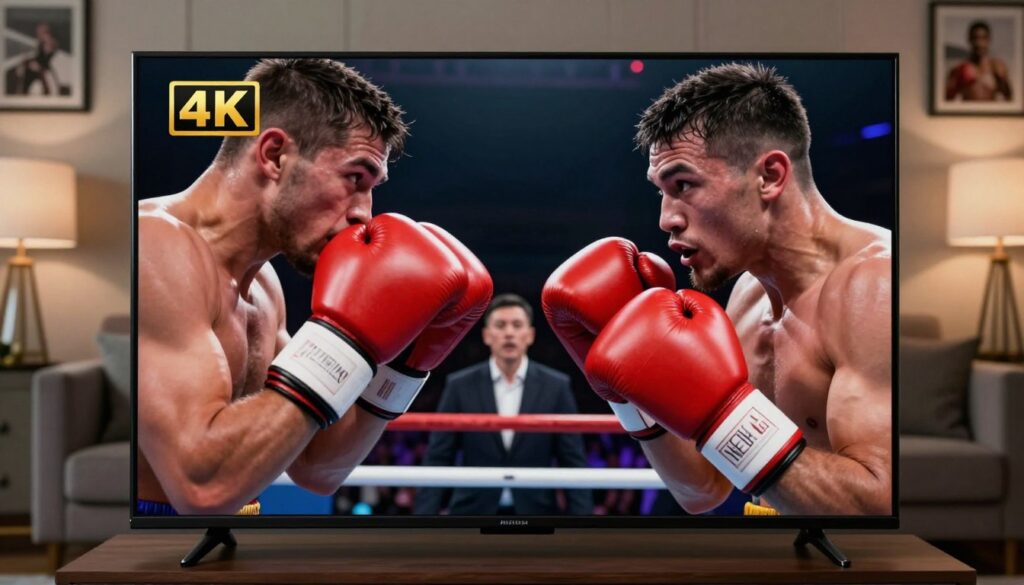
When punches fly, resolution and bitrate decide whether you see every detail or a blur.
What “4K” means in practical terms: 4K (3840×2160) shows more detail on large screens. You’ll notice sharper gloves, clearer footwork, and finer facial expressions. That extra detail matters during close exchanges and quick camera pans.
Why fast sports expose flaws quickly: Boxing has rapid movement and sudden camera shifts. Low bitrate or heavy compression makes motion look smeared. Even a high resolution feed will appear poor if the provider compresses too aggressively.
What 4K can actually mean
Some feeds are native 4K. Others are upscaled from HD. Your internet speed and the provider’s bitrate determine the true result.
Reducing buffering and what “anti-freeze” does
Buffering gets worse at peak times when servers are overloaded. Anti-freeze is not magic — it means load balancing, backup routes, and extra server capacity to reduce interruptions.
Simple tests you can run:
- Start the same channel at different times to check consistency.
- Time how quickly a stream begins and how often it rebuffers.
- Watch a fast-action clip to spot motion blur or blocky artifacts.
“Prioritize proven performance over channel count if you care most about sharp, stable main events.”
| Factor | What to check | Why it matters |
|---|---|---|
| Resolution | Native 4K vs upscaled | True detail on large screens |
| Bitrate | Provider bitrate at peak | Affects motion clarity and compression artifacts |
| Server capacity | Load balancing and redundancy | Reduces freezes during big events |
| Start time & stability | How fast stream begins; rebuffer frequency | Shows real-world reliability |
For a deeper dive into how providers manage picture and performance, see our quality guide. Use these checks to pick a streaming service that delivers consistent, high-quality sports viewing on fight night.
Reliability during main events: what separates the best IPTV services
What separates top providers is how they behave under real peak load. On fight night, reliability matters more than marketing. Even a crisp picture is useless if the stream quits during the ring walks.
Server capacity and backups for peak traffic
Server capacity means the provider can handle thousands of concurrent viewers without drops. Ask if they use multi-server clusters and load balancing.
Backups are failover servers and redundant network routes. These reduce single-point failures when an event drives heavy traffic.
Uptime expectations and a pre-PPV test plan
Expect steady performance evenings and weekends, not just off-peak tests. Reasonable uptime is 99%+ during live hours.
- Test a known high-traffic sports channel during primetime.
- Switch quickly between a few live channels to check latency.
- Run a 10–15 minute play session to spot rebuffering under load.
EPG accuracy, fast switching, and responsive support
An accurate EPG helps you find shifting undercards and the correct channel fast. Quick channel switching keeps you on action when feeds move.
“Responsive support matters most when the main event is minutes away.”
Choose a provider with 24/7 support and clear troubleshooting paths. That support is a key trust signal at showtime.
| Check | What to expect | Why it matters |
|---|---|---|
| Server setup | Multi-server, load balanced | Handles peak events without drops |
| Failover | Redundant routes and backups | Keeps the feed live if a node fails |
| EPG & switching | Accurate schedule, fast change | Find undercards and avoid missed action |
| Support | 24/7 responsive support | Quick fixes when minutes count |
Coverage checklist: channels and PPV events you should look for
Start by checking that the feeds carry the exact fight brands and channels you follow, not just a long channel list.
Why specific channels matter: a big roster can hide gaps. Verify that the service lists recognized premium channels and fight networks that carry main cards and undercards you want.
Check regional sports feeds and international channels for alternate broadcasts when U.S. rights are limited. This helps if a local feed blocks a main event or delays coverage.
Premium sports channels and fight networks
Confirm network names like ESPN, Showtime, TNT, and major fight promoters’ official channels. Look for listings that mention UFC, ONE Championship, PFL, Bare Knuckle FC, WWE or AEW if those matter to you.
PPV events beyond boxing: MMA, wrestling, and special live events
Think broadly. If you follow MMA or wrestling, your ideal lineup will include feeds that regularly show those events. Also check for kickboxing and special live events that run on niche networks.
- Verify both main card and undercard availability.
- Ask the provider which ppv events are included and which may need separate rights.
- Confirm how often international feeds are offered when U.S. broadcasts are restricted.
“Event availability can change quickly due to rights—choose a provider that communicates what is included and what varies.”
Finally, try a short plan or trial before committing. If you also want movies and general entertainment alongside live sports, that can shift the value toward a broader channel lineup.
On-demand content and replays: what you can watch after the bell

After the final bell, your viewing needs often change: replays and highlights become the priority.
Why replays matter: Time zones, long cards, and late main events mean you may not watch live. Full-card replays and condensed highlights let you catch every round on your schedule.
Typical formats you’ll see include full card replays, clipped highlights, and broader VOD libraries with fights, documentaries, and movies. These options turn a single event into lasting content you can return to.
How models affect access: A one-off purchase may include a replay window, while a subscription often adds a rolling on-demand catalog. Verify how quickly replays appear and whether prelims are included.
- Check how fast replays upload after the event.
- Confirm which fights or prelims are retained and for how long.
- See if the service offers movies and series alongside sports for added value.
“Not all providers keep the same replay rights—test before a big weekend.”
Once you know what content you want live and later, pick devices and apps that match your habits and make replay viewing simple.
Watching on your devices: Firestick, Smart TVs, and mobile setup basics
Getting live fight access on your TV or phone starts with the right app and a quick setup routine.
Fire TV Stick — the simplest, legal path: install the official app tied to the event (examples: ESPN+, UFC, DAZN, Sling TV, FITE). Sign in, purchase inside the app, then test playback before showtime.
How official apps give easy access on Fire TV
Open the store, download the app, and sign in with your account. Follow the in-app purchase flow to buy a single event or use your subscription. This is the most straightforward method for new users.
How channel-style services work on common players
Some services use players like IPTV Smarters Pro, TiviMate, VLC, or Kodi. You add subscription credentials (M3U playlist or portal login) to load channels and the guide. Setup can be manual, so follow provider instructions carefully.
Multi-device streaming: what to verify
Check simultaneous streams allowed by the service, whether mobile and TV work together, and what happens if you exceed limits. Test channel switching, stream start time, and your internet speed on a trial day.
“Do a quick test run well before event night — it saves time and stress.”
| Device | Common app/player | Setup ease | Tip |
|---|---|---|---|
| Fire TV Stick | ESPN+, UFC, Sling TV, FITE | Very easy | Buy inside app and test stream |
| Smart TV | Native apps or connect a Firestick | Varies by make | Use Firestick if app missing |
| Mobile / Tablet | Official apps, mobile browsers | Easy | Test data vs Wi‑Fi for quality |
| Android TV / Boxes | TiviMate, VLC, Kodi | Moderate | Follow provider portal instructions |
- Safety: stick to reputable apps and services, keep credentials private, and avoid random “free” links.
- Prep: run a short test, confirm channel switching speed, and verify stream quality before the event weekend.
- Need help? see our setup guide for step-by-step instructions.
Legality and safety: how to avoid piracy and protect yourself
Protecting your device and your wallet starts with knowing which streams are legal and which are traps.
Why “free” live pay events are risky:
Free feeds that mirror paid broadcasts are usually unauthorized and illegal. They can expose you to malware, phishing, and account theft. In the U.S., copyright enforcement and ISP notices can create real consequences.
Public playlists and why they fail
Public M3U playlists are text files that point to stream URLs. They do not host content, so links break, move, or get geo-restricted without notice.
Expect dead links, missing EPG data, and unreliable playback when you need it most.
Choosing a reputable, legal service
- Transparent pricing and clear terms of service.
- Secure payments, responsive customer support, and proven uptime.
- Fast support channels and a record of stable content delivery.
“A legitimate subscription prioritizes compliance, stability, and honest support over “too good to be true” promises.”
| Check | Why it matters | Red flag |
|---|---|---|
| Provider history | Shows reliability | No reviews or evasive terms |
| Support | Helps on show nights | Slow or no response |
| Security | Protects payments and accounts | Anonymous payments only |
Safety basics: keep devices updated, use strong passwords, and avoid sideloading unknown apps. Choose legal services to ensure consistent, secure access and reliable support.
Pricing and customer support: what a trustworthy IPTV provider should offer
A clear way to judge any plan is to convert yearly fees into a per-event price.
Compare pricing fairly: add up what you’d pay per month or per year, then divide by the number of big events you expect to watch. This shows whether a subscription or single-event buys give better value.
Common plan types:
- Monthly plans for flexibility if you watch occasionally.
- Yearly subscriptions that lower the average month cost if you watch often.
- Multi-connection options so family members can stream on several devices at once.
Watch for pricing traps. Ultra-cheap plans may save money up front but skimp on server capacity. That causes poor performance during peak nights when streams matter most.
What good customer support looks like
Fast response times, clear setup guides, and step-by-step troubleshooting. You want support that can confirm account status, reset connection details, or point you to a backup stream quickly.
“24/7 support matters most on weekends and late nights when major cards run.”
Start with a short subscription and test support responsiveness before you commit long term. A reputable service offering transparent terms and real help is a key trust signal.
Where GetMaxTV fits if you want a DAZN-style alternative experience
GetMaxTV positions itself as a single hub that blends live channels, sports streaming, and on-demand content into one app you can use on TVs and mobile devices.
What this service offers:
- Many live channels in a single lineup so you can move between feeds quickly.
- On-demand content for replays and highlights after the event.
- Device support and straightforward app access so you can access live shows from common players and smart TVs.
A quick look at the service offering
Look for easy navigation, dependable streams during high-traffic nights, and a channel list that matches what you actually watch. Confirm plan limits, connection counts, and whether HD or 4K streams are available.
How to learn more and verify current options
Review the provider’s terms, test a short plan, and contact support before committing. Learn details about plans, devices, and content at GetMaxTV.
“A trusted, legal subscription with clear support and real uptime beats promises you can’t verify.”
| What to check | Why it matters | Expected result |
|---|---|---|
| Live channels lineup | Matches the sports and feeds you follow | Fewer missed undercards |
| On-demand content | Catch replays and highlights on your schedule | Full-card replays available after events |
| Support & stability | Fixes on show night and reliable playback | Responsive help and steady streams |
How to choose between IPTV and DAZN based on your fight-watching habits
Decide with a quick checklist so you don’t overpay or end up scrambling on fight night.
If you only buy occasional PPV events
If you buy a few big fights per year, a mainstream streaming service that sells single-event access is often the simplest path.
It keeps payments clear, uses official apps, and reduces setup stress on event night.
If you want a wide range of live sports and premium channels
If you watch a wide range of leagues and need many premium channels, an iptv model may save money over time.
Confirm channel lists, device support, and whether key networks you need are included before you subscribe.
If you care most about 4K quality and reliability on fight night
Prioritize proven quality and server capacity over marketing. Look for fast channel switching, solid reliability, and clear trial options.
Do a short test on your Smart TV or Fire TV Stick, check EPG accuracy, and confirm responsive support before any big purchase.
“Your best option is the one that reliably delivers the fights you actually watch, on the devices you actually use.”
Conclusion
When it matters most, pick a plan that proves it can deliver. Your choice should balance value, device support, and legal, reliable access so you don’t scramble on fight night.
DAZN is a convenient mainstream option when it carries the fights you want. Channel-style and iptv services offer broader live channel lineups and more flexibility if you watch often.
Focus on these buying criteria: legal access, strong server capacity for peak loads, clear pricing, and responsive support. Avoid risky “free” ppv links — the instability and legal exposure rarely pay off.
If you want a legal channel-style subscription, check GetMaxTV’s current offer at https://watchmaxtv.com. For more on top sports streaming services, see this guide: best IPTV for sports.
FAQ
What does PPV mean for a boxing event and why does it often cost extra?
PPV stands for pay-per-view. For a boxing event it means you pay a one-time fee to watch a specific live card. Costs are higher because promoters sell exclusive rights, production teams handle live broadcasts, and the audience is limited compared with regular subscription channels.
How has streaming of fight nights changed in 2025?
You get faster access, broader global coverage, and higher video quality than before. Fans expect instant start times, on-demand replays, and multi-device support. Rights deals and new platforms also reshaped how events are packaged and priced.
Why did cable PPV lose ground to streaming platforms?
Cable PPV struggled with higher pricing, regional restrictions, and limited device flexibility. Streaming services offer apps for Smart TVs, phones, and streaming sticks, plus on-demand libraries and easier purchase flows that many viewers prefer.
What do you get from DAZN for boxing, and when might you still pay extra?
DAZN offers live boxing and a large on-demand catalog, which is strong for regular viewers. However, certain premium cards or exclusive events may still require an extra fee or a separate PPV purchase depending on regional rights.
How do live channel services compare with event-by-event purchases?
Live channel services give you continuous access to many sports and entertainment channels under a subscription. Event-by-event purchases let you pay only for specific major fights. Your choice depends on how often you watch live sports and whether you want on-demand content.
What should you expect in terms of picture quality on fight night?
Expect options from HD up to 4K depending on the provider and the broadcast. 4K improves detail and motion clarity for fast action, but actual results depend on bitrate, your device, and network stability.
Does 4K really matter for watching fights?
Yes, 4K enhances ring detail, corner action, and overall immersion. That said, if your internet speed or device can’t sustain the required bitrate, you’ll see buffering or downscaling, which reduces the benefit.
How can buffering be reduced during a major event?
Look for services that advertise anti-freeze tech, strong server capacity, and adaptive bitrate streaming. Also use a wired connection or a high-quality Wi‑Fi setup and test your connection before the event.
What reliability features separate the best live-channel services?
Top services maintain high server capacity, regional backup servers, accurate EPG data, and fast channel switching. They also offer clear uptime guarantees and responsive support during peak events.
Which devices typically support live PPV access and replays?
Smart TVs, Amazon Fire TV Stick, Android TV boxes, iOS and Android phones, tablets, and computers commonly support official apps. Some services also use dedicated players or browser access for VOD and replays.
What should you verify before subscribing for a big fight?
Confirm device compatibility, maximum simultaneous streams, picture quality options (HD/4K), refund or retry policies for outages, and the level of customer support available during the event.
Are free live PPV streams safe to use?
No. Free streams for PPV events are typically illegal and pose risks like malware, poor video quality, and unstable links. Using legitimate services protects you legally and technically.
What are public playlist links (M3U) and why do they break?
M3U playlists list channel streams for media players. Public links often break due to copyright blocks, server instability, or geo-restrictions. Relying on maintained, legal services avoids frequent outages.
How can you choose a reputable, legal live-channel provider in the United States?
Check for clear licensing information, transparent pricing, reliable customer support, uptime guarantees, and positive user reviews. Ensure the service offers secure payment methods and straightforward device apps.
What plan types should you expect when evaluating providers?
Expect monthly and yearly subscriptions, multi-connection plans for families, and occasional event-based add-ons. Compare total value: number of channels, on-demand library, and device limits matter as much as headline price.
How important is customer support for live events?
Very important. Live events can have last-minute issues, so 24/7 or event-night support via chat, email, or phone can make the difference between watching a fight and missing it.
How do you decide between a DAZN-style subscription and a live-channel service?
If you buy only occasional PPV fights, pay-per-event or a minimal subscription might save money. If you watch many live sports and value on-demand content, a wider live-channel subscription often offers better value and convenience.
What should you look for in a coverage checklist for fight nights?
Look for premium sports networks, access to main cards and undercards, international feeds, commentary options, and replay availability. Also confirm regional rights so you won’t lose access during the event.
Can services offer both live events and on-demand replays?
Yes. Many providers combine live broadcasts with VOD libraries that include full card replays, highlights, and curated fight collections for later viewing.
What steps help protect your viewing experience on a Fire TV Stick or Smart TV?
Install the official app, keep firmware and apps updated, use a stable network connection, and authorize the device per the provider’s instructions. Test playback ahead of the event to spot any issues.
How do device limits and multi-stream policies affect your choice?
Providers set limits on simultaneous streams. If you want to watch on several devices at once, choose a plan that supports multiple connections without extra fees.
How do rights fees and production costs affect PPV pricing?
Promoters, broadcasters, and production teams negotiate rights and cover expensive live production. Those costs are passed to viewers via PPV pricing, especially for marquee events with global interest.
What role does server capacity play during big fight nights?
Server capacity determines how many concurrent viewers a service can handle. Adequate capacity and redundancy prevent crashes and reduce buffering during peak demand.
If an event is region-locked, what are your options?
Region locks mean a service can’t legally show the event in your area. Your options are to find a licensed local broadcaster or choose a service whose rights include your region. Avoid unauthorized streams, which are risky.
Where can you find more details about specific services and current offers?
Visit official provider websites, read up-to-date user reviews, and check tech sites that compare streaming platforms, channel lineups, pricing, and device compatibility before you subscribe.
The WatchMaxTV Team is a dedicated group of streaming specialists and entertainment technology reviewers covering IPTV services for viewers in the USA, UK, and Canada since 2023. Our team independently evaluates every service we feature — testing across Smart TVs, streaming sticks, mobile devices, and gaming consoles. We measure stream stability, picture clarity in HD and 4K, program guide accuracy, and customer support quality. Our goal is simple: help cord-cutters find reliable, affordable alternatives to overpriced cable. Every recommendation on WatchMaxTV.com comes from real-world testing — not sponsored content or paid placements.