
Can you really replace cable and keep your evenings stress-free?
Millions are leaving cable because streaming can cost less and offer thousands of channels, on-demand titles, and multi-device access. You want a service that works day-to-day — not just a flashy channel list.
This guide walks you through what “reliable” means today, a practical checklist you can use anywhere in the U.S. (yes, that includes Texas), and the red flags to avoid before you pay.
We’ll focus on streaming stability, video quality, app compatibility for Smart TVs, Firestick, and phones, and how to test support during a free trial. You’ll learn how to spot oversold servers that promise zero buffering and how to stress-test a service quickly.
By the end, you’ll know what to check, what to test, and the right questions to ask so you can switch from cable with confidence. For a helpful seller checklist, see this linked resource: find a trusted reseller near you.
Key Takeaways
- Look for consistent streaming quality and fast support, not just a long channel list.
- Test device compatibility on your Smart TV, Firestick, and phone before subscribing.
- Use free trials to check channel availability, picture quality, and response time.
- Avoid services that promise zero buffering and unrealistically low prices.
- Reliability depends on infrastructure, policies, and support — location matters less than setup.
What “Reliable IPTV” Means in the U.S. in the Present Streaming Landscape
Streaming over the internet has moved from niche to mainstream because it meets how people want to watch today.
Why viewers leave cable often comes down to simple wins: lower monthly cost, more channels, and the freedom to watch on multiple screens. You get global content, on-demand libraries, and apps that work on phones, Smart TVs, and sticks.
Why viewers are ditching cable for IPTV: lower cost, more channels, and flexibility
Many people cut cable to save money and gain choice. Instead of paying for bloated packages, you can pick services that focus on news, sports, or entertainment.
Focus on whether you can access the channels you actually watch each week — that matters more than a claim of thousands of channels.
Reliability basics: stable streams, consistent quality, and responsive support
Reliability means three observable things: streams that don’t freeze during live events, consistent HD/FHD picture at peak times, and support that answers quickly when problems arise.
Also check the app: EPG accuracy, channel load speed, and ease of search all affect whether your household gets friction-free access.
What to expect in 2025: HD/FHD and growing 4K availability across providers
By 2025, HD and Full HD are standard for most popular channels; 4K is growing but still depends on your internet and the service’s backend. Test real-world playback before you commit.
| Factor | What to check | Why it matters |
|---|---|---|
| Content quantity | Claimed channel count, VOD library size | Shows marketing reach but not uptime or channel health |
| Content availability | Live channels tested during peak hours | Reflects real access to news, sports, and shows you watch |
| App & device access | EPG, load time, device limits | Affects daily usability and whether the whole household can watch |
To compare options side-by-side, start with a shortlist. See a quick roundup of best USA options and review selection points in this selection criteria guide.
Your Checklist for a reliable iptv provider texas
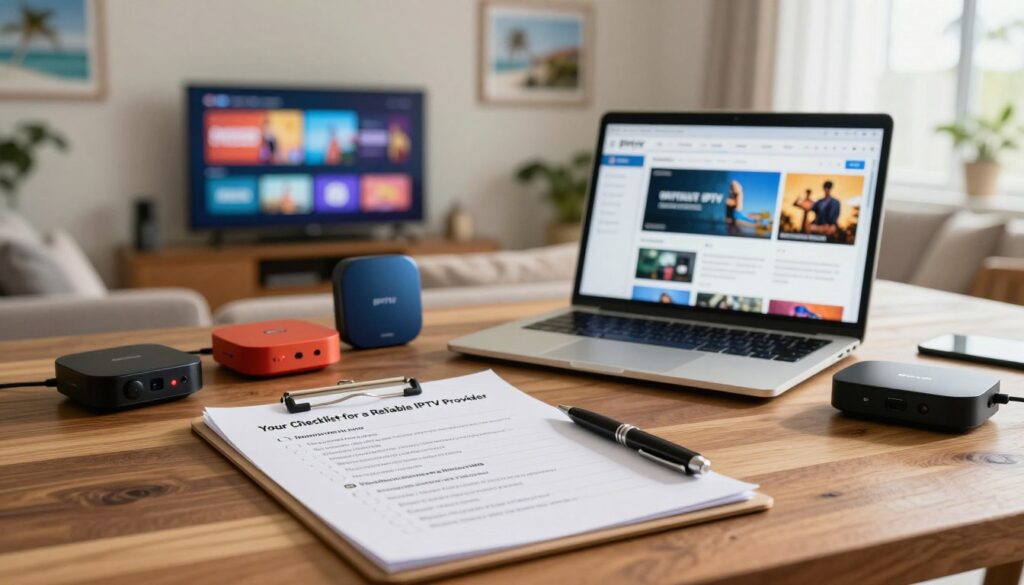
Start by listing the channels and features you can’t live without, then use that list to test options.
-
Channel lineup fit
List your must-haves: local news, specific sports networks, key entertainment channels, and any international channels you watch.
During a trial, verify each named channel plays live and on schedule—don’t trust only a published list.
-
On-demand library depth
Check the VOD catalog for the movies and series you actually watch. Note update cadence: weekly refreshes beat stale catalogs.
Play titles to confirm smooth playback and correct metadata (season/episode labels).
-
Streaming quality standards
Confirm HD and Full HD streams start quickly and show minimal compression artifacts. If 4K is advertised, test during peak hours.
Measure start time and look for drops during live sports or prime-time shows.
-
Device compatibility
Test on your Smart TV, Firestick, Android, iOS, Windows, and Mac. Check whether the service accepts common app logins (M3U/Xtream where relevant).
Make sure simultaneous access limits match your household needs.
-
Performance indicators
Look beyond marketing uptime claims. Observe channel load times, channel switching speed, and any anti-freeze tech in practice.
Note errors or dead links and how often they occur during peak viewing.
-
Customer experience signals
Prefer 24/7 support, clear setup guides, and third-party user reviews. Test support response during your trial window.
-
Trial and protection
Use a free trial or money-back guarantee to run all checks above. Try live sports, news, and prime-time shows inside the trial period.
Keep a simple test log: channel name, device, time, and any issues — this protects you if you need a refund.
“Test what you watch, on the devices you own, during the hours you use them most.”
| Check | What to test | Actionable pass/fail |
|---|---|---|
| Lineup | Play must-have channels during peak time | Pass if >90% play without errors |
| VOD | Stream 3 movies/episodes and note load times | Pass if playback is smooth and metadata is correct |
| Quality | Start HD/FHD; test 4K if offered | Pass if start |
| Devices | Logins on TV, stick, phone, and PC | Pass if all apps run and streams resume after pause |
| Support & risk | Contact support and request refund terms | Pass if response |
For a quick follow-up on legal and seller checks, see this guide on finding a trustworthy option: find a legal service in 2025.
Red Flags That Usually Lead to Buffering, Outages, or Buyer’s Remorse

Simple marketing lines can hide real limits: a service that promises perfect playback may not explain peak-time capacity. That kind of claim is a red flag when there are no technical details about servers, caching, or how many concurrent users the setup can handle.
Ask specifics: how do they handle peak traffic, do they run redundant servers, and what are typical channel load times during prime time? If answers are vague, expect buffering and outages.
Weak or missing support
Limited hours, no live help, or no clear contact path means you could be stuck when streams fail. Support should have real response times and a documented refund process.
Confusing pricing and hidden fees
Watch for unclear renewals, extra charges for app access, or no refund policy. A low introductory price can hide recurring package fees that raise your monthly cost.
Broken-channel patterns
Huge channel lists look impressive until many links fail. Sports and popular U.S. networks often reveal this problem first. Verify channel health across different times of day.
- Verify claims with independent reviews and user feedback.
- Bookmark 15–25 channels you actually watch and test them during trials at different times.
- A good service minimizes wasted time; perfection isn’t required—consistent performance is.
| Red flag | What to ask | Why it matters | Quick test |
|---|---|---|---|
| “Zero buffering” claims | Server capacity, CDN use, concurrent limits | Shows if claims match real infrastructure | Check stream start times during prime time |
| Poor support | Live chat, hours, refund policy | Determines help availability during outages | Contact support with a test issue before subscribing |
| Opaque pricing | Renewal rules, hidden fees, multi-device limits | Prevents surprise charges and lock-in | Read T&Cs and request full cost breakdown |
| Large but broken channel lists | Channel uptime stats, recent fix logs | Measures real access to sports and key content | Bookmark and play channels at morning, afternoon, and night |
Tip: During any trial, test the channels you watch most at different times. It reveals issues faster than a single playback check.
Performance & Quality: How to Stress-Test an IPTV Service Before You Commit
Before you pay, run a short, focused stress test that mirrors how your household actually watches TV.
48-hour stress test (quick plan):
- Day 1 evening: watch a live sports event and note buffering, start time, and picture quality.
- Day 2 prime time: stream news and two popular shows across peak hours.
- Throughout: switch channels fast to log load times and errors on at least two devices.
For speed, aim for ~5–10 Mbps per HD stream and around 25+ Mbps sustained for stable 4K viewing. Use Ethernet when possible; it cuts packet loss and reduces buffering.
Wi‑Fi can work if your router is strong and you’re close to it. If you see stuttering on Wi‑Fi but not on Ethernet, poor wireless—not the service—is likely the issue.
Check the EPG: browse by country and category, confirm times match your local zone, and ensure guide entries are accurate for live channels and shows.
Pass/fail rule: Pass if live sports and prime-time streams start quickly, channel hops succeed >90% of the time, and the app works across two devices. Fail if buffering or black screens recur during peak viewing.
Top IPTV Providers to Consider in 2025 (Quick Product Roundup)
Your best choice depends less on raw counts and more on real-world playback during prime time.
Below are focused picks to help you shortlist options. Use the same stress test from Section 5 to verify claims before you subscribe.
Best for sports-focused viewers
Look at: EagleCast TV, TiVistation, OTTOcean, Trendyscreen, IPTV Gear.
These advertise sports and PPV depth. Test live sports during peak hours to judge start times and buffering.
Best for massive libraries
Look at: XtreamView IPTV, IPTV Trends, Bunnystream, LunoTV.
Large live and VOD counts (tens of thousands) sound good, but check organization and searchability for movies and series.
Best for reliability-first streaming
Look at: IPTVtune and WorthyStream.
They market uptime and anti-freeze tech. Verify load times and support responsiveness during a trial.
Best for new users
Look at: IPTV Smarters and entry-level services with clear setup guides and multi-screen apps.
Prioritize easy app installs and friendly support when you start.
Best for trial-first shoppers
Look at: TiVistation, OTTOcean, LunoTV for 7-day or free trials.
Run the 48-hour stress test and log channel behavior before you commit.
Quick tip: Shortlist 2–3 options, run identical tests, and pick the one that fits your channels, device setup, and tolerance for buffering.
Pricing, Plans, and Value: What You’re Really Paying For
Picking the right plan means matching real viewing habits to what you’ll actually pay for each month.
Monthly vs annual subscriptions: balancing flexibility and savings
Monthly plans give you flexibility while you test the service. Start short so you can run the stress tests from this guide and cancel if channels or sports streams fail.
Annual plans can save money, but only buy one after a successful trial and consistent performance over a few weeks.
What “value” includes: channel variety, VOD size, support, and device access
You’re paying for more than a channel count: stable streaming during peak hours, a usable app and EPG, a well-organized movies and VOD catalog, and prompt support when things break.
If live sports matter most, prioritize peak-hour quality and fast start times. If movies and on-demand content are your focus, value VOD size and searchability.
Multi-device limits change the math. More simultaneous streams raise the effective cost per user, so check device access and household needs before you commit.
- Don’t compare price alone — cheap packages often hide poor quality or missing channels.
- Start with a short plan or trial, run the 48‑hour stress test, then move to longer subscriptions if results meet your needs.
Need a quick shortlist? See a roundup of best iptv subscriptions and consult this subscription packages guide to compare features and true value before you pay.
Safety, Privacy, and Staying on the Right Side of Legal IPTV
Before you sign up, understand that the delivery method and the licensing behind each stream are not the same thing.
IPTV technology vs stream legality: why this distinction matters
The streaming system is simply how channels reach your device. What matters legally is whether the content owner gave permission to show those channels.
Check licensing and ask the service for proof or clear terms. A long channel list can sound great, but verify news, sports, and international channels actually have rights to stream.
VPN basics: privacy and ISP throttling considerations
Your ISP sees traffic patterns and, in some cases, may throttle heavy streaming. Using a VPN can hide patterns and protect privacy.
Choose a reputable VPN, connect to a nearby server for speed, and test on Wi‑Fi and Ethernet. If performance drops, try a different server or turn the VPN off to compare.
Payment and account hygiene: trusted methods and credential sharing risks
Use trusted payment methods and avoid sketchy checkout flows. Keep your account credentials private to prevent lockouts and unauthorized access.
Do not share logins widely; limit simultaneous access and change passwords if you suspect misuse.
Quick checklist: clear terms, visible refund policy, documented support contact, and verifiable reputation beyond marketing.
For a more customer-focused option to consider, review GetMaxTV as an established choice and see details on their main offer here: GetMaxTV.
Conclusion
Wrap up by focusing on what you can test today to avoid months of frustration. Match your must-watch channels to real trials, check movies, series, and live sports during prime time, and watch for buffering and drops.
Shortlist 2–3 options, run identical tests on your app and devices, and compare channel stability, VOD library usability, and support response times. Use a risk-free trial or money-back window so you can cancel if performance fails.
If you want a legal IPTV subscription with clear terms and 24/7 help, see the WatchMaxTV offer for details and reviews that can save you time and money.
FAQ
How do I choose a reliable IPTV provider in Florida — what should be on my checklist and which red flags matter?
Start by matching channel lineup to your needs — local news, live sports, entertainment, and international channels. Check device compatibility for Smart TVs, Fire TV, Android, iOS, Windows, and Mac. Look for clear streaming quality claims (HD, Full HD, 4K readiness) and performance promises such as uptime figures or anti-freeze tech. Ensure there’s responsive customer support, setup help, and user reviews. Favor services that offer free trials or money-back guarantees. Red flags include unclear pricing, no live support, lots of dead links, and bold “zero buffering” promises without technical details.
What does “reliable IPTV” mean today in the U.S. streaming landscape?
Reliable means stable streams with consistent picture quality, fast channel loading, transparent uptime or server info, and reachable customer support. It also means a regular update cadence for on-demand movies and series, accurate EPG guides, and tested app performance across devices. Providers that post real user reviews and offer trials let you confirm performance before committing.
Why are many viewers ditching cable for streaming services that offer live channels and on-demand content?
You’ll often pay less and get more flexibility. Streaming gives you a wider choice of channels, international options, and on-demand libraries with movies and series. You can watch on multiple devices, pause or rewind live TV, and pick plans that match your viewing — sports-heavy, movie-first, or international collections. When service quality and support are good, the experience can beat traditional cable.
What should I expect from top services in 2025 in terms of picture quality?
Expect most mainstream services to deliver HD and Full HD as standard, with growing 4K availability for select channels and VOD titles. Your actual quality depends on the plan, the provider’s encoder settings, and your home bandwidth. Look for explicit 4K listings and recommended connection speeds before assuming ultra-high-definition will be available everywhere.
How can I test a service before I buy so I don’t face buffering or outages later?
Run a real-world test: stream live sports, breaking news, and prime-time shows. Use the provider’s trial or short-term plan to test peak-time performance. Check how fast channels load, whether streams rebuffer during long events, and how the EPG behaves. Test on your usual devices and try both Wi‑Fi and Ethernet to compare stability.
What connection speeds do I need for smooth HD and 4K streaming?
For single-stream HD, aim for at least 5–8 Mbps. Full HD often needs 8–12 Mbps. For consistent 4K viewing, target 25 Mbps or higher per stream. If multiple users stream simultaneously, add bandwidth per concurrent stream. Ethernet reduces packet loss and jitter versus typical Wi‑Fi, improving stability for live sports and large events.
How important is device compatibility and app quality when choosing a service?
Very important. Even the best content won’t matter if apps crash, features are limited, or guides are inaccurate. Verify native apps for your Smart TV brand, Fire TV, Android/Apple devices, and desktop support for Windows/Mac if you need it. Look for multi-screen support, easy setup guides, and regular app updates.
What are the most common red flags that lead to poor viewing experiences?
Watch out for overpromising “zero buffering” without server or CDN details, hidden fees or unclear billing, no live support or only email replies, and channel lists that don’t match real availability. Also avoid services with many user reports of dropped channels or inconsistent VOD libraries.
How do I evaluate a provider’s customer experience signals?
Check for 24/7 support options, live chat or phone access, clear setup documentation, and online user reviews. Look at how the service handles outages — do they communicate expected fixes? A transparent refund policy and trial options indicate confidence in their offering.
What payment and privacy practices should I follow when subscribing?
Use trusted payment methods like cards or PayPal when available. Avoid sharing login credentials and change passwords regularly. Consider a reputable VPN if you’re concerned about ISP throttling or privacy, but verify the provider’s stance on VPN use. Keep an eye on account activity and don’t reuse passwords across services.
Are there specific providers you can recommend for sports, massive libraries, or trials in 2025?
Look for established services with clear sports packages and PPV options if live events matter. For large VOD catalogs, choose services that list tens of thousands of titles and update frequently. For reliability, prioritize brands with strong uptime records, anti-freeze features, and responsive support. If you want to try before committing, pick providers that explicitly offer free trials or money-back guarantees so you can stress-test performance.
How do I balance price versus value when picking a plan?
Compare monthly versus annual costs and factor in channel variety, VOD size, device access, and support quality. Cheaper plans may cut corners on stream stability or support. If you watch sports or 4K content, invest in a plan that guarantees those features. Use trials to confirm value before longer subscriptions.
What legal and safety considerations should I keep in mind when choosing a streaming service?
IPTV technology itself is neutral, but legality depends on content licensing. Choose established, customer-focused services that clearly state licensing and terms. Use trusted payment methods, maintain account hygiene, and be cautious with offers that sound too good to be true. Brands with clear policies reduce your risk of interruptions or takedowns.
Can you explain EPG usability checks and why they matter?
The electronic program guide (EPG) helps you find live channels and future scheduling. Test EPG accuracy by browsing by country and category, and confirm program times and metadata match your expectations. A reliable EPG improves discovery and lets you schedule recordings or reminders correctly.
If I experience buffering, what troubleshooting steps should I try first?
First, switch from Wi‑Fi to Ethernet and retest. Restart your router and the streaming device. Close background apps and reduce other household devices’ bandwidth use. Check the provider’s status page for outages. If problems persist, contact support with timestamps and channel names so they can investigate.
How valuable are user reviews when choosing a service, and how should I read them?
User reviews are valuable for spotting consistent issues like outages, broken channels, or poor support. Look for recent reviews and common themes rather than single complaints. Verified purchases or reviews on reputable forums carry more weight than anonymous comments.
What role do trials and money-back guarantees play in reducing subscription risk?
Trials let you test real-world performance during your typical viewing hours. Money-back guarantees provide an added safety net if the service underdelivers after purchase. Always check trial length, cancellation policies, and any limits on features during the trial period.
Where does GetMaxTV fit into the landscape of established, customer-focused services?
Services like GetMaxTV market themselves on strong customer support, transparent plans, and a mix of live channels with VOD libraries. When evaluating such brands, confirm device support, trial options, and uptime history. Choose services that publish clear contact paths and refund terms so you can feel confident in your subscription.
The WatchMaxTV Team is a dedicated group of streaming specialists and entertainment technology reviewers covering IPTV services for viewers in the USA, UK, and Canada since 2023. Our team independently evaluates every service we feature — testing across Smart TVs, streaming sticks, mobile devices, and gaming consoles. We measure stream stability, picture clarity in HD and 4K, program guide accuracy, and customer support quality. Our goal is simple: help cord-cutters find reliable, affordable alternatives to overpriced cable. Every recommendation on WatchMaxTV.com comes from real-world testing — not sponsored content or paid placements.