

Curious which service will give you smooth channels and the least buffering on your Apple TV? You’ll get clear answers based on real tests run Sep–Dec 2025. This short guide shows how streaming works on Apple hardware and what metrics matter.
You’ll learn what to check before you buy, a step-by-step setup workflow for IPTVX, and how to cut buffering to near-zero. We tested 15+ providers; top performers hit 0.2–0.6 buffering events/hour and 1.8–3.0s startup times.
While this is useful anywhere, it also explains how to validate performance in Western Canada and Calgary specifically, so you can pick servers and plans that match your location. If you want a reputable option, you’ll see where GetMaxTV fits in the mix.
This guide is practical, not hype: the goal is to help you spend once—on the right plan for your Apple TV and internet setup.
Key Takeaways
- You’ll learn how streaming works on Apple TV and what to check before buying.
- Real 2025 testing data informs reliability and buffering expectations.
- Setup steps and a troubleshooting workflow let you avoid common problems.
- Calgary/Western Canada context helps you validate regional performance.
- Top performers and pricing ranges are based on hands-on tests (Sep–Dec 2025).
- For a reputable, legal option, consider the recommended provider and visit WatchMaxTV as a CTA.
Who this guide is for (and what you’ll get)
If you want live channels, premium sports, and a big on‑demand library without hopping between apps, this guide shows the safe path.
Who benefits: You do if you want a single, simple Apple experience that brings live channels, sports, and movies shows into one app. Expect clear steps to check speed, app compatibility, and device limits.
Why now: Cable costs and scattered services push many people to a single service that bundles channels and VOD. A reliable option can cut clutter and monthly headaches.
- Legality boundary: “iptv legal” means the provider is authorized to distribute premium channels and other content. Verify licensing and avoid pirated feeds.
- No jailbreaks, no sideloading, and no workarounds designed to bypass rights holders—this guide stays safety‑first.
- You’ll get a compatibility checklist, app recommendations for 2025–2026, step‑by‑step setup, and provider evaluation criteria you can reuse.
Before you buy, confirm the service explains licensing, device limits, and support. If a provider can’t answer those basics, walk away. Also plan on at least 15 Mbps download speed for lag‑free viewing; sports quality needs extra headroom during peak games.
Internet Protocol Television on Apple TV, explained in plain English
Think of internet protocol television as a delivery method that brings channels and on‑demand shows through your internet connection instead of a coax line or a satellite dish.
How it differs from traditional cable and satellite: the channel-surfing feel is the same, but streams arrive via apps and playlists rather than a set-top box or physical lineup. That means your network and the app’s player matter more than a provider’s hardware.
Key terms you'll see
- EPG / program guide: what’s on now and next. If the guide is wrong, channel surfing feels broken.
- VOD library: the movies and shows catalog. Big numbers mean little if content isn’t refreshed.
- Catch-up: rewind or replay past broadcasts when you missed a show.
- Streaming device support: which platforms run the app — Apple TV, Android TV, Fire TV — and which playlist formats they accept.
Practical note: most services give Xtream API credentials or an M3U/M3U8 playlist URL. If the format or app is unsupported, channels and VOD may not load correctly.
“You’re relying on your home network and the app’s EPG, not a cable company box.”
Next: Apple TV is powerful but selective about app choice and formats, so you’ll want to follow a short compatibility checklist before signing up.
Why Apple TV is a strong streaming device for IPTV
https://www.youtube.com/watch?v=VjchL1YC1oM
Apple TV pairs fast hardware with a polished OS, so you get quick app navigation and fewer hang-ups during live viewing. This makes it a true set it and forget it choice when channels and uptime matter.
Performance perks
Expect fast startup, smooth decoding, and low crash rates compared with many budget sticks. That means less interruption during sports and events.
AirPlay 2 and Picture-in-Picture add real flexibility. You can cast compatible streams between rooms and keep watching while you browse other apps.
Where it can be picky
App selection is tighter than on Android and Fire platforms. That makes app choice more important than which service you pick.
- Playlist formats: Xtream API vs M3U/M3U8 support matters.
- Authentication: some providers limit device logins or concurrent streams.
- If a provider won’t supply clean formats, your experience will need constant troubleshooting.
“A good provider that supports common formats saves you hours of fiddling.”
Before you subscribe: compatibility checklist for Apple TV in the US and Canada
Before you sign up, run a short checklist to confirm your network and devices will deliver smooth live viewing tonight.
Minimum internet speed and what “stable” means
Aim for at least 15 Mbps per HD stream as a baseline. In tests, stable 1080p in many regions used 50–100 Mbps shared household links.
Stability beats peak speed: low packet loss and steady latency during 8–10 pm traffic matter more than a single fast speed test.
Router and Wi‑Fi best practices
- Use 5 GHz or Wi‑Fi 6/6E when possible and keep devices near the access point.
- Prefer Ethernet when you can—wired connections cut buffering risk during big games.
- Avoid congested channels in apartments and reboot the router after firmware updates.
What to confirm with a provider
Ask if the service supports Xtream API or M3U/M3U8 formats and whether an app exists for your device. Confirm concurrent stream limits and real support options.
- Playlist formats: Xtream API, M3U/M3U8
- Device limits and cross-device coverage (Fire Stick, smart tvs, NVIDIA Shield)
- Support channels: ticket, email, and live chat availability
“Check formats and reachable support before you pay—good help saves hours.”
Once compatibility checks pass, you’ll be ready to compare reliability, EPG quality, and VOD freshness in the next section.
iptv subscription for apple tv canada: what to look for before you pay
Before you click pay, check a handful of technical and support promises that separate a reliable service from a flaky one.
Reliable live channels: uptime targets and why 99.9% matters
Uptime is more than marketing. In our Sep–Dec 2025 tests, leaders targeted 99.9% and delivered measurably fewer outages.
Ask providers what uptime they aim for, how they monitor it, and their outage plan. 99.9% still allows brief downtime, but it’s far better than services that “work most days.”
VOD library size vs. content freshness
Big counts like “140,000+ titles” sound impressive but can hide stale or poorly tagged content.
Look for freshness, accurate metadata, and curated categories. Those make browsing faster and the VOD library genuinely useful.
Customer support reality check
Support is a core feature, not a bonus. In testing, response times ranged from minutes to over an hour.
Benchmark: top services averaged minutes (Sonix reported ~4 minutes). Ask about live chat, ticket SLAs, and escalation paths before you pay.
Program guide quality
A clean, accurate program guide turns a channel list into a true viewing system.
Poor EPG means slow browsing and missed shows. Prioritize providers with tight guide updates and correct metadata.
Sports streaming: expectations on game day
Sports demand low startup times and few buffering events. Leading services hit 0.2–0.6 buffering events/hour and 1.8–3.0s startup in our tests.
Confirm 4K availability, check blackout policies, and ask how they scale during big events.
“Ask these exact questions before you pay: supported formats, concurrent streams, trial/refund terms, uptime targets, and peak-time handling.”
- Supported formats (Xtream API / M3U)
- Concurrent streams allowed
- Trial or refund policy
- How they monitor uptime and respond to outages
Apple TV IPTV apps that matter in 2025-2026
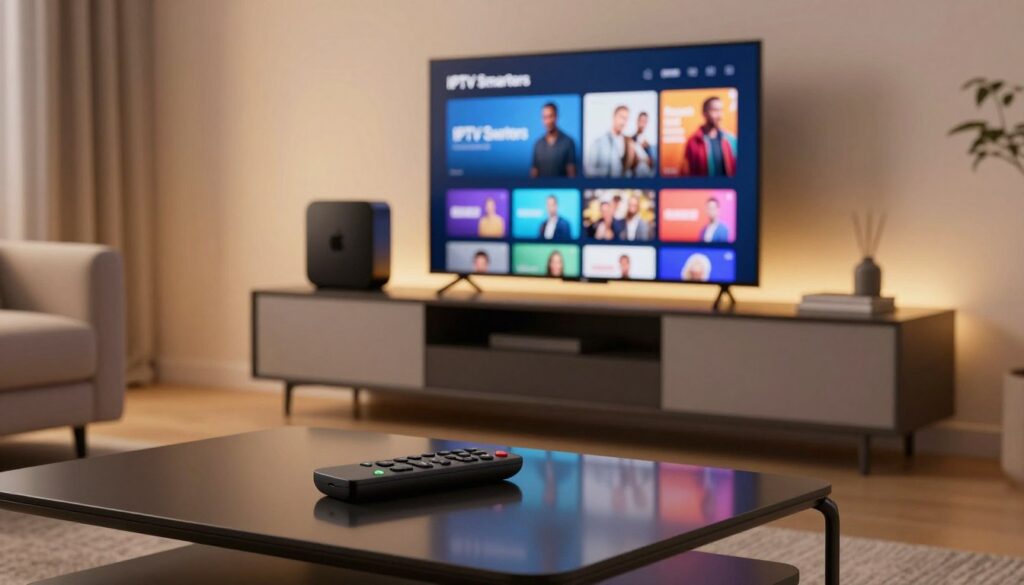
Choosing the right tvOS app shapes how you watch live channels and on-demand content. A polished client gives you fast channel loads, a usable program guide, and fewer support calls.
IPTVX on tvOS: standout features
IPTVX is built for tvOS and supports Xtream API and M3U/M3U8, plus PLEX and SMB. It offers an EPG grid, multi-screen playback, iCloud sync, Picture-in-Picture, and AirPlay 2.
Practical note: IPTVX accepts manual EPG URLs (including GZIP) and lets you manage categories. Users report parental controls can be imperfect and the basic tier prompts may be intrusive.
Playlist formats and login types
Xtream API gives structured logins and usually the cleanest EPG and VOD mapping. M3U/M3U8 is a playlist URL approach and can be a solid fallback when Xtream isn’t available.
Try Xtream API first if your provider supports both. If the guide looks off or channels misalign, switch to M3U and add a manual EPG URL.
Parental controls: what works and what doesn’t
Apple-level restrictions block playback and purchases well, but many apps don’t fully hide channel lists or EPG entries.
Reduce exposure by hiding categories, tagging favorites, and using app-level PINs. That lowers accidental access while you wait for stronger app controls.
“A strong tvOS app saves you hours of troubleshooting when channel lists and the program guide behave.”
| Feature | IPTVX | Other tvOS Clients |
|---|---|---|
| EPG grid | Yes — manual EPG URL support | Varies — often limited |
| Login methods | Xtream API, M3U/M3U8, PLEX/SMB | Mostly M3U or native keys |
| Parental controls | PIN, category hide (not full list hide) | Basic PINs or none |
| Cost model | Free + in-app purchases | Mixed — some paid apps |
How to set up IPTV on Apple TV using IPTVX
Begin with a quick app install; a few minutes here saves hours later when you want reliable channel browsing.
Install and sign in. Download IPTVX from the tvOS App Store on your device. Open the app and sign in with your Apple ID so settings and iCloud sync work across your phone and set-top device.
Add your service credentials. From the app menu choose Add Service, then pick Xtream API or M3U/M3U8. You’ll need either Xtream API details (server URL, username, password) or a playlist link and optional EPG URL from your service.
Confirm it loaded
- Verify the program guide fills in and live channels appear.
- Open 3–5 channels across categories and confirm audio/video sync.
- If channels are missing, re-check the format type and credentials.
Connect EPG data
If the server provides EPG, use auto-detect first. If listings look wrong, add a manual EPG URL (GZIP supported) and re-sync.
Spot-check prime-time listings after adding the EPG to ensure the program guide matches channel content.
Make the app usable fast
- Create favorites for your top channels to speed access.
- Hide unused categories and reorder lists to reduce browsing time.
- Use iCloud sync to keep favorites and settings consistent across devices.
Picture-in-Picture and multi-screen
Enable Picture-in-Picture and multi-screen only if your plan and device limits allow concurrent streams. Test these features during off-peak hours to confirm stability.
“Re-check format type, credentials, and device limits with support if channels won’t load.”
Troubleshooting quick path: restart the app, confirm your service account is active, switch between Xtream and M3U formats if the guide is wrong, and contact support with exact error messages and a sample channel list.
Best practices for streaming quality on Apple TV
A few small tweaks to your home network often stop most buffering and restore smooth live playback.
Reduce buffering: DNS, Ethernet vs Wi‑Fi, and restart routines
Buffering can come from Wi‑Fi congestion, a busy router, slow ISP DNS, the provider’s servers, or the app itself. Start with the fixes you control.
- Try Ethernet first. Wired connections cut packet loss and lower buffering risk.
- Optimize Wi‑Fi placement. Move the router closer or use 5 GHz / Wi‑Fi 6 to reduce interference.
- Change DNS if needed. If ISP DNS is slow, try a fast public DNS and note your change so you can revert.
- Restart routine. Reboot your router and device after updates or when playback degrades; long uptimes can cause issues.
4K and HDR tips: when Dolby Vision helps (and when it causes issues)
Enable 4K/HDR only if your TV and player handle it cleanly. IPTVX supports Dolby Vision, HDR10, and HLG, but Dolby Vision can cause color shifts or handshake problems on some sets.
If you see instability, test HDR10 or SDR. Lowering resolution during a live sports event is better than constant rebuffering.
Peak-time stability: how to test your connection like a pro
Run speed tests at the exact times you watch. Compare startup times and buffering across several channels and devices. Game-day streaming is less forgiving—test before kickoff.
When it’s probably the provider: if many channels and multiple devices buffer at once despite a stable wired connection, the issue is likely on the service side.
| Fix | Impact | Difficulty |
|---|---|---|
| Ethernet | High — reduces buffering and drops | Low — plug and play |
| Move router / use 5 GHz | Medium — improves Wi‑Fi reliability | Low — reposition or change band |
| Change DNS | Medium — can speed lookups | Medium — update settings, document change |
| Switch HDR mode | Low–Medium — fixes handshake/color issues | Low — test presets |
For device-level tips and recommended settings, check the guide on Apple TV settings, and if you need regional sports channel info see regional sports channels.
How we evaluated providers (what “tested” really means)

Our team observed every candidate across 90 days to capture real-world uptime and playback trends. That long window (Sep–Dec 2025) uncovers problems that one-night checks miss.
We ran independent trials on 15+ services across Ontario, Quebec, and British Columbia. Tests measured whether channels load, how fast they start, and how often streams stall.
Core metrics in plain language
- Channel verification: does a listed channel actually play and match the program guide?
- Uptime monitoring: continuous checks translated into annual downtime (99.5% ≈ 44 hours/year; 99.9% ≈ 8.8 hours/year).
- Support response: first reply time averaged from multiple contact attempts at different hours — not a single lucky chat.
- Streaming performance: startup time and buffering rate; top performers hit 0.2–0.6 buffering events/hour and 1.8–3.0s startup.
“We tested each service over months so you see stable results, not a lucky night.”
Limitations: results depend on your ISP, home network, and device. Use these metrics as a decision tool and match them to your viewing priorities.
Top IPTV provider picks based on 2025 testing data
This shortlist highlights the top services from our 2025 tests so you can match a provider to how your household actually watches.
Best overall reliability and support responsiveness
Sonix IPTV earned this slot with 99.9% uptime and a ~4‑minute average first response. That combo of steady channels and quick customer support keeps playback reliable when it matters most.
Best for premium sports and sports networks
Pioneer TV stood out on game day. It offers 200+ sports channels and about 85% 4K availability on major broadcasts, which helps during peak sports streaming.
Best for families who rely on a deep VOD library and catch-up
IPTV Geeks is the family pick with 145,000+ VOD titles and 14‑day catch-up plus an advanced EPG that makes browsing simple for multiple viewers.
Best for multi-device households
Kick supports up to 5 concurrent streams, so multiple rooms can watch different channels without forced logouts.
Best budget choice if you can tolerate slower support
A low-cost service at about CAD $97/year saves money but shows ~45‑minute support response. Save cash, but expect more DIY troubleshooting.
| Pick | Strength | Channels / VOD | Annual cost (CAD) |
|---|---|---|---|
| Sonix IPTV | Reliability + fast support | 45,000+ channels, 140,000+ VOD | $97 |
| Pioneer TV | Sports stability & 4K | 200+ sports channels | $104 |
| IPTV Geeks | VOD & catch-up | 145,000+ VOD, 14-day catch-up | $111 |
| Kick | Multi-stream homes | Up to 5 concurrent streams | $100 |
“Best overall is uptime plus fast support—those two together beat raw channel counts when you want reliable playback.”
Provider snapshot: Sonix — best overall in testing
Sonix topped our tests by delivering steady playback and fast help when things go wrong. In hands-on trials it combined a huge channel lineup with reliable uptime and usable listings on Apple TV.
Why it ranked highest
Sonix offers 45,000+ live channels and a 140,000+ vod library. Tests showed ~99.9% uptime and ~80% 4K availability on major feeds. That translates to far fewer service interruptions than mid-pack providers.
Support benchmark
Customer support averaged a 4-minute first response in our tests. Fast replies mean you waste less time troubleshooting and more time watching.
Who should pick it
If you prioritize stability and a clean program guide over the lowest price, this service fits well. The VOD metadata and organization make the library useful for family viewing, not just a headline number.
“You pay a bit more for fewer headaches: quick starts, fewer buffering events, and real support when needed.”
| Metric | Result | Impact |
|---|---|---|
| Live channels | 45,000+ | Wide category coverage, major networks included |
| VOD library | 140,000+ | Searchable metadata, family-ready |
| Uptime & support | 99.9% / ~4 min response | Fewer outages, fast issue resolution |
| Price & streams | CAD $97/year, 3 concurrent | Good value for reliability-focused users |
Provider snapshot: Pioneer TV (best for sports streaming)
When tens of thousands tune in at once, you want a provider that treats live events like missions, not features. Pioneer TV focuses on live sports and builds infrastructure to keep playback steady during peak windows.
Sports strengths
Pioneer TV delivers 200+ sports channels and roughly 85% 4K availability on major broadcasts. That makes it a strong pick if you chase multiple leagues and premium sports feeds.
What to expect on game day
Live sports is the hardest content to stream because everyone watches at once. That creates high traffic spikes you rarely see with VOD.
Game-day focus: Pioneer routes sports traffic through scalable servers and tested CDN paths. In our NHL, CFL, and MLS trials it held stable with ~99.5% uptime and responsive playback.
- Dedicated sports networks and broad league coverage make tracking multiple games easier.
- 4K is common but not guaranteed; test a 4K feed during prime hours before committing long term.
- Support averages ~12 minutes—good if not instant—so plan quick fallbacks if you hit an issue during a live game.
- If you use IPTVX multi-screen features, confirm concurrent stream limits so you don’t overload your account during simultaneous viewing.
| Metric | Pioneer TV | Impact |
|---|---|---|
| Sports channels | 200+ | Wide league and regional coverage |
| 4K availability | ~85% on sports | High-quality broadcasts; varies by event |
| Uptime | ~99.5% | Reliable during high-traffic events |
| Support response | ~12 minutes | Fast, but slightly slower than top overall picks |
| Annual cost | CAD $104 | Good value for sports-centric users |
“Stable playback matters more than a massive VOD library when you want every game to start and stay on.”
Provider snapshot: IPTV Geeks (premium experience)
For viewers who live in the VOD aisle, a big, well-tagged library can change how you spend evenings at home.
Why movie fans and binge watchers like it
IPTV Geeks leads with a 145,000+ vod library and an advanced program guide that keeps listings tidy and searchable. The on-demand content is organized with complete metadata, which makes finding movies shows fast and reliable.
The service also offers a 14-day catch-up window. That replaces many DVR habits and helps you resume missed broadcasts without juggling apps.
Tradeoffs and who should consider it
This premium service costs about CAD $111/year and targets viewers who value discovery and polish over the lowest price. Uptime tested near ~99.6% and support responded in ~8 minutes on average.
Worth it? If you care about a clean program guide, deep VOD options, and less time wasted searching, this service likely pays for itself in saved time.
When to skip it
If you only watch a few live channels and rarely use catch-up, a cheaper plan will likely fit your needs. The premium features matter most when you regularly browse on-demand content or rely on quick program lookups from the couch.
| Metric | Result | Why it matters |
|---|---|---|
| VOD library | 145,000+ | Better discovery and fresh titles |
| Catch-up | 14 days | Replaces DVR for many users |
| Uptime / Support | ~99.6% / ~8 min | Reliable playback and quick help |
| Annual cost | CAD $111/year | Higher price for a premium experience |
“A premium program guide and a large VOD library remove friction and make nightly viewing easier.”
Pricing and value: what you should expect to pay (and what’s a red flag)
Picking a plan is more than price — it’s about uptime, support, and how the service behaves during game night.
Realistic ranges from testing
In our 2025 testing, annual plans clustered around CAD $97–$118. That converts to roughly CAD $10–$12 per month on common monthly equivalents.
Reality check: very cheap offers often trade cost for slow channels, spotty content updates, or poor support.
Cost-per-channel vs. real usability
- Ignore raw channel counts: a huge list means little if the EPG is wrong or favorites buffer nightly.
- Value comes from fast startup times, accurate guides, and usable features like hiding categories and building favorites.
- A reliable service with sane support beats the lowest price when viewing matters.
Trial and refund checks (do this before you pay)
- Confirm trial or refund policy in writing and note any time limits.
- Test during peak hours and start a support request to gauge response time.
- Avoid odd payment requests that lack consumer protections unless you accept the risk.
“Test at peak time and contact support once during a trial — that single step often reveals true value.”
Safety, legality, and staying on the right side of streaming
Protecting your viewing choices means checking legality, privacy, and the quality of support before you commit. A short sanity-check helps you avoid scams and legal trouble while keeping devices and content secure.
How to sanity-check whether a service is legal where you live
Look for clear business information, published terms, and reachable support contacts before you pay. Confirm licensing statements and ask directly if they hold rights to the channels you plan to watch.
Legality varies by region; whether iptv is legal depends on authorization to distribute specific content. Treat any provider that dodges licensing questions as a red flag.
For a primer on how the service model works, see what is iptv. For legal cases and broader impacts, review coverage like poursuites iptv.
Data privacy and device security basics
- Use strong, unique passwords and enable two-factor where available.
- Avoid sharing account credentials and don’t install unknown profiles or apps outside official stores.
- Prefer payment methods with dispute options; avoid opaque payment flows.
Choose reputable brands for peace of mind
Pick services with transparent support, clear terms, and verifiable uptime. A reputable brand (including GetMaxTV as an example) reduces risk and saves you troubleshooting time.
Legal disclaimer: This information is for educational purposes and does not constitute legal advice. Verify local laws and licensing before you stream.
Where GetMaxTV fits in: a trustworthy option to consider
A reliable streaming choice begins with clear terms, honest claims, and a support team that answers real setup questions.
When you shop an iptv service offer, focus on transparency first. Look for plain plan terms, published device limits, and documented refund or trial rules. Those signals matter more than a long channel list.
What to check in any services offer
Plan details: Confirm concurrent streams, allowed formats (Xtream / M3U), and any device locks.
Performance claims: Treat startup and uptime numbers as promises to verify, not guarantees.
Support access: A good iptv service shows live chat, ticket times, and real setup guides for Apple TV apps and EPG credentials.
Stability signals that matter
- Published uptime targets and a status page or monitoring details.
- Clear setup documentation for EPG and playlist formats.
- Guides for troubleshooting common errors without jargon.
Validate customer support before you buy
Contact support with a basic setup question and note response time and the quality of the answer. If replies are scripted or evasive, that’s a warning.
“Test support first: a short chat during a free trial often reveals whether a service will help when you need it.”
If you want a straightforward, reputable experience, you can review GetMaxTV and judge whether the offer matches your needs. Learn more about the offer here: GetMaxTV.
| Trust Signal | What to expect | Why it matters | Quick check |
|---|---|---|---|
| Plan terms | Device limits, refund policy | Prevents surprises at login time | Read terms and ask support |
| Support | Live chat, ticket SLA | Faster fixes during peak events | Send a test question |
| Stability | Uptime targets, status page | Predictable channel availability | Look for published metrics |
| Setup docs | EPG, Xtream/M3U guides | Saves time configuring Apple apps | Open the support articles |
Conclusion
Use a short decision flow: confirm device compatibility and playlist formats, then prioritize uptime, guide accuracy, and quick support. Test a service during peak hours to see real startup and buffering behavior.
What matters day to day: a clean program guide, stable peak performance (top testers hit 0.2–0.6 buffering events/hour and 1.8–3.0s startup), and simple setup habits like favorites and hidden categories.
Expect pricing near CAD $97–$118/year and support that can respond in minutes or sometimes an hour+. Protect yourself: verify legitimacy, avoid sketchy installs, and keep network best practices like Ethernet and 5 GHz Wi‑Fi.
If you want a legal iptv subscription and a trustworthy offer to review, check GetMaxTV’s options: https://watchmaxtv.com.
FAQ
What devices can you use to stream live channels and on-demand content with Apple TV?
You can use Apple TV alongside other streaming devices such as Amazon Fire Stick, NVIDIA Shield, smart TVs, and iPhones. Many services support apps on tvOS and allow AirPlay, while others provide playlist formats like M3U or Xtream API for broader device compatibility.
How do you know if a service is legal and safe to use in your area?
Check whether the provider lists clear licensing, reputable payment methods, and transparent terms. Verify regional legality by reviewing local broadcasting rules and consulting official sources. Choose providers that offer secure account authentication and avoid sketchy installs or unknown third-party apps.
What minimum internet speed do you need to reduce buffering during peak hours?
Aim for at least 15–25 Mbps for consistent HD streaming and 40–55 Mbps for 4K. Use Ethernet when possible and follow router/Wi‑Fi best practices like band steering, QoS, and limiting concurrent heavy uploads to keep peak-time buffering low.
What’s the difference between M3U and Xtream API when adding a service?
M3U/M3U8 playlists are simple channel lists that many players accept. Xtream API provides authentication, dynamic EPG integration, and better program guide features. Xtream often delivers a smoother experience on tvOS apps that support it.
How do you connect EPG data and why does it matter?
You can link an EPG URL in the app settings or let the provider push it via Xtream API. A quality program guide makes channel browsing, catch-up, and recording far easier and improves navigation on devices like Apple TV.
What should you verify about a provider’s live channel reliability?
Confirm uptime targets (99%+ is ideal), test for buffering events and fast channel startup times, and check whether the provider has redundancy for major events. Reliable providers also publish support channels like live chat and timely ticket responses.
How large should a VOD library be versus how fresh its content is?
Bigger libraries sound good, but freshness and metadata quality matter more. Look at the ratio of recent movies and shows, catch-up options, and search functionality. A well-curated 40,000-title library can beat a stale 150,000-title catalog.
Can you get premium sports and 4K broadcasts through these services?
Many providers offer premium sports channels and some streams in 4K. Check for blackout policies, game-day infrastructure, and whether your plan supports concurrent streams to avoid issues during big events.
How do parental controls on Apple TV perform with third-party apps?
Apple TV has solid device-level controls, like screen time and content restrictions, but app-level controls vary. Confirm whether the service supports PIN protection, profile restrictions, and parental flags for on-demand content.
What are realistic pricing expectations and red flags when shopping?
Typical tested ranges can be around CAD –8 per year or similar monthly equivalents. Red flags include no refund policy, unclear channel lists, unusually low prices with vague support, and missing trial options.
How should you test streaming quality before committing to a long-term plan?
Use a trial or short-term plan, monitor buffering events and startup times, check multiple regions if possible, and test during peak hours. Also evaluate support responsiveness via live chat or tickets.
What router and Wi‑Fi tips reduce buffering on Apple TV?
Prefer Ethernet for the best stability. If using Wi‑Fi, use 5 GHz bands, place your router near the device, enable QoS for streaming, and avoid congested channels. Regularly restart your router and streaming unit to clear temporary issues.
How do you organize channels and favorites on Apple TV apps?
Use the app’s built-in tools to create favorites, hide unused categories, and reorder lists. Many apps let you pin channels or build custom groups to speed up navigation and reduce clutter.
What support options should a top provider offer?
Look for live chat, email tickets, an online knowledge base, and responsive social channels. Fast initial response times and clear escalation paths matter, especially around major live sports or network outages.
Are there notable apps on tvOS you should consider in 2025–2026?
Yes—look for full-featured apps with EPG grids, multi-screen support, iCloud sync, and parental controls. App quality varies, so prioritize those with regular updates and positive user reviews on the App Store.
How does Dolby Vision or HDR affect 4K streaming quality?
Dolby Vision and HDR can greatly enhance picture quality, but they demand more bandwidth and compatible displays. If you see playback issues, try standard HDR or SDR to determine whether the format causes instability.
What privacy steps should you take when signing up?
Use secure payment methods, enable two-factor authentication if available, and avoid sharing credentials. Read the privacy policy for data handling practices and ensure the provider uses HTTPS and secure authentication methods.
The WatchMaxTV Team is a dedicated group of streaming specialists and entertainment technology reviewers covering IPTV services for viewers in the USA, UK, and Canada since 2023. Our team independently evaluates every service we feature — testing across Smart TVs, streaming sticks, mobile devices, and gaming consoles. We measure stream stability, picture clarity in HD and 4K, program guide accuracy, and customer support quality. Our goal is simple: help cord-cutters find reliable, affordable alternatives to overpriced cable. Every recommendation on WatchMaxTV.com comes from real-world testing — not sponsored content or paid placements.