
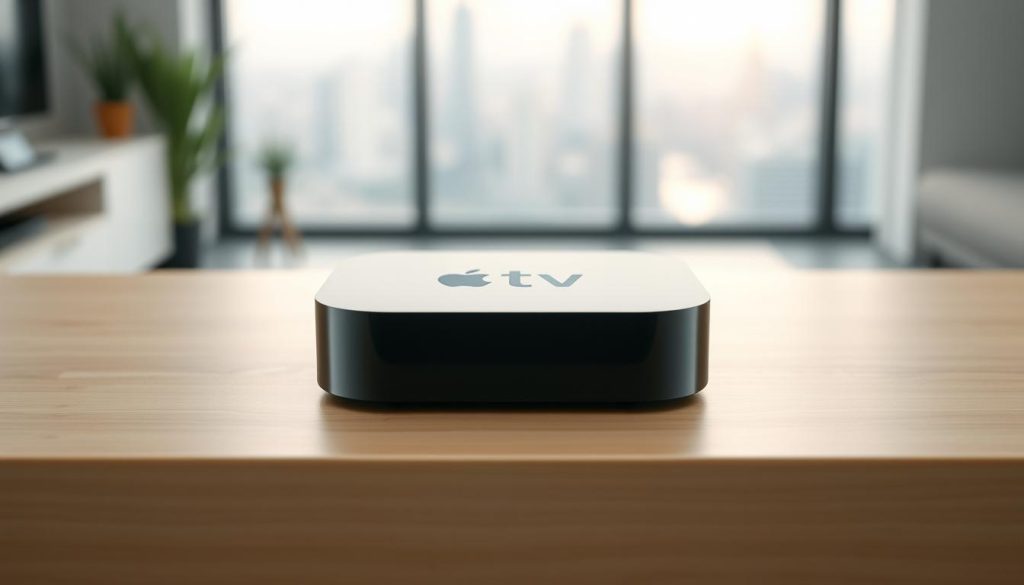
Did you know millions of people worldwide are using IPTV for entertainment? They want a more personal viewing experience. Configuring IPTV on Apple TV is now a popular skill. Apps like iPlayTV and GSE Smart IPTV make streaming smooth.
These apps have lots of channels and on-demand content. This makes it simple to watch your favorite shows and movies. To start, try a free trial at https://watchmaxtv.com. You can also get help via WhatsApp.
Key Takeaways
- Learn how to configure IPTV on Apple TV using compatible apps.
- Discover the benefits of using iPlayTV and GSE Smart IPTV.
- Enjoy a free trial and personalized support.
- Access a wide range of channels and on-demand content.
- Enhance your streaming experience with ease.
What is IPTV and Why It's Revolutionary for Streaming
IPTV has changed TV watching, giving viewers more control. It uses the internet to stream TV, making watching more personal and flexible.
The Technology Behind IPTV Services
IPTV uses the internet to send TV to devices. It combines technologies like CDNs, streaming protocols, and DRM. CDNs help spread content fast, cutting down on delays and improving quality.
Streaming protocols like HLS and DASH adjust to internet speeds. This keeps the stream smooth. DRM also keeps content safe, letting premium content be shared.
Benefits Over Traditional Cable and Satellite TV
IPTV beats traditional TV in many ways. It lets you watch shows and movies whenever you want. You can also pause, rewind, and fast-forward, giving you more control.
| Feature | IPTV | Traditional TV |
|---|---|---|
| On-Demand Content | Yes | Limited |
| Pause/Rewind/Fast-Forward | Yes | No |
| Multi-Device Support | Yes | Limited |
IPTV works on many devices, like phones, tablets, and smart TVs. It’s flexible, personal, and packed with features. IPTV is changing how we watch TV.
IPTV for Apple TV: Everything You Need to Know
To enjoy IPTV on your Apple TV, you need to know a few things. IPTV services have lots of channels and content. But, your Apple TV must meet certain hardware and software needs.
Apple TV Hardware Requirements for IPTV
The Apple TV model you use affects your IPTV quality. It’s best to use an Apple TV 4th generation or later. These models support the latest tvOS and have enough power for IPTV apps.
An Apple TV 4K is even better. It supports higher resolutions and frame rates. This makes it great for streaming high-definition content.
tvOS Compatibility with IPTV Services
tvOS is the operating system for your Apple TV. It’s important for IPTV service compatibility. Make sure your Apple TV has tvOS 12 or later for the best experience.
For more info on IPTV device compatibility, check out WatchMaxTV’s IPTV Device Compatibility page. It has detailed info on devices and their IPTV service compatibility.
Internet Speed Requirements for Smooth Streaming
A fast and stable internet connection is key for smooth IPTV streaming. For SD content, you need at least 3 Mbps. HD content requires 5 Mbps or more. For 4K content, aim for 25 Mbps or higher to avoid buffering.
Getting Started with WatchMaxTV on Apple TV
WatchMaxTV is changing the game for IPTV on Apple TV. It has a simple interface and lots of channels. It fits perfectly with Apple TV, giving you a top-notch streaming experience. “The best IPTV service I’ve used on my Apple TV,” says one happy user.
Setting Up Your Free IPTV Trial Account
To start using WatchMaxTV on your Apple TV, first set up your free trial account. It’s easy and only needs a little info. Just go to https://watchmaxtv.com to sign up and see all the IPTV content you can watch.
After you’ve made your account, you’ll get to lots of channels and on-demand shows. This trial lets you try the service and see if it’s right for you.
WatchMaxTV Features and Channel Selection
WatchMaxTV has a huge selection of channels, like sports, entertainment, and news. It’s easy to use, so you can find your favorite shows and discover new ones. With EPG, you can plan your TV time easily.
The service keeps adding new content and channels. This keeps your streaming fun and fresh. One user said, “WatchMaxTV has everything I need for a great TV experience.”
Try premium streaming now at https://watchmaxtv.com. See why WatchMaxTV is the top choice for Apple TV users.
iPlayTV: Complete Setup and Configuration Guide
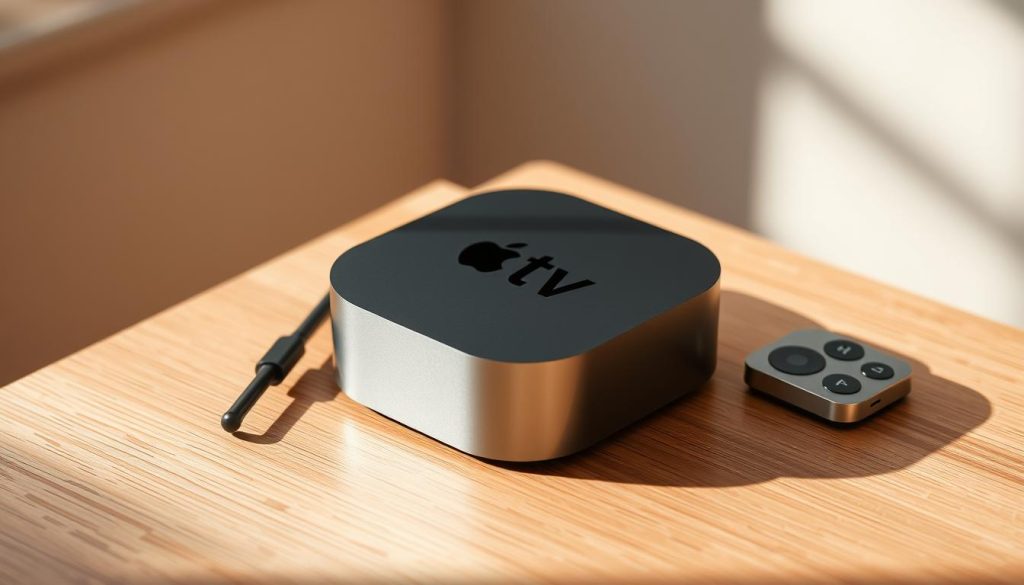
Setting up iPlayTV on your Apple TV is easy and makes streaming better. iPlayTV is a top apple tv iptv player with lots of channels and on-demand content.
Installing iPlayTV from the App Store
To use iPlayTV, first install it from the Apple TV App Store. Go to the App Store on your Apple TV, type “iPlayTV,” and pick the app. Click “Get” to download and install it.
After installing, open iPlayTV. You’ll need to set up your IPTV subscription.
Adding Your IPTV Subscription to iPlayTV
To add your IPTV subscription, you’ll need your provider’s M3U playlist URL or login details. In iPlayTV, go to settings and enter your IPTV info. iPlayTV works with many IPTV providers, making it a great IPTV player for Apple TV.
- Enter your M3U playlist URL.
- Input your IPTV login credentials if required.
- Save your settings to start streaming.
Customizing the Interface and User Experience
iPlayTV lets you customize the interface to your liking. You can:
- Organize your channels into favorites.
- Adjust the app’s layout and appearance.
- Set up parental controls if needed.
Customizing iPlayTV makes your viewing experience better. It makes watching your favorite shows and channels more enjoyable.
In conclusion, iPlayTV is a great choice for Apple TV users. It’s easy to set up and customize, providing a top-notch streaming experience.
GSE Smart IPTV: Installation and Optimization
GSE Smart IPTV offers a new way to watch IPTV on Apple TV. It has great features and is easy to use. It’s perfect for those who want a better streaming experience.
Downloading and Setting Up GSE Smart IPTV
To start with GSE Smart IPTV, download it from the App Store on your Apple TV. Just search for “GSE Smart IPTV” and click “Get” to download. After it’s installed, open it and follow the setup instructions.
Key Steps for Setup:
- Launch the GSE Smart IPTV app on your Apple TV.
- Configure the app by entering your IPTV subscription details.
- Import your M3U playlist to access your channels.
Importing M3U Playlists and EPG Data
Importing your M3U playlist and EPG data is key for a smooth IPTV experience. GSE Smart IPTV makes it easy to import these files. This way, you can enjoy your favorite channels and stay updated with TV schedules.
| Feature | Description | Benefit |
|---|---|---|
| M3U Playlist Import | Import your IPTV channel list | Access to your subscribed channels |
| EPG Data Import | Import electronic program guide data | Stay updated with TV schedules |
| Customization Options | Personalize your viewing experience | Enhanced user satisfaction |
Advanced Settings for Better Performance
To get the best out of GSE Smart IPTV, check the app’s advanced settings. Here, you can tweak settings like buffering and playback quality to match your internet speed.
Tips for Optimization:
- Adjust the buffering settings to minimize lag.
- Select the right playback quality based on your internet speed.
- Enable features like catch-up TV for a more complete viewing experience.
By following these steps and using GSE Smart IPTV’s advanced features, you can greatly improve your IPTV experience on Apple TV.
Troubleshooting Common IPTV Issues on tvOS
Fixing IPTV problems on your Apple TV can solve many common issues. IPTV services on Apple TV are usually reliable. But, like any digital service, they can face technical problems.
Resolving Buffering and Loading Problems
Buffering and loading issues are common for IPTV users on Apple TV. These problems often stem from internet connection issues. Make sure your internet speed is enough for streaming; at least 25 Mbps for HD content.
Try restarting your Apple TV or reinstalling the IPTV app. This might help.
- Check your internet speed using online tools.
- Restart your router and Apple TV.
- Update your IPTV app to the latest version.
If problems continue, contact your IPTV service provider for help. For more detailed assistance, visit Apple Discussions for community support.

Fixing Channel and Playlist Errors
Channel and playlist errors can be annoying. First, see if the issue is with the IPTV service. Check their status page or social media for any outages. If the service is working, try these steps:
- Refresh your IPTV playlist by reloading the M3U file.
- Clear the cache of your IPTV app.
- Check for any updates to the tvOS and IPTV app.
Updating Apps and tvOS for Optimal Performance
Keeping your Apple TV’s operating system (tvOS) and IPTV apps updated is key. Updates often fix bugs and improve performance. To update tvOS, go to Settings > System > Software Updates. For app updates, visit the App Store on your Apple TV.
By following these steps, you can fix many IPTV problems on your Apple TV. This ensures a better viewing experience.
Enhancing Your Apple TV IPTV Experience
To get the most out of IPTV on Apple TV, try a few tips. They can make your viewing experience better and more fun.
Using VPN Services for Unrestricted Access
Using a VPN can boost your IPTV experience. It lets you watch content from anywhere and keeps your data safe. VPNs encrypt your internet traffic, so others can’t see what you’re doing online.
When picking a VPN for Apple TV, look at speed, server locations, and if it works with tvOS.
Creating Custom Channel Groups and Favorites
Organizing your channels can make watching TV easier. You can quickly find your favorite shows and channels.
- Make groups for different types of content, like sports or news.
- Put your favorite channels in a special list for easy access.
Recording and Time-Shifting Options
Some IPTV apps let you record and time-shift. This means you can watch your favorite shows whenever you want.
| Feature | Description | Benefit |
|---|---|---|
| Recording | Record live TV for later viewing | Watch shows at your convenience |
| Time-Shifting | Pause and resume live TV | Never miss a moment |
By using these tips, you can make your IPTV on Apple TV better. Enjoy a more personalized and flexible viewing experience.
Alternative IPTV Applications for Apple TV Users
Apple TV users looking for more than the usual IPTV experience have several options. Apps like iPlayTV and GSE Smart IPTV are popular. But, other apps offer unique features that can make your streaming better.
IPTV Smarters Pro Features and Setup
IPTV Smarters Pro is a powerful IPTV player with a user-friendly interface. To use it on your Apple TV, download it from the App Store. Then, enter your IPTV subscription details to start watching.
This app supports M3U playlists and EPG data. It’s a great choice for those who love IPTV.
Channels DVR for Recording Live TV
Channels DVR is perfect for recording live TV on your Apple TV. It lets you record live television and manage your recordings easily. It works with many IPTV services for a smooth viewing experience.
To start, download Channels DVR from the App Store. Then, follow the setup instructions.
Plex Media Server with IPTV Integration
Plex Media Server is another great option for IPTV integration. It lets you organize your media and enjoy a unified viewing experience. To set it up, configure Plex on your server and connect it to your IPTV service.
For detailed instructions, check out the IPTV setup guide. It will help you integrate Plex smoothly.
| Application | Key Features | Setup Complexity |
|---|---|---|
| IPTV Smarters Pro | User-friendly interface, M3U and EPG support | Medium |
| Channels DVR | Live TV recording, easy management | Low |
| Plex Media Server | Media organization, IPTV integration | High |
Conclusion: Maximizing Your Streaming Experience with IPTV on Apple TV
With the right IPTV app and a few easy steps, you can enjoy smooth streaming on your Apple TV. Choose from top services like iPlayTV, GSE Smart IPTV, or WatchMaxTV. You’ll get access to a huge library of channels and on-demand content.
To make the most of IPTV on TVOS, make sure your Apple TV is set up right. Also, keep your internet connection stable. Using VPN services can give you more freedom. You can also create custom channel groups for a better viewing experience.
Ready to take your streaming to the next level? Start your free trial now at https://watchmaxtv.com and enjoy top-notch content. For any help, just reach out via WhatsApp at https://wa.me/message/OZ4NORVZQTYAC1.
FAQ
What is IPTV and how does it work on Apple TV?
IPTV, or Internet Protocol Television, delivers TV content over the internet. On Apple TV, it streams TV channels and on-demand content through apps like iPlayTV and GSE Smart IPTV.
What are the system requirements for running IPTV on Apple TV?
You need a compatible Apple TV model and the latest tvOS. Also, a stable internet connection with at least 25 Mbps speed for HD streaming and an IPTV subscription.
How do I install iPlayTV on my Apple TV?
Open the App Store, search for iPlayTV, and download it. After installing, launch the app and add your IPTV subscription details.
Can I use GSE Smart IPTV on Apple TV?
Yes, GSE Smart IPTV is available on Apple TV. Download it from the App Store. Then, import your M3U playlist and EPG data to start streaming.
Why is my IPTV streaming buffering or not loading?
Buffering or loading issues might be due to a slow internet, server overload, or IPTV subscription problems. Try restarting your Apple TV, checking your internet speed, or contacting your IPTV provider.
How can I enhance my IPTV experience on Apple TV?
Use a VPN for unrestricted access. Create custom channel groups. Also, use recording and time-shifting options in some IPTV apps.
Are there alternative IPTV apps available for Apple TV?
Yes, alternatives include IPTV Smarters Pro, Channels DVR, and Plex Media Server with IPTV integration. These offer various features and setup options.
How do I update my IPTV apps and tvOS on Apple TV?
Update your IPTV apps by checking the App Store for updates. For tvOS updates, go to Settings > System > Software Updates.
Can I record live TV with IPTV on Apple TV?
Yes, apps like Channels DVR and GSE Smart IPTV allow recording and time-shifting. This lets you record live TV and watch it later.
Is it possible to get a free trial for IPTV services on Apple TV?
Yes, some providers like WatchMaxTV offer free trials. Sign up for a free trial account to explore features and channel selection on Apple TV.
The WatchMaxTV Team is a dedicated group of streaming specialists and entertainment technology reviewers covering IPTV services for viewers in the USA, UK, and Canada since 2023. Our team independently evaluates every service we feature — testing across Smart TVs, streaming sticks, mobile devices, and gaming consoles. We measure stream stability, picture clarity in HD and 4K, program guide accuracy, and customer support quality. Our goal is simple: help cord-cutters find reliable, affordable alternatives to overpriced cable. Every recommendation on WatchMaxTV.com comes from real-world testing — not sponsored content or paid placements.