
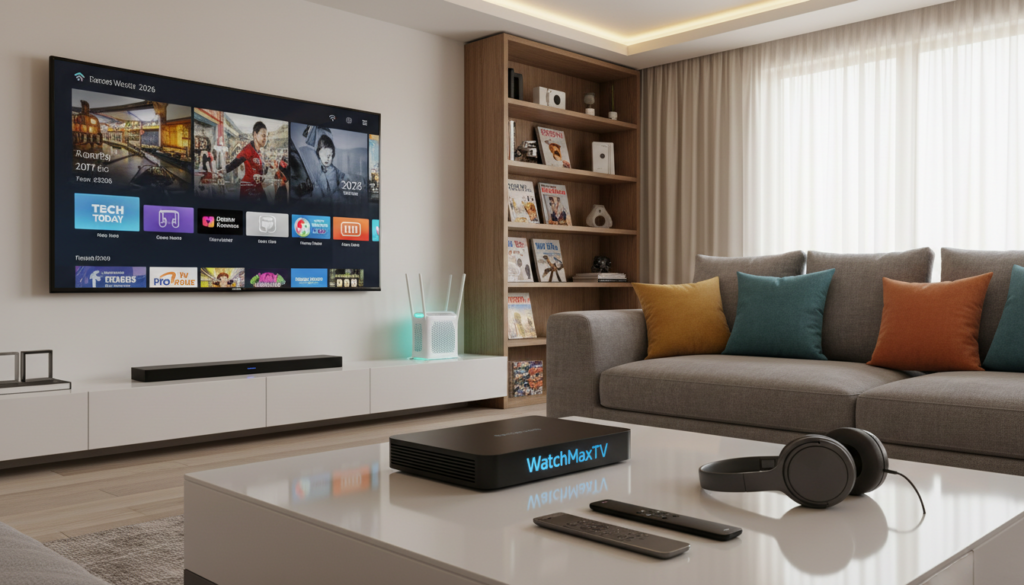
Here’s a shocking fact: in 2026, over 80 million Americans have cut the cord. The average cable bill has hit $147 a month, and streaming now makes up 47.5% of all TV viewing. This massive shift demands a better way to watch.
Modern services deliver stunning 4K and even 8K broadcasts. This high-quality video requires a robust home setup. Your standard internet connection might not be ready for this new era of digital entertainment.
To enjoy a seamless and uninterrupted viewing session, your home setup must be a priority. Buffering and lag ruin the fun. With the growing data load of 4K content, stability is everything.
By focusing on your setup’s performance, you transform it into a powerful gateway for live broadcasts and on-demand movies. A reliable foundation lets you enjoy every show. For a deep dive into top providers, check our expert guide to top streaming solutions.
Key Takeaways
- Cord-cutting is mainstream, with streaming dominating nearly half of all TV time.
- High-definition and 4K content demand a strong and stable home internet setup.
- A properly configured network is the foundation for a buffer-free viewing session.
- Prioritizing video traffic on your router can dramatically improve playback smoothness.
- Investing in your setup’s performance unlocks a superior entertainment experience.
- Using a wired Ethernet connection is more reliable than Wi-Fi for consistent streams.
- Modern services use adaptive technology to adjust to your available bandwidth.
Overview of IPTV Network Optimization
The secret to flawless high-definition entertainment lies in matching your internet’s capacity to your screen’s demands. This overview breaks down the core concepts behind a great streaming experience.
Why Network Optimization Matters
Live video streams involve huge amounts of data. Their stability depends completely on the resources your home system can provide.
When you watch high-definition content, your TV or device needs a constant, steady supply of information. This keeps the picture sharp and prevents annoying pauses. Learning effective strategies for managing video traffic is a smart first step.
Balancing your system’s capacity with demand is the key to watching IPTV with minimal stuttering.
Understanding Bandwidth and Resolution Requirements
Not all video is created equal. Standard definition (SD) streams need about 2-3 Mbps. High-definition (HD) video requires 5-8 Mbps. For stunning 4K content, you’ll need 20 Mbps or more.
You should aim for a minimum of 15 Mbps for reliable HD streaming. For stable 4K delivery, 25 Mbps is the ideal threshold.
Your available bandwidth is often shared. Good management ensures your movie stays smooth without interrupting other online activities like gaming.
Essential Network Setup for High-Quality Streaming
Transforming your viewing experience often begins with two basic steps: checking your router and its location. A proper foundation prevents frustrating pauses during your favorite shows.
Evaluating Your Current Hardware and Router Placement
Start by finding an open, central spot for your router. This helps Wi-Fi signals reach all your streaming devices with fewer obstacles.
Your choice of Wi-Fi band also matters. The 5 GHz option offers faster speeds with less congestion than 2.4 GHz. Compare the key differences:
| Feature | 2.4 GHz Band | 5 GHz Band |
|---|---|---|
| Speed | Slower | Faster |
| Congestion | More crowded | Less interference |
| Range | Better through walls | Shorter range |
| Best For | General web browsing | HD video streaming |
For the most stable connection, use a wired Ethernet cable for your set-top box. This avoids wireless interference completely.
Run multiple speed tests to confirm you have enough bandwidth. Also, limit background tasks on other devices while watching. These simple checks ensure a smooth streaming experience.
IPTV network optimization

The key to a rock-solid stream isn’t just more speed; it’s smarter data management. Modern protocols work behind the scenes to keep your picture perfect.
These techniques ensure your viewing session remains smooth, even when other devices are online. They automatically adjust and prioritize to prevent interruptions.
Implementing Adaptive Bitrate Streaming Techniques
Adaptive bitrate streaming is a smart technology. It lets your player dynamically change video quality based on your available bandwidth.
If your connection slows, it temporarily lowers resolution to avoid buffering. When speed returns, it smoothly increases quality again. This creates a stable performance without manual adjustments.
Leveraging Quality of Service (QoS) for Reduced Latency
Quality of Service (QoS) is a router setting that acts like a traffic cop. It prioritizes your live TV data over less urgent web traffic.
By marking video packets, QoS gives them a dedicated fast lane. This minimizes latency and packet loss during peak usage. Configuring this quality service rule ensures your media player gets the resources it needs.
Effective management here stops downloads from interfering with your broadcast. It’s a critical step for a superior, buffer-free experience.
Advanced Strategies for Minimizing Buffering and Maximizing Performance

The next level of a perfect stream involves managing how video data travels across your entire system. Advanced techniques focus on efficient delivery and smart configuration.
This approach goes beyond basic speed checks. It ensures your hardware and settings work together for the best possible performance.
Utilizing Multicast Broadcasting Efficiencies
Multicast is a clever method for sending one live stream to many devices at once. Instead of sending separate copies, it transmits a single data flow.
This dramatically cuts down on overall traffic load. It’s perfect for households where several people watch the same channel.
Configuring Network Settings for Peak Streaming
Your router and switches play a huge role. Using a managed switch with IGMP Snooping support is a game-changer.
This feature tells your system exactly which devices need the video stream. It stops unnecessary data from clogging up your connection.
Fine-tuning these settings minimizes packet loss. This is key for a smooth, buffer-free experience. For more detailed steps, learn how to minimize video buffering issues.
Compare the hardware features that impact your setup:
| Feature | Unmanaged Switch | Managed Switch |
|---|---|---|
| IGMP Snooping | Not Available | Essential for streaming |
| Traffic Control | Basic | Advanced management |
| Best For | Simple home networks | Peak multimedia performance |
Regularly updating your routers and switch firmware keeps everything running at its best. This final layer of optimization locks in your superior viewing quality.
Why Choose WatchMaxTV
The difference between a good and a great streaming experience often comes down to your provider. After optimizing your setup, you need a source that delivers consistently high-quality entertainment.
WatchMaxTV is designed to be that source. It brings a premium library directly to your screen.
Premium Features and Extensive Channel Options
This service offers an incredible selection. You get over 21,000 live channels and more than 97,000 video-on-demand titles.
Everything streams in crisp HD and stunning 4K resolution. A 99.9% uptime guarantee means your shows play without frustrating interruptions.
Risk-Free Trial, Money-Back Guarantee, and 24/7 Support - Visit WatchMaxTV
You can try it completely free for 24 hours with no credit card needed. Plans start at just $6.95 per month, backed by a 30-day money-back guarantee.
It works seamlessly on all your favorite devices:
- Fire TV, Roku, and Apple TV
- Smart TVs and Android boxes
- PlayStation, Xbox, and Kodi
Their dedicated team provides 24/7 WhatsApp support for any questions. This ensures a smooth and reliable viewing experience.
Upgrade your entertainment today. Visit WatchMaxTV to start your trial and access this vast world of content.
Troubleshooting and Fine-Tuning Your Streaming Experience
Even the best setup can hit snags, but knowing how to troubleshoot keeps your shows running smoothly. Fine-tuning is an ongoing process that enhances your overall viewing session.
Identifying Common Buffering and Connection Issues
Start by running multiple speed tests. You need a minimum of 15 Mbps for HD streaming. For stunning 4K content, aim for 25 Mbps or higher.
If your connection meets these targets but still stutters, check the time of day. External factors like peak internet usage can slow things down.
Monitoring your performance at different hours helps identify these patterns. Persistent buffering often points to a bandwidth contest with other devices.
Practical Adjustments for Seamless IPTV Performance
Clear your application cache regularly. This removes temporary data that can degrade your experience.
Next, verify your device settings. Ensure the resolution matches your current internet speed. A mismatch causes unnecessary strain.
For advanced control, adjust the buffer size in your media player. A larger buffer can smooth out streaming during high-traffic periods. These simple steps tackle most common issues.
Conclusion
Taking control of your home entertainment is simpler than you think. A few strategic steps can eliminate buffering and deliver crystal-clear pictures every time.
Focus on your available bandwidth and router placement. Choosing a reputable provider with strong support is equally crucial. These elements work together to stop playback interruptions.
Implementing settings like Quality of Service (QoS) ensures stability across all your devices. Regular checks, like clearing your cache, keep your setup sharp. For large-scale systems, advanced server resource management principles show how dynamic sharing improves delivery.
With the right approach, you can enjoy a world-class viewing experience from your couch. Reliable, high-quality streaming transforms how you watch TV.
FAQ
What’s the most important thing I can do to improve my streaming quality?
The single best step is to connect your streaming device directly to your router using an Ethernet cable. This creates a stable, high-speed connection that dramatically reduces buffering and lag compared to Wi-Fi, giving you the most reliable experience for your favorite shows and live sports.
My video keeps freezing. What are the first things I should check?
First, restart your modem and router to clear any temporary glitches. Next, run a speed test on your device to ensure your internet plan meets the demands for HD or 4K content. Also, check if other devices on your home network are downloading large files, as this can consume the bandwidth your TV service needs.
How much internet speed do I actually need for smooth streaming?
A> For standard high-definition channels, a steady 10-15 Mbps is a good starting point. If you want to enjoy 4K Ultra HD content or stream on multiple screens at once, you’ll likely need 25 Mbps or more. Always aim for a plan that offers higher speeds than the minimum to account for other household internet traffic.
Can my router’s settings really make a difference?
Absolutely. Enabling a feature called Quality of Service (QoS) in your router’s settings can be a game-changer. It allows you to prioritize traffic from your streaming box or stick, ensuring it gets the data it needs first, even when other devices are active. This simple adjustment minimizes interruptions.
Why should I consider a provider like WatchMaxTV for my service?
WatchMaxTV focuses on delivering a premium experience with optimized streams that adapt to your connection, reducing buffering. They offer a vast channel selection, crystal-clear video quality, and stand behind their service with a risk-free trial and 24/7 customer support to help you get the best setup.
The WatchMaxTV Team is a dedicated group of streaming specialists and entertainment technology reviewers covering IPTV services for viewers in the USA, UK, and Canada since 2023. Our team independently evaluates every service we feature — testing across Smart TVs, streaming sticks, mobile devices, and gaming consoles. We measure stream stability, picture clarity in HD and 4K, program guide accuracy, and customer support quality. Our goal is simple: help cord-cutters find reliable, affordable alternatives to overpriced cable. Every recommendation on WatchMaxTV.com comes from real-world testing — not sponsored content or paid placements.