

Can you really watch every match in Ultra HD without juggling a dozen apps?
This guide helps you sort fact from hype so you can pick a smart, legal path to great matchday viewing.
You’ll learn what “4K IPTV Premier League” actually means, what is realistic right now, and what to verify before you pay for any service.
Understand that watching every match depends on broadcast rights and the channels an IPTV provider includes. Your goal is to choose a service with strong coverage depth and stable streams.
In the U.S., matches are often split across networks and apps, which creates subscription fatigue. Good Ultra HD matters for soccer because you track a fast ball on a wide pitch—motion handling and clarity shape your experience.
Later in this buyer’s guide you’ll see the key criteria: channel lineup, matchday reliability, device compatibility, network needs, support, and trial options. We’ll mention GetMaxTV as an example and link to https://getmaxtv.com for context.
If you want a legal IPTV subscription now, check options at https://watchmaxtv.com.
Key Takeaways
- This guide shows what “4K IPTV Premier League” means and what to expect.
- “Watch every match” depends on broadcast rights and channel coverage.
- Ultra HD matters for fast-action sports due to clarity and motion.
- Look for lineup depth, reliability, device support, and trials.
- We’ll tell you what to ask providers and what to test during trials.
Why Premier League Fans in the US Are Switching to IPTV
Rising costs and scattered rights deals have pushed American soccer supporters to look for simpler streaming options.
You’ve probably noticed how one cable package no longer covers most matches. Rights are split across networks and streaming apps. That means more logins and extra fees just to follow your team.
That fragmentation creates subscription fatigue. You pay for channels you don’t watch and still miss fixtures. On matchday you want to open one app, find the match, and press play — not hunt across services.
How consolidation helps on matchday
- Fewer logins: One subscription can centralize channels that carry different broadcasts.
- Lower cost: You avoid stacking several services across a season.
- Simpler routine: Faster channel discovery and less delay when a kickoff is near.
Be realistic: a single subscription may simplify access, but you must confirm channel coverage and stream reliability before you commit.
| Option | Typical cost | Matchday ease |
|---|---|---|
| Cable bundle | High — many channels you don’t use | Mixed — often requires channel surfing |
| Multiple streaming apps | Medium–high — per app fees add up | Poor — multiple logins, scattered feeds |
| Consolidated internet service | Moderate — one plan covers many channels | Good — centralized guide and faster access |
Next, you’ll get a clear definition of how these internet-based TV services work and how live feeds reach your device.
What IPTV Is and How Using IPTV Works for Live Sports
IPTV brings live broadcasts to your devices using the same internet you already have at home.
In plain terms: IPTV is television sent over the internet instead of through coax or a satellite dish. You watch in an app or player rather than on a dedicated cable box.
IPTV vs cable and satellite
You can move between devices more easily with IPTV. Watch on a phone, tablet, smart TV, or streaming stick without swapping set‑top boxes.
This flexibility often means simpler billing and fewer physical hookups than cable or satellite service.
How a live match reaches your screen
Broadcasters produce a match and send the feed to IPTV servers.
Those servers optimize and route the stream, then your app plays it on your device.
If the provider offers replays, the same infrastructure stores on-demand content for later viewing.
What can go wrong — and what to expect
- Overloaded servers, bad routing, or weak home Wi‑Fi can cause buffering during big games.
- Expect some latency: internet delivery often arrives a few seconds behind cable or over‑the‑air signals.
- Look for sports-optimized services with fast channel switching and clear matchday categories.
| Step | What happens | What you should check |
|---|---|---|
| Broadcast | Match is produced and uplinked | Rights and source quality |
| Ingest & distribution | Provider receives and prepares streams | Server capacity and sports optimization |
| Delivery | Stream reaches your app over the internet | Home network and app compatibility |
When you’re ready to test a service, try a short trial and confirm the sports channels and replays you need. For provider options and sports-focused packages, see a recommended plan at premium sports IPTV and compare alternatives at sports IPTV options.
4k iptv premier league: What You’re Actually Buying
Before you buy, know which claims are marketing and which are verifiable benefits for matchday viewing.
Three claims to check: “Ultra HD,” the right broadcast rights, and the promise to watch every match are separate items. Treat them like three checkpoints rather than one bundled promise.
What “watch every” depends on
The ability to watch every match hinges on which broadcasters the service carries. Rights are split regionally, so your provider must include the specific channels that legally air fixtures in your area.
Ask for a current sports channels list and confirm matchday availability during peak times. If possible, test during a live fixture to gauge reliability.
What Ultra HD means in real life
Higher pixel count gives you finer detail on the pitch. You’ll notice sharper player features and better ball tracking on larger screens.
But resolution alone isn’t the whole story. Smooth motion needs good frame rate and high bitrate. A poorly encoded stream can blur fast plays even at high resolution.
| Claim | What to verify | How it affects your experience |
|---|---|---|
| Watch every match | Complete sports channels list, regional rights | Ensures access to live fixtures you care about |
| Ultra HD feed | Consistent 4K availability, bitrate, frame rate | Sharper detail and less motion blur on big screens |
| Device & network readiness | Compatible TV/stick, wired or strong Wi‑Fi, 25+ Mbps | Stable playback during peak match traffic |
For a practical next step, check a provider’s sports package and trial offers. See one option for high-resolution sports at Ultra HD sports plans.
Premier League Broadcast Rights and Why Coverage Gets Split
Rights deals shape where you watch games: the league sells broadcast packages by region, and broadcasters bid for those packages. That is why different networks show different matches and handle pre‑game and post‑game coverage separately.
In practice, this matters for your wallet: if you try to cover every fixture using traditional routes, you may end up buying multiple cable bundles and streaming apps. Costs add up fast when rights are carved into many packages.
Why matchday feels fragmented
On a typical Saturday you might see an early kickoff on one network, a mid‑afternoon match behind a different app, and post‑game analysis somewhere else. That means extra logins and hunting for the right feed.
How a single internet subscription can help — with caveats
A well‑run internet TV subscription can centralize many sports networks into one guide. That gives you faster access and fewer apps to juggle.
Do your homework: always confirm the provider’s channel list and ask what happens if a broadcaster changes rights. Centralization only helps if the streams stay reliable during peak match windows.
| Issue | Traditional setup | Centralized subscription |
|---|---|---|
| Cost | Multiple cable and app fees | Single monthly fee (varies by package) |
| Convenience | Many logins, scattered guides | One interface for most networks |
| Reliability | Depends on each provider | Depends on central service infrastructure |
Channels and Sports Networks That Commonly Carry Premier League Matches
A clear channel lineup makes matchday hunting fast and painless. IPTV lineups often mix US‑friendly sports networks with international feeds. That gives you local commentary and alternate broadcasts when you want them.
- NBC Sports and ESPN/ESPN+ for US viewers.
- Sky Sports, BT Sport, beIN Sports, TNT Sports, DAZN as international sources.
- Fox Sports and regional sports channels in some lists.
How to read a provider’s channel list
Look for recognizable brands and clear grouping. A tidy “Football” or “UK Sports” category speeds finding the right feed.
Watch for confusing duplicates: consistent naming and channel IDs reduce the chance you open the wrong stream.
“Ask if the provider keeps an updated EPG and whether categories change with the schedule.”
Remember shoulder programming matters too. Pre‑game shows, halftime analysis, and replays usually live on the same channels. Next, you’ll see why stream quality matters even when the channel lineup is perfect.
Streaming Quality Standards for Football: HD, Full HD, and 4K
When players sprint and cameras pan, compression flaws show up quickly — that’s why quality standards matter.
Why football is harder to stream well than talk shows: Wide pitch shots, constant motion, and quick camera pans reveal blockiness and smearing. Low-motion programs mask those faults. For sports, you want a clean, steady picture at every moment.
Frame rate, bitrate, and motion clarity
Resolution helps, but frame rate and bitrate control motion. High bitrate preserves fine detail on the grass and in crowd shots. Higher frame rates reduce blur during fast passes and sprints.
Practical definitions: HD (720p) is acceptable on small screens. Full HD (1080p) is the sweet spot for most TVs. 4K can show more detail, but only when bitrate and encoding are strong.
How to test a service during a trial
Watch a live match or full replay during a busy window. Focus on three moments: long passes across the pitch, player numbers when they turn, and sideline graphics for crisp text.
Big events stress servers. Test at peak match times to see if quality drops. Also check your device — older streaming sticks may struggle with high-bitrate playback even when your internet is fine.
| Aspect | What to check | Why it matters |
|---|---|---|
| Resolution | Consistent HD/Full HD/4K availability | Higher detail on large screens |
| Bitrate | Stable, high bitrate during live events | Reduces blockiness and preserves ball detail |
| Frame rate | 60fps or sports-optimized settings | Smoother motion, less smearing on fast plays |
| Device support | Verified playback on your TV or stick | Prevents false buffering and dropped frames |
Next step: learn simple internet and home network upgrades that keep those quality gains consistent. For guidance on tuning settings, see the provider’s quality settings.
Internet Speed and Home Network Setup for 4K Matchday Streaming
Matchday quality starts with the wiring between your modem and your main TV — not just how many megabits your plan promises.
Simple checks up front save you from buffering during key moments. Verify your plan speed, then test the path from your router to the streaming device you use most.
Realistic speed targets
Use these baselines to pick a plan or to test your current service.
| Resolution | Recommended steady speed | Why it matters |
|---|---|---|
| HD | 10–15 Mbps | Good for small screens and single viewers |
| Full HD (1080p) | 20–25 Mbps | Smoother motion and clearer player detail on most TVs |
| 4K football | 35+ Mbps | High bitrate needed to avoid blur on large screens |
Stability over raw speed
- Ethernet first: plug your main TV or streaming device into the router when possible.
- Wi‑Fi tips: place the router centrally, use 5 GHz for nearby devices, and avoid weak extenders that add latency.
- Prioritize during games: pause big downloads, limit other streams, and close multiplayer games to reduce congestion.
ISP throttling and practical fixes
Some ISPs may slow video traffic at peak times. A VPN can help in rare cases, but it can also add overhead and latency.
Test changes: run a speed test during kickoff, then try wiring or a VPN to compare. For guidance on tuning, check the provider’s quality settings.
Bottom line: a reliable provider plus a tidy home network gives you the best chance to watch without interruptions. Check both sides before you blame one or the other.
Buffering, Freezing, and Peak-Time Reliability
Matchday reliability is the single thing that separates a pleasant viewing night from a frustrating one.
Why services can fail on big games: a smaller service may stream fine during the week but struggle when thousands of fans tune in at once. That surge stresses servers and routing, and suddenly your smooth Tuesday feed becomes a slideshow on Saturday.
What buffering and freezing mean for you
Buffering is the player pausing to load data. It usually looks like a spinning wheel and shows you the stream is waiting for more packets.
Freezing is a stalled image or repeated frames and often signals stream instability or server overload. Both ruin live sports because they break timing and miss key plays.
Sports-optimized servers and uptime explained
Sports-optimized servers are built for high concurrency. They use stronger capacity planning, faster CDN routing, and priority queues so many users can watch the same channel without collapse.
High uptime means the provider keeps services available during peak windows. Look for published uptime targets and transparent status pages as signs the team cares about matchday performance.
How to evaluate reliability before you buy
- Test during a live match at peak time, not in off-hours.
- Monitor channel switch speed and whether alternative feeds exist if one fails.
- Check if the provider offers clear status updates and responsive support when problems occur.
Practical note: even a top service won’t help if your devices or home network are weak. Next up, you’ll see where to watch and which devices to prioritize.
Consider our short recommendation for services without freezing at service without freezing.
Device Compatibility: Where You Can Watch Premier League IPTV
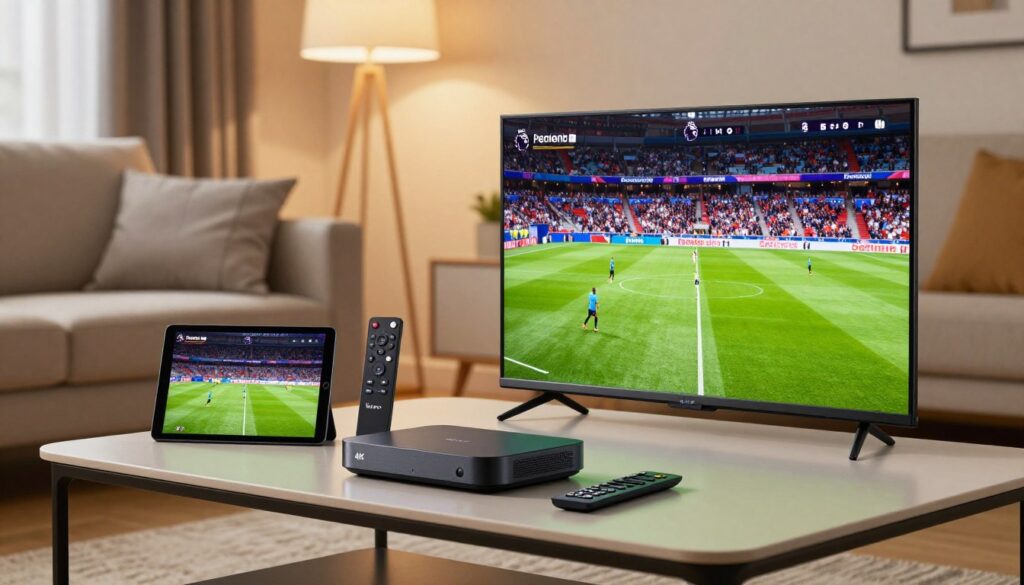
Choose the right screens and players so matchday starts fast and stays smooth.
Compatibility matters more than brand names. You can watch on many popular setups, but the smoothest nights come from matching the device to the task.
Smart TVs, streaming sticks, Android boxes, and mobile devices
You’ll find common viewing options below and the tradeoffs for each.
- Smart TVs: Built-in apps are simple, but older TVs may lag or lack updates.
- Streaming sticks & Android boxes: Faster processors and regular app support give more consistent playback.
- Phones, tablets, and PCs: Great for travel and single viewing; expect battery use and cellular limits.
Multi-device households and simultaneous streams
Simultaneous streams tell you how many family members can watch different channels at once. Check plan limits before you subscribe.
Example: one person watches on the living-room TV while another streams a different match on a tablet. That’s a common setup and usually covered by mid‑tier plans.
| Option | Strength | Tradeoff |
|---|---|---|
| Smart TV | Simple setup, big screen | May be slow or outdated |
| Streaming stick/box | Fast app updates, steady playback | Extra purchase required |
| Mobile/PC | Flexible access on the go | Cellular congestion and battery drain |
Travel note: Many providers let you watch anywhere world, but access abroad can vary. A VPN sometimes helps, yet provider rules and regional rights still apply.
Now that you know where you’ll watch, use the buyer checklist to compare features that matter most for sports viewing.
Key Features to Compare in an IPTV Service (Buyer Checklist)
Before you sign up, measure a service by coverage depth, interface speed, and real trial performance.
Coverage depth: start with live matches, pre-game shows, post-game analysis, and highlights. Confirm the exact channels that carry studio programs and replays so you don’t miss tactical breakdowns.
Interface and channel switching: an organized EPG with sports categories saves time. Fast channel switching is a sports KPI—slow loads mean you may miss goals when you jump between feeds.
On-demand value: replays and on-demand content let you catch missed moments without spoilers. Check how long replays stay available and whether key clips are easy to find.
Support and uptime: you want responsive support when streams fail. Live chat or phone help matters more for live matches than a generic email ticket.
Trials and short plans: use short or trial plans to test peak-time stability, picture quality, and device compatibility before committing to longer subscriptions.
- Test plan: watch a big match window, try two devices, check the EPG, and verify the channels you need.
- Note which service recovers fastest if a feed drops and how support responds.
| Feature | What to check | Why it matters |
|---|---|---|
| Coverage depth | Live matches, pre/post shows, highlights | Complete matchday experience |
| EPG & switching | Clear sports categories, fast channel change | Find and follow games quickly |
| On-demand content | Replays, clips, archive length | Catch-up and share highlights |
| Support | Live help, status page, response time | Fixes during live events |
| Trial options | Short plans, refundable tests | Real-world stress test |
VPNs, Location Access, and Watching Anywhere in the World
Before you add another tool, know what a VPN actually does and when it makes sense for matchday viewing.
What a VPN does: it encrypts your traffic and hides your true IP, which improves privacy and can change the apparent location of your device. That can help with routing or suspected ISP throttling, but it does not guarantee legal access to every regional broadcast.
When a VPN helps (and when it’s unnecessary)
Use a VPN if you connect over hotel Wi‑Fi, public hotspots, or a network you don’t trust. It protects your data and can sometimes smooth routing that causes stalls.
Skip the VPN if your home provider and streaming service are stable. Adding encryption can add latency and reduce throughput, creating a new failure point.
Travel use-case: keep your viewing consistent on the road
If you travel and want the same channel lineup and apps on your phone or streaming stick, test everything before kickoff. Log in at your destination, confirm playback, and check speeds on the VPN server you plan to use.
- Practical tips: pick a nearby VPN server for best speed; avoid crowded free VPNs; test during a live match window; and allow extra headroom for high‑bitrate streams.
- Performance tradeoff: encryption can cut raw throughput, so aim for higher internet speed if you plan to run a VPN for high-resolution viewing.
Stay compliant: use a provider and tools that respect rights and clear policies. For additional reading on watching abroad and tools that help, see this practical guide on how to watch from anywhere and a developer resource for sports packages available through watching from anywhere and an option list at sports package resources.
Pricing and Subscription Plans: What a Fair IPTV Subscription Looks Like

Pricing tells you more than cost — it hints at how much support and uptime you can expect.
How pricing is usually structured: Most vendors offer a standard month option and discounted multi‑month bundles. Trials or short plans are common so you can test matchday reliability before committing.
Low‑risk approach: start with a single month or a short plan. Use that time to test peak windows, channel lists, and device compatibility. If it works, move to a longer bundle for savings.
Monthly vs multi-month: balancing value and flexibility
Monthly plans give you flexibility and a quick exit if streams fail. Multi‑month bundles often cut the per‑month price but lock you in. Choose based on how confident you are in matchday performance.
Red flags in pricing that can signal unstable service
- Very low prices compared to market norms — may mean overloaded servers or fake channels.
- Unclear renewal rules or no refund window.
- Sellers who dodge questions about simultaneous streams, uptime, or sports channel lists.
“An ultra‑cheap subscription that buffers during big games costs more than a fair plan that actually works.”
Compare like‑for‑like: check simultaneous streams, sports categories, EPG quality, replay availability, and support response time. A lower sticker price isn’t a win if you miss the matches you care about.
| Plan type | Typical monthly cost | Best for |
|---|---|---|
| Monthly | $8–$20 | Testing matchday reliability; maximum flexibility |
| 3–6 month bundle | $6–$15 (per month) | Moderate savings after a successful trial |
| 12 month bundle | $4–$12 (per month) | Long‑term value if provider proves reliable |
Final note: price matters, but legality, clear terms, and responsive support give you real value. Start small, test during live windows, and upgrade only when the plan proves itself.
Legal and Safety Considerations When Choosing IPTV
When a provider operates transparently and within the rules, you get steadier service and clearer recourse if problems arise.
Why a legal IPTV subscription matters for reliability and peace of mind
Legitimate offerings are less likely to disappear mid‑season. A lawful plan usually has contracts with rights holders, which means channels stay online and uptime is more predictable.
Look for clear business signals: published terms, easily found support contacts, and straightforward lists of included channels. These signs show the team runs a stable operation and answers problems quickly.
Privacy basics: what a trustworthy provider should do
You should expect minimal data collection, secure payment processing, and stated policies on how your data is stored. Privacy protections like encryption and limited retention are practical evaluation points.
- Use strong, unique passwords and enable two‑factor login if offered.
- Don’t share logins widely and be wary of providers asking for unusual personal data.
- A VPN helps on public Wi‑Fi but does not replace choosing a reputable provider.
Bottom line: pick a transparent provider with clear terms and basic privacy measures so you can enjoy matches without risking account theft or unreliable streams. Next, you’ll see quick setup steps to get started.
How to Set Up IPTV for Premier League Matches in Minutes
Quick, friendly setup steps that get you to kickoff fast.
Start simple: pick a provider, install the app on your main device, and save the match channels you’ll use most.
Choose a provider and confirm channels available
Step 1: verify in writing which channels carry premier league matches and whether they cover league matches all season. Ask for a current list of channels available before you pay.
Install an app and sign in
Step 2: install a compatible player on your device (Smart TV, stick, Android TV, phone, or tablet). Ensure the app supports EPG and favorites.
Find sports categories and save match channels
- Step 3: sign in with the credentials or playlist your provider gives and confirm the EPG loads correctly.
- Step 4: open Sports/Football, locate your premier league matches, and test a short live playback for stability and sync.
- Step 5: save top channels to favorites so you reach them in seconds on matchday.
- Step 6: do a quick reliability check—switch channels, pause/resume, and watch for buffering.
- Step 7: for kickoff, restart your router if needed, close heavy apps, and prefer Ethernet if Wi‑Fi is weak.
Tip: if you want a provider with clear sports plans, compare premium sports channels at premium sports channels.
Where GetMaxTV Fits In If You Want a Straightforward IPTV Experience
If you want a no-nonsense starting point, look for an iptv provider that lists clear plan tiers, shows realistic channel access, and promises reliable support.
A provider-first offer means published plans, simple device setup steps, and honest notes on what the service covers. That helps you test matchday performance without surprises.
What to look for in a provider-first offer
- Published plan options: clear pricing, simultaneous streams, and trial lengths so you can compare apples to apples.
- Channel organization & EPG: tidy sports categories and favorites make matchday navigation fast.
- Stability & support: sports-optimized delivery and responsive support channels for live-event issues.
- Device guidance: setup instructions for your TV, stick, or phone so you avoid playback problems on kickoff.
Explore the main offer from GetMaxTV for a simple starting point
If you want to review a simple starting point, you can explore GetMaxTV’s main offer here: https://getmaxtv.com. Treat it as an option to test your home network and matchday flow.
Smart buying move: start with a short plan or trial. Use that window to verify Premier League channel availability, switching speed, peak-time performance, and whether replays are included.
| What to check | Why it matters | How to test |
|---|---|---|
| Published plan tiers | Shows limits on streams and devices | Compare tiers and pick a short plan |
| Channel access list | Confirms which matches you can watch | Ask for a current sports channels list |
| Peak-time stability | Ensures live matches don’t buffer | Test during a busy kickoff window |
| Support responsiveness | Gets you help during a failed stream | Open a support ticket or chat during a test |
Bottom line: treat GetMaxTV as a practical option, not the only one. Verify the basics, start short, and only extend your iptv subscription once matchday stability and support meet your needs. For guidance on choosing a provider more broadly, see this checklist: how to choose the best IPTV.
Conclusion
, If you want a reliable matchday experience, focus on three things: coverage, matchday reliability, and simple device setup.
Choose a service that lists channels clearly and proves it during busy windows. Confirm channels can actually let you watch every match you care about before you commit.
Quality matters: 4K is great on big screens, but bitrate, frame rate, and a solid wired or strong Wi‑Fi link stop blur and buffering.
Use this quick checklist: tidy EPG and channel categories, fast channel switching, replays and on‑demand content, multi‑device support, and responsive support when streams fail.
Start with a short month or trial, test peak events on your devices, then upgrade. If you want a legal subscription option to explore, check GetMaxTV at https://watchmaxtv.com.
FAQ
What does a subscription labeled “4K IPTV Premier League” actually include?
It typically promises ultra-high-definition streams of top-flight football matches, plus related sports channels, live sports events, and on-demand highlights. Coverage depends on the provider’s channel lineup, broadcast rights in your region, and whether the service offers dedicated sports networks and replay content. Always check the channel list and any blackout or regional restrictions before buying.
How is this service different from traditional cable or satellite packages?
This service delivers channels over the internet rather than through coaxial cable or satellite dishes. That means you can watch on smart TVs, streaming sticks, Android boxes, and mobile devices. You avoid bulky cable bundles and often get more flexible monthly plans, but your experience depends on internet speed, provider uptime, and how many simultaneous streams your plan allows.
What internet speed do I need to watch matches smoothly in ultra HD?
Realistic targets vary: standard HD needs less bandwidth than Full HD and ultra HD needs the most. For high-quality live football in ultra resolution, aim for a stable wired or high-performance Wi‑Fi connection and higher bitrates. Prioritize stability—Ethernet or a strong 5 GHz Wi‑Fi connection reduces buffering and packet loss during fast plays.
Why do some big matches buffer or freeze even on paid services?
Peak-time congestion, underpowered streaming servers, or ISP throttling can cause interruptions. Services that advertise sports-optimized servers and high uptime generally offer more reliable matchday performance. If you see frequent problems, test your home network and ask the provider about server locations and capacity.
Which channels and sports networks usually carry top-flight matches on these services?
You’ll find a mix of domestic sports networks and international feeds depending on rights. Look for well-known broadcasters that hold regional rights—those channels often appear in reputable channel lineups. Verify that the provider lists UK sports channels, international sports feeds, or dedicated football channels if you want comprehensive coverage.
Can I watch on multiple devices at once, and how many simultaneous streams should I expect?
Multi-device households are common, so many providers offer plans with two or more simultaneous streams. Check the plan details: some support smart TVs, mobiles, and streaming sticks at the same time. If your household needs concurrent viewing, choose a plan that explicitly lists the number of allowed devices.
Do I need a VPN to watch matches when I travel abroad?
A VPN can help if your subscription is region-locked and you want to access your usual channels while traveling. However, reputable providers often offer global access or apps that work internationally. Use a VPN only where it complies with the provider’s terms; otherwise, sign in through the provider’s supported apps for the safest experience.
How can I check the quality of the provider’s stream before committing to a long plan?
Look for trials, short-term plans, or money-back guarantees. Test channel switching speed, buffering under peak hours, and the availability of on-demand replays. Good customer support and a clear electronic program guide (EPG) make testing easier, so try contacting support during your trial to evaluate responsiveness.
What are common red flags in pricing and service offers?
Extremely low monthly fees, vague channel lists, or no clear refund policy are warning signs. Also be cautious if a provider lacks transparent broadcast rights information, has poor support, or shows frequent service downtimes. Choose services that list channels, plans, and support options clearly.
Is using this service legal and safe for my privacy?
Legal options source content from authorized broadcasters and make clear statements about rights and coverage. Prioritize providers that protect your data, use secure payment methods, and publish privacy policies. A lawful subscription reduces the risk of sudden service termination and ensures consistent access.
How do I set up watching matches in minutes after subscribing?
Pick a provider, confirm the match channels are included, download the compatible app to your device, and sign in. Navigate to sports or football categories, save your favorite channels, and test the stream. If you encounter trouble, contact customer support—many providers offer quick setup guides and troubleshooting tips.
What should I compare when choosing a provider for matchday viewing?
Compare channel coverage (live matches, pre/post-game shows, highlights), stream stability, device compatibility, on-demand replays, customer support hours, and trial options. Also evaluate plan flexibility—monthly versus multi-month—and check for sports-optimized servers and good uptime guarantees.
How important is device compatibility and app quality?
Very important. A polished app with a clear interface and fast channel switching improves your viewing experience. Make sure the provider supports your smart TV, streaming stick, set-top box, and mobile devices. Read reviews about app performance to avoid frustrating delays on matchday.
Can I get every match worldwide with a single subscription?
Not always. Regional broadcast rights can split coverage across multiple networks. A single subscription may centralize many channels, but some matches remain region-restricted. Check the provider’s coverage and consider backup options—authorized international feeds or travel-friendly access—if you need global viewing.
How do frame rate and bitrate affect live football viewing?
Football needs higher frame rates and bitrates to reduce motion blur and show fast action clearly. Lower bitrates can cause pixelation during quick plays. Seek services that prioritize motion clarity and list technical specs where possible, or test during live matches to evaluate motion handling.
What support should you expect when streams go down during a big match?
Expect responsive customer service—chat, email, or phone—with clear escalation for outages. Providers that monitor uptime and use sports-optimized infrastructure can restore service faster. Check reviews to see how quickly support handles matchday issues before you subscribe.
The WatchMaxTV Team is a dedicated group of streaming specialists and entertainment technology reviewers covering IPTV services for viewers in the USA, UK, and Canada since 2023. Our team independently evaluates every service we feature — testing across Smart TVs, streaming sticks, mobile devices, and gaming consoles. We measure stream stability, picture clarity in HD and 4K, program guide accuracy, and customer support quality. Our goal is simple: help cord-cutters find reliable, affordable alternatives to overpriced cable. Every recommendation on WatchMaxTV.com comes from real-world testing — not sponsored content or paid placements.